
How to Reorder & Organize PDF Pages Online for Free (100% Private & Secure)
Unlike traditional web utilities that require uploading your private files to remote servers, RiazHub processes 100% of your document locally inside your browser. No files are ever sent to an external server, keeping your financial statements, contracts, books, and confidential records entirely private.
Ready to Organize Your PDF Pages?
Rearrange page sequence, fix upside-down scans, and download your reorganized PDF instantly.
Why You Need a Local, Client-Side PDF Organizer
Most online PDF splitters and organizers convert PDF pages into flattened rasterized image files (JPEGs/PNGs). This process causes several significant drawbacks:
- Loss of Text Selectability: Flattening destroys searchable text layers, preventing copy-pasting or optical text searching.
- Reduced Resolution & Blur: Converting vector fonts into pixel grids leads to blurry text when printing or zooming in.
- File Size Bloat: Image-based PDFs consume significantly more storage space than clean vector documents.
- Privacy Risks: Uploading sensitive legal documents or passports to third-party web servers creates serious data leak hazards.
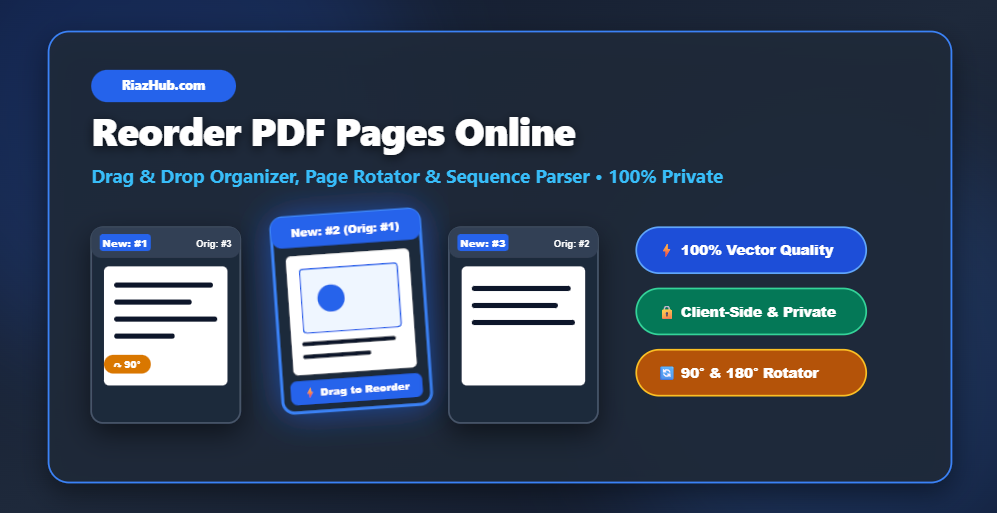
By leveraging client-side WebAssembly and JavaScript PDF engines, the Reorder PDF Pages Utility on RiazHub preserves 100% of original vector text streams, hyperlinked buttons, embedded fonts, and crystal-clear graphics while executing every action locally.
Key Features of the RiazHub PDF Organizer
🖱️ Drag & Drop Page Cards
Visually drag page thumbnails into your desired reading sequence with real-time drop position markers.
↷ 90° & 180° Page Rotation
Fix sideways or inverted scans individually per card or batch-rotate all pages simultaneously.
🔢 Custom Sequence String Parser
Type custom expressions like 5, 1-3, 4, 8, 6-7 to interleave double-sided scans instantly.
🔒 100% Privacy Guarantee
No document upload required. All page compiling and saving run client-side inside HTML5 memory.
Step-by-Step Guide: How to Reorder PDF Pages
- Access the Utility: Launch the Reorder PDF Pages Tool on RiazHub.com.
- Load Your PDF File: Drag and drop your `.pdf` document onto the dropzone or click Select PDF File to open your device file picker.
- Organize & Rearrange Pages:
- Drag any thumbnail card to a new position.
- Click the ↷ Rotate button on individual cards or use the top bar to rotate all pages.
- Use the 🗑️ Delete icon to remove unwanted blank pages.
- Use the
Custom Sequencebox for fast numerical sequence re-ordering.
- Save & Download: Click the primary Save & Download PDF button. Your reorganized file will download instantly as
[Filename] - Reordered by RiazHub.com.pdf.
Try RiazHub’s PDF Page Organizer Now
Free, unlimited usage with zero registration or file size limitations.
Pro Tips for Complex PDF Documents
Interleaving Double-Sided Booklet Scans
If you scanned a 10-page double-sided document using a single-sided sheet feeder (scanning odd pages 1, 3, 5, 7, 9 first, followed by even pages in reverse 10, 8, 6, 4, 2), simply enter 1, 10, 3, 8, 5, 6, 7, 4, 9, 2 into the sequence parser input on the RiazHub PDF Organizer and click Apply Sequence to perfectly interleave the document in seconds.
Frequently Asked Questions (FAQ)
Is it safe to upload confidential PDFs to this tool?
Yes, 100%! Your files are never uploaded to any server. All processing takes place directly in your device’s browser memory using Web APIs.
Does reordering reduce the visual quality of my PDF?
No. Our tool uses pure structural vector page copying rather than rasterizing pages into images. Text readability and print resolution remain 100% identical to your original file.
Is there a file size limit or daily page cap?
Since processing uses your device’s hardware, there are no artificial limits or daily quotas on the RiazHub Reorder PDF Pages Tool.
Conclusion
Organizing multi-page PDF files does not require installing bulky software or sacrificing your document privacy. With RiazHub’s free web utility, you get lightning-fast client-side page drag-and-drop, multi-page rotation, and custom range sorting right inside your web browser.
Head over to https://riazhub.com/reorder-pdf-pages today and experience effortless, secure PDF page management.
Browser PDF Page Reorder & Organizer
Drag and drop to reorder, rotate, duplicate, or delete PDF pages. 100% Client-Side & Private.
Drag & Drop your PDF file here
or click below to choose a PDF file from your device
Page Preview
💡 PDF Page Organization Guide & Best Practices
1, 6, 2, 5, 3, 4) to instantly interleave your pages in chronological reading order.