
Demystifying ASCII: The Complete Guide to Decoding ASCII Codes to Plain Text (and Vice Versa)
Every piece of readable text rendered on a computer screen from plain messages and code snippets to system logs is fundamentally stored as a sequence of numbers. Understanding how these numerical values translate into human-readable characters is essential for software engineers, cybersecurity analysts, and digital creators. In this comprehensive guide, we examine the inner workings of character mapping and demonstrate how you can decode or encode any string seamlessly using the RiazHub ASCII to Text Converter.
What is ASCII and Why Does It Matter?
ASCII, which stands for American Standard Code for Information Interchange, is one of the most fundamental character encoding standards in computer science. First published in 1963 by the American National Standards Institute (ANSI), ASCII established a universal mathematical agreement: assigning every basic English character, punctuation symbol, digit, and control signal a specific integer between 0 and 127 (7-bit system).
Before ASCII, different computer architectures utilized incompatible proprietary schemes to represent characters, resulting in scrambled communication between systems. By standardizing 128 unique character slots, ASCII laid the foundational bedrock upon which the internet, programming languages, and modern operating systems operate. Whenever you encounter raw number sequences like 72 101 108 108 111, you can translate them back to words instantly using an online ASCII to Text Converter.
The Four Primary Numeral Formats (Radices) of ASCII
While human beings typically write numbers in base-10 (decimal), computers and network protocols process data in binary, hexadecimal, and octal. An effective utility like the browser-based ASCII to Text utility allows you to switch between all four bases seamlessly:
1. Decimal (Base-10)
Decimal is the standard base-10 numerical system. In decimal ASCII:
- Uppercase letters
A–Zspan from 65 to 90. - Lowercase letters
a–zspan from 97 to 122. - Numerical digits
0–9span from 48 to 57. - The space character is decimal 32.
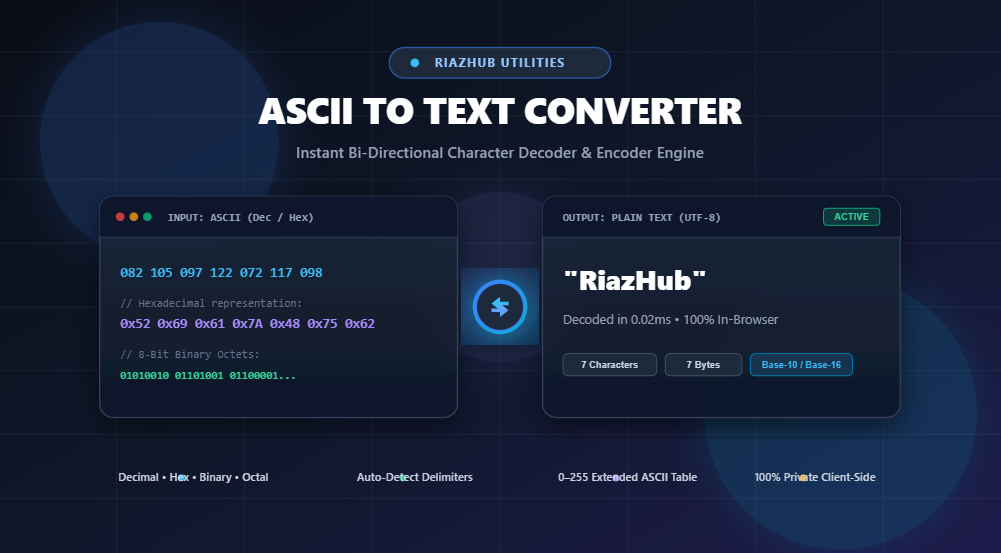
Example: The text RiazHub in decimal ASCII is 82 105 97 122 72 117 98.
2. Hexadecimal (Base-16 / Hex)
Hexadecimal represents numbers using 16 symbols (0–9 and A–F). Because two hexadecimal digits represent exactly one 8-bit byte (256 values), hex is the preferred format for inspecting memory dumps, bytecodes, and network packets.
Example: The character 'R' (Decimal 82) converts to Hex 0x52 ($5 \times 16^1 + 2 \times 16^0 = 80 + 2 = 82$). The text RiazHub becomes 52 69 61 7a 48 75 62.
3. Binary (Base-2)
Binary is the native language of microprocessors, consisting solely of 0s and 1s (bits). Standard ASCII fits inside 7 bits, while extended ASCII and UTF-8 single bytes utilize 8-bit padded octets.
Example: The character 'R' (82) in 8-bit binary is 01010010 ($64 + 16 + 2$).
4. Octal (Base-8)
Octal uses digits 0–7. It is widely recognized in Unix/Linux filesystem permissions (e.g., chmod 755) and legacy telecommunication protocols.
Example: The character 'R' in octal is 122 ($1 \times 64 + 2 \times 8 + 2 \times 1 = 82$).
Step-by-Step Mathematical Conversion Formulas
If you ever need to manually calculate character codes without automated software, here are the exact mathematical steps:
Formula: Character to Decimal, Hex, and Binary
- Find Decimal Code: Identify the standard ASCII position (e.g.,
'H'= 72). - Convert to Hexadecimal: Divide 72 by 16:
72 ÷ 16 = 4with a remainder of8➔ Hex code is0x48. - Convert to Binary: Deconstruct 72 into powers of two ($64 + 8$):
01001000.
To avoid tedious manual calculations, simply paste your string into the ASCII to Text Converter on RiazHub for immediate bi-directional translation.
ASCII vs. Extended ASCII vs. Unicode (UTF-8)
One common point of confusion is distinguishing traditional 7-bit ASCII from modern UTF-8 encoding:
| Encoding Standard | Bit Width | Total Characters | Primary Use Case |
|---|---|---|---|
| Standard ASCII | 7 bits | 128 (0–127) | Basic English letters, numerals, standard punctuation, control characters. |
| Extended ASCII | 8 bits | 256 (0–255) | Accented Latin characters (e.g., ñ, é), mathematical symbols, box-drawing glyphs. |
| Unicode (UTF-8) | 1 to 4 bytes | 1,112,064+ | Universal international web standard, supporting all global alphabets, Asian scripts, emojis, and symbols. |
The crucial design triumph of UTF-8 is that its first 128 code points are 100% identical to 7-bit ASCII. This means any legacy ASCII text file is inherently valid UTF-8.
Top Real-World Use Cases for ASCII Converters
Why do developers and digital professionals regularly use an online ASCII to Text converter?
- Debugging System Logs & Network Payloads: Web servers, routers, and IoT hardware often print raw payload buffers in decimal or hexadecimal arrays. Converting these arrays reveals plain JSON or HTTP headers.
- CTF Challenges & Cyber Forensics: Security researchers solving capture-the-flag (CTF) puzzles frequently encounter obfuscated strings encoded in binary or hex ASCII.
- Embedded Systems & Microcontroller Firmware: Programming Arduino, STM32, or ESP32 chips frequently involves reading serial bytes from sensors as raw integers.
- Encoding Clean Data Streams: When transmitting text across legacy protocols that do not support special Unicode characters, encoding text into ASCII numbers prevents data corruption.
Key Features of the RiazHub ASCII Utility
When working with complex code strings, the RiazHub ASCII to Text Converter offers several advanced developer tools:
- Dual-Direction Conversion: Seamlessly toggle between “ASCII ➔ Plain Text” and “Plain Text ➔ ASCII” with a single click.
- Flexible Delimiter Support: Process space-separated, comma-delimited, colon-separated, dash-separated, or continuous uninterrupted hex/binary streams.
- Smart Auto-Detection: Automatically identifies prefixes (
0x,\x,0b) and recognizes the correct radix without manual configuration. - 100% In-Browser Privacy: All string parsing and character mapping executes strictly inside your browser. No confidential data or text strings are ever sent across a network.
- Built-In Character Table & File Export: Search the 0–255 interactive ASCII inspector, load sample files, or download converted text directly as a
.txtfile.
Frequently Asked Questions (FAQ)
How do I convert ASCII numbers with commas or custom separators?
In the ASCII to Text Converter, select your delimiter from the dropdown (e.g., Comma, Colon, Dash, or Custom Delimiter). With “Auto-Detect” enabled, the parser will automatically handle common separators like commas and spaces simultaneously.
What are Non-Printable ASCII Control Characters?
Codes 0 through 31 and code 127 are control characters (such as NUL, Line Feed, Tab, and Escape). They were originally designed to command hardware devices like teletype machines and printers. Our converter allows you to toggle “Ignore Non-ASCII / Control Characters” to filter out non-printable artifacts.
Is my data secure when converting private tokens or passwords?
Yes. The RiazHub ASCII to Text Converter is built on a privacy-first client-side architecture. Every transformation executes locally in your device’s memory using JavaScript, ensuring complete confidentiality.
ASCII to Text Converter
Decode ASCII decimal codes, hex, binary, or octal into readable plain text, and encode plain text to ASCII codes in real time.
Interactive ASCII Reference Table (0–127 & Extended 128–255)
| Decimal | Hex | Octal | Binary | Character / Glyph | Description |
|---|
💡 Click any table row to automatically append that character or ASCII code into your input editor.
ASCII (American Standard Code for Information Interchange) is a 7-bit character encoding standard developed in 1963. It defines numerical representations for 128 characters (codes 0–127), covering English letters (A-Z, a-z), digits (0-9), punctuation marks, and control codes (like newline, backspace, and null).
Extended ASCII uses the full 8th bit (codes 128–255) to represent accented letters, symbols, and graphical box-drawing elements. Modern computing utilizes UTF-8 (Unicode), which maintains complete backward compatibility with the original 128 standard ASCII character set while supporting over 149,000 international characters and emojis.
Computers store characters as binary integers. Every character maps to an identical numerical value across different mathematical bases:
• Decimal (Base-10): 82
• Hexadecimal (Base-16): 0x52 (5×16¹ + 2×16⁰ = 80 + 2 = 82)
• Binary (Base-2): 01010010 (64 + 16 + 2 = 82)
• Octal (Base-8): 122 (1×64 + 2×8 + 2×1 = 82)
Your privacy and data security are our top priorities at RiazHub.com. All parsing, delimiter tokenization, radix transformations, and file conversions occur entirely within your local browser memory using client-side JavaScript.
No text strings, decrypted codes, or uploaded files are ever sent to our servers or stored in any remote database.