
Whether you are managing payroll for remote employees, calculating billable client hours, tracking flight durations across time zones, or adding up shift logs, dealing with time math is notoriously tricky. Unlike standard decimal arithmetic based on powers of 10, time operates on sexagesimal (base-60) and duodecimal (base-12 / base-24) systems.
Adding 45 minutes to 8 hours and 30 minutes doesn’t equal 8.75 hours in clock time; it equals 9 hours and 15 minutes. Simple mistakes in carrying over minutes or converting minutes into decimal hours can lead to costly payroll errors or scheduling miscalculations.
To solve this problem once and for all, we built the official Free Online Time Calculator at RiazHub.com — a powerful, zero-installation tool designed for professionals, freelancers, shift workers, and managers worldwide.
Need to Calculate Hours or Add Duration Fast?
Access our responsive, instant-calculation tool supporting 150+ country formats, decimal payroll conversion, and unpaid break deductions.
1. Why Standard Calculators Fail at Time Math
Standard digital calculators treat numbers as base-10 decimals. If you enter 8.30 + 1.45 into a regular calculator, it returns 9.75. But in time measurement:
30 minutesplus45 minutesequals75 minutes, which carries over to 1 hour and 15 minutes.- Thus,
8 hours 30 mins + 1 hour 45 minsactually equals 10 hours and 15 minutes (or 10.25 decimal hours).
This distinction between Clock Time (HH:MM:SS) and Decimal Hours (HH.XX) is where most manual entry errors occur. Using a specialized utility like the Add and Subtract Time Units Calculator guarantees that base-60 unit borrowing and carrying are computed with 100% precision.
2. Key Features of the RiazHub Time Calculator
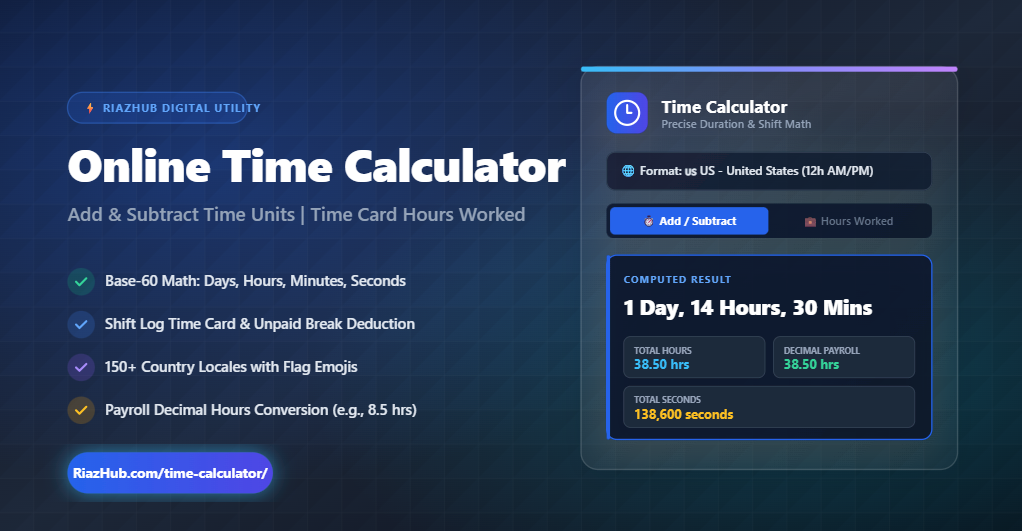
The RiazHub Time Calculator is built with a dual-tab architecture to cater to two primary use cases: general time arithmetic and work shift time cards.
⏱️ Mode 1: Duration Addition & Subtraction
Easily add or subtract Days, Hours, Minutes, and Seconds from any starting duration or time stamp with instant live updates.
💼 Mode 2: Time Card & Hours Worked
Calculate exact net work shift hours between Start and End times while deducting unpaid lunch breaks.
🌐 150+ Country Locales & Flags
Select your region to format 12-hour AM/PM or 24-hour clocks using native internationalization algorithms.
📊 Decimal Hours for Payroll
Get instant conversions into total hours, total minutes, total seconds, and payroll decimal hours (e.g. 7.75 hrs).
3. How to Calculate Work Hours & Decimal Payroll
For freelancers, contractors, and HR departments, converting time card hours into decimal format is essential for invoice billing and payroll processing.
Formula to Convert Minutes to Decimal Hours:
To convert minutes into decimal format manually, divide the number of minutes by 60:
Decimal Hours = Hours + (Minutes ÷ 60)
Example: If an employee works 7 hours and 45 minutes:
45 ÷ 60 = 0.75 ➔ Total Decimal Hours = 7.75 Hours.
Instead of performing this calculation manually for every employee shift, simply log into the Time Card & Hours Worked Calculator on RiazHub. Enter your shift start time (e.g. 09:00 AM), end time (e.g. 05:30 PM), and unpaid break (e.g. 45 mins), and the tool automatically formats the exact decimal output ready for QuickBooks or Excel export.
4. Step-by-Step Guide: Using the RiazHub Time Calculator
- Select Your Country Locale: Choose your country from the dropdown menu (e.g., 🇺🇸 US, 🇬🇧 GB, 🇵🇰 PK, 🇸🇦 SA, 🇨🇦 CA) to set localized clock preferences.
- Choose Calculation Mode: Click on “Add / Subtract Time” for duration math or “Time Card / Hours Worked” for work shifts.
- Input Time Values: Enter your hours, minutes, seconds, or shift start/end times into the responsive input fields.
- Review Computed Breakdown: View the live total breakdown in days, hours, minutes, seconds, and decimal equivalents.
- Copy Summary: Click the “Copy Summary” button to copy a formatted breakdown directly to your clipboard for emails or documentation.
Try the RiazHub Time Calculator Now
100% Free, Mobile Responsive, and Isolated for instant calculations anywhere.
Frequently Asked Questions (FAQ)