
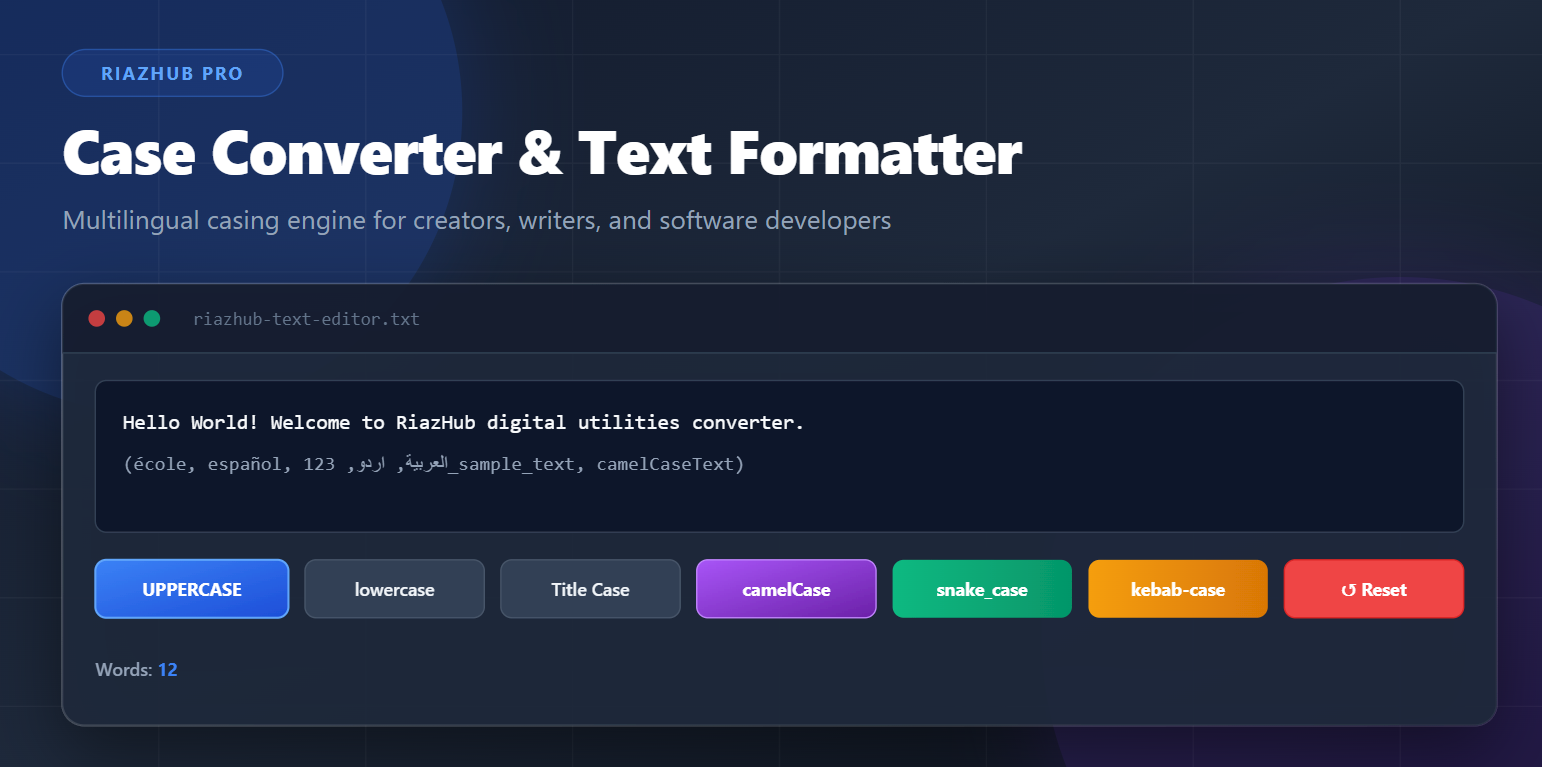
Need to Format Text or Convert Case Instantly?
Say goodbye to manual retyping! Switch between UPPERCASE, lowercase, Title Case, camelCase, snake_case, and more in a single click.
In today’s fast-paced digital world, text formatting efficiency is critical. Whether you are a software engineer naming code variables, a content writer crafting catchy headlines, a marketer standardizing email lists, or a student cleaning up research notes, retyping text manually is time-consuming and prone to errors.
That is why we built the RiazHub Case Converter & Text Formatter. It is a modern, privacy-focused, browser-first digital tool engineered to convert text casing instantly across all major world languages.
Key Casing Modes Supported
The Case Converter & Text Formatter on RiazHub provides 12 specialized transformation algorithms categorized into standard casing and developer cleanup modes:
- UPPERCASE: Converts every letter into CAPITAL LETTERS (e.g.,
HELLO WORLD). - lowercase: Converts all characters to small letters (e.g.,
hello world). - Sentence case: Automatically capitalizes the first letter of each sentence while preserving standard punctuation rules.
- Title Case: Capitalizes the first letter of major words while intelligently skipping minor stop words like a, an, the, and, in, on.
- Capitalized Words: Capitalizes the starting letter of every single word unconditionally.
- aLtErNaTiNg cAsE: Alternates casing character-by-character for modern social media posts and SpongeBob meme formatting.
- iNvErSe cAsE: Swaps existing capital letters to lowercase and lowercase letters to uppercase.
Developer & Programming Code Formats
Programming languages require strict code styling conventions. With our Online Text Formatter, developers can format raw strings into programming-ready syntax:
- camelCase: Ideal for JavaScript, Java, and TypeScript variables (e.g.,
userAccountBalance). - PascalCase: Used for C#, Java class names, and React components (e.g.,
UserAccountBalance). - snake_case: Perfect for Python variables, database column names, and SQL schemas (e.g.,
user_account_balance). - kebab-case: Standard format for CSS class names, URL slugs, and REST API endpoints (e.g.,
user-account-balance). - Remove Extra Spaces: Strips duplicate spaces, tab stops, and excessive blank lines to clean up messy text.
⚡ Instant One-Click Formatting
Test all 12 casing options right now in your browser with real-time character, word, sentence, and line counts.
What Makes RiazHub Case Converter Unique?
- Re-click Toggle Memory (Reverse Action): Clicked a button by mistake? Simply click the same active button again to instantly revert your text back to its original state!
- Red “Reset to Original” Button: Applied multiple transformations and want to return to your raw input? Click the red Reset button to restore your baseline text in a flash.
- 5 MB Text File Upload: Import
.txt,.md,.csv,.json,.xml,.log,.py, or.htmlfiles directly into the editor. - Automated Date & Time File Exports: When downloading your formatted file, the system automatically appends exact timestamp tags (e.g.,
riazhub-converted-text-2026-07-30_22-28-30.txt). - 100% Client-Side Privacy: All processing runs locally inside your Web Browser. No text data is ever sent, stored, or recorded on remote servers.
How to Use the Tool (Step-by-Step)
Using the RiazHub Free Case Converter is straightforward:
Step 1: Input Your Text
Type or paste text into the main editor, click Load Sample Text, or upload a text file up to 5MB.
Step 2: Choose Your Casing Mode
Click any transformation button (such as UPPERCASE, Title Case, or camelCase) to format text instantly.
Step 3: Toggle or Reset if Needed
Re-click the active button or hit the red Reset to Original button to undo changes.
Step 4: Copy or Download
Click Copy Converted Text to copy to clipboard, or click Download .txt File to save a timestamped text file.
Ready to Format Your Text?
Experience fast, accurate, and multilingual text casing today. Free forever with zero registration required!