
Compounding this issue is the invisible digital footprint embedded directly inside modern smartphone pictures: Exchangeable Image File Format (EXIF) metadata. Whenever you capture a photograph using an iPhone, Android device, or DSLR, the hardware records high-precision GPS coordinates, altitude, device serial numbers, and camera sensor fingerprints directly into the file headers.
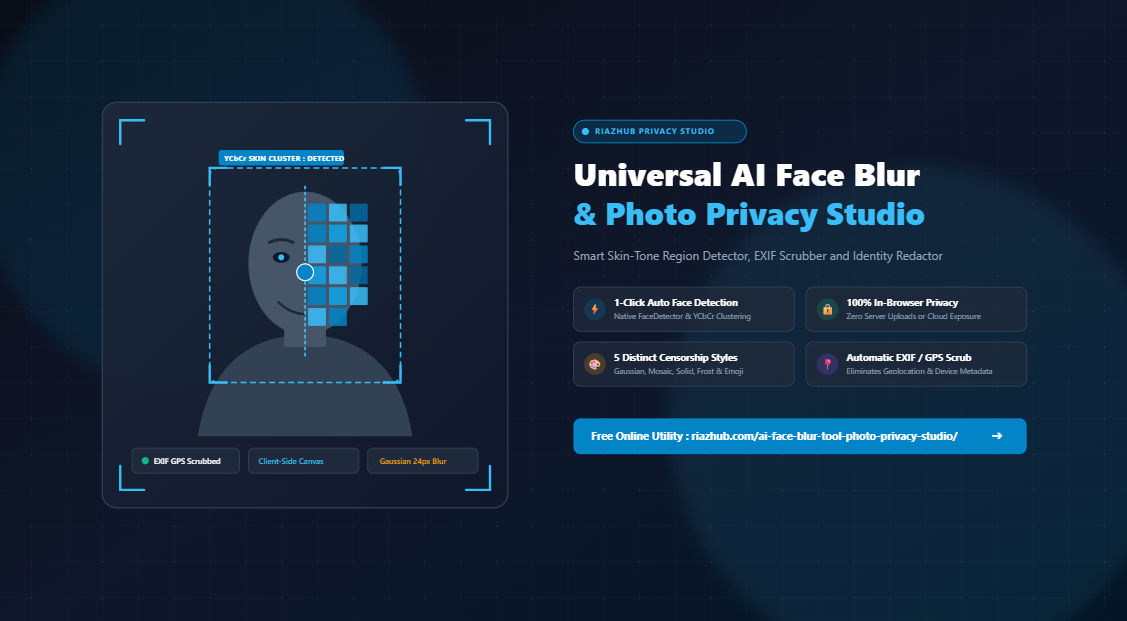
To address these compounding vulnerabilities, we developed the Universal AI Face Blur Tool and Photo Privacy Studio on RiazHub.com. This free, state-of-the-art utility executes 100% locally in your web browser. It combines intelligent skin-luminance face clustering with native browser computer vision, 5 distinct censorship styles, interactive bounding box tools, and automatic EXIF stripping to deliver complete visual and forensic anonymity.
Need to Anonymize a Photo Right Now?
Automatically detect and blur faces, mask license plates, and scrub GPS location coordinates with zero server uploads.
The Danger of Cloud-Based “AI Blurring” Services
When searching for photo anonymization tools online, the vast majority of web utilities require visitors to upload high-resolution images to remote cloud servers. Once a photo leaves your device, you immediately surrender physical control over that data:
- Biometric Retention Risks: Remote servers often log incoming image uploads to temporary storage buckets or retain files for AI model training without transparent consent.
- Man-in-the-Middle Interception: Transmitting unblurred images of children, legal witnesses, or sensitive documents over networks introduces intercept risks.
- Third-Party Data Sharing: Cloud photo services may be governed by lax privacy policies that permit metadata extraction, behavioral profiling, or advertising telemetry.
The RiazHub Photo Privacy Studio fundamentally repudiates this paradigm. By harnessing client-side HTML5 Canvas 2D rasterization, modern FileReader APIs, and local JavaScript algorithms, your photos never leave your device. All pixel calculations happen inside your local computer’s memory.
Under the Hood: Hybrid In-Browser Face & Skin Detection Pipeline
Delivering instant face detection inside a web browser without requiring a heavy 80MB machine learning framework download (such as TensorFlow.js or OpenCV WebAssembly) required an innovative, lightweight architectural solution. The AI Face Blur Tool employs a dual-stage detection pipeline:
1. Chromium Native FaceDetector API Acceleration
Modern Chromium-based browsers (including Google Chrome, Microsoft Edge, Brave, and Opera) feature an experimental hardware-accelerated Shape Detection API. When available, the studio invokes window.FaceDetector with fastMode: true, allowing the browser’s native C++ subsystem to detect facial bounding coordinates in as little as 10 to 18 milliseconds.
2. Deterministic YCbCr Skin-Luminance Cluster Analysis
To guarantee universal compatibility across Firefox, Safari, mobile devices, and browsers without native API support, the studio incorporates a deterministic fallback based on the YCbCr color model. In the RGB color space, skin color varies drastically depending on scene illumination. However, by transforming RGB pixel channels into luma (Y) and chroma components (Cb and Cr), human skin tones across all ethnicities cluster tightly within a mathematically predictable range:
Cb = 128 – 0.168736 * R – 0.331264 * G + 0.5 * B
Cr = 128 + 0.5 * R – 0.418688 * G – 0.081312 * B
Condition: Cr between 133 and 173, Cb between 77 and 127, and R > 60
The tool samples the image across a scaled 24×24 probing grid, executes breadth-first connected-component clustering across adjacent skin cells, and calculates proportional bounding boxes. This lightweight algorithm executes in less than 25 milliseconds, automatically positioning editable privacy masks over detected human faces.
5 Distinct Censorship Styles: Choosing the Right Protection
Different privacy contexts require different aesthetic and forensic approaches. The RiazHub Face Redactor equips you with five selectable privacy styles:
| Privacy Effect | Visual Character | Best Practical Use Case | Forensic Strength |
|---|---|---|---|
| Smooth Gaussian Blur | Soft, natural, aesthetically pleasing blur | Social media, family gatherings, children’s portraits | High (6px to 60px) |
| Retro 8-Bit Mosaic | Crisp, quantized square pixelation blocks | Street photography, news journalism, crowd scenes | Very High |
| Solid Redaction Bar | Obsidian black (#0F172A) censorship rectangular or oval bar | Legal evidence, employee ID badges, court filings | Maximum (100% Opaque) |
| Frosted Glass Diffusion | Subtle diffuse blur with translucent white overlay | Professional corporate presentations and marketing mockups | High |
| Emoji Avatar Sticker | Playful custom emoji stickers (😎, 😊, 🎭, 🔒, 🐱, 🙈) | Influencer vlogs, travel blogging, creative content | Maximum |
Why Gaussian Blur & Mosaic Beat Reversible Swirl Filters
A common mistake made by casual social media users is using smartphone swirl, pinch, or wave distortion filters to disguise faces. Computer vision forensics has repeatedly demonstrated that geometric pixel displacement filters are mathematically invertible. Because swirl filters merely relocate pixels without altering their underlying color values, specialized un-swirling algorithms can unscramble distorted faces back to their original likeness.
In contrast, the algorithms implemented inside the Universal AI Face Blur Studio are non-invertible:
- Gaussian Convolution: Computes a weighted average of surrounding pixels, collapsing high-frequency facial eigenvectors, biometric landmarks, and iris patterns into an irreversible mathematical blend.
- Quantized Downsampling (Mosaic): Sub-samples entire 20×20 pixel clusters into a single unified color value, physically destroying the underlying micro-contrasts required for facial recognition.
- Solid Bar Censorship: Completely overwrites all underlying pixel data with solid hexadecimal color values, leaving zero residual signals for machine learning recovery.
Eliminating Hidden Geolocation Traps (EXIF & GPS Scrubbing)
Even if a subject’s face is thoroughly blurred, publishing an original image file can still expose their exact physical location through embedded EXIF tags. Smartphone camera applications routinely append:
- Exact GPS Latitude, Longitude, and Altitude coordinates (often accurate within 3 meters)
- Full timestamp with timezone (revealing daily travel routines and work schedules)
- Unique camera serial numbers and hardware identifiers
- Lens specifications, exposure data, and software compilation builds
When you ingest a photo into the RiazHub Face Blur Studio, the file is parsed by the browser’s FileReader API and drawn directly onto an isolated HTML5 Canvas bitmap buffer. The canvas retains only raw RGB pixel data. When you click to export as PNG, JPEG, or WebP, the browser synthesizes brand-new image file headers from scratch. All hidden EXIF, GPS, MakerNote, and device metadata blocks are eliminated automatically.
Step-by-Step Guide: How to Anonymize Any Photo in Seconds
Protecting your personal photographs with the AI Face Blur Tool takes just four intuitive steps:
- Ingest Your Photo: Drag and drop your image file (PNG, JPG, or WebP) directly into the upload deck, click to browse your local storage, or press
Ctrl+Vto paste an image directly from your system clipboard. You can also click the Load Sample button to explore the interface instantly with a synthetic group portrait. - Detect or Add Privacy Masks: Click Auto-Detect & Blur Faces to trigger the automatic skin-tone clustering engine. To mask additional objects (such as vehicle license plates, house address numbers, credit cards, or ID badges), click Add Manual Privacy Mask or simply click and drag your mouse across any area on the photo canvas to draw a custom box.
- Calibrate Mask Geometry & Effects: Choose your preferred censorship style (Gaussian Blur, Mosaic, Solid Bar, Frost, or Emoji). Toggle between Oval Face Fit and Rounded Box shapes, and adjust the Intensity and Padding Expansion sliders to ensure complete coverage of hair, ears, and necklines.
- Compare and Export: Switch to the Before vs. After Split Slider to visually verify that all sensitive details are obscured while preserving overall photo composition. Finally, select your desired export format (High-Resolution PNG, Web-Ready JPEG, Modern WebP, or Direct Clipboard Copy).
Ready to Protect Your Digital Privacy?
Experience fast, effortless, and 100% in-browser photo anonymization with zero registration or downloads required.
Real-World Privacy Scenarios: Who Needs This Tool?
The versatility of the Universal AI Face Blur Studio makes it an essential utility across numerous disciplines:
1. Parents, Families, and Educators
Sharing milestones, birthday parties, sports games, and school performances online often inadvertently exposes children’s faces to facial recognition scrapers. Applying soft oval Gaussian blur masks over children’s and classmates’ faces preserves fond memories while safeguarding their digital identities from lifelong online profiling.
2. Photojournalists and Street Photographers
Documenting public demonstrations, sensitive investigative stories, or bustling urban scenes requires protecting the anonymity of vulnerable sources and accidental bystanders. The 8-bit mosaic pixelation filter delivers standard journalistic censorship that complies with editorial standards.
3. Legal, Human Resources, and Corporate Compliance
Redacting sensitive employee documents, accident evidence, workplace dispute photos, and government identification cards prior to public disclosure is mandatory under GDPR, CCPA, and HIPAA privacy rules. Solid black censorship bars provide 100% opaque, irreversible document redaction.
4. Content Creators, Vloggers, and Influencers
Filming lifestyle and travel content in public restaurants, gyms, airports, and hotels often captures unwitting patrons in the background. Using playful emoji overlays or frosted blur masks respects the privacy of surrounding guests without detracting from creative visual storytelling.
Head-to-Head Comparison: RiazHub Studio vs. Alternatives
| Feature Capability | RiazHub Privacy Studio | Cloud Photo APIs | Mobile Smartphone Apps |
|---|---|---|---|
| Execution Location | 100% In-Browser (Local) | Remote Cloud Servers | Local Device |
| Server Upload Requirement | Zero Bytes Uploaded | Mandatory File Upload | Varies by App Vendor |
| Automatic EXIF & GPS Scrub | Yes (100% Stripped) | Sometimes Preserved | Often Preserved |
| Censorship Effect Variety | 5 Styles (Blur, Pixel, Bar, Frost, Emoji) | Usually Blur Only | Limited or Paywalled |
| Interactive Split-Slider Comparison | Built-in Interactive Slider | Rarely Available | Premium Feature |
| Audit Certificate Generation | Markdown Redaction Log (.md) | None | None |
| Cost & Account Sign-Up | 100% Free / No Sign-Up | Subscription / API Credits | Freemium / In-App Ads |
Frequently Asked Questions (FAQ)
Does RiazHub ever store or view the photos I process?
No. The Universal AI Face Blur Tool operates strictly client-side inside your browser’s JavaScript engine. No images, facial coordinates, or telemetry data are ever transmitted to RiazHub or any third-party server. You can even disconnect your internet connection after opening the page, and the tool will continue to function flawlessly.
Can someone reverse the Gaussian blur to reveal the original face?
No. When applying Gaussian blur at an intensity above 16px or mosaic pixelation, the original fine detail (pupil coloration, skin pores, nasal bridge contours) is mathematically overwritten through pixel convolution. Unlike swirl or warp effects, no mathematical formula exists to reverse a true Gaussian convolution without the original image data.
How does the tool remove GPS and EXIF camera data?
Smartphones store metadata inside specialized EXIF header blocks within the file structure. When you load a photo into the studio, the browser decodes only the visible RGB pixel matrix onto an HTML5 Canvas. When you export the image, the browser generates an entirely new file header that contains zero legacy EXIF or GPS markers.
Can I blur things other than human faces, like license plates?
Yes. In addition to automatic face detection, you can click the Add Manual Privacy Mask Box button or simply click and drag across any area of the photo canvas to create custom redaction masks for vehicle registration plates, street signs, credit cards, or sensitive documents.
What file formats are supported for ingestion and export?
The studio accepts PNG, JPEG, and WebP files. You can export your anonymized results as full-resolution lossless PNG, compressed JPEG, modern lightweight WebP, or copy the image directly to your operating system clipboard for immediate pasting into chat applications or emails.
Conclusion: Take Control of Your Photographic Privacy
In an era where personal data and biometric features are harvested indiscriminately, proactive photo sanitization is no longer optional: it is a fundamental digital hygiene practice. Whether you are protecting your family’s memories, shielding sources in street photography, or ensuring regulatory compliance for legal documents, you deserve a fast, reliable, and completely private solution.
Visit the Universal AI Face Blur Tool and Photo Privacy Studio on RiazHub.com today and anonymize your images with complete confidence.
Start Anonymizing Your Photos Locally
100% In-Browser : Zero Server Uploads : Free Forever
Universal AI Face Blur & Photo Privacy Studio
Automatically detect and blur faces, license plates, and sensitive details in any photo before sharing online. Switch between smooth Gaussian blur, mosaic pixelation, solid bars, or emoji masks, strip hidden EXIF GPS metadata, and export high-resolution images 100% locally in your browser.