
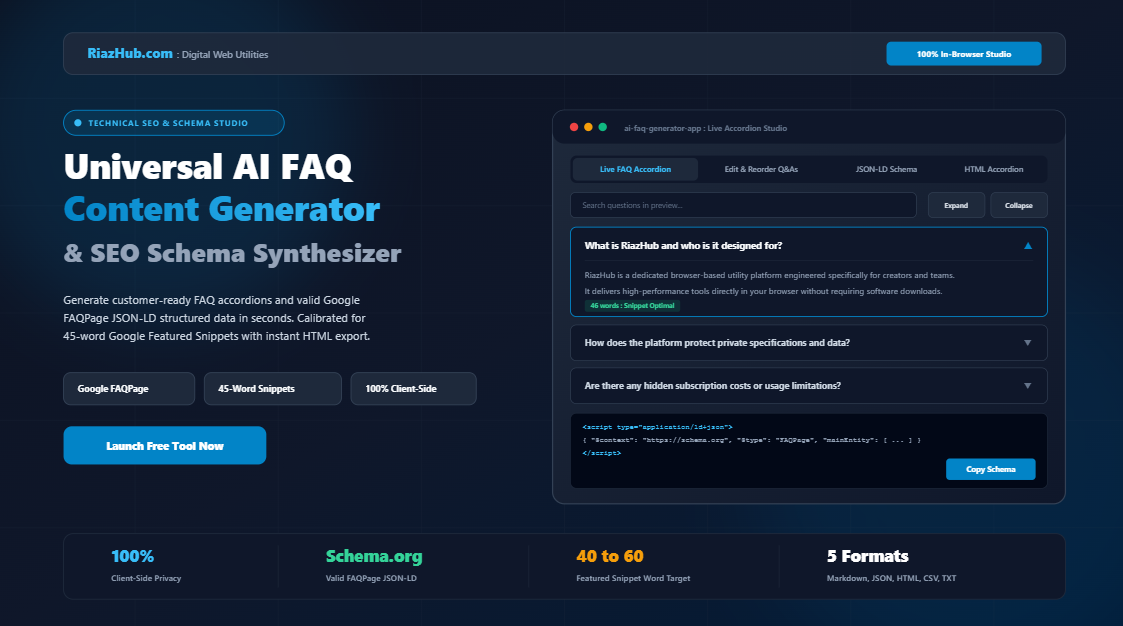
How to Build High-Ranking FAQs with Google FAQPage JSON-LD Schema & 45-Word Snippets
Frequently Asked Questions (FAQs) serve two indispensable business purposes: they resolve customer purchasing objections on landing pages, and they act as authoritative signal magnets for search engine crawlers. Yet, the overwhelming majority of online FAQ sections fail to achieve either objective effectively.
Why does this happen? Most creators write lengthy, rambling paragraphs that overwhelm human visitors and fail Google’s concise extraction criteria. Furthermore, they frequently omit the machine-readable FAQPage structured data markup necessary for search engines to surface expandable rich snippets on search engine result pages (SERPs).
In this comprehensive architectural guide, we will analyze how you can synthesize objection-handling FAQ content, format your responses for Google Featured Snippets, and generate valid Schema.org JSON-LD code using the free AI FAQ Content Generator & SEO Schema Studio on RiazHub.com.
1. The Two Pillars of Modern FAQ Success: People and Crawlers
An effective FAQ strategy must cater simultaneously to two distinctly different consumers:
- Human Shoppers and Readers: Visitors reading your pricing page or service breakdown have specific friction points. They want immediate answers regarding refund guarantees, file security, turnaround times, and compatibility without scanning a 3,000-word terms page.
- Search Engine Crawlers (Googlebot, Bingbot, and AI Overviews): Search engines seek direct, factual question-answer pairs that can be cleanly cited in answer boxes, voice search responses, and rich SERP listings.
To satisfy both parties, your workflow requires structured categorization, concise answer calibration, and clean machine-readable markup. You can automate this entire pipeline directly in your browser using the AI FAQ Content Generator & SEO Schema Studio.
2. The Science of the 45-Word Featured Snippet Sweet Spot
Extensive research into Google search ranking behaviors demonstrates that Google Featured Snippets (also known as position zero or the “Answer Box”) display an average response length of approximately 45 words.
When an inquiry asks “Does your software store user data on external servers?”, an optimal response avoids filler introductions like “That is a great question that many people ask…”. Instead, it starts with an immediate assertion:
"No, all data processing takes place client-side within your browser session. Your confidential files, specifications, and inputs are never transmitted to or stored on external servers, ensuring complete privacy." (31 words)This exact formula is built directly into the AI FAQ Content Generator & SEO Schema Studio on RiazHub.com. The studio includes a real-time word-count telemetry monitor that alerts you with an “Optimal Snippet Length” badge whenever your answers hit the 40-to-60 word threshold.
Ready to Build Snippet-Optimized FAQs?
Generate categorized question-and-answer pairs calibrated for Google Featured Snippets in under 30 seconds.
3. Demystifying Schema.org FAQPage JSON-LD Structured Data
While clean text helps readers, search engine algorithms rely on structured data formats to catalog relationships unambiguously. Schema.org defines the FAQPage entity specifically for pages that present an authoritative list of questions followed by accepted answers.
What Does Valid JSON-LD Schema Look Like?
JSON-LD (JavaScript Object Notation for Linked Data) is Google’s preferred method for structured data implementation. Below is an example of the valid markup output by the AI FAQ Content Generator & SEO Schema Studio:
<script type="application/ld+json">
{
  "@context": "https://schema.org",
  "@type": "FAQPage",
  "mainEntity": [
    {
      "@type": "Question",
      "name": "How does RiazHub protect private data and specifications?",
      "acceptedAnswer": {
        "@type": "Answer",
        "text": "All processing takes place entirely within your local browser session. Your proprietary files and specifications are never transmitted to external cloud servers, guaranteeing absolute confidentiality."
      }
    },
    {
      "@type": "Question",
      "name": "Can I export generated FAQ accordions into standard HTML?",
      "acceptedAnswer": {
        "@type": "Answer",
        "text": "Yes, you can copy clean semantic HTML5 details and summary accordion markup or download complete Markdown knowledge bases with a single click."
      }
    }
  ]
}
</script>
Common Schema Implementation Mistakes to Avoid
| Common Mistake | Negative Consequence | Best Practice Solution |
|---|---|---|
| Unescaped Quotes in JSON | Fatal syntax error, schema completely ignored by Google | Use automated serializers like the RiazHub generator that properly escape strings |
| Schema Text Doesn’t Match Page Text | Manual Google penalty for deceptive structured data | Ensure the JSON-LD answer matches the visual accordion text exactly |
| Using FAQPage on User Forums | Guidelines violation (forums require QAPage schema) | Reserve FAQPage solely for official brand and editorial content |
| Excessive Commercial Promotion in Answers | Disqualification from rich snippets | Keep answers factual, direct, informative, and neutral |
4. Client-Side Privacy: Why In-Browser FAQ Generation Matters
When drafting FAQs for an upcoming SaaS tool launch, a confidential client proposal, or a bespoke contracting service, you frequently work with sensitive data. This includes unreleased product features, proprietary pricing models, discount rules, and internal dispute escalation policies.
Traditional cloud-based AI tools transmit every prompt and pasted document to external data centers where inputs may be stored, analyzed, or processed.
The AI FAQ Content Generator & SEO Schema Studio on RiazHub.com operates under a strict 100% In-Browser Privacy Guarantee. Synthesis, sentence extraction from raw notes, word-count telemetry, and file serialization execute entirely inside your local browser runtime via native JavaScript APIs. Zero private text ever leaves your machine.
5. Step-by-Step: How to Generate Your Complete FAQ & Schema Suite
- Specify Your Subject and Category: Navigate to the AI FAQ Content Generator & SEO Schema Studio. Enter your product, service, or article name, and select your domain (SaaS, E-Commerce, Local Service, Blog PAA, or Online Course).
- Add Target Audience & Raw Notes (Optional): Paste your pricing tiers, warranty details, or draft paragraphs into the notes textarea. The tool extracts your key facts and weaves them naturally into the answers.
- Select FAQ Depth & Tone: Choose between 6 Core FAQs, 10 Comprehensive FAQs, or a 15-Question Full Knowledge Base, and set your desired tone.
- Click Generate & Inspect in Live Preview: Test-drive the interactive accordion in the studio. Use the search bar to test keyword filtering, expand all items, or toggle individual cards.
- Refine in the Editor Tab: Fine-tune questions, check word-count badges, adjust category titles, or reorder entries with up and down buttons.
- Export in 1 Click: Download your complete suite as formatted Markdown (
.md), Google Rich-Result Schema (.json), standalone HTML5 accordion code (.html), spreadsheet CSV, or printable PDF sheets.
Boost Your Organic Search Visibility Today
Transform raw product notes into professional, search-optimized FAQ accordions and valid JSON-LD schema without writing a single line of code.
6. Embedding Generated Accordions into WordPress and Other CMS Platforms
Once you export your standalone HTML accordion snippet from the AI FAQ Content Generator & SEO Schema Studio, integrating it into your website is effortless:
- WordPress Gutenberg: Add a Custom HTML block anywhere on your page and paste the exported HTML snippet. It renders cleanly using native HTML5
<details>and<summary>elements with zero external plugins. - Elementor / Divi / Beaver Builder: Insert an HTML Widget or Code Module and paste the code directly.
- Shopify / Webflow / Squarespace: Paste the snippet inside a code embed block on your product or landing page.
- Header/Footer Scripts: Paste the generated
<script type="application/ld+json">tag into your theme header or via your SEO plugin (Rank Math, Yoast, or SEOPress) to activate Google rich snippets immediately.
Conclusion: Turn Routine FAQs into High-Converting SEO Assets
Frequently Asked Questions should never be an afterthought buried in tiny text at the bottom of a webpage. When combined with direct 45-word answers and valid Schema.org FAQPage markup, your FAQ section transforms into a dual-action asset that resolves customer doubts while capturing coveted Google rich snippet placements.
Start building customer-ready, search-optimized FAQ sections today using the free, browser-based AI FAQ Content Generator & SEO Schema Studio on RiazHub.com.
Universal AI FAQ Content Generator & Accordion Studio
Generate comprehensive, customer-ready Frequently Asked Questions and valid Google FAQPage JSON-LD schema in seconds. Preview interactive accordions, optimize answers for Google Featured Snippets, and export branded HTML or Markdown files 100% locally in your browser.
⚙️ Topic & Content Deck
📦 Branded Export & Download Hub
Site Verified: RiazHub.com💡 Technical SEO & Knowledge Base Architecture Guide
How Google FAQPage Schema Works
Embedding valid Schema.org FAQPage JSON-LD markup directly assists search crawlers in recognizing question-answer structures. Search engines can reward your content by displaying expandable questions directly in organic search results.
The 45-Word Answer Box Sweet Spot
Google Featured Snippets and AI Overviews consistently favor clear, standalone answers between 40 and 60 words. Starting your answer with a direct declarative sentence significantly increases your capture rate.
100% Client-Side Privacy Guarantee
All question synthesis, text parsing, and file compilation happen entirely inside your local web browser session. Your proprietary specs, unpublished pricing plans, and internal support policies never touch an external server.