
Free Online Video Trimmer & Cutter: Fast, Private & Browser-Based
Whether you are creating short video clips for social media, removing unwanted sections from a screen recording, or cutting personal video footage, having a fast and secure video trimmer is essential. The RiazHub Online Video Trimmer allows you to trim, cut, and slice your video files directly in your web browser without uploading them to any cloud server.
Why Use a Browser-Based Video Trimmer?
Most traditional online video editing tools require you to upload your video file to a remote server before you can edit or trim it. This process can be slow, wastes internet bandwidth, and presents privacy risks if your video contains personal or confidential content.
The RiazHub Video Trimmer Tool uses modern browser technologies like WebAssembly and HTML5 Canvas to process your video 100% locally on your device memory. Your video file never leaves your computer or phone, giving you complete privacy and instant processing speed.
Key Features
- 100% Privacy Preserved: No video files are uploaded to external servers. All decoding and cutting happen locally in your web browser.
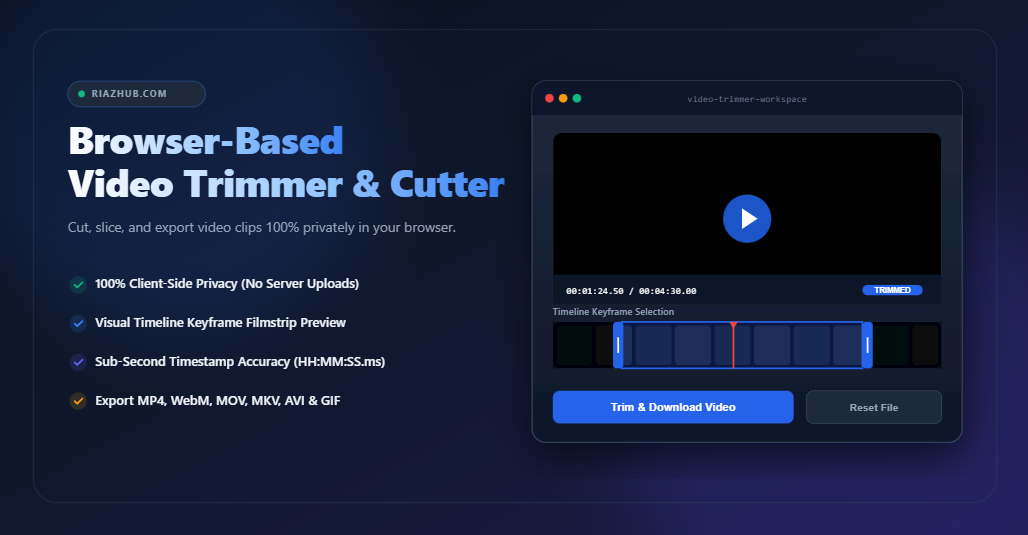
- Visual Timeline Filmstrip: Automatically generates sequence thumbnails across your video timeline so you can easily see and pick the exact start and end points.
- Millisecond Precision Timestamps: Adjust start and end times down to 0.1-second and 1-second increments using precise input controls and step buttons.
- Multiple Output Formats: Export your trimmed video in popular container formats including MP4, WebM, MOV, MKV, AVI, or as an animated GIF.
- Lossless Fast Copy Mode: Slice clips instantly without re-encoding, maintaining 100% original video quality.
- Silent Background Processing: Trim videos quietly in the background without audible sound playing out loud through your speakers.
- Branded File Export: Downloaded files are neatly named with site branding (e.g., yourvideo_trimmed_RiazHub.com.mp4) for clean file organization.
Supported Video Formats
You can upload and trim almost any digital video format using the RiazHub Video Cutter Utility, including:
- MP4 (H.264 / AAC)
- WebM (VP8 / Opus)
- MOV (Apple QuickTime)
- MKV (Matroska)
- AVI (Audio Video Interleave)
- FLV & WMV
- M4V & 3GP
- TS, MTS, & M2TS
Dual Cut Modes: Keep vs. Remove Selection
The tool provides two flexible cutting modes to suit different needs:
1. Keep Selected Region: Extracts and saves only the video segment between your start and end markers, discarding the outer parts.
2. Remove / Cut Selected Region: Removes an unwanted middle section (such as an ad or mistake) while keeping the outer video segments intact.
How to Trim Videos Online (Step-by-Step)
- Open the RiazHub Video Trimmer in your web browser.
- Drag and drop your video file into the dropzone area, or click to browse files from your device.
- Drag the start and end handles on the timeline filmstrip, or type exact timestamps in
HH:MM:SS.msformat. - Select your preferred output container format (MP4, WebM, MOV, MKV, AVI, or GIF) and choose whether to keep or mute the audio track.
- Click Trim & Download Video to instantly generate and save your trimmed video clip.
Fast Stream Copy vs. Full Re-Encoding
When trimming videos with the RiazHub Video Trimmer, you can choose between two export modes:
Fast Stream Copy: Slices the video stream at keyframes without re-encoding pixels. This mode is instantaneous and results in zero quality loss.
Full Re-encoding: Re-processes every video frame for maximum frame-by-frame cut precision and container format conversion.
Common Use Cases
- Creating short video clips for TikTok, YouTube Shorts, Instagram Reels, and Facebook Stories.
- Cutting out silent intros, background pauses, or sensitive screens from tutorial screen recordings.
- Converting short funny video segments into animated GIFs.
- Trimming personal family videos safely without risking cloud storage leaks.
Frequently Asked Questions (FAQ)
Q: Are my video files uploaded to RiazHub servers?
A: No. All video processing takes place entirely in your web browser memory. Your video file never leaves your device.
Q: Is there a file size limit for trimming videos?
A: No. Since processing runs locally on your device, there are no artificial file size caps. You can trim large video files depending on your device RAM.
Q: Does the video play audio out loud while trimming?
A: No. Background rendering is muted so you can trim videos quietly anywhere.
Q: Can I remove audio from a video clip?
A: Yes. Simply select the Mute / Remove Audio Track option before clicking trim on the RiazHub Video Trimmer.
Q: Which browsers are supported?
A: The tool works on all modern web browsers including Google Chrome, Mozilla Firefox, Microsoft Edge, Apple Safari, and Opera on both desktop and mobile devices.
Start trimming your videos quickly and privately today on RiazHub.com Video Trimmer.