
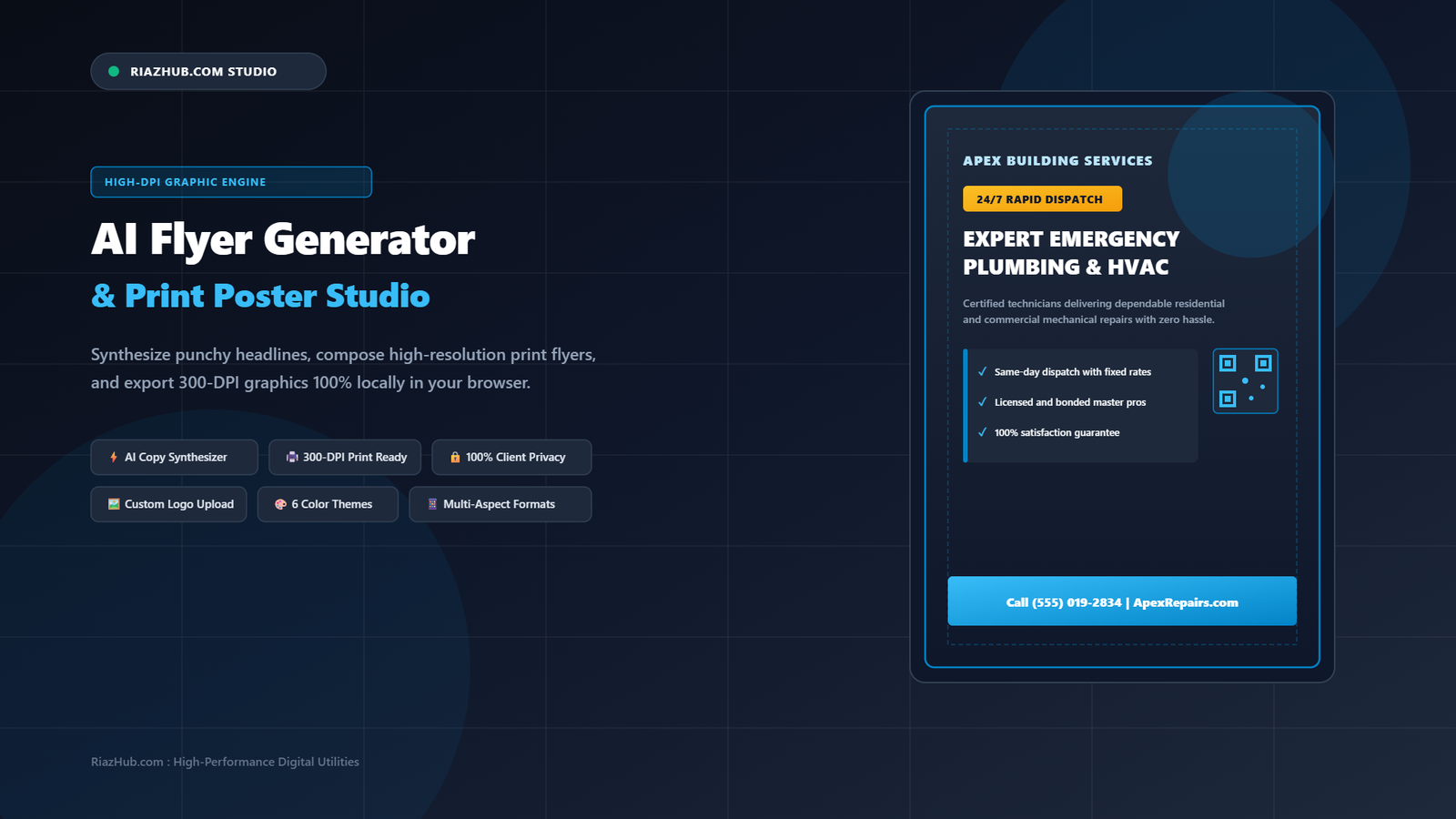
How to Design Print-Ready Business Flyers and Event Posters Online with AI
Whether you are opening a new neighborhood cafe, organizing an executive tech workshop, announcing a 48-hour retail flash sale, or expanding your local contractor services, promotional flyers remain one of the most cost-effective and immediate marketing channels available. Yet, creating a professional flyer has historically required expensive design software, complex layout setups, or slow graphic design agencies.
That dynamic changes completely with the AI Flyer Generator, Print Poster & Promotional Graphic Studio on RiazHub. This interactive, 100% browser-based utility synthesizes persuasive marketing copy, enforces print safe-margins, layers custom brand logos, and outputs high-DPI 300-DPI graphics in seconds without uploading private files to external cloud servers.
Design Your Print Flyer in Under 60 Seconds
Skip cumbersome template software and login walls. Generate persuasive headlines, format scannable benefit bullets, and export print-ready A4 PNGs right now.
The 3-Second Promotional Rule: Why Most Flyers Fail
Marketing research demonstrates that physical flyers and digital social posters must capture a reader’s attention within three seconds. If your core message is obscured by cluttered graphics, illegible cursive fonts, or missing contact details, your promotional piece is instantly ignored.
A high-converting promotional flyer requires a disciplined three-tier visual hierarchy:
- Tier 1: The Dominant Hook (Headline): A punchy, high-contrast headline (maximum 5 to 8 words) that instantly answers the question: “What is in this for me?”
- Tier 2: The Immediate Incentive (Offer Badge): A bright callout badge, such as “SAVE 30% TODAY”, “FREE REGISTRATION”, or “24/7 RAPID RESPONSE”, that sparks curiosity.
- Tier 3: The Proof & Action (Bullets and CTA): Three concise, scannable bullet points highlighting key benefits, followed by an unmistakable website URL, phone number, or date.
Meet the Universal AI Flyer Generator Studio
To automate this visual hierarchy, the Universal AI Flyer Generator on RiazHub.com incorporates an intelligent client-side synthesis engine. Rather than forcing you to start from a blank screen, it provides purpose-built workflows for six key commercial industries:
- Local Contracting & Home Services: Tailored for plumbers, electricians, HVAC mechanics, and builders who need instant trust-building headlines and emergency response badges.
- Conferences, Workshops & Tech Seminars: Ideal for event organizers needing dates, multi-session speaker highlights, and venue locations.
- Retail Flash Sales & Grand Openings: High-impact promotional layouts with percentage-off badges, clearance banners, and shopping incentives.
- Restaurants, Cafes & Dining: Warm, appetizing color palettes featuring chef specials, organic ingredient highlights, and reservation numbers.
- Real Estate Open Houses: Elegant, structured property specifications showcasing square footage, chef kitchens, and private viewings.
- Fitness Gyms & Wellness Studios: Energizing copy highlighting 30-day challenges, personal coaching, and complimentary trial sessions.
Key Technical Capabilities of the Studio
1. In-Browser AI Promotional Copywriter
Stuck on marketing wording? Simply type a one-line summary (such as “Same-day water heater repairs” or “Rooftop acoustic jazz dinner”) and click AI Auto-Write. The internal engine synthesizes an attention-grabbing main headline, an informative subheadline, three bullet points, and an offer badge tailored to your chosen industry. You can edit any line in real time with instant canvas updates.
2. High-DPI HTML5 Canvas (300-DPI Print Alignment)
Standard web graphics are rendered at 72 to 96 DPI, which turns blurry and pixelated when printed on paper. The AI Flyer Generator addresses this by maintaining a full 1240 x 1754 px high-DPI internal buffer for US Letter and A4 flyers. You also have 1-click access to Square (1080×1080 px), Vertical Story (1080×1920 px), and Wide Banner (1600×900 px) formats.
3. Local FileReader Brand Logo Upload
Personalize your promotional piece by uploading your corporate logo or hero photo. Using the browser’s native FileReader API, the studio applies a clean circular clip mask with an accent border, positioning your brand seamlessly in the header without transmitting the file over the internet.
4. 6 High-Contrast Designer Color Themes
Color contrast is critical for legibility. The tool includes six carefully balanced palettes:
- Midnight Azure: Deep navy slate background with electric cyan accents (ideal for technology, corporate, and software services).
- Emerald Executive: Forest green with mint accents (perfect for finance, sustainability, and landscape design).
- Crimson Impact: Deep burgundy with bold scarlet badges (tailored for urgent clearance sales and flash promotions).
- Royal Indigo: Midnight purple with vibrant magenta touches (popular for nightlife, music festivals, and conferences).
- Warm Amber & Charcoal: Rich dark earth tones with gold highlights (great for artisanal bakeries, cafes, and restaurants).
- Clean Minimalist White: Crisp paper-white background with bold typography (optimal for economical home printing).
Step-by-Step Tutorial: Designing Your Flyer in 60 Seconds
Ready to build your first flyer? Follow these four straightforward steps using the online flyer creator:
- Step 1: Select Your Category & Topic: Pick your sector from the dropdown and type your primary offer or service in the prompt field. Click AI Auto-Write to generate your copy outline.
- Step 2: Fine-Tune Your Details: Adjust your business name, verify the three feature bullets, and check the phone number or website address in the footer contact bar.
- Step 3: Upload Logo & Pick Palette: Click Choose Image File to add your logo. Next, tap through the six designer swatches to choose the color combination that fits your branding.
- Step 4: Export Your Print-Ready Master: Choose Download Print PNG for lossless 300-DPI paper printing, Download Web JPEG for social media marketing, or Print Direct (PDF) to output directly to your printer.
Comparison: AI Flyer Studio vs Traditional Design Software
| Feature / Capability | RiazHub AI Flyer Studio | Cloud Template Apps | Professional Desktop Suites |
|---|---|---|---|
| Setup & Account | Zero account or login required | Mandatory registration & upsells | Costly software subscription |
| Copywriting Assistance | Integrated 1-click AI copywriter | Generic lorem ipsum text | Manual text entry only |
| Print Safe-Margins | Automated 7.5% safe-padding | Manual ruler alignment required | Manual bleed line configuration |
| Data Privacy | 100% In-browser (zero cloud uploads) | Stored on external third-party servers | Local disk only |
| High-DPI 300-DPI Output | Included free (lossless PNG/JPG) | Often paywalled behind premium plans | Native vector/raster export |
100% Client-Side Privacy Guarantee
Commercial confidentiality is essential when planning promotional campaigns. Many online graphic design tools require you to upload your private files, unreleased discount rates, and upcoming event dates to remote servers.
On RiazHub.com, the entire tool runs locally in your browser using pure JavaScript, HTML5 Canvas 2D, and the browser’s FileReader API. No company logos, discount codes, or event phone numbers are ever transmitted across network connections, providing total security for your promotional initiatives.
Frequently Asked Questions (FAQ)
Ready to Build Your Next Promotional Campaign?
Experience instant marketing copywriting and print-grade graphic composition directly in your web browser with zero hassle.
Universal AI Flyer Generator & Print Poster Studio
Synthesize high-converting promotional headlines, structure persuasive benefit points, upload brand logos, customize high-DPI designer layouts, and export print-ready graphics directly in your browser.
1. Industry & AI Copy Synthesizer
Smart Engine2. Promotional Copy & Details
Live Sync3. Visual Style, Dimensions & Assets
StylingGraphic Design Principles & Print Engineering
🎯 Visual Hierarchy (The 3-Second Promotional Rule)
Physical flyers and digital posters must capture attention within three seconds. A winning flyer relies on three distinct visual tiers:
- Tier 1 (The Hook): One dominant, high-contrast headline (maximum 5 to 8 words) that clearly states the customer benefit.
- Tier 2 (The Incentive): An eye-catching promo badge (e.g., "30% OFF", "FREE ADMISSION", or "LIMITED SPOTS") that creates immediate curiosity.
- Tier 3 (The Proof & Action): Three scannable bullet points presenting key features, followed by an unmistakable contact point, date, or website URL.
🖨️ High-DPI Canvas Rendering & 300-DPI Print Alignment
Standard web displays render at 72 to 96 DPI, while high-quality commercial printers require 300 DPI to avoid fuzzy typography or jagged logos. The Universal AI Flyer Generator addresses this by:
- Rendering an internal canvas buffer of 1240 x 1754 px for standard A4 and US Letter prints, providing razor-sharp line definition.
- Maintaining strict 7% inner safe-margins so no headlines, text bullets, or QR badges are trimmed during mechanical guillotine cutting.
- Offering instant social export presets (1080x1080 px square and 1080x1920 px vertical story) with identical color consistency.
🔒 100% In-Browser Privacy & Zero Server Leakage Guarantee
Every visual asset and copywriting snippet is processed 100% within your client device using native HTML5 Canvas 2D, Blob synthesis, and the FileReader API. Your unreleased product launches, confidential discount codes, and proprietary corporate logos never touch an external server, guaranteeing total commercial privacy.