
Braille has served as the universal tactile reading and writing system for millions of blind and visually impaired individuals worldwide for nearly two centuries. In today’s interconnected digital ecosystem, transcribing documents between Unicode Braille cells and standard alphanumeric text is essential for educators, accessibility researchers, web designers, and assistive technology developers.
Whether you need to transcribe an existing Braille document, prepare learning materials for tactile embossers, or quickly decode 6-dot Unicode symbols, the free Braille to Text & Text to Braille Translator on RiazHub provides a complete, client-side, and screen-reader-accessible workspace.
Understanding the 6-Dot Braille Cell Architecture
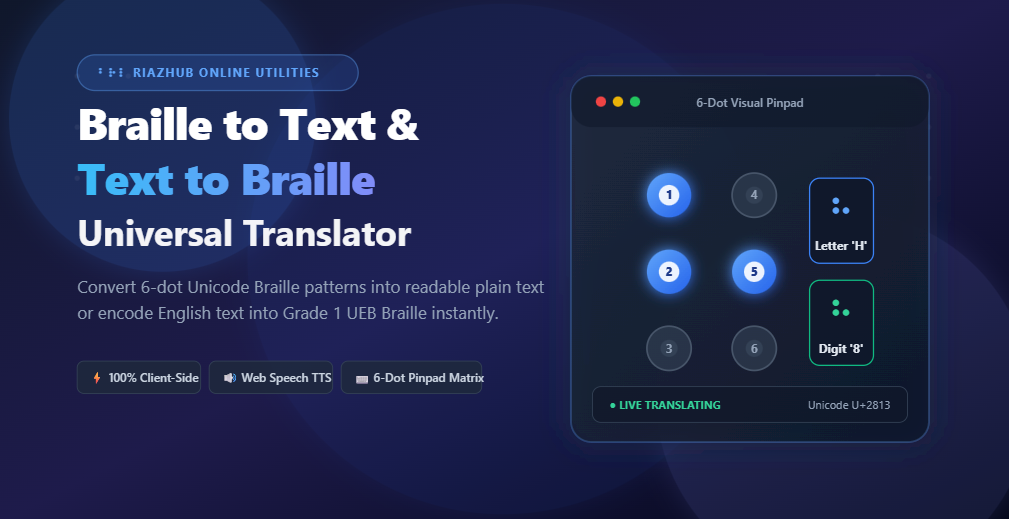
Created in 1824 by French educator Louis Braille, the foundational unit of the Braille script is the 6-dot cell matrix. A standard cell is organized in a rectangular grid of two parallel vertical columns containing three dot positions each:
- Left Column: Dot 1 (top left), Dot 2 (middle left), Dot 3 (bottom left).
- Right Column: Dot 4 (top right), Dot 5 (middle right), Dot 6 (bottom right).
Because each of the six dots can be independently raised or left un-embossed, the matrix generates exactly 26 = 64 distinct permutations (ranging from U+2800 blank cell to U+283F full 6-dot cell). The modern Unicode standard allocates the dedicated block from U+2800 through U+28FF (256 code points) to standardize both 6-dot and extended 8-dot computer Braille notations across all operating systems.
Grade 1 Braille vs. Grade 2 Braille: Key Differences
When learning or converting Braille, understanding the distinction between Braille grades is critical:
| Feature | Grade 1 Braille (Uncontracted) | Grade 2 Braille (Contracted) |
|---|---|---|
| Conversion Methodology | Direct 1-to-1 letter, digit, and punctuation substitution. | Includes contractions, abbreviations, and composite word signs. |
| Primary Use Case | Beginners, early literacy, signs, labels, math formulas, and educational typing. | Books, lengthy publications, and advanced tactile reading. |
| Digital Compatibility | Universally parsed and translated cleanly by software algorithms. | Requires complex multi-word contextual rule engines and dictionaries. |
| Online Utility Support | Fully supported on the RiazHub Braille Translator. | Specialized embossing software (e.g., Duxbury DBT). |
Need to Translate Braille Instantly in Your Browser?
Convert Unicode dots to plain English text or encode letters and numbers into Grade 1 Braille with live audio speech feedback.
How Grade 1 Unified English Braille (UEB) Rules Work
In Grade 1 Unified English Braille, letters, numbers, and capitalizations follow strict indicator rules:
1. The Alphabet (A-Z)
The first ten letters (A through J) utilize only dots in the upper four positions (Dots 1, 2, 4, and 5). Letters K through T replicate the exact dot patterns of A–J with the addition of bottom-left Dot 3. Letters U, V, X, Y, Z add bottom-right Dot 6. The letter W was added separately to accommodate modern English.
2. Numbers (0–9) and the Number Indicator (⠼)
In standard Braille, digits 1 through 9 and 0 share the exact same dot patterns as the letters A through J. To distinguish a number from a letter, a special Number Indicator (⠼, Dots 3-4-5-6, U+283C) is placed immediately before the sequence. For instance:
A= ⠁ (Dot 1)1= ⠼⠁ (Number Indicator + Dot 1)2026= ⠼⠃⠚⠃⠋ (Number Indicator + B + J + B + F)
3. Capital Letters and the Capital Indicator (⠠)
Braille does not have separate uppercase letter shapes. Instead, a single Capital Indicator (⠠, Dot 6, U+2820) precedes any letter that is capitalized. A double indicator (⠠⠠) denotes an all-caps word or acronym.
Supported Braille Representation Formats: Unicode vs. ASCII vs. Dot Numbers
Depending on your workflow, you may encounter different formats for representing Braille electronically. The RiazHub online converter natively handles all three major formats:
- Unicode Braille Patterns (U+2800 – U+28FF): The standard typographic characters (e.g.,
⠠⠓⠑⠇⠇⠕) rendered visually on screens and in digital documents. - North American Braille ASCII / SimBraille: A 1-to-1 ASCII character mapping used by physical Braille embossers and computerized refreshable Braille displays (e.g., mapping Braille cells directly to standard keyboard characters
A-Z, 0-9, punctuation). - Dot Numbers Notation: A numerical formula format (e.g.,
(1-2-5) (1-5) (1-2-3)) widely favored in academic textbooks and Braille transcription exams to explain dot positions explicitly.
Step-by-Step Tutorial: How to Use the RiazHub Braille Translator
Converting text back and forth takes just a few seconds using the online Braille to Text tool:
Mode A: Decoding Braille into Plain Text
- Select the Braille ➔ Plain Text (Decode) pill tab.
- Paste your Unicode Braille glyphs or Braille ASCII string into the left editor, or drag and drop a
.txtor.brlfile into the dropzone. - The right editor will instantly decode and display the clean English plain text in real time.
- Click Copy Result to copy to your clipboard, or click Read Aloud to hear the synthesized speech aloud.
Mode B: Encoding Plain Text into Grade 1 Braille
- Switch to the Plain Text ➔ Braille (Encode) tab.
- Type or paste your English text, numbers, and punctuation into the left box.
- The tool automatically applies Unified English Braille (UEB) rules, injecting uppercase indicators (
⠠) and numerical prefixes (⠼) where required. - Download your result as a clean
.txtfile ready for your tactile embosser or notes.
Mode C: Composing with the Virtual 6-Dot Pinpad & Keyboard Shortcuts
If you do not have a Braille keyboard, the tool includes an interactive tactile matrix pinpad. You can click Dots 1 through 6 on the screen or use your physical computer home-row keyboard shortcuts:
Right Hand (Dots 4, 5, 6): Key [J] = Dot 4 | Key [K] = Dot 5 | Key [L] = Dot 6
Actions: [Space] / [Enter] = Insert Cell | [Backspace] = Delete Previous Character
Universal Accessibility and Zero-Server Privacy
Digital privacy and screen reader accessibility are vital for assistive tools. When you use the Braille translation utility on RiazHub:
- 100% Client-Side Privacy: All algorithmic lookups, character bitmask calculations, and Unicode encodings happen locally inside your web browser’s JavaScript engine. Zero user text or Braille data is ever sent to or stored on external servers.
- Native Web Speech API (TTS): Blind and visually impaired visitors can click Read Aloud to hear the translated plain text spoken clearly by their device’s native text-to-speech engine.
- Full Night Mode & Dark Theme Support: The interface dynamically synchronizes with your website theme’s light and night modes to protect visual comfort and prevent eye fatigue.
Frequently Asked Questions (FAQ)
Can this tool translate Braille files (.brl, .txt)?
Yes. You can drag and drop any plain text or .brl file into the source upload zone to immediately decode or encode its contents.
How does the translator handle capitalized words and numbers?
The engine complies with Unified English Braille (UEB) standards, automatically inserting Dot 6 (⠠) before capital letters and Dots 3-4-5-6 (⠼) before numbers.
Is there an alphabet reference chart available?
Yes, the tool features an interactive, searchable reference directory of letters (A-Z), numbers (0-9), and punctuation marks. Clicking any card instantly appends that symbol to your active text box.
Is the Braille translation completely free?
Yes, the RiazHub Braille to Text Translator is 100% free to use with unlimited translations and zero registration required.
Ready to Try the Translator?
Start translating 6-dot Unicode Braille to plain text and plain text to Braille right now on RiazHub.
Braille to Text Translator
Translate 6-dot Unicode Braille patterns into readable plain text, or convert plain text and numbers into standard Grade 1 Braille. Fully in-browser, privacy-first, and screen reader accessible.
Braille Input (Unicode / ASCII / Dots)
Plain Text Output
Interactive 6-Dot Braille Keypad & Matrix Builder
Translation Mode & Braille Standards Settings
Searchable Braille Alphabet, Numbers & Symbols Reference Chart
Tip: Click on any symbol card below to instantly append it into your source input editor!
Braille System & Universal Accessibility Guide
How the Louis Braille 6-Dot Matrix Works (64 Combinations) ▼
Invented in 1824 by Louis Braille, the standard Braille cell consists of a rectangular 6-dot matrix structured in two parallel vertical columns of three dots each:
- Left Column: Dot 1 (top), Dot 2 (middle), Dot 3 (bottom).
- Right Column: Dot 4 (top), Dot 5 (middle), Dot 6 (bottom).
Since each of the 6 pins can either be raised or flat, the matrix produces 26 = 64 unique tactile configurations (including the blank cell). The Unicode standard dedicates the block U+2800 through U+28FF for direct computer representation.
Grade 1 (Uncontracted) vs. Grade 2 (Contracted) Braille ▼
Grade 1 Braille is a literal, letter-for-letter substitution where every alphabet character, number, and punctuation mark maps directly to its corresponding Braille cell. It is the primary learning foundation used for beginners, technical transcriptions, and foundational literacy.
Grade 2 Braille introduces over 180 contractions, abbreviations, and word signs (e.g., single-cell shorthand for common words like "the", "and", "with", "ing") to save embossing space and accelerate tactile reading speed.
100% Client-Side Privacy Guarantee & Web Speech Accessibility ▼
This utility tool operates strictly inside your web browser using client-side JavaScript. No text, Braille code, or uploaded documents are transmitted to, logged on, or processed by any external server. Furthermore, the built-in Read Aloud feature leverages your operating system's native window.speechSynthesis Web Speech API to provide immediate screen reader and audio feedback without third-party API dependencies.