
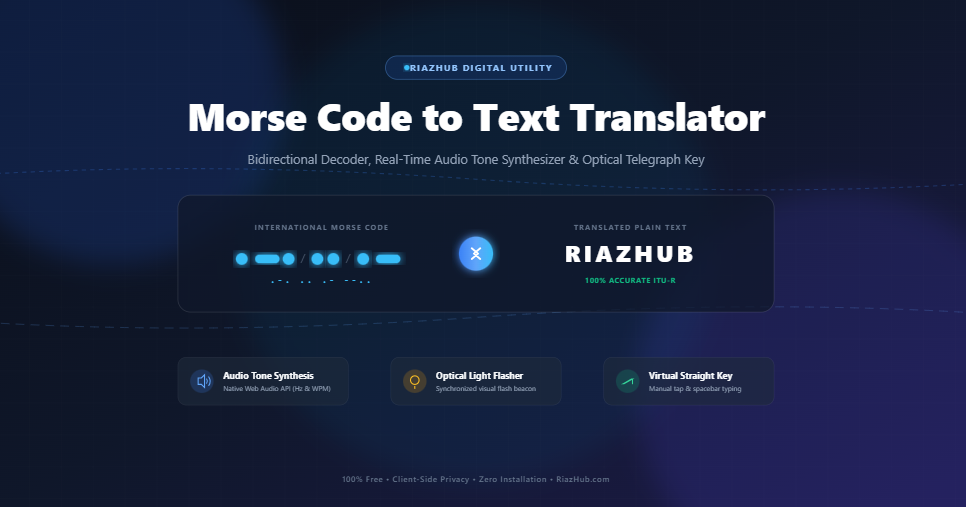
In an age dominated by high-speed fiber optics, 5G wireless connectivity, and satellite broadband, it is easy to view Morse Code as a relic of nineteenth-century maritime history. Yet, nearly two centuries after Samuel Morse and Alfred Vail sent their historic first telegraph dispatch in 1844, this timeless binary signaling system remains one of the most reliable, resilient, and fascinating communication protocols ever devised.
Whether you are an amateur radio operator (Ham Radio CW enthusiast), an aviation student deciphering navigational radio beacons (VORs), an escape room fan solving cryptograms, or a developer exploring audio synthesis, having access to an accurate, zero-latency Morse Code to Text Translator is indispensable.
In this comprehensive guide, we will unpack how International Morse Code functions, explain the exact mathematical timing standards governing dots and dashes, and demonstrate how you can decode, encode, listen to, and physically tap Morse signals right inside your browser on RiazHub.
1. What Is Morse Code and How Does It Work?
At its core, Morse code is a method of character encoding that translates alphanumeric characters and punctuation marks into standardized sequences of short and long signals, colloquially known as “dits” (dots •) and “dahs” (dashes —).
Unlike modern text encoding systems (such as ASCII or Unicode) where every character occupies a uniform number of bits (like 8 or 16 bits), Morse code was the world’s first variable-length prefix code. Frequent letters in the English language were intentionally assigned the shortest sequences to optimize human transmission speed over copper wire telegraphs:
- The most common English letter, E, is represented by a single dot (.).
- The second most common letter, T, is a single dash (–).
- Rarely used letters like Q (–.-) and Z (–..) have longer, four-element combinations.
2. The International Timing Standard (ITU-R M.1677-1)
Morse code is defined not by absolute seconds, but by relative time units ($t$). The International Telecommunication Union (ITU-R Recommendation M.1677-1) dictates strict proportional rules that ensure listeners and automated receivers can distinguish between adjacent dots, dashes, letters, and words:
| Element / Interval | Standard Unit Length ($t$) | Description |
|---|---|---|
| Dot (dit •) | 1 Unit ($1t$) | The fundamental base timing unit of the entire message. |
| Dash (dah —) | 3 Units ($3t$) | Exactly three times the duration of a single dot. |
| Intra-character space | 1 Unit ($1t$) | Silent gap between consecutive dots and dashes within the same letter. |
| Inter-character space | 3 Units ($3t$) | Silent pause between separate letters (e.g., between ‘S’ and ‘O’). |
| Inter-word space | 7 Units ($7t$) | Silent pause separating entire words (often represented as a slash / or pipe | in written text). |
The PARIS Speed Standard: Transmission speed is traditionally measured in Words Per Minute (WPM) based on the standard reference word “PARIS”, which equals exactly 50 time units. The formula to calculate the exact millisecond duration of one unit is: Unit Duration (ms) = 1200 / WPM. For example, at a standard beginner speed of 15 WPM, 1 unit equals exactly 80ms.
3. How to Use the RiazHub Morse Code Translator
The Morse Code to Text Translator on RiazHub is engineered as a modern, high-performance browser application that works smoothly across desktops, tablets, and smartphones without sending your private text to external servers. Here is how to make the most of its features:
A. Decoding Morse Code into Plain Text
- Select the “Morse Code ➔ Plain Text” mode tab at the top of the utility.
- Type or paste your Morse code sequence into the left input editor (e.g., .-. .. .- –.. …. ..- -…).
- The tool parses individual letter spaces and word slash dividers in real-time, displaying the translated plain English output in the right column immediately.
- Click “Copy” to copy the decoded text or “Download .txt” to save the output locally.
B. Encoding Plain Text into Morse Code
- Switch to the “Plain Text ➔ Morse Code” mode tab.
- Enter any alphanumeric message, sentence, or question in the left input box.
- The engine automatically converts every character into standard ITU dots and dashes, cleanly separated by your chosen delimiters (spaces, slashes, or pipes).
4. Hearing and Seeing the Signal: Audio Tone Synthesis & Optical Flasher
Reading dots and dashes on a screen is only half the fun. True telegraphy is an auditory and visual skill. The RiazHub Morse Tool includes a built-in Web Audio API tone synthesizer and an optical beacon flasher:
- Pure Sine-Wave Beeps: Generates crisp, de-clicked electronic audio tones without relying on heavy external audio recordings.
- Adjustable Pitch (400 Hz – 1000 Hz): Customize the tone frequency to match your preferred listening pitch (standard telegraph beeps typically sit at 600 Hz or 700 Hz).
- Speed Control (5 – 35 WPM): Adjust the speed slider from slow beginner pace (5 WPM) up to advanced professional speeds (35 WPM).
- Synchronized Visual Beacon: Simulates optical signal lamps (such as the Aldis lamps used on naval vessels) by flashing an on-screen golden beacon in perfect sync with the audio beeps.
- Live Stream Tracker: A real-time visual progress bar highlights each active dot, dash, and space token as the audio plays, making it easy to train your ear.
5. Interactive Virtual Straight Key (Manual Tapping Station)
Want to test your hands at manual telegraph transmission? The tool features a tactile Virtual Straight Key button. You can tap using your mouse, tap on your mobile touch screen, or simply hold the Spacebar on your keyboard:
- Instant Sound Feedback: The audio tone plays continuously for the exact duration you hold the key down.
- Smart Dit/Dah Recognition: Clicks shorter than $1.8 \times \text{unit duration}$ are automatically recorded as dots (.), while longer holds are logged as dashes (–).
- Auto-Spacing: Pausing between taps automatically inserts letter gaps and word breaks into the live translation editor.
6. Quick Morse Code Reference Cheat Sheet
Here is a quick look at standard International Morse code characters available in the interactive reference matrix on the Morse Code Translator:
| Category | Characters & Morse Sequences |
|---|---|
| Vowels | A: .- | E: . | I: .. | O: — | U: ..- |
| Common Letters | N: -. | R: .-. | S: … | T: – | H: …. | M: — |
| Numbers | 1: .—- | 2: ..— | 3: …– | 4: ….- | 5: ….. | 0: —– |
| Emergency Prosigns | SOS (Distress): …—… | SK (End of Work): …-.- | AR (End of Message): .-.-. |
7. Modern Real-World Applications of Morse Code
Although commercial shipping discontinued mandatory Morse code watch-standing in 1999 (favoring satellite GMDSS systems), Morse code is far from obsolete:
- Amateur Radio (Continuous Wave / CW): Morse signals can cut through atmospheric noise, geomagnetic storms, and heavy static where SSB voice transmissions fail completely.
- Aviation Navigational Aids: VHF Omnidirectional Range (VOR) and Non-Directional Beacon (NDB) navigation transmitters continuously transmit their 3-letter station identifiers in audible Morse code so pilots can verify station frequencies.
- Emergency Signaling: Flashlights, mirrors, car horns, or simple physical taps on walls can transmit life-saving distress messages (like … — …) during search-and-rescue operations.
- Assistive Technology: Specially adapted single-switch Morse input devices allow individuals with limited mobility or speech impairments to operate computers and communicate fluently.
8. Frequently Asked Questions (FAQ)
How do you write the word “SOS” in Morse Code?
The universal distress signal SOS is written as three dots, three dashes, and three dots (… — …). In procedural transmission, it is sent as a single continuous “prosign” without inter-letter pauses to ensure unmistakable identification.
Does this online Morse translator work offline or on mobile?
Yes. The Morse Code to Text Translator on RiazHub runs 100% on native JavaScript inside your browser. Once loaded, it does not require an active internet connection to translate text, synthesize audio tones, or flash the visual beacon.
What is the difference between American Morse and International Morse?
American (Railroad) Morse code used varying dot lengths and internal spaces for letters like ‘C’ and ‘R’. In the 1850s, European telegraph conferences standardized International Morse Code (ITU), which uses consistent dot and dash units and eliminated confusing internal spaces, making it the worldwide standard used today.
Morse Code to Text Translator
Decode dots and dashes into readable plain text, or encode text into audio/visual International Morse Code with real-time sound synthesis.
ITU-R M.1677 Timing Standard
- 1 Dot (dit): 1 basic unit of time ($1t$).
- 1 Dash (dah): 3 units of time ($3t$).
- Intra-character gap: 1 unit ($1t$) between dits and dahs.
- Inter-character gap: 3 units ($3t$) between letters.
- Inter-word gap: 7 units ($7t$) between words.
The PARIS WPM Standard
Words Per Minute (WPM) calibration is based on the standardized word "PARIS", which contains exactly 50 time units. The formula for the basic unit duration is:
Unit Duration (ms) = 1200 / WPM
At 15 WPM, 1 unit = 80ms, 1 dot = 80ms, and 1 dash = 240ms.
100% Client-Side Privacy
All translations, dictionary lookups, and Web Audio API tone synthesis happen entirely within your local browser sandbox. No input text, telegraph sequences, or decoded messages are ever sent to an external server.