
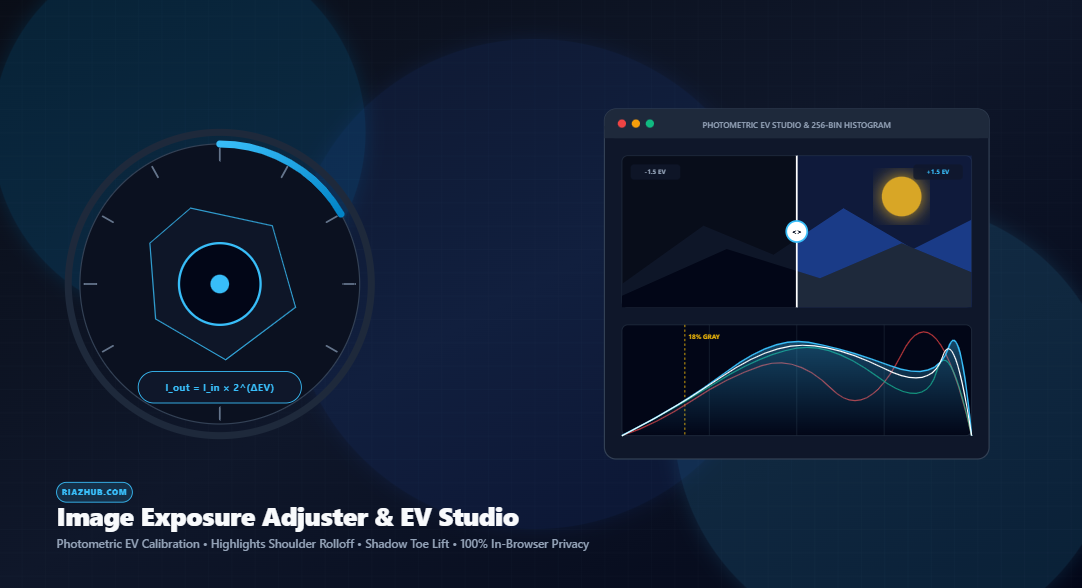
Mastering Photographic Exposure: How to Calibrate EV Stops, Recover Highlights, and Balance Shadows Without Image Degradation
Have you ever taken a photo under harsh afternoon sunlight, inside a dimly lit concert venue, or during a sunset golden hour, only to find the subject either cast in pitch-black shadow or ruined by a blown-out, washed-out sky? In casual photo editing, the instinctive reaction is to crank up the generic “Brightness” slider. However, doing so almost invariably destroys contrast, introduces plastic discoloration, and produces unnatural milky grays.
To solve this universal dilemma, the new Universal Image Exposure Adjuster & Photometric EV Studio at RiazHub.com introduces true camera-grade optical exposure calibration directly into your web browser. In this comprehensive technical guide, we delve into the mathematics of photographic exposure value stops (EV), the physics of logarithmic sensor light response, highlight shoulder compression, and how client-side canvas transformations give you DSLR-level dynamic range control without compromising privacy.
Calibrate Optical Exposure Directly in Your Browser
Fine-tune raw and raster exposures from -3.00 to +3.00 EV stops with real-time zebra clipping alerts and 256-bin RGB histograms.
1. The Fatal Flaw of Linear Brightness vs. Photometric Exposure (EV)
To understand why professional photographers reject the basic “Brightness” slider, we must examine how digital sensors register photons. Standard brightness adjustments function by simply adding a static arithmetic offset to each pixel’s 8-bit RGB color channel:
Color_New = Color_Original + Brightness_Offset
When you add a fixed integer (e.g., +40) to every pixel, true black (0, 0, 0) transforms into muddy charcoal gray (40, 40, 40). Deep, punchy contrast evaporates instantly, and midtones lose their natural saturation.
In contrast, real optical exposure behaves exponentially. In optics and camera mechanics, each Exposure Value (EV) Stop doubles or halves the physical quantity of photons entering the lens:
As calculated inside the Image Exposure Adjuster on RiazHub, an adjustment of +1.00 EV multiplies photon energy by exactly 2.0× (doubling the light), while +2.00 EV represents a 4.0× increase. Conversely, -1.00 EV cuts the intensity in half (0.50×). Absolute black (0) multiplied by 2 remains absolute black (0), preserving the true black point and photographic contrast ratios.
2. Preserving Skies and Sunsets: Highlights Shoulder Compression
A notorious problem when lifting exposure on underexposed photos is blown-out highlights. If you push exposure by +1.5 EV to reveal the face of a person against an overcast sky, the sky often turns into a flat, blinding sheet of clipped white pixels.
To prevent this unrecoverable dynamic range loss, the Photometric EV Studio incorporates a non-linear Highlights Rolloff (Soft-Knee Shoulder Compression) algorithm. When the highlights protection slider is engaged, pixels exceeding 60% normalized luminance (approx. 153/255) enter an asymptotic compression curve. Specular highlights and cloud details roll off smoothly toward 255 rather than abruptly slamming into an unnatural clipping ceiling.
Highlights Rolloff (Shoulder)
Rolls off bright sky and cloud textures gently, eliminating harsh digital clipping artifacts when boosting EV.
Shadow Recovery (Toe Lift)
Selectively extracts deep shadows and underexposed silhouettes without degrading contrast or lifting true black.
Midtone Gamma Offset
Shifts 18% middle-gray brightness curves independently from highlight and shadow extremes.
Auto-Expose Scene Balance
1-Click intelligent scene metering based on the Kodak 18% neutral gray reflectance standard.
3. Detecting Clipping in Real Time: The Zebra HUD & 256-Bin Histogram
How do you know if an image has crossed the line into clipped, unrecoverable data? Professional broadcast monitors and cinema cameras rely on False-Color and Zebra Clipping Warnings.
By enabling the Show Zebra Clipping Warnings toggle inside the Universal Image Exposure Adjuster, you receive instantaneous visual feedback:
- Pure Neon Red (#EF4444): Highlights where all color channels hit 254 or 255, alerting you that fine textures (such as wedding lace or bright cloud edges) have clipped.
- Pure Neon Blue (#38BDF8): Deep crushed shadows where all channels fall to ≤ 2, showing exactly where shadow detail has dropped into pure black.
Complementing the HUD is an embedded 256-Bin RGB and BT.709 Luminance Histogram. It charts live distribution curves for Red, Green, Blue, and White channels, complete with an amber dashed marker identifying the 18% middle-gray target zone.
4. Interactive Split-Screen Comparison and Batch Workflow
Fine-tuning optical exposure requires comparing the original capture against your calibrated result. Rather than toggling back and forth, the studio includes an interactive Split-Screen Before/After Slider. With hardware-accelerated CSS clip paths, you can slide back and forth at 60 FPS on desktop, tablet, or smartphone to audit subtle shadow recovery.
Furthermore, modern photo shoots frequently involve dozens of exposures captured in rapid succession. Using the Batch Queue Matrix, you can load multiple JPG, PNG, WEBP, AVIF, or BMP files simultaneously, apply a unified EV compensation with one click, and download the entire collection bundled into a lossless ZIP archive via the built-in native in-memory packager.
Ready to Correct Your Photos?
Test your images with the interactive split-screen slider, auto-exposure meter, and instant high-res WebP export.
5. Absolute Privacy: 100% Client-Side In-Browser Execution
In an era where many online utilities silently upload user photos to remote cloud servers for analysis, the RiazHub Image Exposure Adjuster operates under a strict privacy-first architecture.
All calculations—from Typed Array LUT mapping and BT.709 luminance sampling to WebP compression and ZIP archive assembly—execute strictly within your computer or mobile device’s local memory. No image data is ever transferred over the internet.
Frequently Asked Questions (FAQ)
Brightness simply adds a flat value to all pixels, which makes dark areas look gray and washed out. EV stops scale pixel values logarithmically (I × 2ΔEV), just like opening the aperture on a real camera lens.
The Auto Expose feature in the Photometric EV Studio samples thousands of pixels across the image, computes the average perceived scene luminance using the BT.709 formula, and applies the exact EV stop multiplier needed to align the scene with the photographic 18% middle-gray standard.
Yes! The tool features responsive CSS design with touch-enabled split comparison handles and full mobile browser compatibility.
No. All pixel operations take place in your device’s browser memory using HTML5 Canvas. None of your photos ever leave your computer or phone.
Start calibrating your photographs now with the Universal Image Exposure Adjuster & Photometric EV Studio on RiazHub.com.
Universal Image Exposure Adjuster
Fine-tune true optical exposure stops, recover blown highlights and shadow detail, audit real-time zebra clipping masks, and batch calibrate high-res photos securely in your browser.
No Photo Loaded
Drag an image into the studio, click "Select Photo(s)", or load a sample scene.
Load a photo to use Split Comparison
Load an image to view color channels & luminance histogram
Queue is Empty
Upload multiple images to batch process optical exposure values.
In photographic science, Exposure Value (EV) scales exponentially according to a base-2 power law: Intensityout = Intensityin × 2ΔEV. Each +1.0 EV stop doubles the photons hitting the sensor, while -1.0 EV cuts the light exactly in half. Unlike basic brightness addition which washes out color balance, true logarithmic scaling preserves camera tonal ratios.
Standard linear exposure shifts clip bright pixels harshly at 255. Our Highlights Rolloff applies a soft-knee shoulder curve to roll off specular highlights smoothly, preserving sky detail and clouds. Shadow Recovery lifts deep shadows without lifting absolute black or crushing global contrast.
Enable the Zebra Clipping Warning overlay to highlight pure blown-out pixels (RGB ≥ 254) in vivid Red and crushed black pixels (RGB ≤ 2) in Blue. Use Auto Expose to automatically calculate the optical EV offset required to center average scene luminance at the 18% middle-gray photographic standard.
All pixel manipulations, LUT transformations, histogram evaluations, and ZIP compression run entirely within your local browser sandbox via HTML5 Canvas and typed arrays. No photos or sensitive images are ever transmitted to any external server.