
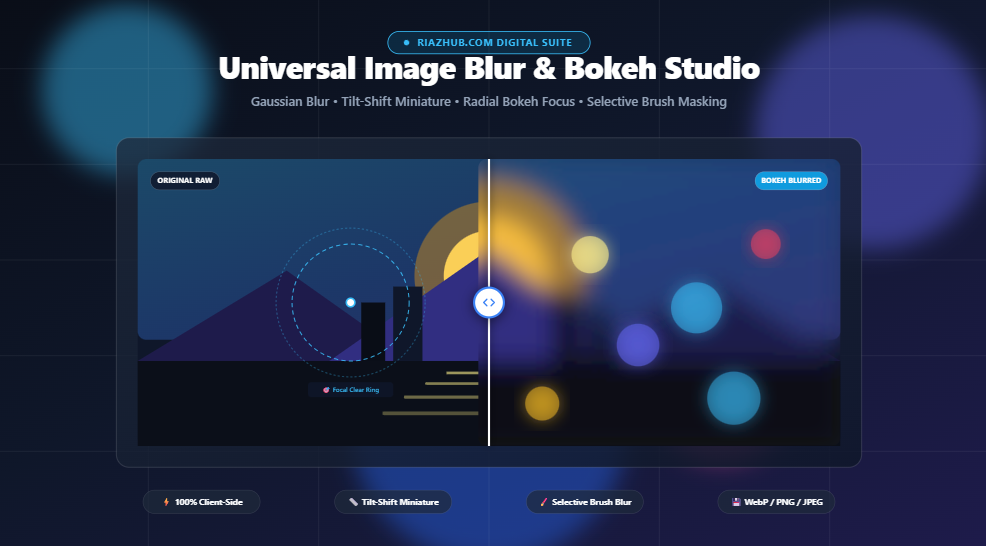
Mastering Optical Image Blur & Bokeh Focus in the Browser: The Complete Guide to Tilt-Shift, Depth of Field, and Privacy Redaction
Whether you want to replicate an expensive $2,000 f/1.2 prime portrait lens, turn a bustling city skyline into a whimsical miniature toy town, or permanently redact sensitive client information before publishing, browser-based image blurring has evolved into a powerhouse creative workflow. Discover how to leverage the free Universal Image Blur & Bokeh Focus Studio to craft stunning optical effects with zero server uploads and sub-millisecond real-time previews.
Try the Free Image Blur & Bokeh Studio Now
No sign-ups, no watermarks, and no software installations. Launch the RiazHub Image Blur Tool to immediately experiment with smooth Gaussian filters, radial depth-of-field, linear tilt-shift, and interactive before/after split comparisons.
1. The Evolution of Digital Blur: Beyond Simple Vignettes
In early digital photo editing, adding blur usually meant smearing pixels together uniformly with basic box blur filters or heavy dark vignettes. While effective for basic background softening, these early techniques lacked the nuanced gradient transitions and optical physics found in real glass lenses.
Today, modern web standards and high-speed HTML5 Canvas APIs allow us to recreate complex optical phenomena directly within standard desktop and mobile browsers. With the Universal Image Blur & Bokeh Focus Studio on RiazHub, creators have access to 5 specialized optical defocus modes tailored for different artistic and technical requirements:
- Global Gaussian & Box Defocus: Uniform whole-image softening designed to eliminate high-frequency noise, create subtle website hero backgrounds, or neutralize textured backdrops behind headline text.
- Radial Depth of Field (Bokeh): Emulates wide-aperture portrait lenses (e.g., 85mm f/1.4) by maintaining a crystal-clear elliptical or circular focal sweet-spot with a gradual, feathered optical falloff into creamy background defocus.
- Linear Miniature Tilt-Shift: Simulates specialized tilt-shift perspective lenses by slicing a narrow focal band across the frame at customizable angles, tricking human depth perception into seeing real landscapes as miniature diorama models.
- Selective Interactive Brush Masking: Allows you to paint blur directly onto specific zones ideal for obscuring car license plates, blurring faces in crowds, or hiding personal identifying information (PII) on screenshots.
- Inverted Focal Highlighting: Flips the focal equation by blurring the subject while keeping surrounding peripheral elements sharp, opening up creative abstract compositions.
2. Understanding the Mathematics: How Gaussian Convolutions Work
Have you ever wondered what actually happens when you drag a blur radius slider from 5px to 50px?
At its core, a Gaussian Blur algorithm relies on a two-dimensional mathematical bell curve known as the Gaussian distribution function:
G(x, y) = (1 / (2πσ²)) × e^(-(x² + y²) / (2σ²))In this equation, σ (sigma) represents the standard deviation, which directly corresponds to the blur radius chosen in the RiazHub Image Blur Studio. During processing, each pixel is recomputed by calculating a weighted average of its neighboring pixels. Points closer to the center pixel contribute more significantly to the final color, while distant pixels have diminishing influence.
The result is a mathematically smooth gradient without the harsh geometric banding or blockiness typical of basic box filters. When applied selectively using alpha gradients, the human visual system perceives this gradual loss of high-frequency contrast as physical optical depth.
3. How to Create the Miniature Tilt-Shift Effect (Step-by-Step)
Tilt-shift miniature photography is one of the most playful and captivating visual tricks in digital editing. When viewed from above, real-world scenes—like city intersections, harbors, train yards, and stadiums—look convincingly like tiny toy models. Here is how to achieve this look in less than 30 seconds using the RiazHub Blur Utility:
Open the free Image Blur & Bokeh Studio right now and click “Sample Photo” to test the effect immediately without uploading anything.
4. Irreversible Privacy Redaction vs. CSS Display Blurs
A common mistake made by junior web developers and content creators is relying on CSS styles like filter: blur(20px); or backdrop-filter: blur(15px); to redact private data on public websites.
To achieve genuine, tamper-proof privacy protection, the pixel convolution must be permanently rasterized into the raw ImageData buffer before export. When you use the Selective Brush Mask inside the Image Blur Studio, the high-frequency pixel data representing credit card numbers, passwords, or house addresses is permanently mathematically merged into weighted color averages. Once saved as a WebP, PNG, or JPEG, the original numbers cannot be recovered by any browser inspection tools.
5. Comparison: Which Blur Mode Should You Choose?
| Blur Technique | Primary Use Case | Ideal Blur Radius | Focal Guide Type |
|---|---|---|---|
| Global Gaussian | Website hero headers, text readability backgrounds, UI wallpapers | 10px – 30px | None (Uniform) |
| Radial Bokeh Focus | Portraits, product photography, macro flowers, pet close-ups | 20px – 40px | Draggable Circular / Elliptical Ring |
| Linear Tilt-Shift | Aerial cityscapes, crowded beaches, train yards, dioramas | 35px – 60px | Rotatable Tilt Band with Angle Slider |
| Selective Brush Blur | ID cards, license plates, private faces, sensitive documents | 30px – 80px | Interactive Paint & Erase Brush Cursor |
6. Interactive Inspection: Before/After Split-Screen Studio
One of the standout features of the RiazHub Bokeh Studio is its multi-tab comparison workbench. When fine-tuning optical falloff, it is crucial to verify that critical subject details such as an eye in a portrait or a logo on a product have not been accidentally softened.
By switching to the Split-Screen Before/After Slider tab, you can drag an interactive center divider across your high-res canvas in real time. The left half displays the raw, uncompressed original photo, while the right half showcases the exact blurred composite. For users who prefer simultaneous static comparisons, the Side-by-Side Dual View provides a synchronized inspection layout.
7. Exporting Without Compromise: WebP, Lossless PNG, and JPEG
Once your optical defocus or privacy mask is perfected, selecting the right export container ensures optimal balance between visual fidelity and loading speed:
- Modern WebP (Recommended): Provides cutting-edge lossy compression up to 30% smaller than legacy JPEGs while retaining pristine optical transitions and bokeh gradients without color banding.
- Lossless PNG: The gold standard for graphics, digital art, and screenshots where zero compression artifacts can be tolerated.
- Universal JPEG: Maximum backwards compatibility across legacy email clients, legacy CMS platforms, and print media.
- Direct Clipboard Copy: Using the HTML5 Async Clipboard API, you can click “Copy to Clipboard” in the Image Blur Tool to copy a lossless PNG bitmap directly into Figma, Slack, Photoshop, or Word documents without cluttering your downloads folder.
Conclusion: Elevate Your Imagery in Seconds
You no longer need heavy desktop photo suites or subscription-based software just to apply natural lens blur, miniature tilt-shift focus, or secure privacy redactions. By pairing native HTML5 Canvas capabilities with thoughtful interactive controls, the browser is now an all-in-one optical darkroom.
Bookmark the Universal Image Blur & Bokeh Focus Studio on RiazHub today, test it with your favorite photos, and experience the speed of 100% private, client-side digital utility design.
Ready to create breathtaking bokeh effects?
Jump directly to the studio, upload any photo or load a sample image, and craft your custom blur effect with instant split-screen comparison.
Universal Image Blur & Bokeh Focus Studio
Apply smooth Gaussian blur, radial tilt-shift, miniature depth-of-field, or selective brush blurring with instant before/after split preview.
filter: blur(20px) merely instructs the client GPU to defocus the raster presentation on screen, meaning the underlying original high-res image remains intact and inspectable in the browser DOM. Our studio renders the convolution blur directly into the raw pixel bitmap (`ImageData` array) before encoding, ensuring privacy redactions are 100% irreversible when exported.