
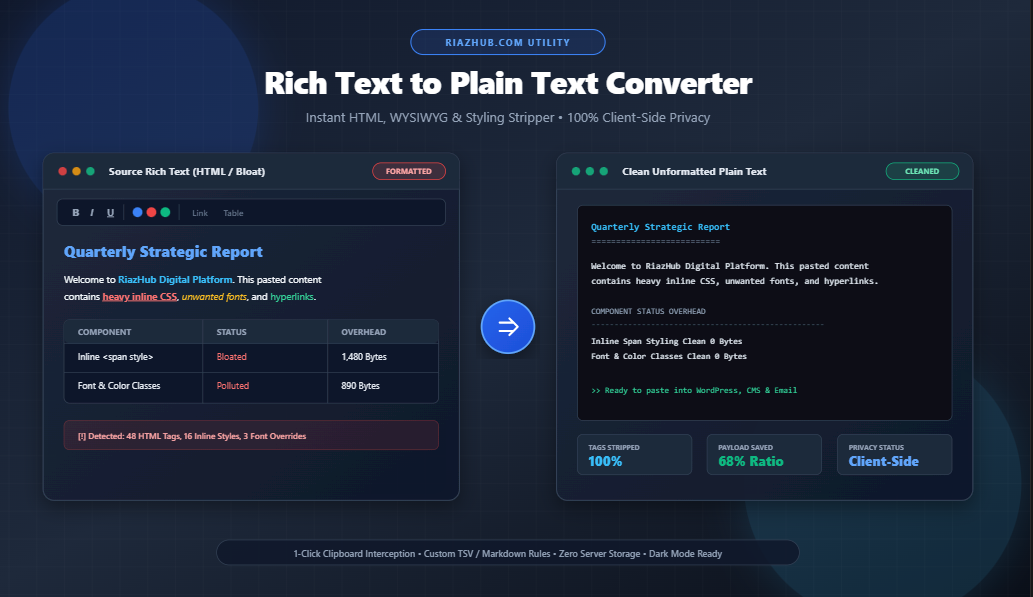
In modern digital publishing, content management, copywriting, and software development, one of the most frustrating yet pervasive issues is formatting pollution. Every time you copy a paragraph from Microsoft Word, Google Docs, Apple Pages, a PDF contract, or a website, your operating system clipboard doesn’t just copy the visible words it captures hundreds of lines of invisible HTML tags, inline CSS color declarations, fixed pixel font sizes, and proprietary XML markup.
When you paste this content into your WordPress editor, CMS dashboard, email campaign composer, or code repository, this hidden formatting can break your website’s responsive design, clash with site-wide typography, and introduce invisible bugs. That is why using an in-browser Rich Text to Plain Text Converter is essential for anyone who values clean, predictable, and professional text.
Need to Clean Formatted Text Instantly?
Strip all HTML tags, font overrides, inline colors, and nested styling in real time without sending your data to any external server.
What Is Rich Text vs. Plain Text?
To understand why text cleaners are vital, it helps to distinguish between the two primary text formats used across computing environments:
| Characteristic | Rich Text (HTML / RTF / WYSIWYG) | Plain Text (ASCII / UTF-8 String) |
|---|---|---|
| Visual Styling | Contains bold, italics, font families, font sizes, text highlights, and hex colors. | Zero styling. Appearance is determined entirely by the viewing application. |
| Underlying Code | Surrounded by <span style="...">, <b>, <div>, or RTF control codes. |
Pure character code points without markup or tag delimiters. |
| CMS Compatibility | Often overrides theme CSS, breaks mobile column layouts, and bloats page size. | 100% compliant. Inherits theme fonts and colors automatically. |
| File Size & Payload | High payload overhead due to repetitive inline styling definitions. | Minimal file size, optimal for performance and fast database queries. |
Why Pasting Styled Text Causes Disasters Across Digital Tools
When you transfer formatted text between different platforms without sanitizing it first, several critical problems occur:
1. WordPress & CMS Layout Breaking
Modern CMS themes (such as Astra, Kadence, GeneratePress, Elementor, and Gutenberg blocks) rely on a cohesive design system defined in your stylesheet. When you paste rich text directly from Microsoft Word, Word injects inline styles like style="font-family: Calibri; font-size: 11pt; color: #222222;". This hardcodes font properties into your WordPress database, completely bypassing your theme’s global typography and responsive rules.
2. Email Marketing Deliverability Drops
Email services like Mailchimp, Klaviyo, Brevo, and ActiveCampaign are sensitive to bloated HTML payloads. Pasting rich text into email templates frequently injects broken <font> tags and invalid CSS styles, causing rendering inconsistencies across Outlook, Apple Mail, and Gmail mobile apps.
3. Spreadsheet & Database Import Corruption
When pasting structured text into Excel, Google Sheets, or SQL databases, non-standard line breaks and hidden table formatting can split single records across unwanted columns and rows. Converting your tables to clean Tab-Separated Values (TSV) using the RiazHub Rich Text to Plain Text Converter prevents data alignment errors.
4. Code Editor & Markdown Pollution
Pasting formatted code snippets from websites into VS Code or terminal windows often introduces smart quotes (“”), non-breaking spaces ( ), and zero-width characters that cause compilation errors in Python, JavaScript, and JSON files.
How the RiazHub Formatting Stripper Works Under the Hood
Unlike basic online string replacers that apply simple regex patterns, the RiazHub Rich Text Stripper uses a sandboxed, browser-native DOM Parser Tree Traversal Engine:
- Virtual DOM Sandboxing: When you paste or drop a document into the WYSIWYG editor stage, the tool constructs a virtual DOM tree in an isolated browser environment.
- Semantic Block Translation: Paragraphs (
<p>), headings (<h1>–<h6>), list items (<li>), and table rows (<tr>) are systematically mapped to natural spacing (\n\n, bullet prefixes, or\tcolumn tabs). - Smart Entity Decoding: Escaped HTML entities such as
&,", and are restored into their natural character equivalents. - Payload Overhead Calculation: The tool computes original formatted character counts against clean plain text output in real time, showing the exact percentage of bloat eliminated.
Before: <p style=”color:#e11d48;font-size:16px;”>Project <strong>Summary</strong></p>
After: Project Summary
Try 1-Click Preset Cleanup Profiles
Switch effortlessly between Pure Natural Text, Code / Monospace Clean, Single-Line String, or Markdown Outline.
Step-by-Step Guide: How to Convert Rich Text to Clean Plain Text
Using the utility on RiazHub is seamless and requires zero software installation:
- Paste or Drag Your Document: Press Ctrl+V (or Cmd+V on Mac) directly into the left “Source Rich Text” workspace, click the “Paste from Clipboard” button, or drop an
.html,.rtf, or.txtfile. - Select Your Stripping Preferences:
- Hyperlinks: Choose whether to keep anchor text only, append the full URL in brackets, or extract pure URLs.
- Lists & Tables: Retain bullet points (• / 1.) or convert tables into tab-separated values.
- Whitespace: Collapse excessive blank lines and trim trailing spaces automatically.
- Copy or Download: Your sanitized plain text appears instantly in the right column. Click “Copy Plain Text” to copy it to your clipboard with one click, or hit “Download (.txt)” to save it as a text file.
100% Client-Side Privacy: Your Sensitive Documents Stay Secure
When handling confidential legal contracts, business memos, financial reports, or private customer emails, privacy is paramount. Many online text tools send your text to third-party servers for backend processing, creating compliance and data leak risks.
With the RiazHub Rich Text to Plain Text tool, all processing happens 100% locally in your web browser via vanilla JavaScript. No text, clipboard contents, or uploaded files are ever sent to an external server or saved in a remote database.
Frequently Asked Questions (FAQ)
Does this tool remove Word comments and tracking markup?
Yes. When copying from Microsoft Word, proprietary metadata and XML markup tags (such as <o:p> and mso-* styles) are completely stripped away, leaving only clean text.
Can I convert HTML tables into plain text spreadsheets?
Yes. Enabling the “Convert Tables to TSV” option automatically converts table columns into tab characters, allowing you to paste tabular data directly into Excel or Google Sheets cleanly.
Is there a character or document length limit?
Because the utility executes entirely on your device using browser DOM memory, it can handle long essays, transcripts, legal contracts, and ebooks without server timeouts or file size restrictions.
Does it work on mobile phones and tablets?
Yes. The interface is fully responsive and supports both Light and Night/Dark mode themes across iOS, Android, macOS, Windows, and Linux.
Start Converting Your Formatted Documents Now
Experience fast, secure, and zero-bloat rich text sanitization for free on RiazHub.
Rich Text to Plain Text Converter
Strip formatting, styling, HTML tags, font styles, colors, and embedded markup into clean, unformatted plain text instantly with 100% private client-side processing.
Rich Text Stripping & Sanitization Guide
<o:p>, <font>, <span style="...">), and fixed pixel font sizes. When pasted into WordPress Gutenberg, Elementor, email marketing tools, or spreadsheets, these hidden tags override your site theme's typography and color scheme, causing visual layout breaking and responsive rendering bugs on mobile devices.
DOMParser tree sandbox. It recursively traverses semantic HTML nodes, converts tabular cells into clean tab-delimited columns, translates nested unordered/ordered lists into readable text bullets, decodes escaped character entities (like " and &), and standardizes line breaks before stripping redundant tags.