
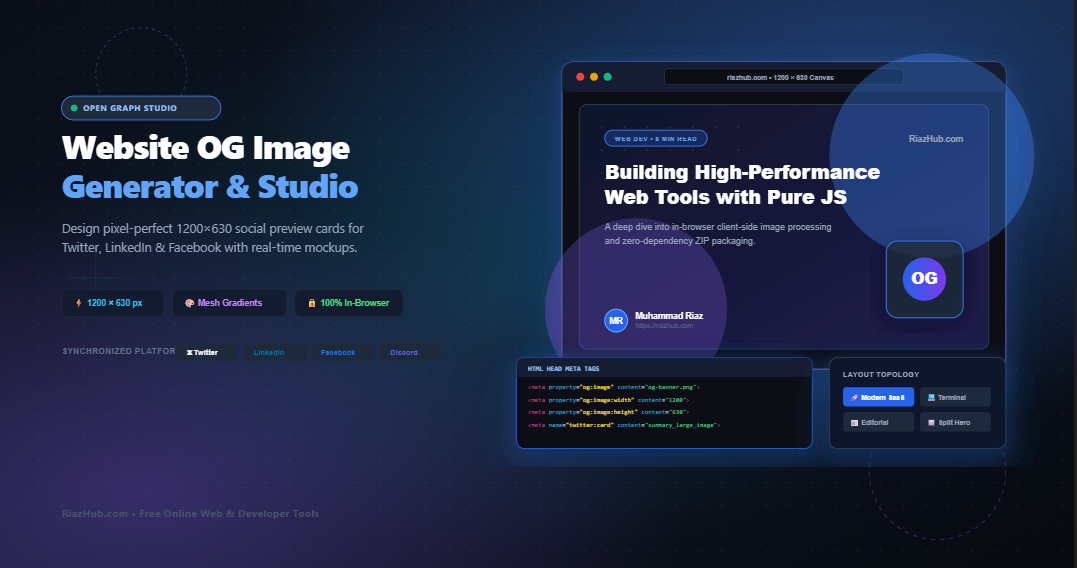
Mastering Open Graph Social Cards: How to Design High-CTR 1200×630 Banners in Seconds
When someone shares your blog post, landing page, or SaaS application link across social platforms like Twitter/X, LinkedIn, Facebook, Slack, or Discord, what do their followers see?
If your website lacks a designated Open Graph image, social crawlers will either display an embarrassing blank gray box or randomly scrape an irrelevant icon from your footer. The impact on your business metrics is immediate: links with custom, high-contrast social cards achieve up to a 40% higher click-through rate (CTR) than generic links.
Historically, crafting customized Open Graph banners meant opening resource-heavy software like Photoshop or Figma, manually configuring 1.91:1 canvas coordinates, managing font weights, exporting large PNGs, and manually formatting <meta> tags. To eliminate this workflow friction, RiazHub developed the free Website OG Image Generator & Social Card Studio an entirely client-side, browser-based design suite that automates every step of the social asset creation pipeline.
💡 Direct Tool Access: You can launch and test the generator immediately at https://riazhub.com/website-og-image-generator-social-card. No registration, software installation, or API credentials required.
Why the 1200 × 630 Pixel Dimension is the Universal Social Standard
In the early days of social metadata, different platforms required different image ratios. Twitter relied on compact square summary cards, Facebook demanded 1200×628 pixels, and LinkedIn scaled whatever it could find.
Today, all major platforms have standardized around the 1.91:1 aspect ratio, specifically 1200 × 630 pixels:
| Platform & Card Type | Optimal Dimensions | Aspect Ratio | Fallback Behavior |
|---|---|---|---|
| Facebook Feed Link | 1200 × 630 px | 1.91 : 1 | Crops top and bottom edges if taller |
| Twitter/X Summary Large Image | 1200 × 628 px | 1.91 : 1 | Centers and letterboxes non-standard images |
| LinkedIn Post Share | 1200 × 627 px | 1.91 : 1 | Blurs borders or clips side typography |
| Discord & Slack Rich Embeds | 1200 × 630 px | 1.91 : 1 | Shrinks down proportionally with full sharpness |
By designing strictly at 1200×630 on the Website OG Image Generator, you create a single retina-sharp asset that renders flawlessly across every social network without awkward edge warping or unsightly black bars.
The Critical 1000 × 500 px Mobile Safe-Zone
While your image canvas spans 1200×630 pixels, mobile apps on iOS and Android frequently apply rounded corner radii, bottom title cards, or circular avatar cutouts over the preview banner.
If your headline text or brand mark extends to the extreme edges of your canvas, it will inevitably get cropped on mobile timelines. The RiazHub Social Card Studio solves this with an integrated Mobile Safe-Zone Projection Engine:
- Central Safe Zone (1000 × 500 px): Keeps all critical text, badges, and logos comfortably centered.
- Interactive Visual Guide: Toggleable guidelines in the live canvas stage reveal the exact safe boundaries before exporting.
- Adaptive Margin Clamping: Dynamic padding prevents multi-line titles from spilling outside the safe perimeter.
Exploring the Multi-Topology Layout Presets
Different content types require distinct visual styles. A technical tutorial benefits from a monospaced terminal aesthetic, while a VC-backed SaaS product announcement demands vibrant gradient mesh backdrops. The Website OG Image Generator includes six pre-engineered layout topologies:
🚀 Modern SaaS / Startup Hero
Radiant gradient mesh backdrops, glowing accent spheres, category pill badges, dynamic word-wrapped headlines, and author avatar footer cards.
💻 Developer Terminal Code
Authentic dark CLI window with macOS window controls (🔴🟡🟢), monospaced Fira Code typography, and bash command prompts.
🪟 Floating UI Window Mockup
Clean browser window chrome header with a simulated URL address bar and structured content frame, ideal for product announcements.
📰 Bold Editorial Minimalist
High-contrast serif and sans typography pairings, minimalist ivory/slate themes, and clean dividing lines tailored for journalism and essays.
🔲 Split-Screen Brand Card
Two-column layout balancing text on the left with an illuminated frosted glass card housing your brand logo or favicon on the right.
🎯 Centered Typography
Balanced, centered headline arrangement with prominent domain branding and ambient glow effects, perfect for landing pages.
Step-by-Step Walkthrough: Generating Your OG Banner in Under 60 Seconds
Creating a professional social preview card with the Website OG Image Generator on RiazHub.com requires just a few straightforward steps:
- Input Your Article Metadata: Enter your headline, subtitle description, site name (e.g., RiazHub.com), category tag, author name, and domain URL in the left controls sidebar.
- Select a Layout Archetype: Click any of the layout pill tabs (such as Modern SaaS, Terminal, or Editorial) or choose a 1-click Quick Preset profile at the top.
- Customize Atmosphere & Typography: Adjust the gradient accent colors, randomize the gradient mesh with a single click, choose between dot matrix or blueprint grid overlays, or upload your own custom background image with dark contrast dimming.
- Preview in the Social Feed Sandbox: Switch to the Social Feed Sandbox tab to view photorealistic live previews of how your banner will look on Twitter/X, LinkedIn, Facebook, and Discord.
- Export or Copy to Clipboard: Download your lossless PNG, modern WebP, or standard JPEG banner with a single click, or copy the image directly to your system clipboard for instant pasting.
Ready to Supercharge Your Social Media Click-Through Rates?
Generate high-converting 1200×630 Open Graph banners and production HTML meta tags directly in your browser with zero dependencies.
How to Install the Generated Open Graph Meta Tags
An image alone does not power social previews social crawlers identify your banner through standardized HTML <meta> tags embedded in your document’s <head> section.
The Website OG Image Generator automatically synthesizes clean, production-ready tags as you type. Here is an example of the generated markup:
<meta property=”og:type” content=”website”>
<meta property=”og:url” content=”https://riazhub.com/my-awesome-post”>
<meta property=”og:title” content=”Building High-Performance Web Tools with Pure JavaScript”>
<meta property=”og:description” content=”A deep dive into in-browser client-side image processing and zero-dependency ZIP packaging.”>
<meta property=”og:image” content=”https://riazhub.com/wp-content/uploads/og-banner.png”>
<meta property=”og:image:width” content=”1200″>
<meta property=”og:image:height” content=”630″>
<meta property=”og:site_name” content=”RiazHub”><!– Twitter / X Summary Cards with Large Image –>
<meta name=”twitter:card” content=”summary_large_image”>
<meta name=”twitter:site” content=”@riazhub”>
<meta name=”twitter:title” content=”Building High-Performance Web Tools with Pure JavaScript”>
<meta name=”twitter:description” content=”A deep dive into in-browser client-side image processing and zero-dependency ZIP packaging.”>
<meta name=”twitter:image” content=”https://riazhub.com/wp-content/uploads/og-banner.png”>
Simply switch to the HTML Meta Tags tab in the tool, click 📋 Copy HTML Meta Code, and paste it directly into your website’s header file or SEO plugin configuration.
Zero-Dependency In-Memory ZIP Bundler
When preparing assets for a multi-channel launch, you often need images tailored for different formats such as a 1200×630 banner for Twitter and LinkedIn, a 1200×675 landscape graphic for video feeds, and a 1080×1080 square card for Instagram and mobile carousels.
The RiazHub OG Image Generator features an integrated, zero-dependency in-memory PKZIP bundler. Clicking 📦 Download Complete Bundle (.zip) packages:
[filename]-1200x630.png(Standard 1.91:1 Open Graph Banner)[filename]-landscape-1200x675.png(16:9 In-Stream Banner)[filename]-square-1080x1080.png(1:1 Social Feed Card)open-graph-meta-tags.html(Production-ready HTML head tags file)
All compression, binary serialization, and packaging occur in milliseconds entirely within your browser’s RAM, ensuring your files never leave your computer.
Client-Side Privacy Guarantee
Unlike conventional online banner generators that transmit your unpublished headlines, private URLs, and proprietary logo files to remote cloud servers, the Website OG Image Generator at RiazHub.com executes 100% of its rendering pipeline via HTML5 Canvas (2DContext) and native JavaScript APIs.
Your drafts, brand marks, and sensitive article ideas stay completely private and secure on your local device at all times.
Conclusion
In today’s fast-moving social feeds, your Open Graph preview card is the visual billboard representing your content. Investing thirty seconds to generate an engaging, high-contrast social banner can dramatically elevate your brand authority and drive significantly higher engagement across all channels.
Bookmark and visit the Website OG Image Generator & Social Card Studio on RiazHub today and make every shared link count.