
Mastering Excel to PDF Conversion: The Complete Guide to Free, Private, and High-Fidelity Spreadsheet Publishing
In today’s digital business environment, Microsoft Excel spreadsheets (`.xlsx`, `.xls`) and CSV files remain the standard for tracking financial data, managing payroll, compiling student enrollment records, and analyzing business metrics. However, when it comes time to share these documents with clients, stakeholders, or auditors, sharing raw `.xlsx` files often introduces formatting glitches, accidental formula edits, missing fonts, or unreadable column layouts across different mobile devices.
Converting your spreadsheets into standardized PDF files guarantees that your formatting remains 100% fixed and publication-ready regardless of operating system. But traditional online converters present major drawbacks: they compromise sensitive financial privacy by sending data to unknown servers, break complex merged cell header banners, mess up date formats (`01/07/2026`), or corrupt non-Latin script like Arabic, Urdu, and Asian characters into unreadable symbols (`Þ•þ•Þ³…`).
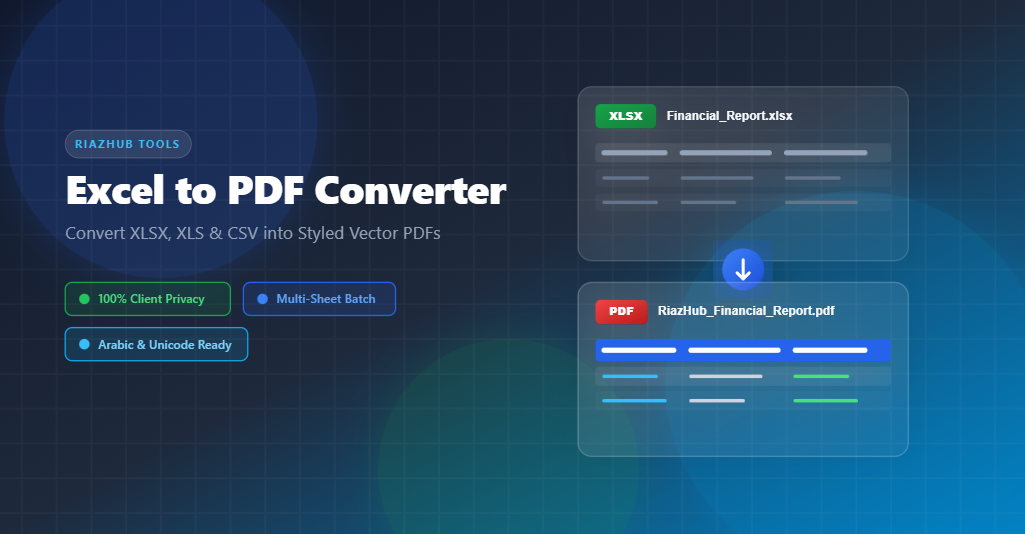
To solve these challenges permanently, RiazHub developed the free Excel to PDF Converter—a 100% client-side web utility designed to turn complex spreadsheets into professional vector PDF documents instantly.
1. Why Client-Side Privacy Matters for Financial Spreadsheets
When you upload a confidential corporate balance sheet, client invoice list, or payroll document to generic web converter sites, your data is transmitted across public networks and stored on remote web servers. This creates severe compliance and data breach risks for businesses and individuals alike.
🔒 The RiazHub 100% Client-Side Privacy Guarantee
With the RiazHub Excel to PDF Converter, your files are never uploaded to any external server. All file parsing, sheet calculation, column filtering, and PDF generation occur 100% locally inside your web browser’s sandboxed memory using client-side JavaScript. Your sensitive data never leaves your computer or mobile device.
2. Advanced Features of RiazHub’s Excel to PDF Converter
A. Smart Merged Cell Header & Title Banner Detection
One of the most frustrating issues when converting bank statements or multi-column reports is merged title cells across row 1 (such as “Arab National Bank Statement July 2026” merged across cells A1:D1). Traditional converters unroll merged cells across every column header, repeating the title text inside every single column box!
The Excel to PDF Converter on RiazHub intelligently isolates top title banners, auto-populates the text into the Report Document Title field, and unrolls merged cells exclusively inside data rows—ensuring clean, professional top table headers every single time.
B. Original Date Normalization (`DD/MM/YYYY`)
Excel stores dates internally as serial numbers or locale-dependent short date strings (such as `7/1/26`), which often lead to confusing date errors upon PDF export. RiazHub’s engine standardizes dates automatically into clean, padded `DD/MM/YYYY` formats (e.g. `01/07/2026` or `05/07/2026`), preserving chronological clarity for financial auditing.
C. Universal Unicode, Arabic & RTL Script Engine
Standard PDF generation libraries like jsPDF rely on basic ASCII fonts (Helvetica) that corrupt Arabic, Urdu, Persian, Cyrillic, and Asian characters into garbled symbols (`Þ•þ•Þ³…`). RiazHub solves this with an integrated High-Fidelity Unicode Engine. When non-ASCII or right-to-left (RTL) text is detected—such as Urdu student logs (`داخلہ نمبر`, `نام طالبہ`) or Arabic invoices—the tool renders the document with complete glyph fidelity and accurate letter shaping.
D. Multi-Sheet Worksheets Batch Conversion
Workbooks with multiple tabs (Sheet 1, Sheet 2, Quarter 1, Quarter 2) can be previewed individually with tab navigation or compiled all at once into a consolidated multi-page PDF workbook using the “All Sheets (Batch Convert)” option.
3. Step-by-Step: How to Convert Excel to PDF on RiazHub
- Access the Utility: Visit the official RiazHub Excel to PDF Converter page in any modern desktop or mobile browser.
- Select or Drag & Drop Your File: Drag your `.xlsx`, `.xls`, `.xlsm`, `.xlsb`, or `.csv` spreadsheet file into the upload zone, or click to browse your computer.
- Select Worksheets & Header Row: If your file contains multiple sheets, choose the active tab or pick “All Sheets (Batch Convert)”. You can adjust the table header position if your file has custom title rows.
- Customize Layout & Theme: Choose your page orientation (Auto-Detect, Landscape, or Portrait), page size (A4, Letter, Legal, A3), margin spacing, and custom table accent colors.
- Manage Columns & Filter Rows: Toggle individual column visibility on or off, drag to reorder columns, or use the live search filter box to isolate specific rows.
- Convert & Download: Click “Convert & Download PDF” to save your customized document instantly to your browser’s download folder.
4. Frequently Asked Questions (FAQ)
Q1: Is the RiazHub Excel to PDF Converter completely free to use?
Yes, 100% free with unlimited conversions and zero registration requirements. You can access the tool anytime directly at https://riazhub.com/excel-to-pdf-converter.
Q2: Are my financial spreadsheets uploaded to any web server?
No. RiazHub uses privacy-first client-side processing. All file reading, data rendering, and PDF compilation take place inside your browser. No file data is sent over the internet.
Q3: Does the tool support Arabic, Urdu, and right-to-left (RTL) spreadsheets?
Yes! The converter includes an automated High-Fidelity Unicode & RTL engine that renders Arabic, Urdu, Persian, and non-Latin character sets cleanly without garbled text.
Q4: Can I convert spreadsheets with many columns without cutting off text?
Absolutely. For wide accounting spreadsheets, select Landscape Orientation or A3 Page Size, or toggle off non-essential columns using the built-in Column Configuration checklist.
Excel (XLSX/XLS) to PDF Converter
Transform spreadsheets, financial statements, and CSV data into elegant vector PDF documents.