
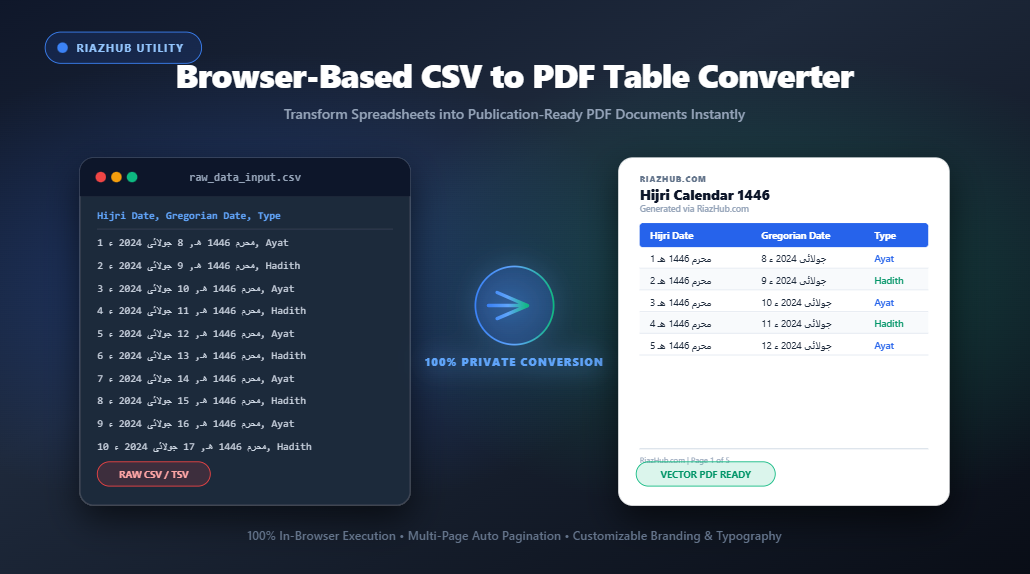
If you have ever tried converting a raw spreadsheet into a clean PDF document, you may have encountered truncated columns, missing rows, garbled non-Latin characters, or strict privacy limitations with online tools that upload your sensitive data to unknown external servers.
To solve these challenges, RiazHub developed the Browser-Based CSV to PDF Table & Document Converter a powerful, secure, and intuitive web utility designed to generate publication-ready PDF tables directly inside your browser.
💡 Try the Live Tool Now: Access the free online utility directly at https://riazhub.com/csv-to-pdf-table-document-converter to convert your CSV data into professional PDFs with complete privacy.
Why Choose a Browser-Based CSV to PDF Converter?
Most traditional online file converters require uploading your CSV files to remote web servers where data is processed asynchronously. For financial reports, confidential employee rosters, customer lists, or proprietary data, uploading raw spreadsheets poses serious data security and compliance risks.
The RiazHub CSV to PDF Converter operates on a 100% client-side architecture. Every parsing operation, table styling option, multi-page pagination check, and PDF compilation step is executed strictly within your web browser’s JavaScript environment. Your confidential data never touches an external server, providing complete peace of mind.
Key Features & Capabilities
The Browser-Based CSV to PDF Converter includes robust document publishing controls:
1. 100% Client-Side Privacy Protection
No file uploads are required. All calculations, CSV parsing via PapaParse, and high-resolution PDF rendering via jsPDF and HTML2Canvas occur locally on your computer or mobile device.
2. Multi-Lingual & Full Arabic / RTL Character Support
Standard PDF generation engines frequently garble Right-to-Left (RTL) scripts such as Arabic, Urdu, Farsi, and Hijri calendar dates (e.g., 1 محرم 1446 هـ), resulting in inverted text or unreadable symbols. The RiazHub CSV to PDF Tool automatically detects international UTF-8 characters and routes compilation through a high-DPI vector canvas engine, ensuring crisp, 100% accurate Arabic ligatures and font rendering.
3. Deterministic Multi-Page Layout Engine
Eliminate hidden rows and cut-off text! The tool features a real-time pixel-height measurement engine that evaluates every single row before compiling. Rows containing multi-line text or detailed Arabic verses are automatically measured and paginated cleanly across multiple pages, guaranteeing complete data inclusion from Page 1 to the final page.
4. Customizable Document Headers & Footer Branding
- Custom File & Document Naming: Set custom filenames for your exported PDFs and CSVs (automatically branded as
[Your_Filename] - CSV to PDF by RiazHub.com.pdf). - Editable Footer Text: Defaults to
RiazHub.comand can be customized or toggled independently. - Header Controls: Add optional organization names, main document titles, subtitles, and auto-generated timestamp prefixes (e.g.,
Generated on: 8/19/2026). - Page Numbers: Easily toggle footer page numbering (e.g.,
Page 1 of 5).
5. Flexible Page Setup & Preset Table Themes
Customize your output layout with portrait or landscape orientation, paper format selection (A4, US Letter, Legal, A3), page margin adjustments, font scaling (8pt to 12pt), and pre-designed table theme presets (Modern Clean, Corporate Navy, Minimalist Grid, and Dark Accent Header).
Step-by-Step Guide: How to Convert CSV to PDF
- Load Data: Drag and drop your
.csv,.tsv, or.txtfile into the dropzone, or paste raw tabular text directly into the input editor at RiazHub CSV to PDF Utility. - Select Columns & Reorder: Toggle column visibility or reorder headers to focus on the key data fields you wish to display.
- Customize Styling & Headers: Choose your preferred accent colors, table themes, orientation, font size, and document header titles.
- Set Custom File & Footer Labels: Enter your preferred custom filename and edit or toggle footer text branding and page numbers.
- Convert & Download PDF: Click the primary Convert & Download PDF button to save your formatted PDF table instantly.
🚀 Ready to transform your spreadsheets? Start converting your CSV files into publication-ready documents today at https://riazhub.com/csv-to-pdf-table-document-converter.
Frequently Asked Questions (FAQ)
Is my CSV data uploaded to any server during conversion?
No. The RiazHub CSV to PDF Converter operates 100% inside your local web browser. Your data is never uploaded, stored, or transmitted across the network.
Does the converter support Arabic, Hijri calendars, and RTL scripts?
Yes! The tool includes specialized high-DPI vector canvas rendering that preserves exact Arabic glyph shapes, Hijri date formatting, and right-to-left alignment without garbling characters.
Can I convert spreadsheets with wide tables or many columns?
Yes. For datasets with 6 or more columns, simply set the Page Orientation to Landscape or select larger paper formats like A3 in the setup menu at RiazHub.com.
Is this utility free to use for personal and commercial projects?
Yes, the Browser-Based CSV to PDF Converter is completely free to use with no hidden fees or subscription limits.
Conclusion
Creating publication-ready PDF tables from CSV spreadsheets no longer requires expensive desktop software or risky online converter services. With the RiazHub Browser-Based CSV to PDF Converter, you can format, style, brand, and download professional multi-page PDF documents in seconds while keeping your data completely private.
Visit https://riazhub.com/csv-to-pdf-table-document-converter to streamline your document workflow today!
Browser-Based CSV to PDF Table & Document Converter
Convert spreadsheets into publication-ready PDF tables and documents instantly with full layout control.
CSV to PDF Conversion Guide & Best Practices
Handling Wide Spreadsheets (6+ Columns)
For wide data tables, switch the Page Orientation to Landscape or select larger formats such as A3. You can also adjust the font size to Small (8pt) to fit more columns per page cleanly.
Multi-Lingual & Arabic / RTL Support
Full support for Arabic, Urdu, Hijri calendars, and international UTF-8 character sets. Documents containing Arabic or right-to-left text are automatically compiled into crisp vector PDFs without garbled text.
100% Client-Side Privacy Guarantee
All CSV parsing, sorting, filtering, and vector PDF compilation are executed directly in your web browser using HTML5 & JavaScript. Confidential financial data, records, or personal tables are never transmitted to any external server.