
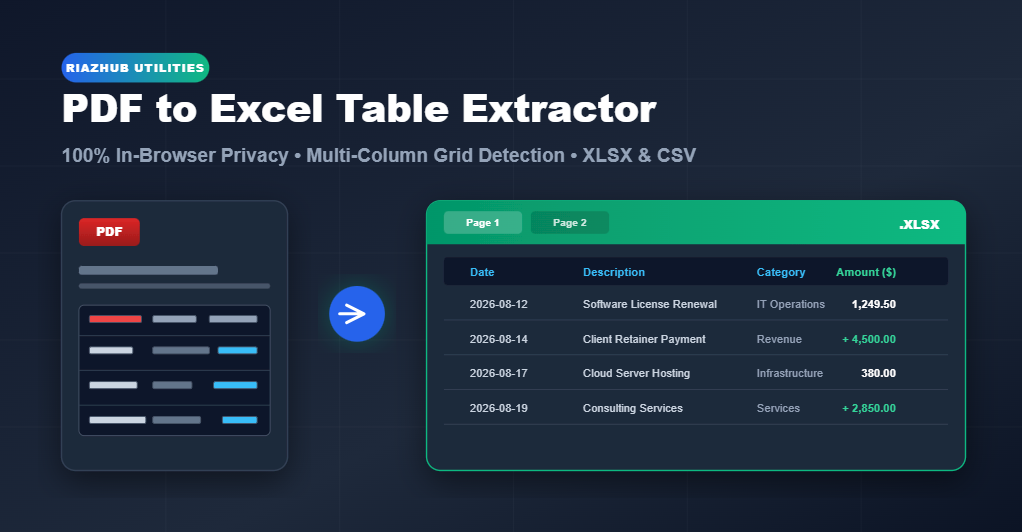
How to Extract Tables from PDF to Excel (XLSX & CSV) Online – 100% Private & Free
While many web converters exist online, the majority require uploading your confidential PDF documents, company receipts, or client payroll records to unknown external servers. This presents severe privacy risks and corporate compliance hazards.
To eliminate these privacy risks and formatting headaches, RiazHub has engineered the RiazHub PDF to Excel Table Extractor & Converter. This browser-based utility extracts multi-column tabular data from PDF files directly inside your web browser using HTML5 and client-side JavaScript—ensuring 100% data confidentiality without uploading a single byte to external servers.
Why Standard PDF Copy-Pasting Fails
PDF (Portable Document Format) files were originally designed by Adobe as a digital printing layout specification rather than a structured database format. In a native PDF document, text elements are rendered as visual glyph tokens positioned at fixed geometric $(X, Y)$ canvas coordinates.
Because PDF files lack native HTML-style `<table>`, `<tr>`, or `<td>` grid tags, simply selecting and copying text in a PDF viewer strips out column alignment boundaries. When pasted into Microsoft Excel or Google Sheets, all text squeezes into a single column or splits arbitrarily across random cells.
How In-Browser Geometric Coordinate Extraction Works
The RiazHub PDF to Excel Converter overcomes this limitation by implementing a 4-step geometric coordinate clustering algorithm directly inside your browser:
- PDF Text Stream Tokenization: Using PDF.js, the utility decodes the target PDF document and extracts every individual text token along with its exact horizontal ($X$) and vertical ($Y$) canvas position and bounding width.
- Vertical Elevation Clustering ($\Delta Y$ Line Detection): Text tokens sharing equivalent vertical Y-coordinates (within a tight line-height tolerance $\Delta Y \approx 4\text{pt}$) are grouped together into horizontal rows.
- Cross-Row Horizontal Column Channelization: Across the entire document, the engine clusters horizontal X-coordinates to locate vertical alignment channels and whitespace gutters, dynamically mapping each text item to its corresponding table column index.
- Data Type Normalization & SheetJS Workbook Export: Numeric values, currency symbols (e.g., `$`, `€`, `£`, `PKR`), percentage signs (`%`), and negative parenthesis formatting `(1,250.00)` are parsed into real JavaScript numbers. The structured 2D matrix is then compiled into a native `.xlsx` or `.csv` file using SheetJS.
🔒 Zero Server Upload Guarantee: Because all decoding and file compilation happen locally in your web browser memory via HTML5 File APIs, your sensitive financial documents never leave your device.
Key Features of the RiazHub PDF to Excel Utility
Designed for accounting professionals, data analysts, and business owners, our utility includes advanced table detection settings:
- Three Extraction Strategy Modes:
- Smart Table Auto-Detect: Analyzes whitespace gaps and column alignments across multi-line tables.
- Structured Text Grid: Applies strict geometric $(X, Y)$ coordinate channels ideal for formal accounting ledgers.
- Raw Text per Page: Converts page lines into tab-separated raw text blocks.
- Flexible Page Selection Range: Extract all pages, a single page, or custom ranges (e.g., `1, 3-5, 8`).
- Single vs. Multi-Sheet Workbook Options: Combine all PDF pages sequentially into one Excel sheet or create separate named worksheet tabs per PDF page (`Page 1`, `Page 2`, etc.).
- Automatic Numeric & Currency Formatting: Converts string figures like `$1,234.50` into true numeric cells, enabling instant Microsoft Excel math formulas (`SUM`, `AVERAGE`).
- Full Arabic & Urdu (RTL) Language Support: Incorporates native `unicode-bidi: plaintext` rendering and converts Eastern Arabic numerals (`٠١٢٣٤٥٦٧٨٩`) into standard digits.
Step-by-Step Guide: How to Convert PDF to Excel
Using the PDF to Excel Converter on RiazHub.com takes less than 30 seconds:
- Open the RiazHub PDF to Excel Converter Tool in any desktop or mobile browser.
- Drag and drop your target PDF file into the designated upload dropzone (or click “Select PDF Document”).
- Review the instant File Diagnostic Card showing total page count and text layer status.
- Adjust table detection settings such as Page Range, Extraction Strategy, or Workbook Structure if needed.
- Inspect the live interactive Extracted Table Preview Grid to verify column alignment and search through extracted rows.
- Click “Convert & Download Excel (.xlsx)” or “Download as CSV (.csv)” to download your formatted spreadsheet file instantly.
Digital Native vs. Flat Scanned PDFs
Before converting your files, it is essential to understand the difference between digital native PDFs and scanned documents:
| Feature | Digital Native PDF | Flat Scanned Image PDF |
|---|---|---|
| Source | Generated directly from software (Excel, Word, QuickBooks, SAP) | Created by physical paper scanners or phone camera photos |
| Text Layer | Embedded vector text layer with selectable text | Raster pixel image without underlying searchable text |
| Extraction Accuracy | 100% precise coordinate column mapping | Requires Optical Character Recognition (OCR) |
| Tool Support | Fully Supported on RiazHub | Low text density warning displayed |
Frequently Asked Questions (FAQs)
Is my document data safe when converting on RiazHub?
Yes, 100%. Our tool performs all parsing and file generation entirely within your web browser client. Your documents are never uploaded to RiazHub or any third-party server.
Can I extract tables from Arabic or Urdu PDF files?
Absolutely. The tool includes native Right-to-Left (RTL) bi-directional text support and automatically parses Eastern Arabic numerals (`٠١٢٣٤٥٦٧٨٩`) into numeric format for Excel.
Do I need to install any software or Excel add-ins?
No software, browser extensions, or registration required. The utility runs online directly in Chrome, Firefox, Safari, Edge, or mobile browsers.
Browser-Based PDF to Excel Converter
Instantly extract tables from PDF documents into structured Excel (.xlsx) or CSV files. Supports Arabic, Urdu & LTR/RTL languages with 100% client-side privacy.
document.pdf
Extracted Table Preview
Extracted: 0 Rows | 0 ColumnsScanned PDFs are raster image files taken from paper scanners without searchable text. Scanned files require Optical Character Recognition (OCR) to convert pixels into text.