
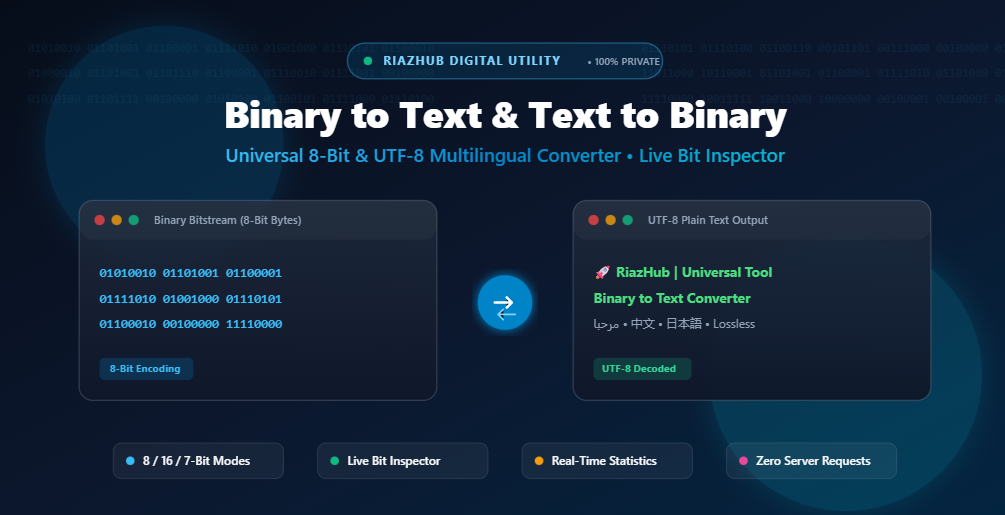
The Definitive Guide to Binary to Text and Text to Binary Conversion: Digital Data Architecture, UTF-8 Multilingual Encoding, and Bitstream Analysis
1. What is Binary Code and Why Does Computing Depend on It?
At the core of all modern computation lies the binary numeral system (Base-2). While human mathematics predominantly utilizes the decimal system (Base-10) with digits ranging from 0 to 9, electronic microprocessors, memory registers, and fiber-optic networks operate entirely on electrical states, voltages, and magnetic polarities.
In digital circuits, a microscopic transistor acts as an electronic switch:
- Low Voltage / Off State: Represented numerically as
0. - High Voltage / On State: Represented numerically as
1.
A single 0 or 1 is defined as a bit (a portmanteau of binary digit). Because a single bit can only convey two possible states (True/False, Yes/No), computers combine bits into standardized groupings called bytes (groups of 8 bits) to represent numbers, letters, colors, machine instructions, and emojis.
Whether you are an engineer debugging low-level embedded firmware, a student learning computer architecture, or a developer inspecting network packets, the RiazHub Binary to Text Converter offers an intuitive, real-time workspace to translate, inspect, and analyze binary bitstreams without installing heavy software.
2. Binary Arithmetic and Byte Anatomy: The 8-Bit Architecture
In standard computing, 8 bits make 1 byte. The value of each bit is determined by its position (power of 2), counted from right to left (from least significant bit $2^0$ to most significant bit $2^7$):
| Bit Position | Power of 2 | Positional Weight (Decimal) | Significance |
|---|---|---|---|
| Bit 7 | 27 | 128 | Most Significant Bit (MSB) |
| Bit 6 | 26 | 64 | High Order |
| Bit 5 | 25 | 32 | High Order |
| Bit 4 | 24 | 16 | Middle Order |
| Bit 3 | 23 | 8 | Middle Order |
| Bit 2 | 22 | 4 | Low Order |
| Bit 1 | 21 | 2 | Low Order |
| Bit 0 | 20 | 1 | Least Significant Bit (LSB) |
An 8-bit byte can represent $2^8 = 256$ discrete decimal values (from 00000000 = 0 to 11111111 = 255).
3. Step-by-Step Walkthrough: How Plain Text Translates into Binary
Let’s trace how the word “Riaz” is encoded into binary step-by-step:
- Letter ‘R’:
- ASCII Decimal Code: 82
- Calculation: $82 = 64 + 16 + 2 = (0 \times 128) + (1 \times 64) + (0 \times 32) + (1 \times 16) + (0 \times 8) + (0 \times 4) + (1 \times 2) + (0 \times 1)$
- 8-bit Binary Byte:
01010010
- Letter ‘i’:
- ASCII Decimal Code: 105
- Calculation: $105 = 64 + 32 + 8 + 1$
- 8-bit Binary Byte:
01101001
- Letter ‘a’:
- ASCII Decimal Code: 97
- Calculation: $97 = 64 + 32 + 1$
- 8-bit Binary Byte:
01100001
- Letter ‘z’:
- ASCII Decimal Code: 122
- Calculation: $122 = 64 + 32 + 16 + 8 + 2$
- 8-bit Binary Byte:
01111010
Putting it all together, the text “Riaz” becomes:
01010010 01101001 01100001 01111010
You can test this exact conversion live in both directions using the RiazHub Binary to Text & Text to Binary Tool.
4. UTF-8 vs. ASCII: Multi-Byte International Text & Emoji Support
Traditional 7-bit ASCII and 8-bit Extended ASCII were designed primarily for English characters, numeric digits, and common punctuation marks (values 0–127). However, modern software systems operate internationally, communicating in languages like Arabic, Urdu, Persian, Hindi, Chinese, Japanese, and expressive Emojis.
To support every language on Earth without character corruption, the UTF-8 (Unicode Transformation Format) standard was created. UTF-8 uses a variable-length byte encoding scheme:
| Character Set | Byte Length | Total Bits | Example Character & Binary Stream |
|---|---|---|---|
| Standard English / ASCII | 1 Byte | 8 bits | A → 01000001 |
| Arabic, Urdu, Greek, Hebrew, Cyrillic | 2 Bytes | 16 bits | ر → 11011000 10110001 |
| Chinese, Japanese, Korean, Devanagari | 3 Bytes | 24 bits | 中 → 11100100 10111000 10101101 |
| Emojis, Mathematical Symbols & Historic Scripts | 4 Bytes | 32 bits | 🚀 → 11110000 10011111 10011000 10000000 |
Many basic online binary tools fail when encountering non-English characters because they rely on naive single-byte character loops (like charCodeAt()) that truncate high-order bytes. The RiazHub Binary to Text Utility uses native browser TextEncoder and TextDecoder byte streams to ensure 100% loss-free encoding and decoding for any language or emoji.
5. Bitstream Formatting: Delimiters, Prefixes, and Chunk Sizes
Depending on the programming environment and data source, binary strings appear in various formats:
- Delimited Byte Sequences: Separating bytes with spaces (
01001000 01101001), commas (01001000,01101001), or colons (01001000:01101001) ensures human readability and makes byte boundaries clear. - Continuous Raw Bitstreams: In machine-level memory dumps or radio telecommunications, binary is often represented as one unbroken stream of 0s and 1s (e.g.
0100100001101001). The RiazHub converter automatically partitions continuous streams into 8-bit byte tokens. - Binary Prefix (
0b): Languages such as JavaScript (ES6+), C++, Python, and Rust use the prefix0bto identify binary number literals (e.g.0b01001000). - Bit Grouping Options:
- 8-bit Bytes: Standard for ASCII and UTF-8 strings.
- 16-bit Words: Ideal for UTF-16 Unicode character inspection.
- 7-bit Legacy ASCII: Used in older serial teletype protocols.
You can customize all these options with a single click inside the configuration panel of the RiazHub Binary to Text Converter.
6. Common Binary Conversion Issues & How to Solve Them
Issue 1: Incomplete or Missing Leading Zeros
When computers export decimal numbers to binary, they often strip leading zeros (e.g. writing 1010010 instead of 01010010, resulting in only 7 bits). Without padding, byte alignment shifts and corrupts all subsequent characters. Solution: Enable “Auto-Pad Incomplete Bytes” in the RiazHub tool to automatically restore missing leading zeros.
Issue 2: Stray Non-Binary Characters and Formatting Noise
Pasting text copied from PDF documents, logs, or debuggers often introduces stray formatting characters like tabs, hyphens, brackets, or line breaks. Solution: Keep “Ignore Non-Binary Characters” enabled to sanitize the input stream in real time.
Issue 3: Corrupted Multi-Byte Unicode Characters
Splitting multi-byte UTF-8 sequences (such as an Arabic character across two separate operations) causes browser decoders to output replacement characters (). Solution: Ensure you paste the complete bitstream into the Binary to Text Converter so all multi-byte byte arrays reconstruct properly.
7. Real-World Applications of Binary Conversion in Software Engineering
While developers rarely write raw binary code manually today, understanding and manipulating bitstreams is vital across many disciplines:
- Embedded Systems & IoT: Microcontrollers (Arduino, ESP32, STM32) use direct bitwise masking to toggle physical GPIO pins, read analog sensors, and configure hardware registers.
- Networking & Cyber Security: Inspecting TCP/IP packet headers, bit-flags (SYN, ACK, FIN), subnet masks, and network payload framing.
- Data Compression & Cryptography: Algorithms such as Huffman coding, SHA-256 hashing, and AES encryption operate on binary bit representations.
- File Format Engineering: Parsing raw headers of PNG images, MP3 audio streams, and ZIP archives.
8. How to Use the RiazHub Binary to Text & Text to Binary Converter
- Choose Your Conversion Mode:
Click the “Binary → Plain Text (Decode)” tab to decode 0s and 1s into readable text, or choose “Plain Text → Binary (Encode)” to generate binary code from text. - Input Your Data:
Type or paste your content into the editor, click “Load Sample” to see an instant demo, or drag and drop a.txtor.binfile from your computer. - Configure Bitstream Preferences:
Select your preferred byte chunk size (8-bit, 16-bit, or 7-bit) and delimiter (Space, Comma, Colon, None, or Custom). - Inspect Bits Interactively:
Use the built-in Interactive Bit Inspector to click individual bit switches (0/1) and see the live ASCII, Hex, and Decimal value update instantly. - Copy or Download:
Click “Copy Output” or “Download .txt” to save your converted results immediately.
Frequently Asked Questions (FAQ)
Is my binary data secure when using RiazHub?
Yes, 100%. The RiazHub Binary to Text Converter performs all computations, bit masking, and decoding locally in your web browser using JavaScript. No binary sequences or text payloads are ever sent to our servers.
Why does each English letter require 8 bits?
An 8-bit byte provides 256 unique permutations ($2^8$), which is more than enough to encode all 26 English uppercase letters, 26 lowercase letters, digits 0–9, punctuation marks, and control codes with standardized consistency.
Can I convert continuous binary without spaces?
Yes! Select “No delimiter (Continuous bit stream)” in the separator dropdown, or keep “Auto-Detect Delimiters” enabled. The tool will automatically group the stream into 8-bit byte chunks.
Does this tool support international languages and emojis?
Yes. The tool fully supports multi-byte UTF-8 encoding, allowing you to convert Arabic, Urdu, Chinese, Japanese, Hindi, European characters, and modern Emojis without character corruption.
Ready to Decode or Encode Binary Data?
Experience lightning-fast, privacy-first binary translation with live bit inspection and full multilingual UTF-8 support.
Binary to Text Converter
Decode 8-bit binary code (0s and 1s) into readable plain text, or encode plain text and multi-byte UTF-8 into binary bitstreams instantly. Zero data is ever sent to a server.
Computers process information at the physical transistor level using electrical voltages representing two discrete states: 0 (OFF) and 1 (ON). A single bit is the smallest unit of digital data. Eight bits grouped together form a byte ($2^8 = 256$ distinct values from 0 to 255).
| Bit Position (Weight) | $2^7 (128)$ | $2^6 (64)$ | $2^5 (32)$ | $2^4 (16)$ | $2^3 (8)$ | $2^2 (4)$ | $2^1 (2)$ | $2^0 (1)$ | Total Decimal | Character |
|---|---|---|---|---|---|---|---|---|---|---|
| Letter 'R' | 0 | 1 | 0 | 1 | 0 | 0 | 1 | 0 | $64 + 16 + 2 = 82$ | R |
| Letter 'i' | 0 | 1 | 1 | 0 | 1 | 0 | 0 | 1 | $64 + 32 + 8 + 1 = 105$ | i |
While standard English ASCII characters (A-Z, 0-9) fit cleanly into a single 8-bit byte (0–127), global languages (such as Arabic, Urdu, Chinese, Japanese, Russian) and Emojis require Unicode (UTF-8). In UTF-8:
- 1-Byte sequence: Standard ASCII characters (0–127). Example: A = 01000001.
- 2-Byte sequence: Arabic, Urdu, Hebrew, Cyrillic, Greek (128–2047). Example: Arabic letter ر = 11011000 10110001.
- 3-Byte sequence: Chinese, Japanese, Korean, Indian scripts (2048–65535).
- 4-Byte sequence: Modern emojis and rare historic symbols (65536–1114111). Example: 🚀 = 11110000 10011111 10011000 10000000.
This RiazHub converter uses native TextEncoder and TextDecoder web APIs to decode and compile multi-byte byte streams without loss or question mark (?) corruption.
Binary code can be formatted in different ways for readability and machine ingestion:
- Byte Delimiters: Spaces (01001000 01101001), commas, or colons help human eyes distinguish individual byte boundaries.
- Continuous Bitstreams: Raw binary streams (0100100001101001) omit delimiters; our engine automatically slices them into 8-bit or 16-bit blocks.
- `0b` Prefix: In languages like JavaScript, C++, Python, and Rust, the prefix 0b indicates a binary literal (e.g. 0b01001000).
All binary tokenization, bit masking, parsing, and text generation execute strictly inside your local web browser sandbox memory using client-side JavaScript. Zero text, binary codes, or uploaded files are sent over the network to any web server or database.