
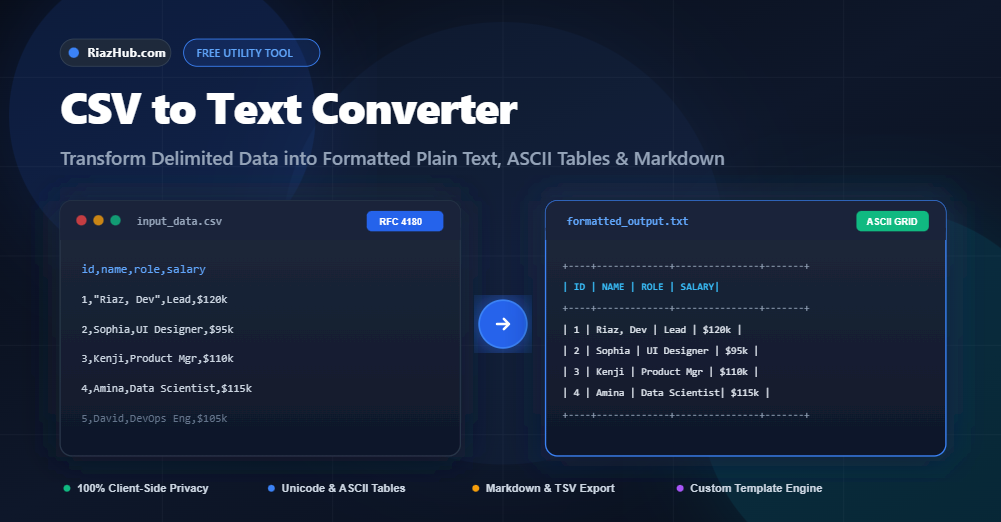
How to Convert CSV to Formatted Plain Text, ASCII Tables, and Markdown: A Complete Guide
Comma-Separated Values (CSV) are the undeniable backbone of tabular data interchange across databases, Excel spreadsheets, Google Sheets, and CRM exports. However, when you need to paste spreadsheet records into a markdown documentation file, terminal log, email memo, or developer chat room (like Slack or Discord), raw CSV data quickly becomes an unreadable jumble of commas, escaped quotes, and misaligned lines.
To solve this frustration, you can use the free online CSV to Text Converter on RiazHub. In this definitive guide, we will explore why formatting CSV data into readable plain text matters, how RFC 4180 parsing works under the hood, and how to convert any spreadsheet into beautifully aligned ASCII tables, clean tab-separated text (TSV), GitHub-flavored Markdown, key-value blocks, or custom templated strings.
Why Convert CSV to Plain Text or ASCII Tables?
While software like Microsoft Excel or Python’s pandas library parses CSV files effortlessly, humans reading raw text files struggle to mentally line up columns. Here is why transforming CSV into structured plain text formats is essential:
- Documentation & Readmes: GitHub repositories, technical specifications, and internal wikis look much more professional when data is presented in clean ASCII box grids or Markdown tables.
- Command Line & Terminal Outputs: Monospace ASCII borders (
+---+---+or┌───┬───┐) ensure columns stay perfectly aligned across any operating system or terminal emulator. - Email & Chat Summaries: Pasting comma-delimited data into an email often leads to awkward line wraps. Converting it to a key-value list or aligned plain text makes it immediately readable on desktop and mobile devices.
- Custom Script Generation: Generating automated SQL insert statements, configuration files, or templated notifications from spreadsheet columns without writing custom Python or Bash scripts.
You can test all these transformation modes right now using the RiazHub CSV to Text Formatter directly in your browser.
Supported Output Transformation Modes
The CSV to Text Converter supports 7 versatile transformation formats designed for different workflows:
1. Monospace ASCII Table (+ – |)
Creates a classic monospace ASCII grid using plus signs, hyphens, and vertical pipes. Ideal for plain text emails, code comments, and terminal displays.
+----+-------------------------+-------------+---------+
| ID | Product Name            | Category    | Price   |
+----+-------------------------+-------------+---------+
| 1  | Mechanical Keyboard     | Electronics | $89.99  |
| 2  | Ergonomic Mouse         | Accessories | $45.50  |
+----+-------------------------+-------------+---------+
2. Modern Unicode Box Table (┌ ┬ ┐)
Uses sleek Unicode box-drawing characters for modern IDEs, documentation portals, and high-resolution displays.
┌────┬─────────────────────────┬─────────────┬─────────┐
│ ID │ Product Name            │ Category    │ Price   │
├────┼─────────────────────────┼─────────────┼─────────┤
│ 1  │ Mechanical Keyboard     │ Electronics │ $89.99  │
│ 2  │ Ergonomic Mouse         │ Accessories │ $45.50  │
└────┴─────────────────────────┴─────────────┴─────────┘
3. GitHub-Flavored Markdown Table
Instantly outputs standard Markdown table syntax (| Col 1 | Col 2 |) ready to copy directly into GitHub READMEs, Notion, Obsidian, or Jira tickets.
| ID | Product Name | Category | Price |
| --- | --- | --- | --- |
| 1 | Mechanical Keyboard | Electronics | $89.99 |
| 2 | Ergonomic Mouse | Accessories | $45.50 |
4. Tab-Separated Values (TSV / Notepad Alignment)
Converts comma delimiters to standard tab characters (\t), allowing clean pasting into text editors, code editors, or directly back into spreadsheet cells without commas getting split.
5. Line-by-Line Key: Value Blocks
Formats each row as an isolated record with clear Key: Value pairs. Excellent for viewing customer records, user profiles, or configuration payloads.
--- [Record #1] ---
ID: 1
Product Name: Mechanical Keyboard
Category: Electronics
Price: $89.99

--- [Record #2] ---
ID: 2
Product Name: Ergonomic Mouse
Category: Accessories
Price: $45.50
6. Dynamic Custom Template Engine
Allows you to define a custom template string using column headers or index placeholders like {Product Name} costs {Price} (Category: {Category}). The engine interpolates every row dynamically, allowing you to generate batch text or scripts effortlessly.
7. HTML Preformatted Tables
Generates semantic, clean HTML <table> markup with proper <thead>, <th>, and <td> tags without bloated inline styles.
Step-by-Step: How to Use the CSV to Text Converter
Converting your spreadsheets takes only a couple of seconds with the browser utility:
- Load Your Data: Open the CSV to Text Converter. Paste your raw CSV data into the left editor box, click “Paste”, or drag-and-drop a
.csv,.tsv, or.txtfile directly into the drop zone. - Configure Delimiters: Keep it on “Auto-Detect” or explicitly choose Comma (
,), Semicolon (;), Tab (\t), Pipe (|), or your custom separator. - Select Output Mode: Choose your desired text transformation from the “Output Format” dropdown (e.g., ASCII Table, Markdown, TSV, or Custom Template).
- Fine-Tune Options: Toggle headers, whitespace trimming, quote handling, and optional maximum column width wrapping.
- Copy or Download: Click “Copy” to transfer the formatted output straight to your clipboard, or click “Download” to save a
.txtor.mdfile to your computer.
Understanding RFC 4180 Compliance & Quote Escaping
A common pitfall with naive string-splitting tools is breaking fields that contain commas or line breaks. For example, consider this CSV line:
101,"Smith, Dr. John",Cardiology,"He said, ""Follow up in 2 weeks"""A basic text.split(',') function would incorrectly divide Dr. John’s name into two separate columns! The RiazHub CSV to Text Converter uses a full RFC 4180 state machine parser that tracks quotation states, handles escaped double quotes (""), and preserves multi-line cell values without corrupting your data structure.
100% Privacy Guarantee: Zero Server Uploads
When handling sensitive spreadsheets—such as customer contact lists, financial summaries, or internal business KPIs privacy is paramount. Unlike older web utilities that upload your files to remote web servers, the RiazHub CSV to Text Tool processes 100% of your data client-side in your local browser using modern JavaScript (ES6+). Your data never leaves your device.
Frequently Asked Questions (FAQ)
Can I convert European CSV files that use semicolons (;) instead of commas?
Yes! The tool features an intelligent auto-detection engine that automatically recognizes semicolons, tabs, and pipes. You can also manually select the Semicolon delimiter from the dropdown menu.
Does this tool support right-to-left (RTL) languages like Arabic or Urdu?
Yes. The interface and editor components are equipped with dynamic text direction (dir="auto") to cleanly render Arabic, Urdu, Hebrew, and Persian spreadsheet records.
Can I wrap extra-long table columns?
Yes. Simply check the “Max Column Width” option in the toolbar and specify your desired character limit (e.g., 30 or 40 characters) to prevent wide text from breaking horizontal alignment.
Is there a file size or row limit?
Because processing runs locally inside your browser, the tool can handle thousands of rows with near-instant responsiveness without any artificial paywalls or usage limits.
CSV to Text Converter
Convert CSV tables and spreadsheets into formatted plain text, ASCII tables, tab-delimited lists, Markdown, or custom text templates instantly in your browser.
CSV to Text Formatting Guide & RFC 4180 Standards
Under the official RFC 4180 specification, CSV records are separated by line breaks, and fields are separated by delimiters (commas, semicolons, tabs). If a field contains commas, line breaks, or double quotes, it must be enclosed in double quotes (e.g., "Riaz, Developer"). Any literal double quote inside that field is escaped with two consecutive double quotes (e.g., "He said ""Hello"""). This tool provides full state-machine compliance to ensure your data is parsed reliably without splitting fields prematurely.
When you convert CSV data to ASCII or Unicode box tables, each column's width is dynamically computed based on the maximum string length across all rows. The engine aligns table headers and data cells with padding spaces and standard box-drawing characters (+---+ or ┌───┬───┐). These tables are ideal for README files, developer documentation, CLI terminal logs, and plaintext email summaries.
Your privacy is absolute. All parsing, text tokenization, and table rendering execute entirely inside your web browser using vanilla JavaScript. No spreadsheets, personal contact lists, financial tables, or converted texts are ever transmitted over the network or saved on our servers.