
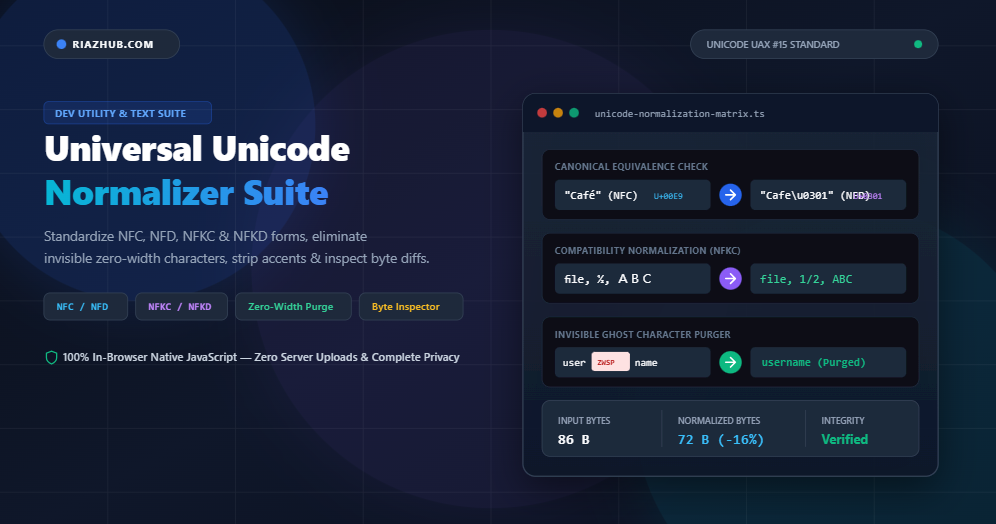
Demystifying Unicode Normalization: Why “é” !== “é” and How NFC, NFD, NFKC, and NFKD Standardize the Web
Have you ever encountered a baffling bug where two identical words in your database refuse to match? Or an authentication system where a user signs in with a username that visually matches an existing account, yet passes a uniqueness check? Or a search engine query that completely misses a product titled “Café” because the search query was entered as “Café”?
In modern web development, these anomalies are not database corruptions or encoding crashes; they are the direct consequence of unnormalized Unicode strings. To solve this problem permanently, developers and digital content managers rely on the Universal Unicode Normalizer & Character Decomposition Suite on RiazHub.com.
In this technical guide, we will unpack how the Unicode standard represents characters, why visual equivalence diverges from binary equivalence, how the four official normalization forms (NFC, NFD, NFKC, and NFKD) work under the hood, and how you can safeguard your web applications from invisible homograph and ghost-character security vulnerabilities.
Need to Standardize Unicode Text Immediately?
Test and convert text into NFC, NFD, NFKC, or NFKD forms, strip accents, purge zero-width characters, and inspect byte-level codepoints right in your browser:
1. The Core Paradox: Why Does “é” !== “é”?
The fundamental goal of the Unicode Standard is to assign a unique numeric identifier (a codepoint) to every character, symbol, and script used across human civilization. However, because Unicode was designed to remain backward-compatible with legacy charsets (like ISO-8859-1 and Windows-1252), it frequently offers more than one way to construct the exact same glyph.
Consider the accented character é:
- Precomposed Form (Single Codepoint): It can be stored as
U+00E9(LATIN SMALL LETTER E WITH ACUTE). In UTF-8, this is encoded as two bytes:0xC3 0xA9. - Decomposed Sequence (Two Codepoints): It can also be stored as the base letter
e(U+0065, LATIN SMALL LETTER E) followed immediately by a combining diacritic mark (U+0301, COMBINING ACUTE ACCENT). In UTF-8, this is encoded as three bytes:0x65 0xCC 0x81.
To any human reader—and to your browser’s typography rendering engine—both variations look 100% indistinguishable: é. But to a computer comparing raw byte sequences, they are completely unequal:
// In JavaScript console:
const nfcChar = "\u00E9";         // "é" (Precomposed)
const nfdChar = "e\u0301";        // "é" (Decomposed: "e" + combining accent)

console.log(nfcChar === nfdChar); // false!
console.log(nfcChar.length);      // 1 codepoint
console.log(nfdChar.length);      // 2 codepoints

// Fix using Unicode Normalization:
console.log(nfcChar.normalize('NFC') === nfdChar.normalize('NFC')); // true!
If you paste both strings into the RiazHub Unicode Normalizer, the live Glyph Inspector will immediately show you that nfcChar consists of 1 glyph with 2 UTF-8 bytes, whereas nfdChar consists of 2 distinct codepoints spanning 3 UTF-8 bytes.
2. The 4 Official Unicode Normalization Forms (UAX #15)
To eliminate comparison inconsistencies, the Unicode Consortium published Unicode Standard Annex #15 (UAX #15), defining four standardized normalization forms. These forms are divided across two equivalence axes: Canonical Equivalence and Compatibility Equivalence.
| Form | Full Name | Primary Transformation | Typical Use Case |
|---|---|---|---|
| NFC | Normalization Form C (Canonical Composition) | Decomposes characters, then re-composes them into precomposed single codepoints. | W3C Web Standard: HTML, JSON, URLs, APIs, and general text storage. |
| NFD | Normalization Form D (Canonical Decomposition) | Decomposes all precomposed characters into their base glyphs and combining marks. | Font engines, diacritic stripping, linguistic analysis, and macOS HFS+ filesystem. |
| NFKC | Normalization Form KC (Compatibility Composition) | Replaces compatibility variants (ligatures, fullwidth, superscripts) with standard ASCII equivalents, then composes. | Database search sanitization, identifier validation, and OCR text processing. |
| NFKD | Normalization Form KD (Compatibility Decomposition) | Decomposes compatibility characters and separates all diacritics into standalone marks. | Deep linguistic breakdown, index tokenization, and aggressive text simplifiers. |
Canonical vs. Compatibility: What’s the Difference?
Canonical Equivalence guarantees that characters have the exact same functional meaning and appearance when rendered. Converting between NFC and NFD never alters the visual semantics of your text.
Compatibility Equivalence, on the other hand, deals with characters that represent the same fundamental concept but have historical typographic formatting baked into their codepoints. For example:
- Typographic Ligatures:
fi(U+FB01) ➔fi(U+0066 U+0069) - Superscripts & Subscripts:
²(U+00B2) ➔2(U+0032) - Fractions:
½(U+00BD) ➔1/2 - Fullwidth Asian Latin (Zenaku):
ABC(U+FF21...) ➔ABC(U+0041...) - Roman Numerals:
Ⅷ(U+2167) ➔VIII
Pro Tip: Never use NFKC or NFKD if you need to preserve mathematical formatting or typography-sensitive content. However, for search indexes, database keys, and email identifiers, NFKC is overwhelmingly the best choice. You can test your text under both standards side-by-side using the 4-Form Comparison Matrix in RiazHub’s Unicode Tool.
3. Invisible Security Threats: Zero-Width Attacks & Homograph Spoofing
Unicode issues are not merely aesthetic inconveniences; they represent severe application security attack vectors:
A. Zero-Width Spaces & Ghost Characters
Unicode provides several invisible formatting codepoints, such as the Zero-Width Space (U+200B), Zero-Width Non-Joiner (U+200C), Zero-Width Joiner (U+200D), and Byte Order Mark (U+FEFF).
Malicious actors can inject these invisible characters into usernames or passwords. For instance, the username "admin\u200Bistrator" visually appears on an admin dashboard as "administrator", but bypasses authentication lookups and duplicate username uniqueness constraints.
B. Homograph Impersonation
Attackers can substitute Latin characters with visually indistinguishable Cyrillic or Greek characters (e.g., Cyrillic Small Letter а U+0430 instead of Latin a U+0061). Without canonical standardization and glyph analysis, security filters fail to detect the forgery.
Using the Diff & Ghost Map feature in the RiazHub Character Decomposition Suite, every single hidden zero-width space, BOM mark, or decomposed diacritic is instantly highlighted with high-contrast visual chips so nothing escapes detection.
4. Practical Guide: How to Normalize Text with RiazHub
Normalizing complex multilingual documents manually is prone to errors. Here is how to achieve 100% W3C-compliant text in under five seconds with RiazHub’s free suite:
- Paste or Drop Your File: Navigate to the Universal Unicode Normalizer and paste your text into the Source Input box, or drag and drop any
.txt,.md,.csv, or.jsonfile. - Select Your Normalization Standard:
- Choose NFC for standard web content, HTML/JSON APIs, and general text integrity.
- Choose NFKC for search engine indexing, database deduplication, and cleaning web scrapes.
- Choose NFD if you plan to strip diacritics or feed text to specialized phonetic engines.
- Configure Sanitization Toggles: Enable “Purge Hidden Zero-Width Characters” to strip ghost markers, or enable “Strip All Combining Accents” to turn
CaféintoCafefor fuzzy searching. - Inspect & Export: Review the Glyph & Codepoint Table to see exact hex values and UTF-8 byte tallies, then click “Copy Normalized Text” or export a comprehensive JSON inspection report.
5. Developer Best Practices for Clean Unicode Handling
If you are building web applications, APIs, or database backends, follow these architectural rules:
- Normalize at the Ingress Boundary: Apply NFC normalization to all incoming HTTP request bodies, form submissions, and webhook payloads before validation or database insertion.
- Use Native Browser & Runtime Methods: In JavaScript, use native
str.normalize('NFC'); in Python, useunicodedata.normalize('NFC', text); in PHP, utilize thenormalizer_normalize()function from theintlextension. - Ensure Client-Side Processing for Sensitive Data: When working with private customer records, internal code, or proprietary logs, always use client-side tools like the Universal Unicode Normalizer which execute 100% locally in the browser with zero server transmission.
Conclusion
Unicode is the bedrock of our modern, multilingual internet—yet its inherent flexibility can introduce subtle bugs, broken database constraints, and hidden security flaws. Standardizing your text with official Unicode normalization standards turns unpredictable binary discrepancies into deterministic, reliable strings.
Start Standardizing Your Unicode Text Today
Purge invisible spaces, unify ligatures, decompose diacritics, and inspect byte structures with RiazHub’s free, browser-based suite.
Open RiazHub Unicode Normalizer & Character Decomposition Suite
Universal Unicode Normalizer & Character Decomposer
Standardize multilingual text into official Unicode forms (NFC, NFD, NFKC, NFKD), purge invisible zero-width characters, strip accents, and inspect byte-level codepoints in real time.
Source Input
| # | Glyph | Unicode Codepoint | Decimal | UTF-8 Hex Bytes | Classification |
|---|---|---|---|---|---|
| No text to inspect. Paste text in the source editor. | |||||
Visualized representation of invisible control codes, zero-width spaces, and decomposed diacritic marks in your current text:
Unicode Normalization Standards & UAX #15 Reference
U+00E9 in NFC), or as the base letter e (U+0065) followed by the combining acute accent (U+0301 in NFD). Although both look identical on screen, direct byte-level string comparisons (e.g. in JavaScript, SQL databases, or authentication systems) will fail without normalizing both strings to a common form first.
Compatibility Equivalence (NFKC / NFKD): Goes a step further by breaking formatting variants down to their standard counterparts. For example, typographic ligatures like
fi become fi, superscripts like ² become 2, fractions like ½ become 1/2, and fullwidth Asian ASCII characters like ABC become standard ABC.
\u200B or \uFEFF) into usernames to bypass duplicate username checks or filter blacklists. Similarly, homograph attacks exploit visually identical characters across Cyrillic, Greek, and Latin scripts. Applying NFKC and stripping zero-width characters eliminates ghost bypasses and hardens database indexing.
String.prototype.normalize() and TextEncoder). Zero text data, documents, or keys are ever sent across a network or stored on any external server.