
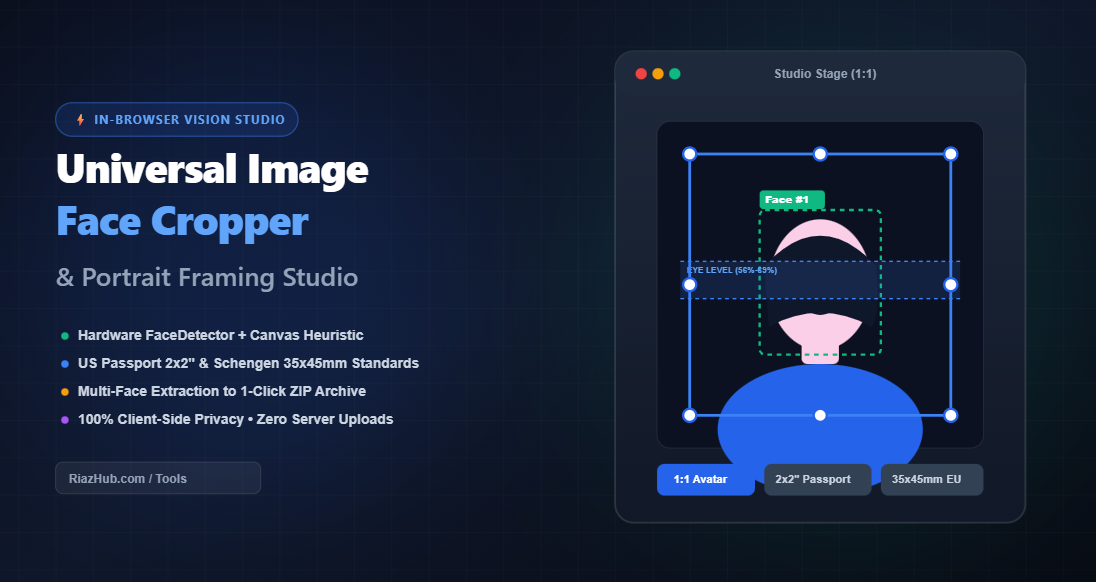
Mastering Portrait Framing: How to Crop Faces for Avatars, Passports & Headshots Entirely in Your Browser
The Anatomy of a Flawless Portrait: Why Traditional Cropping Fails
When most people crop a portrait with a generic smartphone or desktop image editor, they instinctively frame too close to the skull or cut into the chin. This creates the unflattering “floating head” look. Professional portrait photographers adhere to strict geometric rules regarding headroom (the breathing room between the crown of the head and the upper frame) and chin-to-shoulder lead (the lower boundary that establishes stability and chest posture).
Government passport agencies take these aesthetic standards further by codifying them into rigid biometric legal guidelines. Failing to align the eye line or exceeding head-height boundaries results in immediate application rejection and costly processing delays.
International Biometric Standards & Aspect Ratio Quick Reference
Different platforms and immigration authorities demand exact dimensions and coverage ratios. Here is how the presets configured in the Image Face Cropper Studio comply with global requirements:
| Preset Format | Target Ratio | Standard Dimensions | Official Requirements & Use Case |
|---|---|---|---|
| 1:1 Square Avatar | 1.0 (Square) | 1080 × 1080 px | LinkedIn profiles, Twitter/X, Discord, Slack, and professional CV thumbnails. |
| 2×2″ US Passport & Visa | 1.0 (Square) | 600 × 600 px @ 300 DPI | US State Dept & Green Card: Head must occupy 50% to 69% of image height; eyes 56% to 69% from bottom. |
| 35×45mm EU / Schengen | 0.778 (7:9) | 413 × 531 px @ 300 DPI | UK, Schengen Visa, Canadian, and Australian official biometric passports and national IDs. |
| 4:5 Vertical Social | 0.80 (4:5) | 1080 × 1350 px | Instagram portrait feed, mobile modeling portfolios, and full-bleed mobile showcases. |
| 16:9 Cinematic Headshot | 1.778 (16:9) | 1920 × 1080 px | Video call virtual backgrounds, YouTube banners, and widescreen executive bios. |
| Circle / Oval Cutout | 1.0 (Alpha PNG) | 800 × 800 px | Transparent badge avatars with optional circular colored border rings. |
Intelligent Ergonomic Sliders: Never Cut Off Hair or Shoulders Again
Generic cropping tools center strictly on the geometric middle of the image, which frequently chops off hair volume, hats, or religious headwear. The Universal Image Face Cropper resolves this through three decoupled biometric margin parameters:
Forehead Headroom (Top)
Calculates dynamic space above the detected eyebrow and hairline zone ($5\%$ to $60\%$, default: $25\%$). Ensures voluminous hairstyles and hats remain unclipped.
Chin & Shoulders (Bottom)
Controls lower chest and collar spacing ($10\%$ to $80\%$, default: $35\%$) to anchor the subject naturally without creating an amputated neck look.
Side Spacing & Ear Margins
Maintains symmetrical horizontal balance ($10\%$ to $60\%$) to center the face gracefully regardless of wide-angle lens distortion.
Batch Multi-Face Extraction: Isolate Every Person in Group Photos
Group pictures, family reunions, and team photographs are goldmines for great candids, but extracting individual headshots from them usually takes tedious manual work.
When you upload a group photo to the Portrait Framing Studio, the vision engine automatically detects every unique individual and presents a horizontal thumbnail gallery. You can:
- Click Any Face: Instantly switch the active cropping frame to that specific person.
- Group Mode Framing: Compute a unified bounding box that encloses everyone with aesthetic borders.
- 1-Click ZIP Archiving: Extract every detected person simultaneously into high-resolution PNG, WebP, or JPEG files bundled into a zero-dependency in-memory ZIP package.
The Privacy-First Advantage: 100% In-Browser Client-Side Processing
Uploading personal biometric ID photos, family portraits, and children’s pictures to cloud-based servers creates significant privacy and data-harvesting risks. Many free web tools secretly store user uploads or transmit facial coordinates to third-party machine learning APIs.
The RiazHub Image Face Cropper takes an uncompromising privacy-first stance. Utilizing modern HTML5 Canvas (2DContext) and native browser hardware acceleration (Chromium’s window.FaceDetector combined with in-browser YCbCr chrominance clustering), zero bytes of your image ever leave your device. The processing occurs entirely within your local CPU and GPU memory.
How to Crop Official Passport & Avatar Photos Step-by-Step
- Load Your Source Photo: Visit the Image Face Cropper & Portrait Framing Studio. Drag and drop any JPG, PNG, WEBP, or AVIF image, paste directly from your clipboard (
Ctrl + V), or try one of the instant sample photos. - Select Your Target Ratio: Click on your preferred preset pill (e.g., 1:1 Avatar, 2×2″ US Passport, 35x45mm EU, or Circle Cutout).
- Review Interactive Bounding Box: In the Interactive Stage tab, inspect the automatically positioned crop box. Drag the box to reposition or pull any of the 8 handles to fine-tune the scale.
- Check the Biometric Compliance Grid: Switch to the Biometric Grid tab to verify that the subject’s eye level rests squarely inside the official 56% to 69% target band and the crown-to-chin proportion conforms to official guidelines.
- Export or Copy: Choose your export format (lossless PNG with alpha transparency, WebP, or JPEG) and click Download Cropped Face or Copy to Clipboard for immediate use.
Frequently Asked Questions (FAQ)
window.FaceDetector API. On other browsers, an intelligent canvas fallback examines skin chrominance clusters and facial geometry heuristics to isolate every face accurately.Universal Image Face Cropper & Portrait Studio
Automatically detect faces, frame high-precision avatars and official biometric passport/visa photos, fine-tune headrooms, and batch extract portraits with instant client-side privacy.
📘 Passport & Biometric Portrait Framing Standards Guide
🛂 Official Biometric Eye & Crown Proportions
Both US State Department and ICAO/Schengen biometric standards mandate that the subject's head (chin to top of hair) must occupy between 50% and 69% of the total image height. The eye level must sit between 56% and 69% from the bottom edge.
💇 Headroom & Chin Balance
Our intelligent headroom sliders defaults (25% top, 35% bottom) guarantee your hairstyle is never cut off while preserving collar and upper shoulder contours for an elegant, professional LinkedIn or executive headshot.
⚡ In-Browser Vision & Hardware Acceleration
We prioritize the native window.FaceDetector API with an intelligent YCbCr skin chrominance cluster fallback. Face recognition calculations run with zero server latency right inside your GPU/CPU hardware.
🔒 100% Client-Side Privacy Guarantee
None of your photos, biometric landmarks, or facial crops are ever uploaded to RiazHub or any third-party cloud. Every pixel is processed locally in temporary browser memory.