
The Art and Science of Viral Memes: How Modern Visual Humor, Typography, and Browser-Based Graphic Studios Drive Internet Culture
Explore the cultural mechanics, visual contrast physics, algorithmic feed dynamics, and HTML5 Canvas typography engineering behind high-impact internet memes.
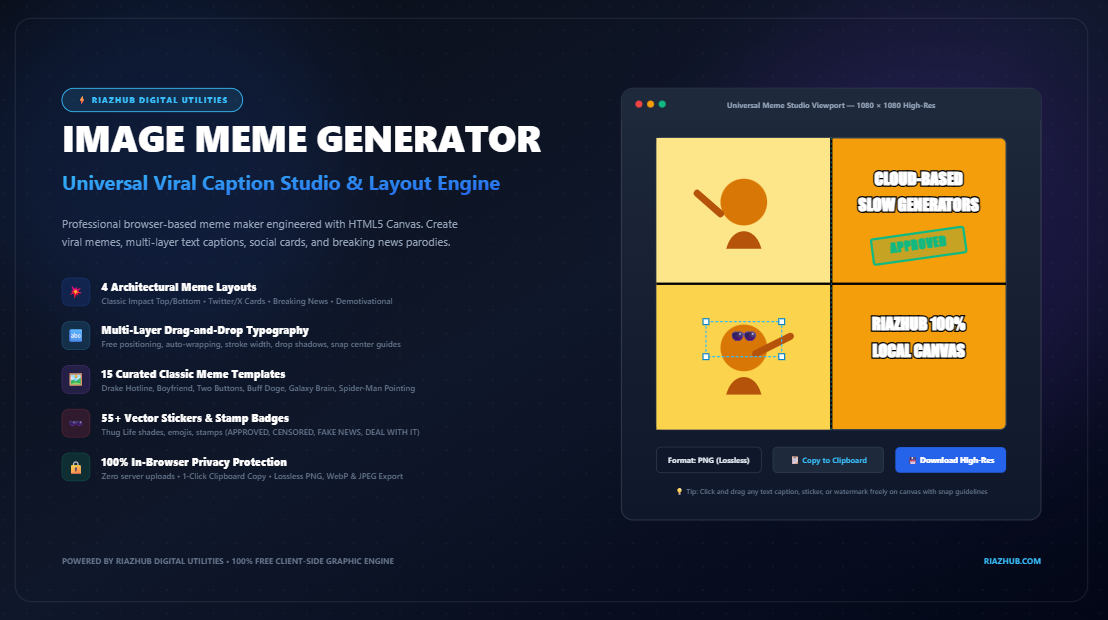
Yet beneath the humor lies an intricate intersection of visual ergonomics, cognitive psychology, typography physics, and browser rendering technology. To empower creators with instant, professional, and privacy-first creation capabilities, RiazHub developed the Universal Image Meme Generator & Viral Caption Studio a 100% client-side graphic engine engineered to render classic and modern meme formats directly inside your web browser.
⚡ Create Viral Memes in Seconds
Design custom Impact captions, modern social cards, breaking news parodies, and sticker overlays with zero server uploads.
1. The Visual Ergonomics of the Classic Impact Meme
Why did heavy white Impact font with a solid black outline border become the undisputed, universally recognized standard of early 2000s meme culture? The answer lies in the optical physics of visual contrast and legibility over unpredictable backgrounds.
When users share photos across forums and social feeds, background photographs vary wildly: some regions contain pitch-black shadows, while others feature overexposed, blindingly white sunlight. Standard monochromatic typography inevitably suffers from “contrast collapse”—white text becomes illegible against bright clouds or snow, while dark text vanishes against night skies or dark clothing.
The Dual-Boundary Contrast Rule: By encasing a high-luminance white fill (#FFFFFF) within a thick, high-density black boundary outline (#000000 stroke), the typography guarantees a minimum 21:1 contrast ratio against any background color in the universe. If the background is dark, the white fill pops; if the background is bright, the black outline defines the letterform boundaries.
Furthermore, the Impact typeface originally designed by Geoffrey Lee in 1965—features ultra-thick strokes, condensed letter spacing, and tall x-heights. This geometric profile allows large words to be packed into compact margins without sacrificing readability on low-resolution computer monitors or mobile screens.
2. The Four Archetypal Meme Architectural Layouts
As internet culture evolved over the past two decades, meme formats diverged into distinct architectural layouts, each suited to specific humor genres, platforms, and psychological hooks. The RiazHub Image Meme Generator provides native, real-time rendering across all four primary archetypes:
Archetype 1: Classic Impact (Top & Bottom Captions)
The foundational 2010s layout. The text is split into two distinct semantic units: the top text establishes the situational context or premise (the “setup”), while the bottom text delivers the humorous twist or subversion (the “punchline”). Captions are overlaid directly on the top and bottom margins of the image canvas with heavy centered bold Impact typography.
Archetype 2: Modern Twitter / X Social Screenshot Card
In contemporary feed algorithms, organic conversational aesthetics often outperform traditional meme overlays. The Modern Social Card layout introduces a clean white (or dark slate) letterbox canvas header above the photographic content. This block features an author avatar, display name, handle (e.g., @viral_legend), verified badge, and editorial commentary text in clean modern sans-serif typography (Montserrat or Arial). This layout simulates a viral social media post, lending editorial authenticity and observational relatability to the punchline.
Archetype 3: Simulated Breaking News Lower-Third
Human brains are neurologically conditioned to instantly pay urgent attention to broadcast television graphics. The Breaking News layout generates a simulated TV lower-third overlay across the bottom 18% of the canvas. It features a bright red high-urgency ticker badge (e.g., BREAKING NEWS), a real-time live clock, a bold dark-slate headline banner, and a scrolling sub-ticker crawl for situational parody.
Archetype 4: Classic Demotivational Poster
Originating as a brilliant satire of corporate motivational office art in the late 1990s, the Demotivational format envelopes the subject image within a solid black framing border with a thin 2px white inset outline. Below the framed photo sits a grand, centered serif title (rendered in Times New Roman uppercase) followed by a philosophical, cynical, or hilariously pragmatic explanatory subtitle.
| Meme Layout Style | Typography Engine | Visual Structure | Optimal Platform / Audience |
|---|---|---|---|
| Classic Impact | Impact, 8px Black Stroke | Overlaid Top Setup & Bottom Punchline | Reddit, Discord, Gaming Communities |
| Modern Social Card | Clean Sans-Serif, Regular Fill | Letterbox Header with Avatar & Handle | X (Twitter), Instagram Feed, LinkedIn |
| Breaking News Lower-Third | Bold Arial, Red & Dark Tickers | TV Broadcast Graphic with Live Clock | Viral Satire, Group Chats, TikTok |
| Demotivational Poster | Times New Roman Serif | Black Frame with Inset White Border | Tech Humor, Office Satire, Forums |
3. Algorithmic Feed Dominance: Aspect Ratio Science
When publishing memes to social media, layout dimensions directly determine how much physical screen space your content occupies on a user’s smartphone. In mobile application development, screen dominance directly correlates with dwell time, touch interaction, and algorithmic recommendation frequency.
Traditional landscape video and desktop photos use a 16:9 aspect ratio. On a vertical smartphone screen, a 16:9 landscape image occupies less than 32% of the viewport, making it easy for users to swipe past without stopping.
By leveraging the framing engine in the Universal Image Meme Studio, creators can adapt any source image to feed-optimized ratios:
- 1:1 Square (1080 × 1080 px): The gold standard for multi-platform publishing across Instagram, Facebook, and Twitter/X feeds. It commands balanced vertical presence without letterboxing.
- 4:5 Vertical Portrait (1080 × 1350 px): The most engaging feed format on mobile Instagram and Threads, claiming up to 78% more screen height than landscape alternatives.
- 9:16 Full Vertical (1080 × 1920 px): Perfect for immersive Stories, TikTok slides, and YouTube Shorts carousels.
- 16:9 Landscape (1920 × 1080 px): Optimized for desktop monitors, Reddit banner posts, and YouTube thumbnails.
4. Advanced Canvas Typography: The Auto-Wrap Pipeline
A common flaw in rudimentary online meme generators is static text rendering. If a user types a sentence with more than six words, the text overflows off the right and left edges of the canvas, rendering the meme unreadable and visually ruined.
The RiazHub Meme Studio implements a dynamic typographic measuring algorithm powered by the native HTML5 Canvas 2DContext.measureText() pipeline:
How Dynamic Auto-Wrapping Works: The caption string is tokenized into individual words. The engine iteratively measures candidate word strings against a maximum boundary threshold (e.g., targetWidth * 0.92). When adding the next word causes the line’s rendered pixel width to exceed the margin boundary, the pipeline commits the preceding string as a distinct line and wraps the remainder to the next row. The vertical baseline (currentY) automatically increments by lineHeight, keeping captions cleanly contained within the visual frame.
5. Vector Sticker Overlays, Official Badges & Watermarks
Modern memes frequently require visual annotations: reaction emojis, iconic pixel sunglasses (the “Thug Life” deal-with-it shades), speech bubbles, or authoritative parody stamps.
The studio incorporates a built-in library of over 55+ scalable vector stickers and stamps:
- Official Vector Stamps:
APPROVED,REJECTED,CENSORED,FAKE NEWS,DEAL WITH IT, andCONFIDENTIALbadges rendered with vector borders, colored tints, and angled rotations. - Classic Meme Props: Pixel sunglasses, nerd glasses, scumbag caps, crown icons, speech bubbles, thought clouds, and warning beacons.
- Reaction Icons & Emojis: Moai / Gigachad (🗿), Pepe, clown faces, skull icons, laughing-crying emojis, and fire symbols.
- Custom Watermarking Ingestion: Upload transparent PNG creator watermarks, channel logos, or Twitter handles with dynamic opacity sliders (10% to 100%) to safeguard viral content attribution.
🎨 Explore 15 Pre-Bundled Classic Meme Templates
Access instant vector illustrations of Drake Hotline, Distracted Boyfriend, Two Buttons, Buff Doge, Galaxy Brain, Spider-Man Pointing, Disaster Girl, and more with 1-click loading.
6. Complete Architectural Comparison: Cloud vs. Client-Side
Most legacy online meme generators rely on server-side PHP or Python scripts (such as ImageMagick or GD). When you upload a private photo or snapshot of your family, colleagues, or pets, those files are transferred over HTTP to remote servers where they may be logged, cached, or permanently stored.
| Performance & Security Parameter | Traditional Cloud Meme Makers | RiazHub Universal Canvas Studio |
|---|---|---|
| Image Processing Location | Remote Third-Party Cloud Servers | 100% In-Browser Local RAM (Canvas 2D) |
| User Privacy & Data Security | Photos uploaded & potentially retained | Zero Data Leaves Your Device |
| Latency & Rendering Speed | 2 to 6 seconds round-trip network lag | Sub-Millisecond Instant Canvas Paint |
| Offline Capability | Requires persistent server connection | Operates fully offline once loaded |
| Clipboard Integration | Must download file, open folder, copy | 1-Click Native Clipboard Write API |
| Watermarks & Paywalls | Forced watermarks or subscription tiers | 100% Free, Clean, Lossless Exports |
7. Step-by-Step Tutorial: Creating a Viral Meme
- Load Your Image Source: Drag and drop any image (JPG, PNG, WebP, AVIF, GIF, or SVG) onto the dropzone, paste directly from your clipboard (
Ctrl+V), or select one of the 15 pre-loaded royalty-free classic meme templates. - Select Your Meme Layout: Choose between Classic Impact, Social Card, Breaking News, or Demotivational.
- Customize Captions & Typography: Adjust your top and bottom text, select from curated fonts (Impact, Anton, Montserrat, Arial, Courier, Times New Roman), and fine-tune font sizes, stroke widths, and text fill colors.
- Add Draggable Layers & Stickers: Click “+ Add Layer” to create unlimited freeform floating text. Drop emoji reactions or official meme stamps (like
APPROVEDorCENSORED) and drag them into position with automatic center-alignment snap guides. - Export or Copy Instantly: Select your desired output format (Lossless PNG, WebP, or JPEG), click “Download Meme” for high-resolution graphics, or click “Copy to Clipboard” to paste your creation immediately into Discord, Slack, or Twitter/X.
8. Frequently Asked Questions (FAQ)
Does the meme generator upload my photos to any server?
No. All rasterization, template layout math, sticker composition, and text rendering take place entirely within your local browser using HTML5 Canvas. No image data is ever transmitted across the internet.
Can I copy the generated meme directly to my clipboard without downloading?
Yes. The studio features direct integration with the modern browser navigator.clipboard.write() API. Clicking “Copy to Clipboard” writes an image/png blob to your clipboard so you can paste (Ctrl+V) directly into messaging and social apps.
What font is best for creating traditional internet memes?
Impact font with a solid black outline border is the undisputed historic standard due to its thick strokes and guaranteed readability over any light or dark background.
Can I add my own brand logo or watermark?
Yes. The studio includes a dedicated “Upload Watermark” ingestion feature with an opacity slider (10% to 100%) so you can watermark your memes before sharing them publicly.
Ready to Create Your Next Viral Post?
Experience fast, free, and completely private meme creation with the RiazHub Universal Image Meme Generator.
Universal Image Meme Generator & Viral Studio
Create viral social memes, customize classic Impact captions, generate modern Twitter/X editorial cards, breaking news parodies, and export high-resolution graphics directly inside your browser.
📚 Viral Meme Typography, Formats & Design Guide
measureText(). Long sentences automatically split cleanly across multiple lines while maintaining proportional margin spacing so your punchline never bleeds past the canvas borders.