
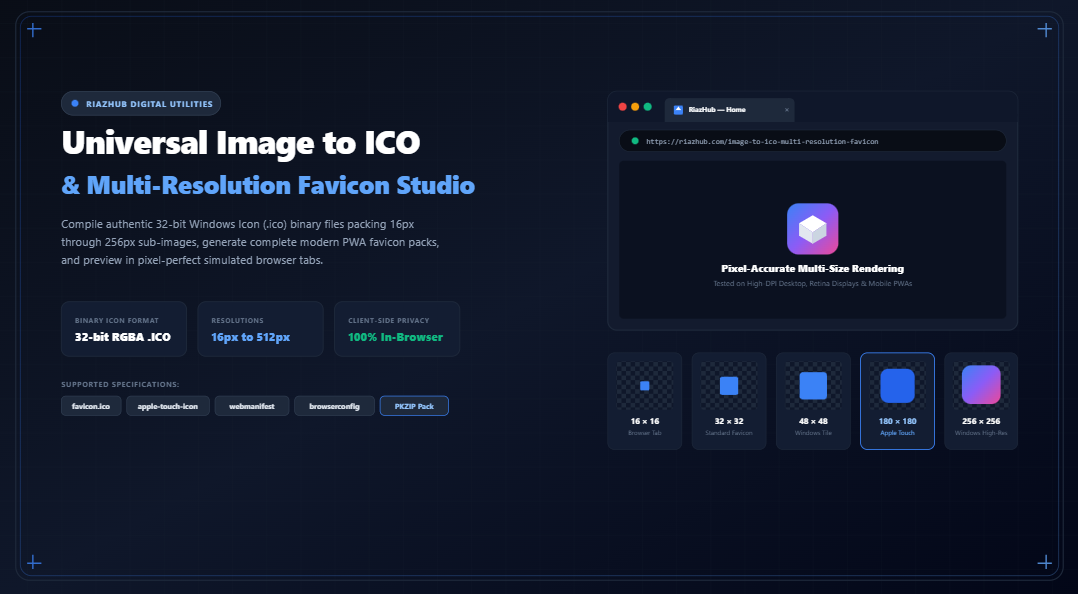
The Definitive Guide to Multi-Resolution Favicons: Converting Images to Windows .ICO & Modern PWA Favicon Packs
For decades, web developers treated the humble favicon.ico as an afterthought an arbitrary 16×16 pixel square tossed into the server root to silence 404 Not Found errors. However, in today’s multi-device computing ecosystem spanning Retina displays, high-DPI Windows desktop shortcuts, macOS Safari tab bars, and progressive web apps (PWAs) on Android and iOS, a single low-resolution icon will degrade brand recognition and appear visibly blurry.
Building a modern, professional favicon suite requires understanding the binary anatomy of the Windows Icon format (.ico) and the complementary PNG specifications expected by mobile operating systems. With our free browser-based Universal Image to ICO & Multi-Resolution Favicon Studio, you can convert any master brand logo into an authentic multi-layer binary icon and export a complete web-ready asset package without sending proprietary trademarks to external servers.
1. The Binary Architecture of Windows .ICO Files
Unlike standard raster image files such as JPEG, WebP, or PNG, a .ico file is not a singular image. It is an image resource container capable of holding dozens of individual bitmaps at distinct dimensions, color depths, and compression formats inside a single binary bitstream.
When Windows Explorer or a browser encounters a valid .ico file, it parses a 6-byte header followed by an array of 16-byte directory blocks to dynamically select the exact resolution that matches the screen scale, avoiding downsampling or interpolation artifacts.
A. The 6-Byte ICONDIR Header
Every valid Windows icon file begins with the ICONDIR structure:
- Byte 0–1 (Reserved): Always set to
0x0000. - Byte 2–3 (Resource Type): Set to
0x0001for Icons (or0x0002for Cursors). - Byte 4–5 (Image Count $N$): A 16-bit little-endian integer specifying the total number of sub-images packed into the file (e.g., 4, 6, or 7).
B. The 16-Byte ICONDIRENTRY Array
Immediately following the header is an array of $N$ directory entries, each exactly 16 bytes:
16 Bytes
typedef struct {
    BYTE  bWidth;          // Width in pixels (0 represents 256px)
    BYTE  bHeight;         // Height in pixels (0 represents 256px)
    BYTE  bColorCount;     // Number of colors in palette (0 if >=8bpp)
    BYTE  bReserved;       // Reserved (must be 0)
    WORD  wPlanes;         // Color Planes (1)
    WORD  wBitCount;       // Bits per pixel (32 for true RGBA)
    DWORD dwBytesInRes;    // Total byte size of image sub-payload
    DWORD dwImageOffset;   // Absolute byte offset to payload from file start
} ICONDIRENTRY;
Operating systems use these byte offsets to jump directly into the file stream and decode the sub-image needed for the current display context.
2. Modern PNG-in-ICO vs. Legacy 32-bit DIB Bitmaps
Historically, each sub-image inside an ICO file was stored as an uncompressed Device Independent Bitmap (DIB). In this vintage format, the payload consists of a 40-byte BITMAPINFOHEADER with doubled height, a 32-bit bottom-up BGRA byte stream, and a 1-bit transparency AND mask. While compatible with Windows 95 and vintage Internet Explorer versions, uncompressed 256×256 DIB bitmaps produce bloated file sizes (over 256 KB per icon).
Beginning with Windows Vista, Microsoft standardized embedded PNG compression inside the ICO container. Modern browsers and operating systems (Windows 10/11, macOS, Chrome, Edge, Safari, and Firefox) natively support PNG bitstreams within `.ico` files, reducing file size by up to 85% while retaining full 8-bit alpha transparency.
In the RiazHub Image to ICO Studio, you can freely toggle between modern PNG compressed streams and uncompressed 32-bit legacy DIB formats depending on your project’s backward-compatibility requirements.
3. Recommended Favicon Resolution Matrix for 2026
A single 16px icon cannot serve both a low-DPI browser tab and a high-DPI 4K desktop monitor. A complete web and application icon package requires a matrix of dedicated resolutions:
| Resolution | Target Context | Container / Format | Status |
|---|---|---|---|
| 16 × 16 px | Browser Tabs, Address Bar, URL History | favicon.ico / favicon-16×16.png | Required |
| 24 × 24 px | Pinned Browser Shortcuts, Taskbar Buttons | favicon.ico (Sub-Image) | Recommended |
| 32 × 32 px | Desktop Browsers, Bookmarks Bar, Windows Taskbar | favicon.ico / favicon-32×32.png | Required |
| 48 × 48 px | Windows Desktop Icons, Medium Taskbar Icons | favicon.ico / favicon-48×48.png | Required |
| 64 × 64 px | High-DPI Desktop Shortcuts, Windows Explorer Tiles | favicon.ico (Sub-Image) | Optional |
| 128 × 128 px | Modern High-DPI Windows Control Panel | favicon.ico (Sub-Image) | Optional |
| 180 × 180 px | Apple Touch Icon (iOS Home Screen & Safari Bookmarks) | apple-touch-icon.png | Required |
| 192 × 192 px | Android Chrome PWA Home Screen | android-chrome-192×192.png | Required |
| 256 × 256 px | Retina Displays & Windows Explorer Extra-Large Icons | favicon.ico (Sub-Image) | Recommended |
| 512 × 512 px | Android PWA Splash Screen & App Manifest | android-chrome-512×512.png | Required |
4. The Problem of Downsampling Blur & How to Solve It
When a high-resolution 1024×1024 vector or brand logo is scaled down directly to 16×16 pixels in a single canvas draw step, standard bilinear filtering tends to wash out high-contrast edges. The resulting favicon appears muddy, low-contrast, and unreadable in browser tabs.
Laplacian Kernel
// 3x3 Acutance filter applied to small icon layers (16px & 32px)
function applyMicroSharpen(ctx, w, h) {
    const imgData = ctx.getImageData(0, 0, w, h);
    const src = imgData.data;
    const output = ctx.createImageData(w, h);
    const dst = output.data;

    for (let y = 1; y < h - 1; y++) {
        for (let x = 1; x < w - 1; x++) {
            const idx = (y * w + x) * 4;
            for (let c = 0; c < 3; c++) {
                const val = 2.4 * src[idx + c] - 0.35 * (
                    src[((y - 1) * w + x) * 4 + c] +
                    src[((y + 1) * w + x) * 4 + c] +
                    src[(y * w + (x - 1)) * 4 + c] +
                    src[(y * w + (x + 1)) * 4 + c]
                );
                dst[idx + c] = Math.max(0, Math.min(255, Math.round(val)));
            }
            dst[idx + 3] = src[idx + 3]; // Alpha channel preserved
        }
    }
    ctx.putImageData(output, 0, 0);
}
5. Complete HTML Integration Guide for Webmasters
Once you have generated your favicon package using the Image to ICO Generator, place the extracted files in your site’s root directory and insert the following lines into your site’s <head> section:
Modern Standards
<!-- Universal Fallback & Legacy Browsers -->
<link rel="icon" type="image/x-icon" href="/favicon.ico">

<!-- Modern Multi-Resolution PNG Favicons -->
<link rel="icon" type="image/png" sizes="16x16" href="/favicon-16x16.png">
<link rel="icon" type="image/png" sizes="32x32" href="/favicon-32x32.png">
<link rel="icon" type="image/png" sizes="48x48" href="/favicon-48x48.png">

<!-- Apple iOS Home Screen Shortcut -->
<link rel="apple-touch-icon" sizes="180x180" href="/apple-touch-icon.png">

<!-- Android Chrome PWA Web Application Manifest -->
<link rel="manifest" href="/site.webmanifest">

<!-- Mobile Browser Chrome Toolbar Color -->
<meta name="theme-color" content="#2563eb">

<!-- Windows 8.1 / 10 / 11 Start Menu Tile -->
<meta name="msapplication-TileColor" content="#2563eb">
<meta name="msapplication-config" content="/browserconfig.xml">
6. The Privacy Advantage: Why In-Browser Encoding Matters
Traditional online image converter websites frequently require visitors to upload their artwork to third-party cloud servers where graphics are stored on disk or logged. For pre-launch startups, trademark designers, and enterprise organizations, exposing unreleased brand assets to external hosts introduces intellectual property risks.
Our Image to ICO Studio operates 100% inside your browser using HTML5 Canvas, typed arrays (Uint8Array), and an in-memory PKZIP packager. Your proprietary designs, application icons, and brand graphics never leave your local device.
Universal Image to ICO & Favicon Studio
Convert logos and artwork into authentic multi-layer Windows .ico files (16px through 256px), generate full multi-platform favicon packs for iOS & Android PWAs, and test in real-time browser tab mockups.
<head>...</head> section of your website or WordPress header template, and upload the extracted favicon assets to your website's root directory.
.ico file is a container format that embeds multiple sub-images at resolutions such as 16×16, 32×32, 48×48, and 256×256. When an operating system or web browser displays your icon in different contexts—such as a 16px browser tab, a 32px taskbar shortcut, or a 256px high-DPI desktop view—it dynamically selects the exact sub-image layer rather than awkwardly interpolating a single resolution, preserving crisp vector-like sharpness.
ICONDIR header (specifying the icon type 0x0001 and the image count $N$). It is immediately followed by an array of 16-byte ICONDIRENTRY blocks for each embedded resolution. Each entry details the width, height, color count, color planes, bit count (32-bit for true RGBA), the exact size of the byte payload, and the byte offset pointing to where the image data starts in the file.
.ico files when users save your site to their home screen; iOS requires an explicit apple-touch-icon.png rendered at 180×180px. Similarly, Android devices and Chrome PWAs demand 192×192px and 512×512px icons declared inside a site.webmanifest file. Our 1-click ZIP export bundles all of these assets alongside Windows 10/11 mstile-150x150.png and browserconfig.xml.