
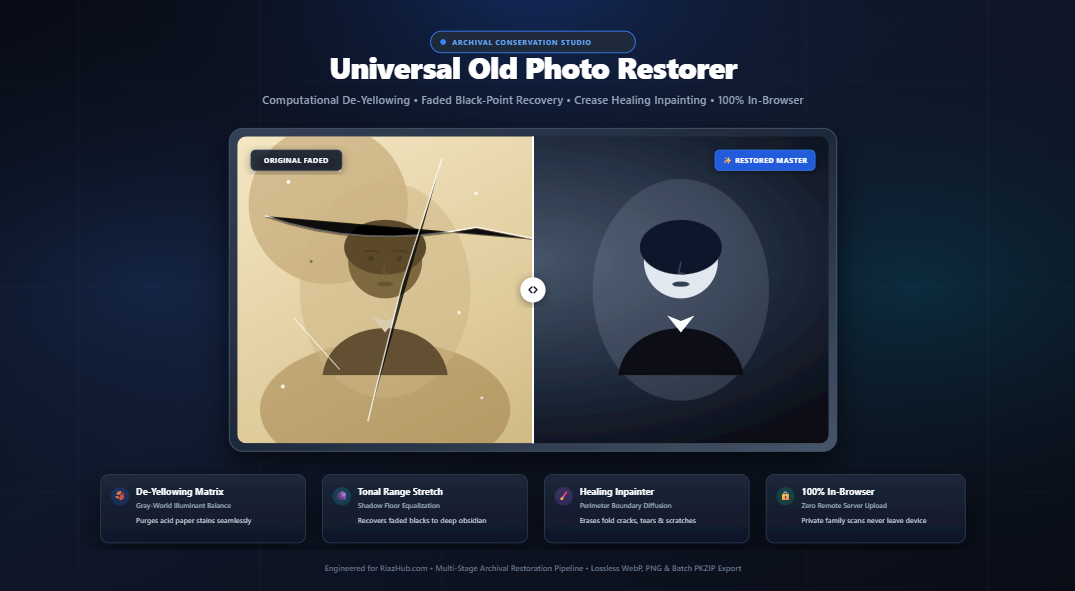
The Science of Old Photo Restoration: How to Recover Faded Heirlooms, Eliminate Yellowing & Heal Tears Online
Family photographs are irreplaceable physical relics connecting us to our heritage. Yet vintage silver gelatin prints, 19th-century albumen portraits, and 1970s color snapshots inevitably deteriorate under environmental exposure. Learn the chemical causes of paper aging and how you can restore your family heirlooms directly in your browser with zero server exposure.
1. The Chemical Mechanisms of Photo Aging: Why Do Old Prints Fade and Turn Yellow?
To perform accurate digital restoration, one must understand the distinct chemical degradation mechanisms that afflict photographic artifacts over decades of storage:
Wood-pulp paper made between the 1880s and 1980s contains natural lignin. When exposed to humidity and oxygen, lignin breaks down into acidic compounds that turn paper yellow or amber, suppressing original blue spectrums.
In black-and-white gelatin prints, finely dispersed metallic silver particles form the image. Atmospheric sulfur and humidity oxidize these silver grains, converting rich obsidian blacks into flat, washed-out muddy grays.
Fluctuations in temperature and relative humidity cause the gelatin binder layer to expand and contract at different rates than the paper base, creating hairline fissures, physical tears, and folding cracks.
Traditional physical conservation requires costly chemical baths and delicate stabilization that can risk further damage. However, modern digital signal processing allows us to model these degradation curves and reverse their impact mathematically.
2. The Multi-Stage Digital Restoration Pipeline
Professional archival restoration does not mean applying a generic mobile filter. An authentic conservator’s pipeline utilizes targeted matrix transformations tailored to the physical characteristics of the print:
Stage A: Gray-World Illuminant De-Yellowing
Paper yellowing creates an excess in the Red and Green spectral channels while severely depressing Blue transmission. The restoration engine calculates the statistical illuminant distribution across the entire frame:
By establishing the neutral gray-point baseline, the algorithm applies normalized scaling factors to the blue and red channels, counteracting paper discoloration without altering delicate natural skin tones or historical clothing dyes. You can test this live with the interactive slider inside the Old Photo Restorer Studio.
Stage B: Faded Black-Point Histogram Stretching
Over several decades, the dynamic range of historical photographs compresses drastically. Shadows that were once pitch black register as light gray (luminance values of 50 to 90 instead of 0).
Our tonal range expansion computes the 1st-percentile shadow floor and 99th-percentile highlight ceiling. It anchors deep blacks back to true archival levels while safeguarding against highlight clipping, ensuring that delicate lace in vintage wedding dresses or bright skies remain richly textured.
Stage C: High-Frequency Scratch & Outlier Despeckling
Chemical pitting, airborne dust grains, and emulsion wear produce isolated white and dark pixels that deviate sharply from their local neighborhood. An adaptive $3\times3$ median filter pass isolates these high-frequency outliers and blends them seamlessly into surrounding grain patterns without softening facial features or hair textures.
Stage D: Micro-Acutance Face & Detail Sharpening
Vintage cameras often utilized soft spherical lens elements that lacked modern anti-reflective coatings. An unsharp masking convolution pass selectively amplifies mid-frequency edges (eyes, eyelashes, fabric folds) while suppressing granular film emulsion noise.
3. Step-by-Step: How to Restore Faded Photos in Under Two Minutes
Here is the recommended workflow to restore your vintage family albums using the Universal Old Photo Restorer utility:
- Digitize Your Original Print: Scan your photograph at 300 to 600 DPI using a flatbed scanner, or capture a high-resolution photo in even, diffused daylight to prevent glare.
- Load into the Tool: Open the RiazHub Old Photo Restorer and drag your image into the dropzone (or paste directly with
Ctrl+V). You can even upload up to 50+ images at once for batch processing. - Select a Restoration Mode:
- Auto Master: Retains subtle natural color tones while balancing paper yellowing.
- Neutral Silver B&W: Converts faded prints into crisp, historical museum-grade monochromatic gelatin prints.
- Antique Sepia: Preserves the authentic warm amber patina of Victorian albumen and cabinet cards.
- Cool Cyanotype: Recreates the deep Prussian blue tones typical of 19th-century botanical and architectural prints.
- Fine-Tune Parameters: Adjust the De-Yellowing and Black-Point Contrast Stretch sliders until the preview displays deep shadows and crisp midtones.
- Repair Folding Creases & Tears: Open the Manual Healing Brush & Eraser accordion. Set your brush radius and softly paint over physical cracks. The perimeter boundary diffusion algorithm will sample adjacent grains and mend the tear seamlessly.
- Inspect with Loupe & Split Slider: Switch to the Split-Screen Slider or the 200%/400% Zoom Loupe to verify eye clarity, skin texture, and edge crispness.
- Export Archival Files: Download as lossless PNG, modern WebP, or high-quality JPEG. If multiple photos were loaded, click Download All as ZIP to receive all restored images packaged together with an automated
Conservation_Report.txtsummary.
4. Digital Restoration Approaches Compared
How does browser-based computational restoration compare with traditional desktop software or cloud-based AI subscription platforms?
| Feature | RiazHub Old Photo Restorer | Desktop Software (Photoshop) | Cloud AI Subscription Apps |
|---|---|---|---|
| Cost & Access | 100% Free, Instant Browser Access | High Monthly Subscription | Credit Packs or Paywalls |
| Privacy & Security | Zero Server Upload (100% Client-Side) | Local (Safe) | Requires uploading family heirlooms to cloud |
| Learning Curve | Zero (Live Sliders & Presets) | Steep (Complex curves, masks, layers) | Low (One-click “black box”) |
| Facial Hallucination | None (Authentic detail recovery) | None (Manual control) | Often generates artificial/fake facial features |
| Batch ZIP Archiving | Built-in In-Memory ZIP Packager | Requires Action Scripts | Often limited to single downloads |
5. Why Client-Side Processing Is Vital for Family Heirlooms
Historical family portraits are intimate personal records. Many online restoration portals silently transmit uploaded images to remote machine learning cloud servers, storing family scans in third-party data centers or utilizing them to train commercial models.
6. Best Practices for Preserving Physical Heirlooms
While digital restoration brings faded images back to vibrant life, preserving the physical prints ensures their survival for future generations:
- Use Acid-Free & Lignin-Free Envelopes: Never store vintage photographs in magnetic adhesive albums, which off-gas acidic polymers.
- Control Temperature and Humidity: Store prints at 65°F (18°C) or cooler, with a relative humidity between 30% and 40%.
- Avoid Direct Sunlight: Ultraviolet rays break down silver halides and dye molecules rapidly. Display digital copies and store original heirlooms in archival dark storage.
- Handle by Edges with Cotton Gloves: Skin oils contain fatty acids that cause fingerprint-shaped oxidation marks over time.
Conclusion: Revitalize Your Family Heritage Today
You no longer need costly studio services or complex image editing tools to rescue faded, scratched, or yellowed family photographs. With modern in-browser computational photography, restoring vintage albums is fast, safe, and accessible to everyone.
Universal Old Photo Restorer & Conservation Studio
Repair faded family heirlooms, eliminate yellowing, restore deep archival contrast, remove creases and scratches, and recover lost details with 100% in-browser computational restoration.
| Thumbnail | Filename | Dimensions | Status | Contrast Gain | Action |
|---|---|---|---|---|---|
| No batch photos queued. | |||||
Select or drop an aged, faded, yellowed, or scratched photograph to begin instant in-browser restoration, or load our sample heirloom.
Why Vintage Photos Turn Yellow & Faded
Historical photographic paper degrades through acid hydrolysis and lignin oxidation, producing an unnatural yellow/amber color cast while silver halides oxidize into gray. Our de-yellowing matrix uses gray-world illuminant estimation to neutralize paper discoloration without altering skin tones.
Faded Black Point Histogram Stretching
Over decades, contrast compresses: blacks fade to dull muddy gray and highlights lose brilliance. Our mathematical tonal stretch anchors the true 1st-percentile shadow floor back to obsidian black while preserving delicate highlight textures in bridal veils and lace.
Perimeter Diffusion Healing Inpainting
Folding creases, tears, and scratches are removed using weighted perimeter boundary diffusion. By sampling healthy image grains around defect edges and propagating luminance gradients inward, physical creases blend away seamlessly.
100% In-Browser Privacy & Security Guarantee
Your precious family portraits, historical documents, and private heirloom scans are processed completely in your browser via HTML5 Canvas 2D buffers. Zero pixels or files are ever transmitted to any remote server or third-party cloud.