
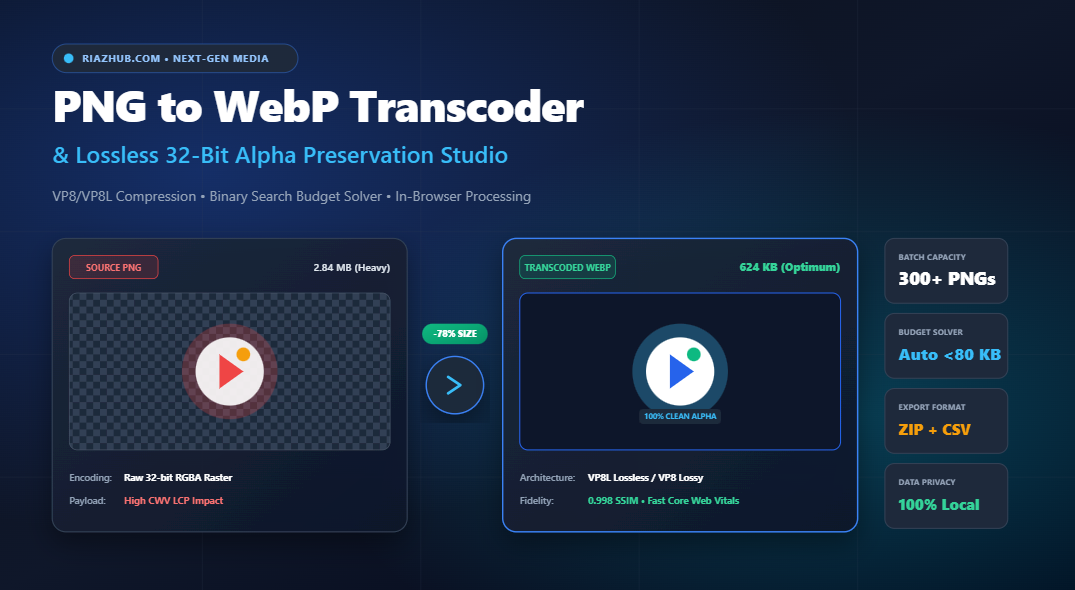
The Ultimate Guide to PNG to WebP Transcoding: Lossless Alpha Preservation & Core Web Vitals Optimization
Why legacy 32-bit PNG rasters are silently sabotaging your Largest Contentful Paint (LCP), how WebP’s spatial prediction engines preserve true transparent alpha masks, and how you can transcode entire image batches with zero byte degradation directly inside your browser.
⚡ The Hidden Crisis: Why PNG Rasters Cripple Modern Page Speed
For more than two decades, the Portable Network Graphics (PNG) specification has been the unquestioned standard for website logos, transparent product cutouts, software UI mockups, and digital illustrations. Its ability to represent true 32-bit RGBA color spaces with 8-bit alpha channels (256 discrete levels of semi-transparency) made it indispensable for web designers and front-end developers.
However, in today’s mobile-first ecosystem—governed rigorously by Google’s Core Web Vitals metrics uncompressed PNG files have become an acute performance liability. PNG relies on the DEFLATE algorithm (LZ77 compression combined with Huffman coding), an architecture established in 1996 that was never engineered for modern high-density screens (Retina, 4K displays) or mobile cellular networks.
When a visitor lands on an e-commerce catalog or marketing landing page featuring 10 to 30 high-resolution transparent PNG cutouts, the total image payload frequently exceeds 15 MB to 25 MB. The consequences are immediate and severe:
- Ballooned Largest Contentful Paint (LCP): Browser render engines are blocked waiting for massive raster downloads, dragging your LCP audit well into the “Poor” zone (> 4.0 seconds).
- Severe Bandwidth Saturation: Mobile users on throttled 4G/5G connections experience noticeable layout rendering delays and unresponsive interfaces.
- Ancillary Metadata Bloat: Design exports from Adobe Photoshop, Figma, and Illustrator often embed unneeded ancillary chunks (such as
tEXt,zTXt, color profiles, and software signatures) that add 5% to 20% in useless bytes.
Ready to Slash Image Weight Without Halo Bleeding?
Convert up to 300+ transparent PNG files simultaneously with native VP8/VP8L hardware acceleration.
🔬 WebP Architecture: VP8L Lossless vs. VP8 Lossy with Alpha
Developed by Google, the WebP format delivers next-generation raster compression specifically engineered for the modern internet. Unlike legacy formats that force developers to choose between JPEG (lossy, but zero transparency support) and PNG (transparency support, but huge file sizes), WebP introduces two distinct, highly optimized compression topologies:
1. Lossless WebP (VP8L) — Bit-for-Bit Identity
WebP Lossless (VP8L) employs sophisticated advanced transforms before applying entropy encoding:
- Spatial Color Transform: Decouples the green channel from red and blue channels, exploiting inter-channel correlation to maximize compression efficiency.
- Color Indexing Transform: If the image contains fewer than 256 unique colors, it automatically builds an indexed color palette without requiring explicit developer intervention.
- Color Cache Prediction: Reconstructs new pixels using frequently seen recent pixels, drastically reducing entropy.
The result? Lossless WebP typically produces files that are 26% to 35% smaller than optimized PNGs while maintaining a mathematical Structural Similarity Index (SSIM) of exactly 1.000.
2. Lossy WebP (VP8) with 8-Bit Transparent Alpha
Here lies WebP’s greatest superpower: Lossy color compression paired with a dedicated lossless or lossy alpha mask.
In traditional workflows, if you needed a transparent product cutout or hero photo, you were forced to use PNG, yielding a 2 MB to 5 MB file. With the Universal PNG to WebP Transcoder on RiazHub, the RGB color rasters are compressed using predictive macroblocks (slashing payloads by 70% to 85%), while the alpha channel is encoded as a dedicated 8-bit transparency mask. You achieve the file size of a lightweight JPEG while retaining sub-pixel transparent gradients!
| Metric / Feature | Standard PNG-32 | Lossless WebP (VP8L) | Lossy WebP (VP8 + Alpha) |
|---|---|---|---|
| Compression Algorithm | DEFLATE (LZ77 + Huffman) | Transform + Color Cache | Spatial Macroblock + Alpha Mask |
| Payload Reduction | Baseline (0%) | 25% – 35% Smaller | 65% – 85% Smaller |
| Alpha Transparency | 8-bit (256 levels) | 8-bit (256 levels) | 8-bit (256 levels) |
| Visual Fidelity (SSIM) | 1.000 (Bit-for-Bit) | 1.000 (Bit-for-Bit) | 0.985 – 0.998 (Indistinguishable) |
| Best Use Case | Legacy Archive Only | Vector Logos, UI Icons, Text | Hero Cutouts, Products, Badges |
🛡️ True 32-Bit Alpha Preservation: Eliminating Fringing and Matte Bleed
A persistent headache for digital designers converting images is the dreaded color halo fringing (often manifesting as dark, jagged borders or faint white outlines around transparent hair, dropshadows, or rounded corners).
This artifact occurs when flawed converters premultiply alpha against a black or white background, or fail to handle “dirty hidden pixels.” In design programs like Photoshop or Illustrator, fully transparent pixels (where alpha = 0) often retain leftover RGB color data from masked layers. When compressed, this invisible color data bleeds into adjacent antialiased boundary pixels.
The RiazHub Advantage: The RiazHub PNG to WebP Studio features an automated Clean Dirty Hidden Pixels algorithm. It scans the raw 2D pixel buffer and zeroes out RGB values on fully transparent pixels (A = 0). This eliminates color fringing entirely, accelerates spatial prediction, and saves thousands of unneeded bytes.
🎯 Binary-Search Target File Budget Solver for Core Web Vitals
When optimizing web properties for Google Lighthouse audits, web performance teams often establish strict byte ceilings for above-the-fold media (e.g., “Every hero asset must weigh less than 80 KB to guarantee an LCP under 1.2 seconds”).
Manually guessing and adjusting quality sliders for dozens of images is tedious and inefficient. To solve this, our browser-based WebP transcoder tool implements a binary-search numerical convergence engine:
// Binary Search Quality Convergence (6 Iterations)
let low = 0.05, high = 1.0, bestBlob = null;
for (let i = 0; i < 6; i++) { const mid = (low + high) / 2; const testBlob = await new Promise(res => canvas.toBlob(res, 'image/webp', mid));
    if (testBlob.size <= targetBytes) {
        bestBlob = testBlob;
        low = mid; // Maximize quality under ceiling
    } else {
        high = mid; // Compress further to meet budget
    }
}
Within just 6 rapid hardware-accelerated passes, the engine identifies the absolute highest visual quality factor that guarantees the output file remains strictly under your defined budget limit (e.g., 50 KB, 80 KB, or 100 KB).
💻 Modern Responsive Implementation: The HTML5 <picture> Architecture
While WebP enjoys over 97.5% global browser support today, robust enterprise websites must maintain seamless graceful degradation for older email clients, legacy webview containers, and specialized embedded browsers.
The recommended industry pattern is pairing the new WebP asset with the original PNG fallback via the native HTML5 <picture> element:
<picture>
  <!-- Modern Next-Gen WebP Asset: Downloaded by 98% of visitors for instant LCP -->
  <source srcset="hero-cutout-webp.webp" type="image/webp">

  <!-- Original PNG Fallback for Legacy Environments -->
  <img src="hero-cutout.png"
       alt="Premium Wireless Headphones Cutout"
       width="1200"
       height="800"
       loading="lazy"
       decoding="async"
       style="width: 100%; height: auto; display: block;">
</picture>
When utilizing the PNG to WebP Transcoder on RiazHub, the built-in <picture> Code Generator automatically produces this complete, copy-ready snippet tailored to your exact image dimensions and filenames with a single click.
🚀 How to Batch Transcode PNGs to WebP on RiazHub
The conversion workflow is engineered for speed, privacy, and zero server wait times:
- Ingest Your Assets: Visit the Universal PNG to WebP Studio. Drag and drop single files, select up to 300+ PNGs simultaneously, upload an entire directory folder via
webkitdirectory, or simply paste an image directly from your clipboard (Ctrl+V). - Select Your Compression Topology:
- Choose Lossless (VP8L) for vector icons, typography emblems, and transparent brand logos where bit-for-bit exactness is required.
- Choose Lossy (VP8) for product cutouts and photorealistic imagery to unlock 70% to 80% bandwidth savings.
- Calibrate Quality or Set Byte Budget: Use tactile presets (85%, 75%, 60%) or activate the Target File Size Budget Solver to enforce strict payload limits.
- Inspect via Multi-Backdrop Viewports: Toggle between Checkerboard, Dark Slate, and Pure White backdrops to inspect edge transparency. Use the Split-Screen Slider for real-time before/after visual verification, or the 400% Zoom Loupe to scrutinize antialiasing.
- Export Instantly: Download individual WebP files, copy image data directly to your clipboard, or click Download All as ZIP to package your entire converted batch along with an automated
conversion_manifest.csvaudit log in seconds.
Accelerate Your Website’s Core Web Vitals Today
100% private, client-side processing. Your proprietary graphics never leave your computer.
❓ Frequently Asked Questions (FAQ)
Does converting PNG to WebP remove alpha transparency?
No. Unlike JPEG, WebP natively supports full 8-bit transparent alpha channels (256 discrete levels of opacity). When you transcode using the RiazHub PNG to WebP Transcoder, transparent dropshadows, glassmorphism translucency, and antialiased contours are 100% preserved.
Are my images uploaded or stored on any external server?
Never. The entire transcoding pipeline runs locally in your browser’s execution sandbox using native HTML5 Canvas 2DContext and hardware-accelerated WebP codecs. Zero images, pixels, or filenames are ever transmitted to an external server.
Can I convert animated PNG (APNG) files?
Yes. You can ingest APNG files into the transcoder to produce optimized WebP rasters. For multi-frame animations, modern browsers automatically handle canvas rendering passes.
How does WebP improve Google Lighthouse and Core Web Vitals?
Images constitute over 60% of total page weight on typical websites. Replacing bloated PNGs with WebP directly reduces network payload, accelerating Largest Contentful Paint (LCP) and eliminating the page layout jitter that triggers Cumulative Layout Shift (CLS).
Universal PNG to WebP Transcoder & Alpha Studio
High-volume in-browser WebP conversion engine. Preserves 100% transparent alpha channels, strips bloated ancillary chunks, hits strict Core Web Vitals byte budgets, and slashes image payloads by up to 80% with zero server upload.
// Convert an image to generate copy-ready responsive HTML5 <picture> code
| Preview | Filename | Original | WebP | Savings | Dimensions | Action |
|---|---|---|---|---|---|---|
| No converted items in the batch yet. | ||||||
💎 VP8L Lossless Compression
WebP Lossless uses transform color spaces, entropy image indexing, and local color cache prediction. It reduces PNG file sizes by 25%–35% while preserving every single pixel with mathematical bit-for-bit fidelity (1.00 SSIM).
📉 VP8 Lossy with 8-bit Alpha
Unlike JPEG which completely discards transparency, Lossy WebP encodes color rasters via predictive macroblocks while preserving a dedicated 8-bit alpha mask (256 levels of opacity). It cuts file weights by 60%–80% without alpha halo bleeding.
🚀 Core Web Vitals & LCP
Largest Contentful Paint (LCP) directly measures image download and render times. Converting PNG hero banners and product mockups to WebP slashes byte payloads, removes render blocking, and prevents Cumulative Layout Shift (CLS).
🔒 Zero-Server Client Privacy
All raster decoding, alpha pixel scrubbing, and VP8/VP8L hardware compression occur locally in your browser's execution sandbox. No proprietary assets or corporate graphics ever touch an external cloud server.