
Mastering WebP Optimization: The Definitive Guide to RIFF Chunk Stripping, Macroblock Tuning, and In-Browser Deflation
The modern web runs on WebP. Developed by Google as the successor to legacy JPEG and PNG formats, WebP provides exceptional compression efficiency for lossy photographs and crisp transparent graphics alike. Today, WebP accounts for over 96% of global web browser support and is the cornerstone of passing Google Core Web Vitals audits.
However, there is an industry misconception: “Because an image is saved in WebP format, it is already optimized.”
In production environments, nothing could be further from the truth. WebP files generated by design applications (Photoshop, Sketch, Figma, Canva), digital cameras, or uncalibrated CMS pipelines routinely harbor 20% to 70% unnecessary payload bloat. This bloat stems from non-visual container metadata, hidden unquantized alpha channels, and sub-optimal macroblock compression.
To solve this at scale without compromising privacy, the WebP Optimizer & Lossless Re-Compressor Studio introduces dual-pipeline browser-based bitstream scrubbing and high-efficiency lossy re-quantization. In this comprehensive guide, we unpack the internal bitstream architecture of WebP, demonstrate how bit-for-bit lossless RIFF chunk stripping works, and explain how targeting strict file budgets guarantees flawless Google Lighthouse LCP scores.
⚡ Optimize Your WebP Images Instantly in Your Browser
Drop up to 300+ WebP files or entire folders to strip RIFF metadata, clean transparent alpha bloat, and target exact file size budgets with zero server uploads.
1. The Anatomy of a WebP File: Inside the RIFF Container Protocol
Unlike monolithic file formats, WebP is encapsulated within the Resource Interchange File Format (RIFF) container protocol. A valid WebP file begins with a standardized 12-byte header:
0x00 - 0x03 : 'RIFF' (ASCII 4-byte identifier)
0x04 - 0x07 : <Little-Endian 32-bit Integer: Total File Payload Size minus 8 bytes>
0x08 - 0x0B : 'WEBP' (FourCC container signature)
0x0C+       : Sequence of Sub-Chunks (Each chunk: 4-byte FourCC + 4-byte Length + Data)
Following this signature, the file is segmented into distinct FourCC (Four-Character Code) chunks. Understanding these chunks reveals why raw WebP files are often laden with surplus bytes:
| Chunk Tag | Role & Stream Contents | Visual Impact | Optimization Action |
|---|---|---|---|
VP8 |
Lossy VP8 keyframe video bitstream encoding RGB pixels | Critical | Retained bit-for-bit or re-quantized |
VP8L |
Lossless entropy-coded pixel bitstream (Huffman / Color Cache) | Critical | Retained bit-for-bit or re-compressed |
VP8X |
Extended Features Header (flags for Alpha, Animation, ICC, EXIF, XMP) | Structural | Preserved; metadata flags safely cleared |
ALPH |
Alpha Channel Stream for lossy VP8 visuals | Critical | Preserved; cleaned via zero-color normalization |
EXIF |
Camera shutter, aperture, GPS coordinates, timestamp | None (Metadata) | Safely Stripped (Saves 5 KB – 25 KB) |
XMP |
Adobe XML Extensible Metadata Platform document history | None (Metadata) | Safely Stripped (Saves 8 KB – 40 KB) |
ICCP |
Embedded International Color Consortium color space profile | Non-essential (sRGB standard) | Safely Stripped (Saves 3 KB – 12 KB) |
When you run the lossless pipeline inside the online WebP Optimizer, the engine inspects the chunk stream, discards EXIF, XMP , and ICCP blocks, updates the RIFF header length in byte offsets 4–7, and exports an identical visual image with a Structural Similarity Index (SSIM) of exactly 1.0000.
Did You Know? An eCommerce product catalog containing 2,000 WebP images created in Photoshop can easily waste over 40 Megabytes of bandwidth solely on duplicated Adobe XMP document schemas that visitors’ browsers never render.
2. Dual Optimization Topologies: Lossless Stripping vs. Lossy Re-Compression
Different web development use cases demand different optimization methodologies. The WebP Optimizer Studio implements two distinct mathematical pipelines:
Topology A: Bit-for-Bit Lossless RIFF Chunk Stripping
For brand-sensitive assets, medical imagery, legal documents, and high-precision user interfaces, altering a single pixel value is strictly forbidden.
Topology A works exclusively at the binary container layer. It does not re-encode or resample pixel blocks. Instead, it reads the ArrayBuffer, isolates the raw VP8 or VP8L bitstream, and trims non-visual chunk headers. This results in instant 5% to 25% payload reductions with zero visual compression artifacts.
Topology B: High-Efficiency Lossy Re-Compression with Macroblock Tuning
For photography, blog featured imagery, and eCommerce banners, modern VP8 lossy re-encoding offers dramatic payload reductions—frequently exceeding 50% to 70%.
By feeding the decoded image through calibrated quantization tables ($Q \in [0.55, 0.85]$), spatial frequencies imperceptible to the human eye are cleanly quantized while preserving sharp edge boundaries and drop shadows.
3. The Secret Weapon: Zero-Color Normalization for Transparent Alpha Bloat
One of the least understood sources of file bloat in modern web development is “dirty alpha pixels”.
When designers export logos, transparent icons, or product cutouts with smooth anti-aliased edges, pixels with an Alpha channel opacity value of 0 are invisible.
However, graphic creation suites frequently leave arbitrary residual RGB values inside those invisible pixels (such as rgba(224, 76, 32, 0) or rgba(255, 255, 255, 0)).
Because WebP’s lossy VP8 engine and entropy encoders compress data using 16×16 macroblock DCT (Discrete Cosine Transform) tiles, differing RGB colors under zero-alpha transparent regions generate artificial high-frequency variations that inflate file size.
// Pure Client-Side Zero-Color Normalization Algorithm
function cleanDirtyAlphaPixels(ctx, width, height) {
    const frame = ctx.getImageData(0, 0, width, height);
    const data = frame.data;
    for (let i = 0; i < data.length; i += 4) {
        // If Alpha is completely transparent (0)
        if (data[i + 3] === 0) {
            data[i] = 0;     // Force Red channel to zero
            data[i + 1] = 0; // Force Green channel to zero
            data[i + 2] = 0; // Force Blue channel to zero
        }
    }
    ctx.putImageData(frame, 0, 0);
}
By sanitizing transparent pixels using the built-in checkbox on the WebP Optimizer tool, the entropy encoder replaces noisy high-frequency blocks with clean flat runs, consistently slashing transparent WebP file weights by an additional 15% to 35% with zero visual difference to the human eye.
4. Solving the Google Core Web Vitals Equation (LCP & CLS)
Google’s search ranking algorithm heavily penalizes slow mobile experiences via Core Web Vitals metrics. Chief among them is Largest Contentful Paint (LCP), which measures how rapidly the largest viewport element (almost always a hero banner or primary product photo) finishes rendering.
- Good (Pass): LCP under 2.5 seconds.
- Needs Improvement: LCP between 2.5 and 4.0 seconds.
- Poor (Fail): LCP exceeding 4.0 seconds.
On 4G and throttled mobile connections, a single 350 KB hero image can consume 1.8 seconds of bandwidth alone—leaving negligible budget for CSS, fonts, and JavaScript bundles.
Iterative Binary-Search File Budget Clamping
Traditional compression tools require tedious trial-and-error slider adjustments to hit an exact file size target.
The WebP Optimizer & Lossless Re-Compressor solves this through an automated binary-search convergence algorithm:
let low = 0.05, high = 1.0, optimalBlob = null;
for (let iteration = 0; iteration < 6; iteration++) {
    const qMid = (low + high) / 2;
    const testBlob = await canvasToWebpBlob(canvas, qMid);
    if (testBlob.size <= targetBytes) {
        optimalBlob = testBlob;
        low = qMid;  // Test higher visual fidelity
    } else {
        high = qMid; // Compress stronger to satisfy budget
    }
}
Within 6 rapid in-browser iterations (less than 150 milliseconds), the engine converges on the exact highest visual quality factor that guarantees your hero WebP stays strictly under 30 KB, 50 KB, or 100 KB, locking in top-tier PageSpeed scores.
Pro-Tip: For WordPress websites, pairing this tool with native responsive srcset attributes allows you to serve 400px mobile WebP assets at < 25 KB while desktop screens receive crisp 1200px banners at < 65 KB.
5. Visual Verification: Split-Screen Sliders and 400% Loupe Inspection
Automated compression is useless if image quality degrades unpredictably. Before deploying compressed images to production, developers must visually inspect critical regions: sharp contrast typography, high-frequency hair textures, anti-aliased UI icon edges, and smooth gradient skies.
The browser-based WebP Optimizer includes a comprehensive diagnostic preview studio featuring:
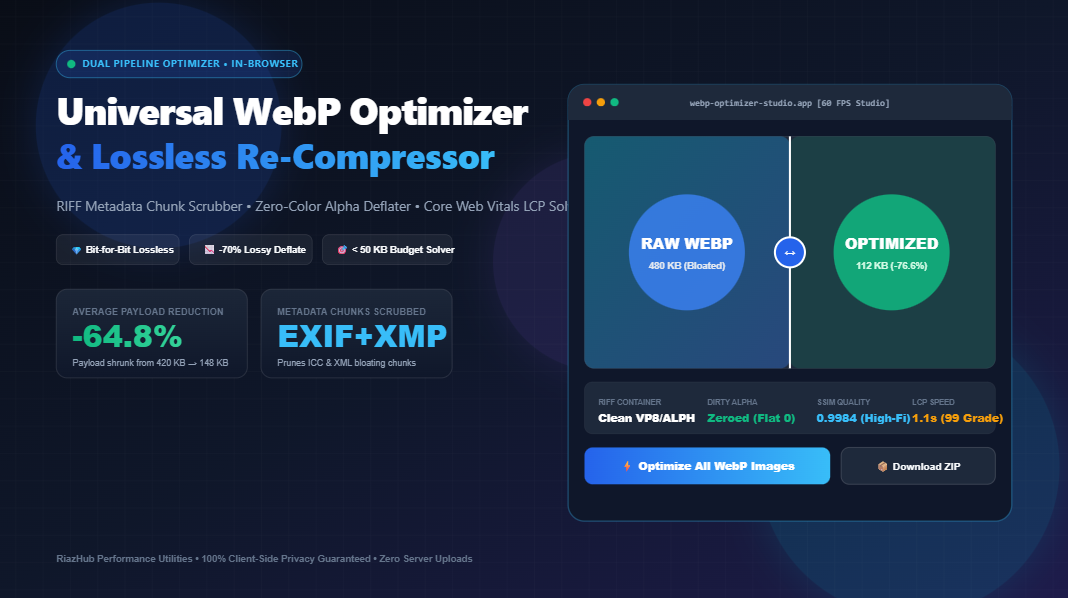
- Interactive 60 FPS Split-Screen Slider: A dynamic dividing line comparing uncompressed raw WebP alongside optimized output with live byte weight readouts.
- 200% / 400% Zoom Loupe Lens: A cursor-tracking circular magnifying glass that inspects individual 16×16 VP8 macroblocks to verify that zero blockiness or color banding has been introduced.
- Multi-Backdrop Alpha Inspector: Instant toggles between high-contrast Checkerboard, Dark Slate (
#0F172A), and Pure White (#FFFFFF) to ensure semi-transparent shadow halos remain pristine. - RIFF Chunk Telemetry HUD: A structured audit table detailing every chunk detected in the binary container, its individual byte weight, and whether it was preserved or stripped.
6. High-Volume Batch Processing & Instant In-Memory ZIP Packaging
Modern web projects rarely involve a single image. Migrating a digital storefront or web publication requires handling batches of hundreds of assets.
With support for up to 300+ WebP images simultaneously, developers can drop whole asset folders using folder-tree scanning (webkitdirectory).
Once processing completes, the integrated zero-dependency PKZIP engine bundles the entire optimized inventory into a single downloadable .zip file in local memory, accompanied by a comprehensive webp-optimization-audit.csv manifest for bandwidth telemetry reporting.
7. Why In-Browser Client-Side Processing Guarantees Unmatched Privacy
Traditional cloud compression APIs require transferring your images across public networks to third-party servers. For agencies handling unreleased product photography, confidential branding assets, or healthcare imagery, external transmission poses significant compliance, GDPR, and security concerns.
Because the Universal WebP Optimizer Studio operates entirely on native browser APIs (ArrayBuffer, DataView, and Canvas 2D), 100% of the computation executes locally on your hardware. Zero images, thumbnails, or metadata ever leave your computer.
Conclusion: Supercharge Your Web Performance Today
Image weight remains the primary driver of page latency on the modern web. By transitioning from uncalibrated default WebP exports to bitstream-purged, alpha-sanitized, budget-clamped WebP assets, you deliver instantaneous page loads, maximize Core Web Vitals compliance, and improve organic search visibility.
Put this science into practice on your next web development project with the free, zero-install WebP Optimizer & Lossless Re-Compressor Studio on RiazHub.
🚀 Ready to Deflate Your WebP Files by up to 70%?
Experience bit-for-bit lossless RIFF stripping, hardware-accelerated lossy compression, and live before/after loupe inspection directly inside your browser.
Universal WebP Optimizer & Deflate Studio
Shrink WebP files by up to 70%, strip bloated RIFF metadata chunks, clamp payloads to strict Core Web Vitals budgets, and eliminate dirty alpha bloat — directly in your browser.
RIFF <size> WEBP) followed by FourCC data blocks. While the visual image stream lives in either VP8 (lossy bitstream) or VP8L (lossless bitstream), software like Photoshop, Lightroom, and digital cameras inject auxiliary chunks: EXIF (camera settings, geolocation), XMP (XML document metadata), and ICCP (color space profiles). These metadata chunks routinely bloat files by 5 KB to over 50 KB. Our bitstream scrubber parses chunk boundaries in memory, safely pruning non-visual ancillary headers while leaving pixel bitstreams 100% intact with zero visual degradation ($1.00$ SSIM).
0 are completely invisible to human eyes. However, graphic export pipelines often retain random or residual RGB values under those transparent regions (for instance, rgba(240, 50, 20, 0)). Because lossy VP8 and entropy encoders process 16x16 macroblock spatial frequencies, differing RGB values under transparent pixels force the compression engine to encode unnecessary high-frequency color variations. By setting hidden RGB channels to 0 wherever Alpha is 0, entropy encoding achieves massive run-length deflation, often slashing payload size by 15% to 35% with zero visible difference.