
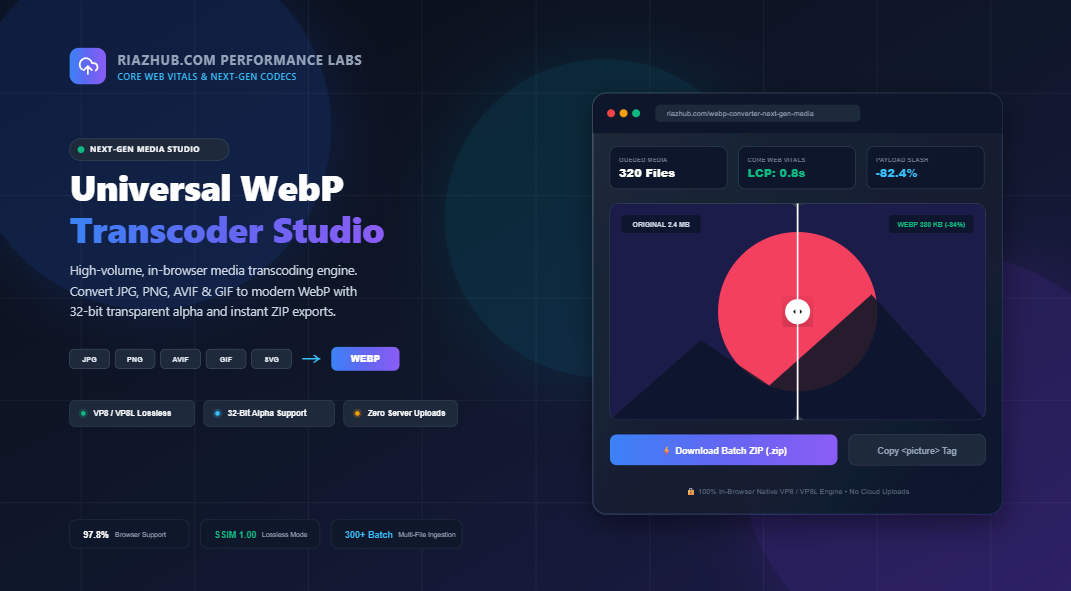
The Ultimate Guide to Next-Gen WebP Image Compression: Turbocharge Core Web Vitals & Slash Bandwidth by 85%
In the fast-paced modern web ecosystem, page speed is no longer just a technical luxury it directly governs search engine ranking, user bounce rates, and conversion numbers. According to HTTP Archive data, images constitute over 60% of total webpage payload weight on median websites. If your website is still delivering raw JPEGs and uncompressed 32-bit PNGs, your Core Web Vitals specifically Largest Contentful Paint (LCP) are suffering under needless latency.
Enter WebP, Google’s next-generation open media container engineered specifically to deliver radical byte-size reductions while preserving crisp visual fidelity and full alpha transparency. In this in-depth guide, we explore the mathematical architectures behind WebP compression, demonstrate real-world Core Web Vitals benchmarks, and walk you through lossless and lossy optimization strategies using the free in-browser utility: RiazHub Universal WebP Converter & Next-Gen Media Studio.
⚡ Instant Hands-On In-Browser Conversion
Looking to convert hundreds of JPG, PNG, AVIF, or GIF images into lightweight WebP files right now without server uploads or software installation? Try our zero-latency studio:
1. The Mathematical Foundation: How WebP Achieves Superior Compression
Traditional image codecs like JPEG (introduced in 1992) and PNG (introduced in 1996) were architected for a vastly different era of computing. WebP breaks away from legacy constraints by leveraging modern video coding techniques derived from the VP8 video codec family.
Dual Encoding Topologies: Lossy VP8 vs. Lossless VP8L
- Lossy WebP (VP8 Predictive Macroblocks): Lossy WebP partitions an image into 16×16 spatial blocks called macroblocks. Instead of recording every individual pixel value, the codec calculates predictive vectors based on previously decoded neighboring blocks. By applying Discrete Cosine Transform (DCT) and arithmetic entropy encoding, lossy WebP achieves 25% to 35% smaller file sizes than comparable JPEG images at identical perceptual quality, while uniquely supporting 8-bit transparent alpha channels.
- Lossless WebP (VP8L Transform Spaces & Color Caches): Lossless WebP operates mathematically without discarding a single pixel ($1.00$ SSIM). It uses advanced spatial transformation algorithms, color space decorrelation (subtracting green from red and blue channels), entropy image indexing, and local color caching to reduce graphics, icons, and illustrations by 26% compared to optimized PNGs.
| Metric / Feature | Legacy JPEG | Standard PNG | Modern WebP | AVIF |
|---|---|---|---|---|
| Average Payload Savings | Baseline (0%) | Heavy for photos | -60% to -85% vs JPG/PNG | -70% to -88% |
| Alpha Channel Transparency | ❌ No (Solid matte only) | ✅ Yes (24/32-bit) | ✅ Full 8-bit Translucency | ✅ Yes |
| Lossless Mode Available | ❌ No | ✅ Yes | ✅ Yes (VP8L Bit-for-Bit) | ✅ Yes |
| Browser Support (Global) | 100% | 100% | 97.8% (Universal) | 93.2% |
| Encoding / Decoding Speed | Fast | Moderate | Ultra Fast (Hardware Accelerated) | Slow (CPU Intensive) |
2. Real-World Core Web Vitals Impact: Optimizing Largest Contentful Paint (LCP)
Google’s Core Web Vitals benchmark evaluates your real-world user experience. Among them, Largest Contentful Paint (LCP) measures the time it takes for the largest visual element above the fold (typically a high-resolution hero photo or product banner) to render on screen.
🚀 4x Faster Bandwidth Delivery
A typical 1.8 MB PNG hero banner transcoded to modern WebP drops down to approximately 180–240 KB. On a mobile 4G network, this cuts content transfer time from ~3.2 seconds down to less than 400 milliseconds.
📉 Lower Mobile Data Consumption
Delivering WebP dramatically reduces data payload for mobile visitors, minimizing cellular data charges, decreasing mobile bounce rates, and increasing engagement on e-commerce product catalogs.
📈 Boost in Search Engine Rankings
Page speed and Core Web Vitals are confirmed Google ranking signals. Websites scoring in the “Good” green threshold (LCP < 2.5s) experience measurable rank boosts over slower competitors.
To ensure your hero assets hit aggressive Core Web Vitals benchmarks, you can use the built-in Binary-Search Target File Budget Solver on the RiazHub WebP Converter Studio. By selecting a target budget ceiling (such as strictly under 75 KB or 100 KB), the tool automatically performs multi-pass binary search iterations to locate the optimal quality factor, guaranteeing your output never crosses threshold limits.
3. True 32-Bit Alpha Transparency: Zero Halos, Zero Matte Bleed
One of the greatest frustrations web developers encounter with JPEG is its total lack of transparency support. Traditionally, developers were forced to utilize heavy PNG-24 files whenever transparent drop shadows, translucent glassmorphism UI elements, or irregular brand logos were required.
WebP provides a revolutionary solution: Lossy RGB encoding combined with an 8-bit transparent alpha channel. This means you can compress a photorealistic transparent badge or e-commerce sneaker asset using lossy compression (slashing file size by 75%) while keeping the alpha boundaries perfectly crisp with zero halo fringing or dark matte borders.
When testing transparent assets on RiazHub’s WebP Conversion Studio, you can toggle between three background inspection modes—Transparency Checkerboard, Dark Slate (#0F172A), and Pure White (#FFFFFF)—and use the integrated 200% / 400% Zoom Loupe to scrutinize sub-pixel edge antialiasing.
4. Implementing Modern HTML5 Responsive <picture> Markup
While global browser support for WebP sits comfortably at over 97.8%, enterprise-grade web development demands bulletproof graceful degradation for older clients. The recommended modern practice is to serve WebP using the HTML5 <picture> tag:
<picture>
<!– Modern browsers download the lightweight WebP source –>
<source srcset=”hero-banner-webp.webp” type=”image/webp”><!– Legacy browsers automatically fall back to standard JPG –>
<img src=”hero-banner.jpg”
alt=”High Performance Digital Utilities”
width=”1920″
height=”1080″
loading=”lazy”
decoding=”async”
style=”width: 100%; height: auto; display: block;”>
</picture>
Notice the complementary attributes:
loading="lazy"instructs the browser to defer downloading images positioned below the initial viewport until the visitor scrolls near them.decoding="async"prevents image decoding operations from blocking main-thread UI rendering and animation loops.- Explicit
widthandheightproperties prevent Cumulative Layout Shift (CLS) by reserving the exact aspect ratio box before the image finishes downloading.
Every time you convert an image inside the RiazHub WebP Converter Studio, the application automatically computes dimensions and generates copy-ready HTML5 <picture> code that you can copy to your clipboard with a single click.
5. Reverse Transcoding: Unpacking WebP Back to PNG & JPG
While WebP is the gold standard for web delivery, creative workflows in desktop software (such as older editions of Photoshop, Illustrator, Premiere Pro, or offline print layout packages) often require standard PNG or high-res JPEG formats.
The Universal WebP Transcoding Studio operates bidirectionally:
- WebP to PNG (Lossless): Decodes raster pixels and generates a bit-for-bit lossless 32-bit PNG file, retaining all translucent alpha channels.
- WebP to JPG (Photo Legacy): Decodes the image onto a customizable background matte (Pure White, Dark Slate, Pitch Black, or custom hex) and outputs standard JPEG for legacy document workflows.
6. Step-by-Step Guide: Batch Converting 300+ Images in Seconds
Follow these four steps to optimize your website media library using the free in-browser studio:
- Ingest Source Media: Open RiazHub WebP Converter. Drag and drop any collection of JPG, PNG, AVIF, GIF, or SVG files into the dropzone. You can also click Select Entire Folder to ingest directory trees containing over 300+ images simultaneously.
- Select Compression Profile: Choose from one-click presets like Core Web Vitals Booster (Lossy 80% with <100 KB ceiling), Lossless Graphic Archive (bit-for-bit VP8L), or customize the granular Quality Slider (1% to 100%).
- Preview in Split-Screen View: Use the interactive 60 FPS Before/After slider and 200%/400% Zoom Loupe to confirm visual sharpness, fine edge typography, and alpha fidelity.
- Export & Package: Click ⚡ Convert All to WebP, then hit 📦 Download All as ZIP to download an in-memory package containing all converted assets alongside a full
conversion_audit_log.csvspreadsheet detailing exact byte savings.
7. Privacy & Security: Why 100% Client-Side In-Browser Processing Matters
Most web-based converter tools require users to upload confidential photos, design mockups, and corporate banners to third-party cloud servers. This exposes sensitive creative assets to storage vulnerabilities, network eavesdropping, and data retention policies.
The RiazHub WebP Converter Studio uses client-side HTML5 Canvas and OffscreenCanvas APIs. All pixel calculations, compression passes, and ZIP packaging happen locally inside your browser’s V8 JavaScript engine. Zero bytes leave your computer.
Frequently Asked Questions (FAQ)
Ready to Accelerate Your Website?
Start converting your media assets into lightweight, high-performance WebP files today with real-time before/after comparison and zero cloud uploads.
Universal WebP Transcoding Studio & Next-Gen Media Compressor
Transcode JPG, PNG, AVIF, GIF, and SVG into next-gen WebP in real-time. Slash bandwidth up to 85%, retain full 32-bit alpha transparency, and optimize Core Web Vitals (LCP) directly in your browser.
Interactive Visual Stage
Load an image or click "Load Sample Heavy Photo" to inspect real-time WebP transcoding.
Load an image to enable 60 FPS Split-Screen Before/After comparison.
Load an image to inspect sub-pixel alpha edges and macroblock fidelity with the Zoom Loupe.
<!-- Select or convert an image to generate copy-ready responsive <picture> markup -->Core Web Vitals Architecture: The <picture> element serves modern WebP to all supporting browsers (97%+ coverage) while falling back seamlessly to JPG/PNG for legacy clients. Native loading="lazy" and decoding="async" attributes maximize PageSpeed scores.
| Thumbnail | Filename | Original | Converted | Savings | Dimensions | Action |
|---|---|---|---|---|---|---|
| No converted files in inventory yet. | ||||||