
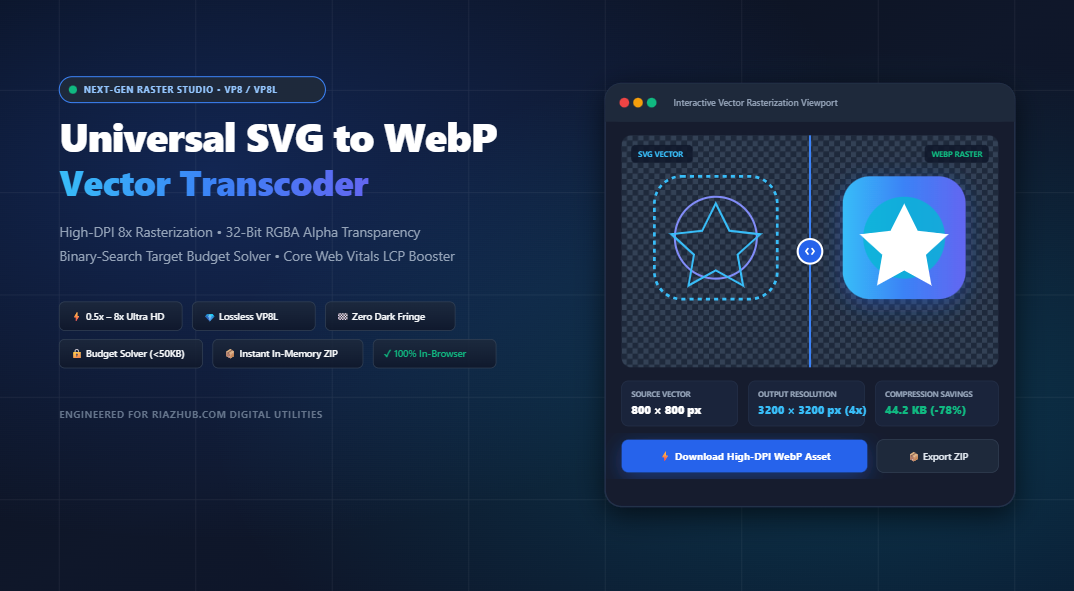
Universal SVG to WebP Vector Transcoder: Infinite-Scale High-DPI Vector Rasterization, 32-Bit RGBA Alpha Transparency & Core Web Vitals LCP Optimization
Why heavy vector SVG files are degrading your mobile performance scores, how next-gen WebP rasterization eliminates DOM rendering bottlenecks, and how to calibrate visual assets for lightning-fast Largest Contentful Paint (LCP).
For over a decade, the standard recommendation across modern web development has been simple: “Use Scalable Vector Graphics (SVG) for everything that isn’t a photograph.” While vector graphics remain indispensable for responsive UI icons and mathematical line art, the reality of modern high-traffic production websites reveals a critical performance paradox. As vector graphics become increasingly complex—packed with thousands of bezier nodes, embedded gradients, drop-shadow filters, and inline XML definitions they stop being lightweight assets and become significant CPU bottlenecks on mobile devices.
To solve this performance hurdle without losing visual crispness on 4K or Apple Retina screens, engineers pre-rasterize complex vector assets into high-DPI WebP. Using the free, browser-based Universal SVG to WebP Vector Transcoder on RiazHub.com, you can convert complex SVGs into lightweight, hardware-accelerated WebP formats (VP8/VP8L) with true 32-bit RGBA alpha transparency, custom scale multipliers up to 8x, and automated file size budget solving.
1. The Hidden Cost of Heavy SVGs: Why Vector Math Stalls Mobile Browsers
When a web browser loads a raster image (such as WebP or JPEG), the browser’s graphics rendering pipeline hands the decoded pixel buffer straight to the GPU texture memory. The GPU paints the image onto the screen in a single compositing pass.
In stark contrast, when a browser encounters a raw <svg> element with complex illustrations, the process is dramatically more CPU-intensive:
- DOM Node Explosion: An illustration exported from Adobe Illustrator, Figma, or Canva can contain 2,000 to 10,000 separate DOM nodes (
<path>,<g>,<defs>,<mask>). Each node consumes memory within the browser’s Document Object Model. - Continuous Bezier Math Recalculation: Every time the user scrolls, zooms, rotates their mobile device, or triggers a CSS transition, the browser’s CPU must recompute coordinate math, bezier curve anti-aliasing, and clipping masks for every vector point.
- Filter Calculation Thrash: Embedded SVG filters (such as
feGaussianBlurorfeDropShadow) cannot always be accelerated efficiently on mobile integrated GPUs, causing frame drops and battery drain.
Google Lighthouse tracks Largest Contentful Paint (LCP) and Interaction to Next Paint (INP). If your hero banner is a raw 180 KB SVG containing 4,000 vector nodes, mobile devices take hundreds of milliseconds just parsing the XML before rendering the first pixel. Pre-rasterizing into a 35 KB high-DPI WebP drops LCP by up to 60%.
2. Dual WebP Compression Topologies: VP8 Lossy vs. VP8L Lossless
The WebP specification developed by Google provides two entirely distinct encoding topologies. Selecting the right topology is essential when converting vector graphics:
| Feature / Topology | Lossless WebP (VP8L) | Lossy WebP (VP8) |
|---|---|---|
| Compression Method | Spatial prediction, color cache indexing & entropy coding | Discrete Cosine Transform (DCT) & macroblock quantization |
| Fidelity | 100% Bit-for-Bit mathematical replica of pixels | Calibrated visual approximation (1% to 100% quality) |
| Alpha Channel | True 8-bit RGBA transparency | Native 8-bit alpha preservation with zero color bleed |
| Size Savings | 30% to 50% smaller than 32-bit PNG | 60% to 85% smaller than PNG or heavy raw SVG |
| Recommended Use Case | App icons, UI glyphs, corporate logos with sharp text | Large hero banners, gradient artwork, complex charts |
In the RiazHub SVG to WebP converter, you can switch seamlessly between VP8L Lossless and VP8 Lossy with a single click. For lossy encoding, you get a real-time slider from 1% to 100% along with quick presets (High 90%, Balanced 80%, Compact 65%).
3. High-DPI Scaling: From Native Multipliers to Exact Aspect-Ratio Bounds
One common hesitation developers face when moving from vector to raster is resolution loss. On Apple Retina displays (2x and 3x device pixel ratios) and 4K desktop screens, a standard 1x raster image can appear blurry or pixelated.
The solution is High-DPI Super-Sampling. Because the source vector file contains infinite mathematical resolution, the transcoder calculates target coordinates before drawing to the canvas:
// Mathematical Aspect Ratio & Coordinate Extraction
const intrinsicRatio = viewBoxWidth / viewBoxHeight;

// High-DPI Multiplier Equation
const targetWidth  = Math.round(nativeWidth  * scaleMultiplier); // e.g. 800 * 2 = 1600 px
const targetHeight = Math.round(nativeHeight * scaleMultiplier); // e.g. 800 * 2 = 1600 px

// Aspect-Ratio Locked Custom Bound Equation
if (scaleMode === 'custom') {
  targetHeight = Math.round(targetWidth / intrinsicRatio);
}
Our transcoder supports preset scale multipliers designed for specific deployment targets:
- 0.5x Scale: Ideal for tiny mobile thumbnails and compact iconography.
- 1x Native: Matches the raw vector’s declared width/height attributes or viewBox coordinates.
- 2x Retina (Recommended for Web): Produces razor-sharp graphics on iPhone, iPad, MacBook Retina, and high-DPI Android displays.
- 3x Print (300 DPI equivalent): Built for ultra-dense mobile displays and high-resolution digital publishing.
- 4x 4K Ultra-HD: Up to 3840px raster dimensions for full-screen hero backgrounds and 4K monitors.
- 8x Billboard Maximum: Generates massive rasterizations up to 8192px for large-format displays.
- Custom W × H with Aspect Ratio Lock: Define exact pixel limits (e.g. 1200×630 for Facebook/Twitter Open Graph cards) with a real-time percentage slider (10% to 800%).
4. True 32-Bit RGBA Alpha Transparency & Zero Dark Fringe Technology
One of the most persistent frustrations when exporting graphics for the web is the dreaded “dark edge halo.” This occurs when legacy raster formats (like indexed PNG-8 or GIF) attempt to blend semi-transparent anti-aliased pixels against a default black or white background matte. When placed over a contrasting web theme, the graphic reveals an unsightly border.
The Universal SVG to WebP Studio uses hardware-accelerated HTML5 Canvas 2D buffers operating in true 32-bit RGBA color mode. Every fractional alpha channel value (from 0 to 255) is preserved with zero color pollution.
Furthermore, the built-in Multi-Backdrop Alpha Inspector lets you toggle your preview between:
🏁 Checkerboard Grid
Reveals transparent cutouts, fine drop shadows, and negative space geometry.
⬛ Slate Dark (#0F172A)
Verifies that your logo curves have zero white halos when viewed in Night/Dark mode.
⬜ Pure White (#FFFFFF)
Ensures that subtle gradients and light outlines maintain contrast on bright layouts.
5. The Binary Search Target File Size Budget Solver
In enterprise web optimization, development teams often establish strict performance budgets—such as “No single above-the-fold image may exceed 50 KB.” Manually guessing and tweaking quality sliders between 78%, 79%, and 81% across 20 different images is tedious and inefficient.
The studio incorporates an automated Binary Search Convergence Algorithm that calculates the optimal quality factor $Q$ for any target byte limit:
// Binary Search Quality Calibration Logic
async function solveTargetBudget(canvas, targetBudgetKb) {
  const maxBytes = targetBudgetKb * 1024;
  let low = 0.05, high = 1.0;
  let optimalBlob = null;

  for (let iteration = 0; iteration < 6; iteration++) {
    const midQuality = (low + high) / 2;
    const testBlob = await new Promise(res => canvas.toBlob(res, 'image/webp', midQuality));

    if (testBlob.size <= maxBytes) {
      optimalBlob = testBlob;
      low = midQuality; // Try higher visual quality
    } else {
      high = midQuality; // Exceeds budget, compress further
    }
  }
  return optimalBlob;
}
With 6 binary iterations, the algorithm converges within seconds inside your browser, locking your asset just below your 30 KB, 50 KB, or 100 KB budget while preserving maximum visual fidelity.
6. Production Implementation: Responsive HTML5 <picture> Markup
To follow modern Core Web Vitals best practices, you should serve WebP to all modern browsers while keeping the original SVG as a lightweight fallback. This guarantees 100% universal compatibility across every platform.
The RiazHub SVG to WebP Transcoder automatically formats drop-in markup with explicit dimensions to eliminate Cumulative Layout Shift (CLS):
<picture>
  <!-- Modern Next-Gen WebP Asset for Chrome, Safari, Firefox, Edge -->
  <source srcset="brand-logo-retina.webp" type="image/webp">

  <!-- Scalable Vector Fallback with Explicit Aspect Ratio & Async Decoding -->
  <img src="brand-logo.svg"
       alt="Brand Vector Logo"
       width="1600"
       height="1600"
       loading="lazy"
       decoding="async"
       style="width: 100%; height: auto; max-width: 100%;">
</picture>
7. Step-by-Step Guide: How to Transcode Vector SVGs into WebP
Converting single or batch vector assets takes only a few seconds:
- Ingest Your Vectors: Visit the SVG to WebP Vector Transcoder. Drag and drop single or multiple
.svgfiles into the dropzone (batches up to 50+ files are supported). Alternatively, click “Paste SVG/XML” to paste raw vector code directly from Figma or Illustrator. - Select Scaling Multiplier: Choose 2x Retina for crisp web graphics, 3x/4x for high-resolution displays, or select Custom to define specific width and height dimensions with aspect-ratio locking.
- Choose Compression Mode: Select Lossless (VP8L) for pixel-perfect logos, or Lossy (VP8) for illustrations. If working under a strict Core Web Vitals budget, check “Target File Size Budget Solver” and set your limit (e.g. 50 KB).
- Inspect Visuals: Use the Interactive Split-Screen Slider to compare the raw vector view with the rasterized WebP, or activate the 400% Zoom Loupe to inspect curve anti-aliasing.
- Export Your Assets: Download the active asset immediately, copy the raster image directly to your clipboard for instant pasting into Photoshop or Slack, or click “Download All as ZIP” to download the entire batch with an optimization audit CSV manifest.
8. Privacy & Security: 100% In-Browser Vector Processing
Brand logos, unreleased product icons, and proprietary design systems are sensitive business assets. Traditional online image converters upload your files to remote third-party servers, posing serious privacy, copyright, and confidentiality risks.
The RiazHub Vector Transcoder runs entirely inside your client browser. Using the browser’s native JavaScript execution engine, HTML5 Canvas, DOMParser, and in-memory binary generators, your vector artwork never leaves your computer. You can even disconnect your internet connection after loading the page, and the tool will continue to convert, scale, and package ZIP archives without interruption.
9. Frequently Asked Questions (FAQ)
Why not just use SVG everywhere on the web?
SVGs are fantastic for simple icons, but complex vector illustrations containing thousands of paths and filters cause high CPU utilization, memory bloat, and battery drain on mobile devices. Pre-rasterizing heavy vectors into 2x WebP gives you identical visual sharpness with faster loading and zero DOM parsing overhead.
Can I paste SVG code directly from Figma or Adobe Illustrator?
Yes. Simply click the “Paste SVG/XML” button in the transcoder, paste your raw vector XML code, and the tool will automatically normalize missing viewBox attributes and inline necessary styles.
How does the in-memory ZIP downloader work without server processing?
The studio features an integrated, lightweight pure-JavaScript PKZIP archive generator. It packages your converted WebP image buffers and an optimization manifest CSV directly in browser memory before triggering a standard browser download.
What scale multiplier should I use for standard websites?
For most website logos, hero graphics, and UI components, 2x Retina provides the ideal balance of razor-sharp visual fidelity on high-DPI screens and compact file size.
Universal SVG to WebP Vector Transcoder
Convert vector SVG graphics into ultra-optimized modern WebP assets. Retain 32-bit RGBA alpha transparency, scale up to 8x Ultra-HD or custom bounds, solve file size budgets for Core Web Vitals LCP, and export individually or as bundled ZIP packages.
Drag or swipe the divider to compare infinite vector resolution against WebP pixel fidelity.
<picture>
  <source srcset="sample-vector-logo-converted.webp" type="image/webp">
  <img src="sample-vector-logo.svg" alt="Sample Vector Logo" width="1600" height="1600" loading="lazy" decoding="async" style="width: 100%; height: auto;">
</picture>0 of 0 assets successfully transcoded
| Asset Name | Source ViewBox | Target Resolution | Mode & Quality | Output Size | Action |
|---|---|---|---|---|---|
| No batch items transcoded yet. Click "Convert All in Queue". | |||||