
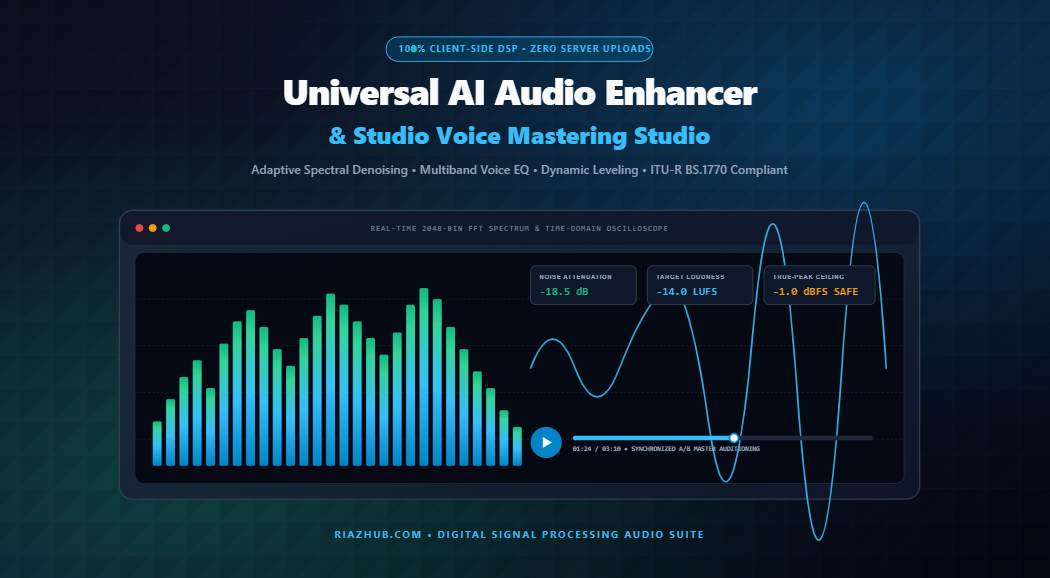
The Complete Guide to In-Browser Voice Enhancement: Spectral Denoising, Multi-Band Equalization & Broadcast Mastering
Whether producing a high-impact podcast episode, recording narration for an audio book, or polishing remote meeting recordings, background acoustic interference remains the universal enemy of speech intelligibility. Air conditioner hum, electrical mains buzz, computer cooling fans, and uneven microphone distance transform potentially authoritative vocal performances into fatiguing, amateurish audio.
Historically, achieving broadcast-standard vocal polish required either complex digital audio workstations (DAWs) equipped with expensive VST plugins or cloud-based AI services that demand paid API tokens and harvest your proprietary audio recordings on external servers.
With the modern client-side digital signal processing architecture running in the
AI Audio Enhancer & Studio Voice Mastering Studio on RiazHub,
creators can now achieve pristine studio restoration 100% in-browser with zero latency, zero cloud uploads, and zero cost.
Unlike conventional cloud AI tools, the RiazHub Audio Mastering Engine executes every calculation inside your local browser memory using native Web Audio API and OfflineAudioContext pipeline nodes. Your voice memos, interviews, and intellectual property never touch an external server.
The 4 Critical Stages of High-Fidelity Voice Restoration
Professional studio mastering is not a single filter; it is an orchestrated chain of surgical acoustic corrections designed to preserve the vocal formant range (300 Hz – 3.5 kHz) while taming distracting anomalies. Let us examine how each stage in the
Universal AI Audio Enhancer graph functions:
1. Subsonic High-Pass & Denoising
An 80 Hz to 110 Hz Butterworth high-pass filter cuts sub-audible mic plosives and room rumble, coupled with adaptive spectral floor attenuation that silences ambient hiss.
2. Body Warmth Peaking Bell
A targeted 220 Hz peaking filter enriches vocal fundamental chest resonance, compensating for thin smartphone capsules or distant condenser microphones.
3. Sibilance De-Esser Notch
A narrow-Q notch filter at 6.5 kHz isolates and suppresses piercing “s”, “t”, and “ch” fricative frequencies that induce severe digital listener fatigue.
4. Acoustic Air & Sheen Boost
A high-shelf filter at 9 kHz injects airy high-frequency studio sheen, giving consumer recordings the open acoustic clarity of classic Neumann studio microphones.
Audit Your Audio in Real Time
Upload any raw voice recording or test the built-in simulated voice track with HVAC drone right now inside your browser.
Dynamic Range Compression & Vocal Leveling Explained
Human speakers fluctuate dramatically in volume throughout natural discourse. Whispered syllables can measure at -32 dBFS while passionate vocal outbursts spike toward 0 dBFS. This dynamic volatility forces listeners to repeatedly adjust playback volume in automobiles or noisy subway commutes.
The leveling stage inside the
RiazHub AI Audio Enhancer
employs a calibrated DynamicsCompressorNode with a soft 30 dB knee and 4:1 compression ratio. By setting an ultra-fast 15ms attack time and 250ms smooth release, transient speech peaks are reined in without audible “pumping” artifacts, allowing quieter syllables to sit confidently at the top of the mix.
ITU-R BS.1770 Loudness Standards & True-Peak Ceilings
One of the most frequent mastering mistakes is pushing digital audio gain directly to 0.0 dBFS. When streaming platforms like Spotify, Apple Podcasts, and YouTube convert uncompressed master files into lossy codecs (such as AAC or MP3), inter-sample reconstruction often exceeds the 0 dBFS ceiling, causing harsh digital clipping distortion.
To guarantee flawless reproduction across all streaming distribution networks, the
Studio Voice Mastering Studio
implements ITU-R BS.1770-4 loudness compliance with a mandatory -1.0 dBFS True-Peak Ceiling:
| Platform / Standard | Target Integrated Loudness | True-Peak Safety Limit | Optimal Profile |
|---|---|---|---|
| Podcasts & Audiobooks | -16.0 LUFS (Stereo) / -19 LUFS (Mono) | -1.0 dBFS | Crystal Podcast Preset |
| Web Video & Streaming | -14.0 LUFS | -1.0 dBFS | Studio Vocal Warmth |
| Field Recordings / Voice Memos | -14.0 to -16.0 LUFS | -1.0 dBFS | Denoise & Hiss Cut |
| Zoom & Video Conferences | -14.0 LUFS (Formant Prioritized) | -1.0 dBFS | Conference Boost |
Synchronized A/B Mastering Auditioning: Hear the Difference
A critical feature for audio engineers and content creators is the ability to instantaneously compare processed master audio against the original source recording without losing playback position.
In the Dual-Deck Synchronized A/B Player on RiazHub, a single transport engine orchestrates seamless switching between:
- 🔈 Raw Unprocessed Audio: Direct playback of the source file showing ambient floor noise and unfiltered sibilance.
- ⚡ Enhanced Studio Master: Real-time auditioning of baked DSP filtering, vocal warmth, de-essing, and normalized broadcast volume.
The synchronized scrub bar and live 2048-bin FFT logarithmic visualizer let you visually audit the exact frequency cutoff where sub-80 Hz HVAC rumble is extinguished and 9 kHz sheen is added.
Step-by-Step: How to Master Your Voice Recording in Under 60 Seconds
- Access the Utility: Navigate to the
AI Audio Enhancer & Studio Voice Mastering Studio on RiazHub.com. - Import Your Audio Track: Drag and drop your audio file (supports MP3, WAV, M4A, AAC, OGG, and FLAC up to 60MB) or click Load Sample Voice Recording to test immediately.
- Select an Acoustic Profile: Choose between Crystal Podcast, Studio Warmth, Denoise & Hiss Cut, or Conference Boost.
- Fine-Tune DSP Knobs (Optional): Open the granular DSP drawer to adjust noise floor suppression (-30 dB to 0 dB), vocal air sheen (+0 dB to +8 dB), or de-esser notch intensity.
- Bake & Master: Click ⚡ Enhance & Master Audio. The browser’s OfflineAudioContext will render the entire multi-stage filter graph in seconds.
- Export Lossless Master: Download a pristine 16-bit / 44.1 kHz PCM WAV file ready for immediate distribution, or save a High-DPI Audio Engineering Dossier card.
Transform muffled voice notes into broadcast-grade podcast master recordings right now with zero software installs or account registrations.
Visit the AI Audio Enhancer Studio on RiazHub and experience studio-grade digital signal processing directly in your browser.
Universal AI Audio Enhancer & Studio Voice Mastering
Suppress background ambient drone, air conditioner noise, and electrical hum using adaptive spectral filtering, rich vocal presence equalization, and broadcast-grade dynamic range leveling in real time.
DynamicsCompressorNode dynamically attenuates high peaks (4:1 ratio with soft 30 dB knee) and amplifies quiet syllables. This ensures your podcast or narration maintains steady volume whether heard on headphones, in a car, or on laptop speakers.