
Remove PDF Pages Online Free (Unlimited & 100% Private)
Working with large PDF documents often means dealing with duplicate pages, cover sheets, unnecessary disclosures, or sensitive pages that need to be removed before sharing. Whether you are prepping a business proposal, submitting academic assignments, or organizing digital invoices, being able to quickly delete pages from a PDF is an essential daily task.
Many traditional PDF tools require expensive software subscriptions, forced registration, or mandate uploading your confidential files to unknown third-party servers. That is why we built the RiazHub Remove PDF Pages Tool — a completely free, browser-based, and private digital utility designed for speed and security.
🔒 100% Client-Side Privacy Guarantee: Unlike standard online converters, your PDF files are never uploaded to any external server. All thumbnail rendering and page deletion happen directly inside your web browser.
Why Use RiazHub’s Browser-Based PDF Page Remover?
When searching for a way to remove PDF pages online, security and usability are top priorities. Here is why the RiazHub PDF Page Remover stands out as the ultimate web utility:
- Zero Server Uploads (100% Private): Modern browser technology (Wasm & JavaScript) processes your files locally on your computer or phone. Confidential documents, bank statements, and legal files stay completely private.
- Unlimited File Size & Unlimited Pages: No artificial restrictions! Whether your PDF has 5 pages or 1,000+ pages, you can process unlimited files without paying a dime or hitting daily file quotas.
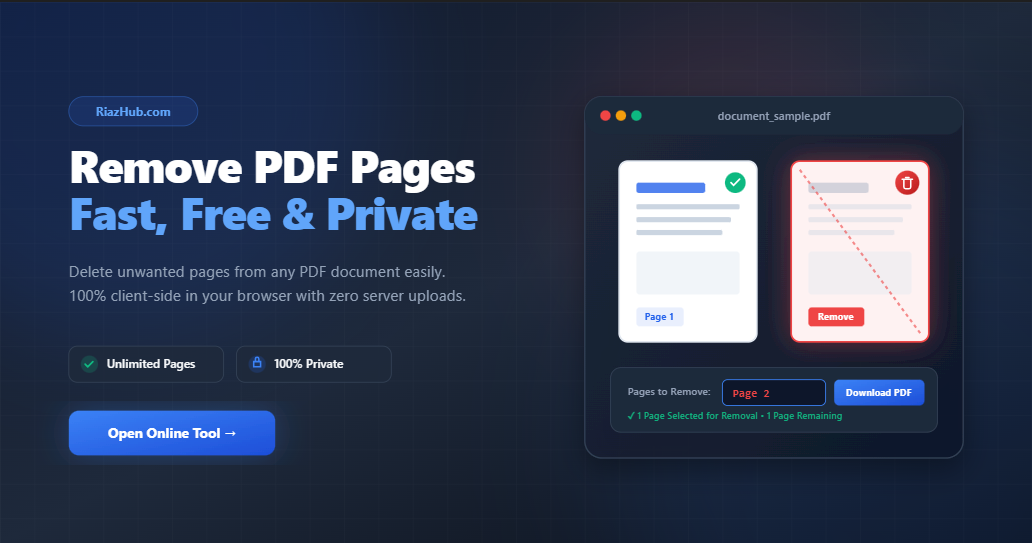
- Interactive Visual Thumbnails: View crisp canvas previews of every page in your PDF document so you can easily visually identify and mark unwanted pages for removal.
- Smart Range Selection Inputs: Enter exact page numbers or ranges (such as
2, 4-6, 9) to automatically delete multiple pages in seconds. - One-Click Quick Shortcuts: Delete all odd pages, delete all even pages, or clear selection with dedicated toolbar buttons.
- Fully Responsive & Cross-Device Compatible: Works seamlessly on Windows, Mac, Linux, iOS (iPhone/iPad), and Android devices with automatic dark and light mode adaptation.
Step-by-Step Guide: How to Delete Pages from a PDF File
Deleting unwanted pages from your document takes only a few seconds using the RiazHub Online PDF Page Remover. Follow these simple steps:
Step 1: Upload Your PDF Document
Visit the Remove PDF Pages Tool page on RiazHub.com. Drag and drop your .pdf file into the interactive upload card, or click to browse files on your device.
Step 2: Select Pages to Remove
Once your document loads, you will see visual thumbnail previews of every page alongside quick control options:
- Click Thumbnails: Click directly on any page card thumbnail to mark or unmark it for deletion. Marked pages will display a red tint and crossout indicator.
- Use Page Range Input: Type specific page numbers or ranges into the input bar (e.g.
1, 3, 5-8). - Use Quick Action Buttons: Click “Select Even Pages” or “Select Odd Pages” for bulk cleanup.
Step 3: Preview Live Metrics & Download Your Clean PDF
Check the live stats bar to confirm your remaining page count. Once satisfied, click the “Remove Pages & Download PDF” button. Your optimized PDF document will instantly compile and download directly to your device with full quality retained.
Common Scenarios for Removing PDF Pages
Here are some of the most frequent reasons professionals and students use the RiazHub PDF editing utility:
- Cleaning Up Scanned Files: Scanned multi-page documents frequently contain blank pages, unneeded cover sheets, or upside-down duplicates.
- Extracting Confidential Information: Easily strip out financial disclosures or personal data before emailing a report to clients or colleagues.
- Reducing File Size for Uploads: Removing unnecessary graphics-heavy pages decreases overall file size for online job applications, portal submissions, or email attachments.
- Customizing Student & Study Guides: Keep only the relevant chapter pages or assignment sheets for quick offline studying.
Frequently Asked Questions (FAQ)
1. Is it safe to use RiazHub’s Remove PDF Pages tool for private documents?
Yes, 100%! Unlike conventional converter sites that upload your PDF to cloud servers, RiazHub runs entirely within your browser using local client-side scripts. Your sensitive data never leaves your computer or mobile device.
2. Is there a limit on file size or how many pages I can delete?
No. You can delete pages from multi-page PDFs of any file size completely free of charge. Access the RiazHub Unlimited PDF Tool anytime without limits or registration.
3. Will removing pages reduce the quality of my PDF?
No! The tool copies over original unselected page streams cleanly without re-compressing or degrading vector graphics, text clarity, or embedded image quality.
4. Can I use this tool on my smartphone?
Absolutely. The tool is fully responsive and optimized for touchscreens on iPhones, iPads, and Android smartphones.