
The Ultimate Guide to Fast & Private PDF Page Extraction
Why Extract Specific Pages from a PDF?
PDF (Portable Document Format) is standard across all industries for document sharing, but managing multi-page documents can quickly become cumbersome. Extracting only the pages you need provides several immediate benefits:
- Significantly Reduced File Size: Remove heavy graphics, cover sheets, and unnecessary appendix pages before emailing attachments.
- Enhanced Privacy & Confidentiality: Share only relevant sections with clients, contractors, or colleagues without disclosing confidential internal notes.
- Streamlined Workflow: Organize invoices, tax returns, receipts, or research materials into concise, standalone PDF files.
- Targeted Study & Presentation: Extract key reading materials or slide decks for focused presentation handouts.
If you’re ready to separate your document, open the Extract PDF Pages online software and follow along with the guide below.
Key Features of the RiazHub PDF Page Extractor
Unlike traditional PDF splitters that require uploading your file to external web servers, our tool is built ground-up for speed, privacy, and modern user experience:
- 100% Client-Side Browser Processing: Your files never leave your computer or device. Processing happens entirely within your web browser using HTML5 WebAssembly technologies, providing 100% data security.
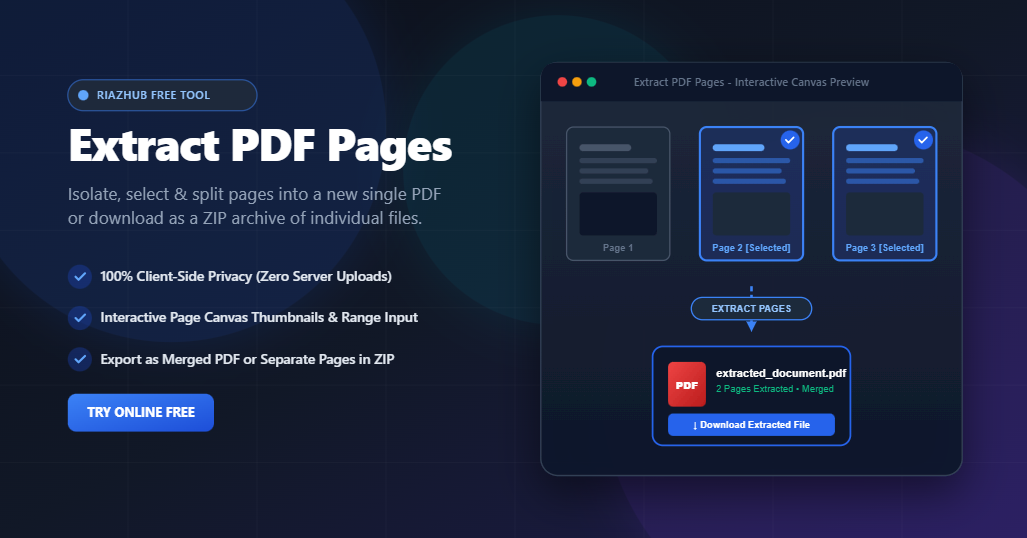
- Visual Interactive Thumbnails: Render instant thumbnail previews of every page in your document so you know exactly which pages you are selecting.
- Flexible Selection Controls: Quickly select all pages, clear selections, pick odd or even page numbers, or invert your current selection with one click.
- Smart Range Input Parsing: Manually type page numbers or custom ranges (e.g.,
1, 3, 5-12, 20) for rapid selection in large documents. - Dual Download Modes: Choose to merge your extracted pages into one single combined PDF file or download them as individual PDF files bundled in an organized
.ZIParchive. - Zero File Size & Quantity Restrictions: Process documents of any size or page count with zero sign-ups, subscription fees, or daily limits.
Step-by-Step: How to Extract Pages from Any PDF Document
Extracting PDF pages at riazhub.com/extract-pdf-pages takes just a few clicks:
- Upload Your PDF File: Drag and drop your PDF file into the upload drop zone, or click the upload area to choose a file from your computer or mobile device.
- Preview & Select Pages: High-resolution page thumbnails will automatically render in an interactive grid. Click on any thumbnail to select or deselect individual pages.
- Use Shortcut Selection Tools: Use quick action buttons like Select Odd Pages, Select Even Pages, or type page numbers directly into the range field (e.g.,
2-7, 10). - Choose Your Desired Export Format:
- Single PDF (Merged): Combines all selected pages sequentially into a new PDF document.
- Separate PDFs (ZIP): Extracts each chosen page into its own standalone PDF file and downloads them together inside a single compressed ZIP file.
- Extract and Download: Click the primary Extract PDF Pages button. Your new file will download instantly to your device!
Merged PDF vs. Separate PDFs: Which Mode Should You Choose?
When using the Free PDF Page Extractor, you can customize the output depending on your specific project requirements:
1. Single Merged PDF Output
Best for creating a clean, condensed version of a document. For example, extracting pages 5, 8, 12, and 15-20 from a 100-page manual creates a single 9-page PDF document preserving page flow.
2. Individual ZIP Archive Output
Best for cataloging, archiving, or processing individual invoices and receipts. Each selected page is saved as a separate file (e.g., document_page_1.pdf, document_page_3.pdf) packaged inside a single ZIP file.
Top Use Cases for Extracting PDF Pages
Here are common scenarios where extracting PDF pages saves time and hassle:
- Legal & Real Estate Contracts: Extract signed signature pages, addendums, or deed records without sending full multi-hundred-page closing binders.
- Academic Research & School Projects: Pull specific chapters, diagrams, or bibliography references out of massive e-books or research papers.
- Financial & Accounting Audit: Extract specific monthly bank statements or invoice receipts from annual fiscal reports.
- HR & Resume Selection: Separate candidate resumes or certificates from multi-page job application bundles.
100% Secure & Private Browser-Based Technology
Data privacy is critical when handling sensitive personal, financial, or corporate records. Conventional online PDF editors upload your sensitive files to third-party servers, posing serious data leak risks. Our Extract PDF Pages tool on RiazHub executes entirely locally on your device’s CPU and memory. No data is stored, tracked, or transmitted online.
Frequently Asked Questions (FAQ)
Is it completely free to extract PDF pages on RiazHub?
Yes, 100% free! There are no hidden fees, premium tiers, or registration requirements.
Will extracting pages reduce the quality of text or images?
No. The extraction engine extracts the vector objects, high-resolution raster images, and embedded fonts without re-compression or quality degradation.
Can I extract pages from password-protected PDFs?
If your PDF requires an open password, unlock or remove password protection first before loading it into the extractor.
What is the maximum PDF file size limit?
Because processing occurs locally inside your web browser, there are no artificial file size caps imposed by our server. Performance depends solely on your device’s memory.
Start Extracting Your PDF Pages Now
Stop struggling with heavy files and unnecessary pages. Experience lightning-fast, ultra-secure PDF page extraction today. Visit https://riazhub.com/extract-pdf-pages to extract your PDF pages instantly for free!