
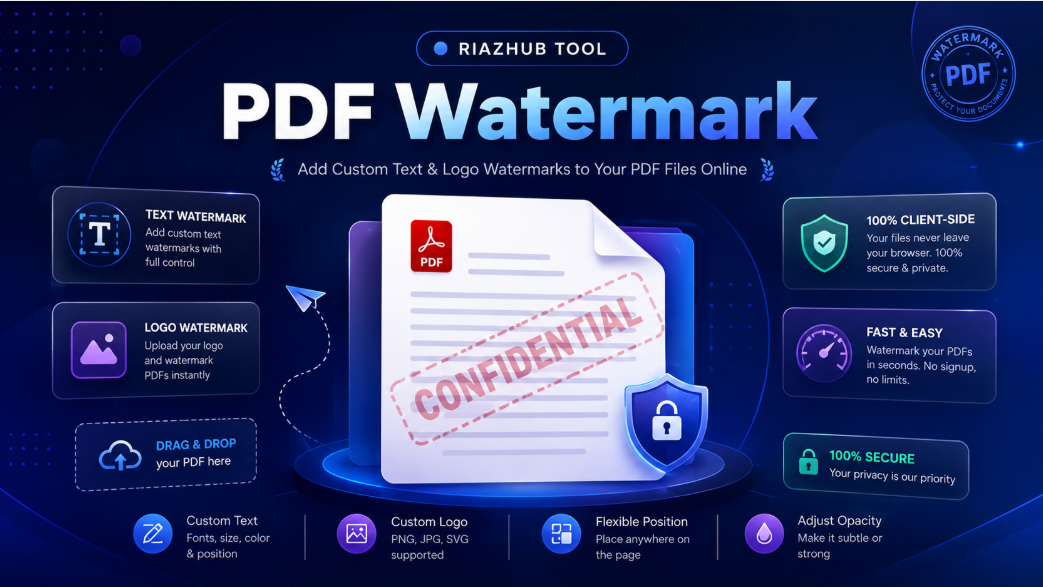
The Complete Guide to Protecting & Branding Your Documents
Why Watermarking Your PDF Files is Essential
Watermarking serves as a powerful visual layer of protection, identification, and compliance for digital documents. Stamping your PDFs offers several key advantages:
- Prevent Unauthorized Sharing & Theft: Stamping keywords like “CONFIDENTIAL”, “DRAFT”, or “DO NOT COPY” deters recipients from leaking or re-selling your documents.
- Brand Awareness & Corporate Identity: Overlay your official company logo (PNG/JPG) across sales proposals, invoices, and whitepapers to maintain consistent branding.
- Document Version Control: Clearly differentiate early drafts, review copies, and final executed versions during multi-stage approval processes.
- Intellectual Property & Copyright Protection: Photographers, designers, writers, and researchers can protect sample work, slide decks, and e-books before sending them to potential clients.
To begin watermarking your files right away, launch the free Online PDF Watermark Software and follow the step-by-step instructions below.
Key Features of RiazHub’s PDF Watermarking Tool
Unlike traditional online PDF editors that require uploading your sensitive files to third-party web servers, our tool is engineered specifically for privacy, speed, and responsive control:
- 100% Client-Side Privacy: All PDF parsing, font embedding, image processing, and file re-assembly take place locally inside your browser using WebAssembly and client-side JavaScript engines (
pdf-libandpdf.js). No files are ever sent to an external server. - Dual Watermark Modes:
- Text Watermark Mode: Type custom text, select font families (Helvetica, Times Roman, Courier, Helvetica Bold, Times Bold), pick text colors with hex precision, and adjust font size from 10px to 120px.
- Image Logo Mode: Upload high-resolution PNG or JPG logo files and adjust logo scale from 10% to 200%.
- Interactive 9-Point Grid & Tile Mode: Position your watermark perfectly using an intuitive 9-point grid picker (Top-Left, Top-Center, Top-Right, Center-Left, Center, Center-Right, Bottom-Left, Bottom-Center, Bottom-Right) or select Tile / Repeat Grid Across Page for full pattern coverage.
- Real-Time Live Canvas Preview: Preview your watermark in real time at 60fps as you adjust sliders for opacity (10%–100%), rotation angle (-180° to +180° with quick preset buttons for -90°, -45°, 0°, 45°, 90°), and positioning.
- Flexible Page Target Controls: Apply watermarks to All Pages, First Page Only, or specify a Custom Page Range (e.g.,
1-3, 5, 8-10). - Branded Instant Downloads: Download your modified PDF instantly with original resolution preserved and branded filename tagging (e.g.,
RiazHub.com_watermarked_document.pdf).
Step-by-Step: How to Watermark a PDF File Online
Watermarking your PDF documents at https://riazhub.com/pdf-watermark/ takes under a minute:
- Upload Your PDF Document: Drag and drop your PDF file into the dropzone or click to select a file from your computer or phone.
- Choose Watermark Mode:
- Select the Text Watermark tab to type your text stamp, pick a font style, text color, and size.
- Select the Image Logo Watermark tab to upload your company logo PNG or JPG file and adjust scale.
- Adjust Alignment, Rotation & Opacity: Click any cell on the 9-point grid to align the watermark, or enable Tile Grid Across Page. Move the rotation slider or click quick angle presets (-45°, 45°, 90°), and adjust the transparency slider so text beneath remains readable.
- Select Target Pages: Choose whether to watermark all pages, only the first page, or type custom page ranges like
1-5, 8, 12-15. - Verify on Live Preview: Use the live preview card and page navigation buttons to review how the watermark looks on your document.
- Apply Watermark & Download: Click the primary Add Watermark & Download PDF button. Your watermarked file will save directly to your device!
Text vs. Logo Watermarks: Which Should You Use?
Depending on your goal, you can choose the optimal watermark style using the PDF Watermark tool on RiazHub:
1. Text Stamps for Confidentiality & Status Identification
Text watermarks are ideal for legal contracts, medical records, financial audits, and internal policy documents. Slanting a semi-transparent red text stamp reading “CONFIDENTIAL – FOR INTERNAL USE ONLY” across pages ensures the recipient knows the document cannot be publicly circulated.
2. Image Logos for Corporate Branding & Creative Portfolio Protection
Image watermarks are perfect for companies sending pitch decks, press kits, architectural blueprints, or photography portfolios. Placing your corporate logo with 30% opacity in the top-right corner or center of every page reinforces your brand identity while keeping content readable.
100% Private, Secure & Browser-Based Technology
Many free online PDF watermarking web applications require users to upload documents to external cloud servers where they can be retained or exposed to security breaches. At RiazHub, security is our top priority. Our PDF Watermarker processes 100% of your data client-side in browser memory using HTML5 APIs. Your files never cross the network or touch any external server.
Frequently Asked Questions (FAQ)
Is the PDF Watermark tool completely free?
Yes, 100% free! You can watermark unlimited PDF documents without sign-ups, subscriptions, or hidden charges.
Does watermarking lower the quality of my PDF text or images?
No. Our engine embeds text and image objects directly into the PDF vector structure without re-sampling or compressing original page graphics.
Can I control which pages get watermarked?
Yes. You can apply watermarks to all pages, the cover page only, or enter custom page numbers like 1-4, 7, 10.
Can I tile the watermark across the entire page background?
Yes. Simply check the Tile / Repeat Grid Across Page box to create a repeating pattern across every page.
Protect & Brand Your PDF Files Today
Take control of your document security and branding in seconds. Visit https://riazhub.com/pdf-watermark/ now to watermark your PDF documents safely, quickly, and freely online!