
Free Online Browser Video Converter & Audio Extractor – 100% Private, Fast & Unlimited
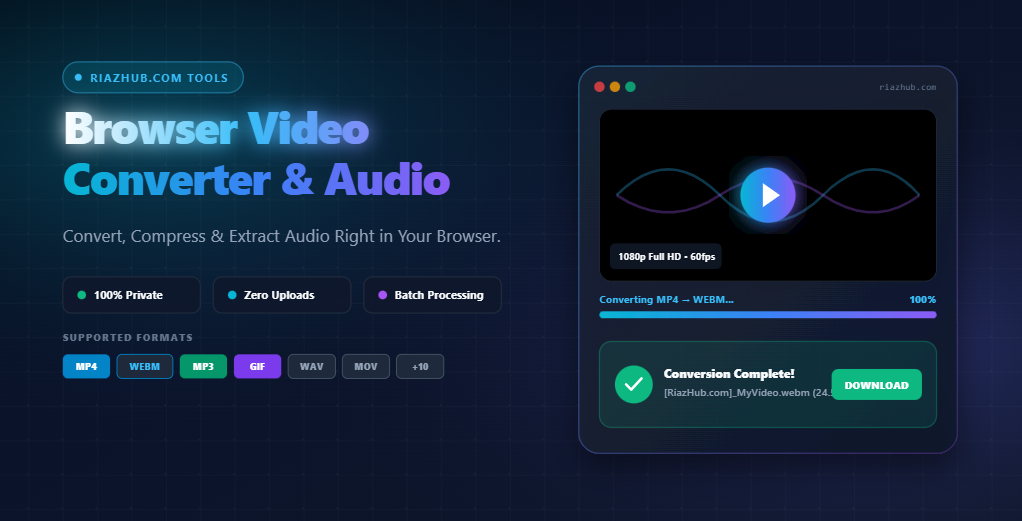
At RiazHub, we believe web tools should be fast, transparent, and completely private. That is why we built the RiazHub Free Browser Video Converter—a revolutionary web application that decodes, transcodes, resizes, and extracts audio from your videos 100% inside your web browser.
No installation, zero registration, and no cloud uploads required. Launch the Browser Video Converter Tool on RiazHub.com now.
How Client-Side Conversion Protects Your Privacy
Most online conversion utilities operate by receiving your uploaded video file on an external server, passing it through a cloud-hosted script, and sending a download link back to your browser. This legacy architecture poses major problems:
- Privacy & Security Risks: Personal family clips, sensitive business recordings, or unreleased project files remain stored on third-party servers.
- Bandwidth & Speed Bottlenecks: Uploading a 500 MB 4K video clip on standard home internet can take 10 to 20 minutes before conversion even starts.
- Strict File Size & Rate Limits: Most free websites cap uploads at 50 MB or restrict you to 2 conversions per day.
The RiazHub Client-Side Converter eliminates these limitations completely. By utilizing WebAssembly (WASM), Web Codecs, and native browser WebAudio APIs, video frames and audio channels are parsed locally inside your device’s browser memory. Your files are never uploaded to any server on the internet.
Standout Features of RiazHub Video Converter
- ✨ 15+ Video & Audio Formats: Transcode clips to MP4 (H.264), WebM (VP8/VP9), Animated GIF, MOV, AVI, MKV, FLV, WMV, 3GP, M4V, TS, OGV, or extract standalone audio into MP3, WAV, AAC, OGG, M4A, FLAC, OPUS.
- 📦 Batch Multi-File Upload Queue: Drag and drop multiple files at once. Configure target options globally or review individual files in a structured queue.
- 📐 Full Resolution & Frame Rate Control: Keep your original resolution or downscale to 1080p Full HD, 720p HD, 480p SD, or 360p Mobile. Select target frame rates (60 FPS, 30 FPS, 24 FPS, 15 FPS) to optimize visual smoothness or reduce file sizes.
- 🎬 Interactive Video Preview Player: Inspect your uploaded video directly inside the built-in HTML5 player before converting.
- 🏷️ Automated Branded Downloads: Converted outputs are automatically formatted as
[RiazHub.com]_filename.extfor clean file organization. - 🌙 Automatic Dark Theme Inheritance: Seamlessly follows your site’s dark/light theme for comfortable use during late-night editing sessions.
Comprehensive Format Support Table
Here is a breakdown of output formats available on the RiazHub Video Converter Tool:
| Format Category | Supported Extensions | Ideal Use Cases |
|---|---|---|
| Universal Video | MP4, WEBM, MOV, AVI | High-compatibility web streaming, social media uploads, and desktop playback. |
| Legacy & Archive Video | MKV, FLV, WMV, 3GP, M4V, TS, OGV | Converting old camcorder tapes, Flash animations, or mobile 3GPP clips. |
| Animated Images | GIF (Animated) | Creating lightweight short reaction gifs for Discord, Slack, or email newsletters. |
| Audio Extraction | MP3, WAV, AAC, OGG, M4A, FLAC, OPUS | Extracting speech, podcasts, interviews, or background music from video files. |
Step-by-Step Guide: How to Convert Videos Online
- Step 1: Open the Application: Visit the RiazHub Online Video Converter Web Page.
- Step 2: Add Your Video File(s): Drag and drop your files directly onto the upload zone, or click “browse” to choose video files from your desktop or mobile file picker.
- Step 3: Select Target Output Settings: Choose whether you want a video format (e.g., MP4, WebM) or audio extraction (e.g., MP3, WAV). Adjust resolution downscaling (1080p, 720p, 480p) or frame rate as needed.
- Step 4: Click Convert & Download: Press “Convert & Download Video(s)”. The conversion engine will execute in browser memory and trigger instant downloads.
Frequently Asked Questions (FAQ)
A: Because conversion is performed inside your local computer or phone browser memory, there are no artificial website upload limits. You can process large video files seamlessly.
A: No! All conversion routines run client-side. Zero bytes of your video or audio data ever reach any external web server.
A: Yes! Simply select “MP3” or “WAV” from the Audio Extraction Formats tab, and the tool will extract the audio track in seconds.