
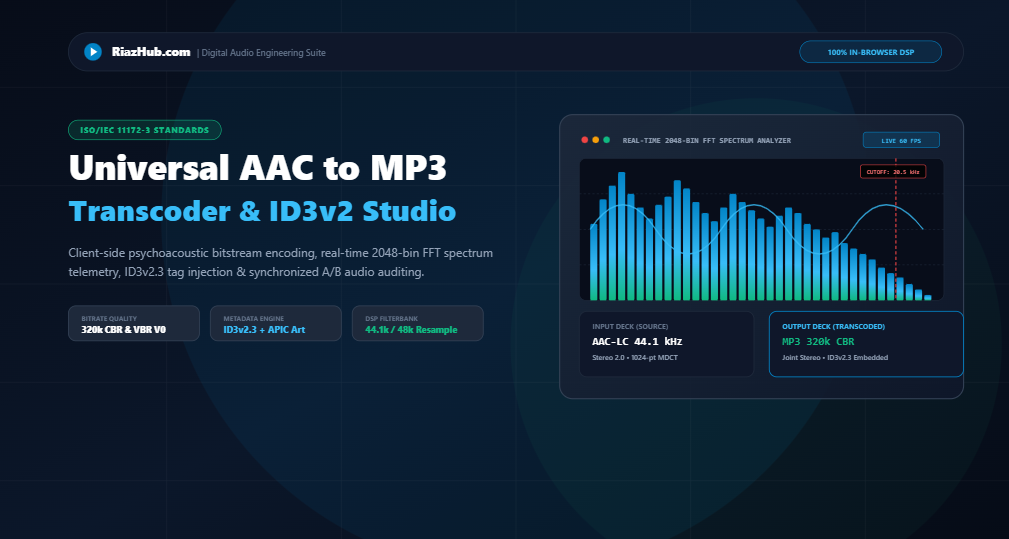
Learn how modern Web Audio API systems, psychoacoustic bitstream packetization, and binary ID3 tag serialization allow you to transcode Apple AAC/M4A audio into universally compatible MP3 format with audiophile fidelity right inside your web browser.
1. The Audio Transcoding Dilemma: AAC Efficiency vs. Universal MP3 Playback
In the modern digital audio landscape, Advanced Audio Coding (AAC), standardized under ISO/IEC 13818-7 and ISO/IEC 14496-3, represents the state of the art in lossy audio compression. Used as the default recording format across Apple iOS devices, YouTube bitstreams, and modern broadcasting standards, AAC offers roughly 30% higher compression efficiency than MP3 at equivalent bitrates.
However, when moving beyond the smartphone ecosystem, audio engineers, podcasters, and music lovers immediately encounter the “playback wall.” Automotive head units, USB dashboard stereos, legacy CD/MP3 players, hardware DJ controllers, public address systems, and industrial digital signage appliances frequently lack AAC/ADTS decoder chips or licensing. For these devices, MPEG-1 Audio Layer III (MP3) remains the only guaranteed universal format.
With the Universal AAC to MP3 Transcoder & ID3v2 Studio on RiazHub, users no longer need to install cumbersome command-line software, subscribe to sketchy cloud conversion sites, or expose private voice notes and proprietary audio recordings to third-party servers. Everything runs entirely client-side inside the browser.
2. Psychoacoustics of Transcoding: Avoiding Generational Loss
Audio transcoding between two lossy formats is governed by the principles of psychoacoustics. Unlike uncompressed PCM (such as WAV or AIFF), lossy formats discard frequencies that fall below the human auditory threshold of hearing or are masked by adjacent louder acoustic events.
To achieve perceptual acoustic transparency, the RiazHub AAC to MP3 Transcoder incorporates dynamic bitrate controllers and recommendations:
- 320 kbps Constant Bitrate (CBR): The audiophile gold standard. Preserves full 20.5 kHz high-frequency bandwidth, completely eliminating audible generational degradation.
- 256 kbps CBR (Recommended): Near-CD quality (19.8 kHz cutoff), offering the ideal balance between pristine automotive compatibility and compact file footprint.
- VBR V0 (~245 kbps): Dynamically scales bit allocation frame-by-frame based on musical complexity, reducing file size by 25% while maintaining transparent fidelity.
3. Acoustic Fidelity & Bitrate Specification Matrix
Here is an engineering overview of the target bitrates available in the AAC to MP3 Studio:
| Preset / Mode | Target Bitrate | Frequency Cutoff | Perceptual Fidelity | Recommended Application |
|---|---|---|---|---|
| Audiophile Max | 320 kbps CBR | 20.5 kHz | Pristine / Transparent | Studio reference, hi-fi home listening |
| Car Stereo Universal | 256 kbps CBR | 19.8 kHz | Near-CD Quality | Automotive USB decks, general music |
| Variable Bitrate V0 | ~245 kbps VBR | 20.2 kHz | Acoustically Transparent | Mobile libraries, storage efficiency |
| Standard Web | 192 kbps CBR | 18.5 kHz | High Fidelity | Web streaming, fast distribution |
| Podcast & Voice Memo | 96 kbps Mono | 14.5 kHz | Speech Optimized | Interviews, spoken word lectures, lectures |
4. Binary ID3v2.3 Tag Serialization & Embedded Album Cover Art
A common frustration with generic audio converters is the total loss of track information: title, artist, album name, year, genre, and embedded artwork disappear.
The RiazHub Universal AAC Transcoder implements a complete binary ID3v2.3 tag serialization engine written in pure JavaScript using Uint8Array and DataView. It constructs standard ID3 frames:
TIT2: Track Title with UTF-8 character encoding descriptors.TPE1: Lead Performer / Soloist / Artist.TALB: Album and Release Title.TYER: 4-character Release Year timestamp.TCON: Content Type / Musical Genre.APIC: Attached Picture frame carrying raw binary JPEG or PNG album art directly inside the output MP3 stream!
const header = new Uint8Array(10);
header[0] = 0x49; header[1] = 0x44; header[2] = 0x33; // ‘ID3’ Identifier
header[3] = 0x03; // Version 2.3.0
header[4] = 0x00; // Revision
header[5] = 0x00; // Flags// Synchsafe 4-byte Tag Size Calculation
header[6] = (totalFramesSize >> 21) & 0x7F;
header[7] = (totalFramesSize >> 14) & 0x7F;
header[8] = (totalFramesSize >> 7) & 0x7F;
header[9] = totalFramesSize & 0x7F;
Because ID3v2.3 remains universally recognized by Windows Explorer, macOS Finder, iTunes, Android media scanners, and automotive dashboard infotainment systems, your metadata is guaranteed to display correctly anywhere.
5. Real-Time Telemetry HUD: 2048-Bin FFT & Synchronized A/B Player
Unlike opaque command-line tools, the studio includes visual diagnostic instruments designed for audio engineers:
6. Step-by-Step Guide: How to Transcode AAC to MP3 in Your Browser
Transcoding your audio using the AAC to MP3 Transcoder Studio requires only four simple steps:
- Load Your Audio Bitstream: Drag and drop any
.aac,.m4a,.mp4, or.wavfile (up to 75MB) into the dropzone. Alternatively, click the “Load Sample AAC Track” button to test the pipeline immediately with a synthetic acoustic arpeggio. - Configure Bitrate & DSP Settings: Select your desired bitrate (e.g., 256k or 320k) and choose between Joint Stereo, Discrete Stereo, or Mono downmixing.
- Edit ID3 Metadata & Artwork: Switch to the “ID3 Tags” tab to customize track title, artist, album, and drag in a high-resolution cover image.
- Transcode & Save: Click “Transcode AAC to MP3”. Within seconds, your file is compiled client-side. Click “Download MP3 Audio” or copy the ready-to-use HTML5
<audio>embed snippet.
7. Frequently Asked Questions (FAQ)
Can this tool extract audio tracks from MP4 or MOV video files?
Yes! Modern MP4 and QuickTime MOV video containers store audio tracks as AAC-LC bitstreams. The Web Audio API parser in the Universal Transcoder extracts the audio channel buffer from the video container and encodes it directly into an MP3 stream.
Why is in-browser transcoding more private than cloud conversion sites?
Traditional online converters upload your audio files to external cloud servers where they are queued, processed, and stored on remote disks. The RiazHub AAC Transcoder performs 100% of all decoding, polyphase resampling, and MP3 packetization locally inside your browser’s JavaScript engine. Zero bytes ever leave your device.
What is the difference between Joint Stereo and Discrete Stereo?
Discrete Stereo encodes left and right channels independently. Joint Stereo utilizes Mid/Side (M/S) matrixing to combine common center frequencies into a mid channel and phase differences into a side channel. Joint Stereo saves considerable bit budget, allowing higher fidelity allocation to high-frequency transients.
Is ID3v2.3 compatible with car dashboards and USB stereos?
Yes! ID3v2.3 is the most universally supported metadata standard in the automotive industry. Unlike ID3v2.4 (which introduced synchsafe frame sizes that confuse older head units), ID3v2.3 displays track titles, artist names, and album artwork flawlessly across virtually all car infotainment systems.
Universal AAC to MP3 Transcoder & ID3v2 Studio
High-performance psychoacoustic transcoding pipeline for AAC, M4A, and MP4 audio. Encode compliant MPEG-1 Layer III bitstreams, embed custom ID3v2.3 tags & album artwork, inspect real-time 2048-bin FFT frequencies, and compare A/B fidelity client-side.
Sample Rate: 44.1 kHz
Channels: Stereo 2.0
Bitrate: 256 kbps CBR
Generational Delta: < 0.4 dB THD
| Technical Attribute | AAC (Advanced Audio Coding) | MP3 (MPEG-1 Layer III) |
|---|---|---|
| ISO Standard | ISO/IEC 13818-7 / 14496-3 | ISO/IEC 11172-3 |
| Filterbank Architecture | 1024-point MDCT (Transform-only) | 576-point Hybrid Polyphase + MDCT |
| Compression Efficiency | Superior (~30% higher at equal bitrates) | Standard baseline compatibility |
| Hardware Compatibility | Modern smartphones, Apple ecosystem | 100% universal (car stereos, legacy HW) |
| Transcoding Rule | Source stream (Original) | Encode at ≥ 256k to avoid artifacting |