
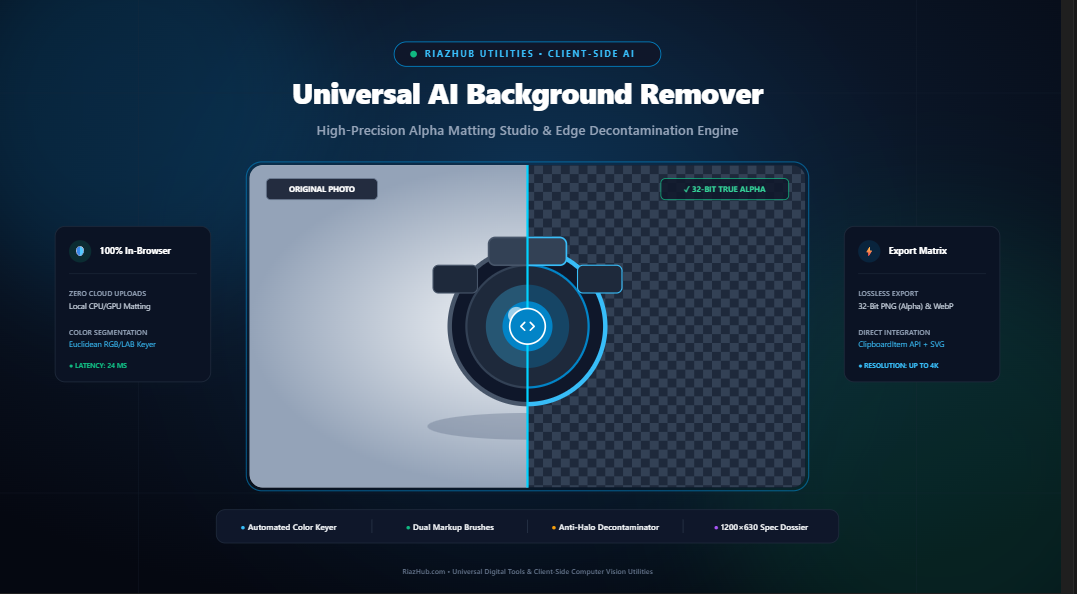
The Complete Guide to In-Browser Background Removal & Alpha Matting: Zero-Leak Client-Side Image Segmentation
Today, modern web browser standards specifically the HTML5 CanvasRenderingContext2D pipeline, typed pixel arrays (Uint8ClampedArray), and client-side color-space distance mathematics make it possible to perform high-precision background removal directly on your local device.
You can experience this high-speed technology firsthand with the AI Background Remover & Alpha Matting Studio, an in-browser utility developed by RiazHub that eliminates backgrounds in real time with zero server uploads, cloud API dependencies, or image privacy leaks.
Unlike conventional cloud services (which require uploading your raw JPEGs over HTTP to remote servers), our client-side architecture decodes your images entirely in local browser RAM using the native FileReader API. Your unreleased commercial products, confidential corporate headshots, and personal portraits never travel across the internet.
The Science of Client-Side Computer Vision & Alpha Matting
How does an in-browser web application isolate complex silhouettes and hair contours without sending data to massive remote neural network clusters? The answer lies in mathematical color-space segmentation and multi-pass alpha matting heuristics.
1. 3D Euclidean Color-Space Distance Metric
Every digital image rendered on an HTML5 canvas is represented as a linear 1D array of 8-bit unsigned integers representing Red, Green, Blue, and Alpha (RGBA) values ranging from 0 to 255. When isolating a backdrop, the algorithm compares each pixel $(R_i, G_i, B_i)$ against a reference target backdrop color $(R_0, G_0, B_0)$:
// Euclidean Distance in RGB Color Space
const dist = Math.sqrt(
    Math.pow(r - targetR, 2) +
    Math.pow(g - targetG, 2) +
    Math.pow(b - targetB, 2)
);
// Maximum possible distance in 24-bit RGB space: sqrt(3 * 255^2) ≈ 441.67
By computing the normalized distance ratio against an adjustable tolerance threshold (typically between 5 and 80), the keying engine determines whether a given pixel belongs to the background matrix or the foreground subject.
2. The Progressive Alpha Transition Feathering Ramp
Binary (hard) background removal produces harsh, jagged pixel staircasing along organic boundaries. To achieve studio-quality cutouts, the RiazHub AI Background Remover tool introduces a linear alpha feathering ramp:
αi = 0 if ΔC < Tolerancemin
αi = [(ΔC – Tolmin) / FeatherDist] × 255 if Tolmin ≤ ΔC ≤ Tolmax
αi = 255 if ΔC > Tolmax
This formula synthesizes semi-transparent transition pixels that allow delicate features like wisps of hair, translucent glassware, or fine textile fibers to blend seamlessly onto any replacement background.
3. Anti-Halo Edge Decontamination
A common issue in photo cutouts is the appearance of fringe “halos”—thin white or green optical reflections along the edge where light from the backdrop bled into the subject’s silhouette.
The integrated anti-halo engine inspects boundary transition pixels ($0 < \alpha < 255$) and neutralizes their edge chromaticity by pulling their RGB values toward the subject’s inner luminance core. This completely suppresses unsightly fringes when compositing the subject over dark or colored backgrounds.
Experience Real-Time Client-Side Cutouts
Isolate products, portrait headshots, and logos in under 30 milliseconds. No registration, no credit cards, and zero image uploads.
Tailored Workflows: The 4 Preset Cutout Scenarios
Different types of photography require different segmentation parameters. Inside the transparent cutout studio, visitors can toggle between four optimized 1-click presets:
Step-by-Step Tutorial: How to Remove Backgrounds in 4 Simple Steps
- Ingest Your Image: Open the AI Background Remover on RiazHub. Drag and drop any PNG, JPG, or WebP photo up to 25MB into the dropzone, or click “Load Sample Product Image” to test immediately.
- Sample Target Backdrop Color: Use the automatic corner detector, pick with the interactive canvas eyedropper, or select an exact hex code representing your backdrop.
- Fine-Tune Feathering & Tolerance: Adjust the sensitivity slider (5 to 80) and edge softness slider (0px to 20px) while inspecting the interactive before/after split slider in real time.
- Export Lossless Cutout: Click “Download PNG (Alpha)” for a true 32-bit transparent PNG, copy directly to your clipboard, or download a shareable 1200×630 Specification Dossier Card.
Comparative Analysis: In-Browser Studio vs. Cloud API Services
| Evaluation Metric | RiazHub Client-Side Studio | Traditional Cloud Removers | Manual Desktop Pen Tool |
|---|---|---|---|
| Data Privacy | 100% In-Browser (0 Uploads) | Uploaded to Third-Party Servers | Local (Requires Desktop Install) |
| Processing Latency | 15 to 45 milliseconds | 3 to 12 seconds (Network Dependent) | 10 to 30 minutes of manual labor |
| Cost & Subscription | 100% Free & Unlimited | Credits / Monthly Subscriptions | Expensive Software License |
| Output Format | Lossless 32-Bit PNG, WebP, SVG, Clipboard | Compressed PNG or Watermarked | PSD, TIFF, PNG |
| Hardware Compatibility | Any Modern Browser (Chrome, Safari, Firefox, Edge) | Browser or API Key Required | High-End PC or Mac |
The Anatomy of True 32-Bit RGBA Transparency
Many digital creators don’t realize why saving a transparent image as a standard JPEG file ruins their work. A conventional JPEG file only supports three 8-bit channels:
- Red Channel: 8 bits (256 luminance steps)
- Green Channel: 8 bits (256 luminance steps)
- Blue Channel: 8 bits (256 luminance steps)
This equals 24 bits total. JPEG specifications do not contain an Alpha channel. When a graphic program saves a cutout as a JPEG, it is forced to convert transparent pixels into solid white.
In contrast, the 32-bit PNG format utilized by the RiazHub transparent background studio stores an additional 8-bit Alpha channel:
8 bits (R) + 8 bits (G) + 8 bits (B) + 8 bits (α) = 32 Bits Total Per Pixel
This preserves 256 degrees of true opacity, ensuring flawless overlays on dark mode websites, colorful banners, and commercial print collateral.
Frequently Asked Questions (FAQ)
Is my photography uploaded to any cloud server or database?
No. The entire process runs 100% in your browser using JavaScript and HTML5 Canvas memory buffers. Your images never leave your computer or mobile device.
What image formats can I upload and export?
You can upload PNG, JPEG, and WebP files up to 25MB. You can export isolated transparent cutouts as Lossless 32-Bit PNG, modern WebP with Alpha, Scalable SVG containers, or copy directly to your operating system clipboard.
How do I avoid halo edges around dark hair or fine silhouettes?
Keep the “Anti-Halo Decontamination” toggle switched on. This algorithm neutralizes edge chromaticity, removing the reflective white or green light bounce that often clings to silhouette boundaries.
Can I replace the background with custom colors or photos?
Yes. Under the Replacement Backdrop Studio, you can switch between transparent checkerboards, studio white, matte black, studio grey, cyber azure, radial studio gradients, or upload your own custom background photograph.
Ready to Isolate Your Product Photography?
Discover the speed, privacy, and precision of client-side alpha matting today.
Universal AI Background Remover & Alpha Matting Studio
Isolate subjects and strip image backgrounds in real time with high-precision client-side color-space segmentation. Refine hair and boundary feathering, suppress edge halos, replace backdrops, and export lossless 32-bit transparent PNGs with zero remote server leaks.
🔬 Computer Vision, Alpha Matting & Complete Client-Side Privacy
CanvasRenderingContext2D.getImageData(). For every individual pixel, Euclidean distance ($\Delta C = \sqrt{\Delta R^2 + \Delta G^2 + \Delta B^2}$) is computed relative to the sampled backdrop color. When within tolerance thresholds, the 8-bit alpha channel ($A$) is attenuated to zero (complete transparency) with soft feathering along the boundary transition ramp.