
Mastering In-Browser Digital Compositing: How to Replace Image Backdrops with Studio Lighting, Realistic Contact Shadows, and Depth-of-Field
Why does this happen? The answer lies in the physics of light: when an isolated object is placed into a new environment without proper contact occlusion shadows, ambient color harmonization, and depth-of-field lens blur, the human brain instantly registers the image as fake and “floating.”
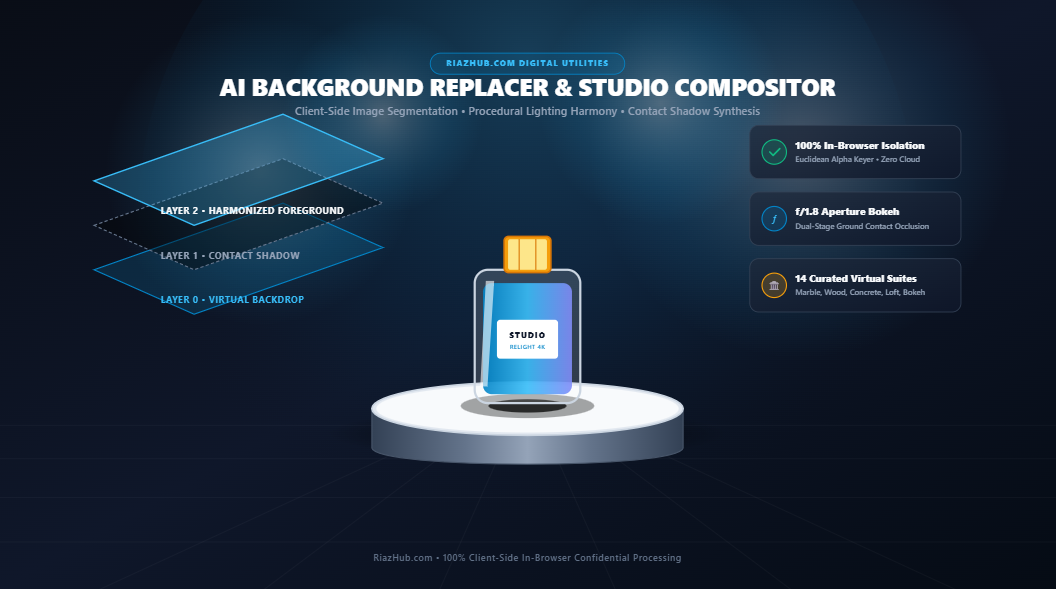
To solve this challenge without expensive software licenses or exposing confidential product assets to third-party cloud servers, RiazHub developed the Universal AI Background Replacer, Studio Lighting & Compositing Studio. This browser-based engine executes multi-layer canvas compositing, physical shadow synthesis, and color harmonization 100% inside your local web browser.
Realism in digital compositing is not just about clean edges it requires optical harmony between foreground and background through contact shadows, ambient bounce light, and simulated lens aperture bokeh. You can experience this complete workflow instantly in the AI Background Replacer & Studio Lighting Studio.
1. The Four Pillars of Realistic Digital Compositing
A convincing composite scene requires synchronizing multiple optical properties between the foreground subject and the newly introduced virtual environment. Here is how professional digital studios achieve visual realism:
Pillar 1: Two-Tier Contact Ground Shadows (Umbra & Penumbra)
When a solid object rests on a surface, it physically obstructs light from reaching the area directly beneath its base. This creates a dense, dark contact patch known as the umbra. As light disperses around the edges of the base, the shadow quickly softens into a diffused penumbra gradient.
Standard photo editors often apply simple, uniform drop-shadows that float behind the entire subject. The RiazHub Background Replacer Studio uses procedural elliptical math centered at the subject’s base coordinates to render an authentic dual-stage contact shadow with quadratic alpha decay.
Pillar 2: Ambient Color Spill & Lighting Harmonization
In real-world environments, light reflects off nearby walls, floors, and backdrops onto the subject. If a product was originally photographed under cold fluorescent white light and is placed onto a warm wooden podium or an outdoor sunlit garden, the mismatch in color temperature instantly betrays the composite.
The engine analyzes the target backdrop’s chromaticity vector (R_bg, G_bg, B_bg) and injects a soft-light ambient color wash over the foreground highlights using the following mathematical formulation:
C_harmonized = (1 - w) × C_fg + w × (C_fg × (C_bg / 128))
This subtle equation decontaminates harsh edge fringing and organically marries the subject with its new virtual surroundings.
Pillar 3: Depth of Field & Aperture Bokeh Emulation
Prime camera lenses (such as 50mm f/1.4 or 85mm f/1.8) create optical separation by keeping the focal subject tack-sharp while gently blurring the background into creamy bokeh. Applying an adjustable Gaussian blur (from 0px to 30px) across the background layer simulates wide-aperture photography, directing viewer attention straight to the craftsmanship of the product.
Pillar 4: Precision Alpha Segmentation
Using Euclidean RGB distance keying with customizable tolerance (0 to 80) and edge feathering (0px to 20px), subjects are isolated from solid studio backgrounds cleanly without jagged stepping or harsh pixel boundaries.
Transform Your Product Photos in Seconds
Swap flat backgrounds with marble pedestals, executive offices, and editorial studio softboxes. Complete client-side privacy with zero server uploads.
2. Exploring the 14 Curated Virtual Studio Backdrops
Rather than requiring you to source external stock photos, the In-Browser Studio Lighting & Compositing Studio includes 14 curated, procedurally generated virtual studio backdrops tailored for diverse commercial staging scenarios:
| Backdrop Preset | Aesthetic & Geometry | Best Suited For |
|---|---|---|
| 🏛️ Marble Podium | Beveled white marble cylinder with top softbox key light | Luxury perfumes, cosmetics, fine jewelry, skincare jars |
| 🪵 Wood Pedestal | Warm oak circular plinth with warm directional studio fill | Organic brands, artisanal goods, leather accessories |
| 🧱 Concrete Slab | Industrial brutalist architectural plinth with clean shadows | Footwear, sneakers, tech gadgets, industrial design |
| 🌈 Studio Softbox | Smooth radial photographic gradient with neutral horizon | Clean catalog assets, electronics, e-commerce listings |
| 👑 Midnight Velvet | Deep royal indigo velvet stage with overhead golden spotlight | Watches, diamond jewelry, high-end spirits, luxury gifts |
| 🌅 Sunset Halo | Warm peach-to-violet golden hour editorial halo glow | Fashion accessories, sunglasses, summer lifestyle items |
| 🖤 Stealth Obsidian | Matte carbon monolith with razor-sharp edge rim lighting | Gaming hardware, audio equipment, automotive accessories |
| 🧊 Frosted Glass | Translucent frosted acrylic riser with caustic underlighting | Serums, botanical extracts, health and wellness products |
| 🏢 Luxury Office | Executive suite panoramic glass wall with blurred skyline bokeh | Professional headshots, corporate portraits, laptops |
| 🌿 Garden Bokeh | Sunlit botanical garden with soft overlapping bokeh circles | Eco-friendly packaging, natural supplements, food items |
| ⚡ Cyber Neon | Retro synthwave magenta and cyan horizon grid lighting | Streetwear, gaming peripherals, music equipment |
| 🏙️ Modern Loft | Industrial warehouse exposed brick with warm floor sunlight | Interior decor, home goods, apparel flat-lays |
| ☕ Cozy Café | Espresso wood counter with warm ambient coffeehouse orbs | Mugs, books, lifestyle goods, packaged beverages |
| 🌸 Pastel Podium | Modern aesthetic soft lilac and blush architectural pedestals | Beauty items, stationery, boutique lifestyle brands |
In addition to the 14 built-in suites, you can ingest any custom image backdrop via drag-and-drop. The engine automatically applies aspect-ratio cover scaling to fit your composite canvas perfectly.
3. How to Use the Tool: A Step-by-Step Practical Workflow
Achieving a magazine-ready composite takes less than 60 seconds. Follow this straightforward workflow using the AI Background Replacer & Compositing Studio:
- Ingest Your Foreground Subject: Drag and drop your product photo, portrait, or asset into the dropzone (supports PNG, JPG, and WebP). If you don’t have an asset on hand, click
🛍️ Load Sample Productto instantly test with a high-resolution cosmetic flask. - Sample & Key the Background Color: Click
🎯 Auto-Sampleto automatically detect the corner background color of your image, or use the interactive color picker. Adjust the Keying Tolerance slider until the background cleanly dissolves into transparency. - Select a Virtual Backdrop: Choose from the 14 virtual presets (such as Marble Podium or Concrete Slab) or upload a custom backdrop.
- Fine-Tune Physical Grounding & Lighting: Open the Lighting Harmony & Physical Contact drawer:
- Set Depth-of-Field Bokeh (typically 8px to 16px) to optically separate the subject.
- Set Contact Shadow Opacity (40% to 65%) to anchor the object securely to the pedestal.
- Adjust Ambient Relighting Blend (25% to 45%) to balance reflected color casts.
- Use Subject Scale and Vertical Position to align the base flush with the virtual podium surface.
- Inspect with the Interactive Split-Screen Wiper: Drag the center wipe slider across the viewport to compare the unedited raw photograph against the final harmonized composite scene in real time.
- Export Production Assets: Download your final scene as a lossless 32-bit PNG or high-efficiency WebP, export an isolated transparent cutout PNG, copy directly to your clipboard, or generate a high-DPI 1200×630 Studio Blueprint Dossier Card.
4. Enterprise Confidentiality: Why Client-Side Processing Matters
In competitive retail, fashion, and consumer technology sectors, manufacturers cannot afford to upload unreleased product prototypes, 3D renderings, or patent-pending industrial designs to third-party cloud platforms. Most cloud-based AI tools transmit your proprietary images to remote servers with ambiguous data-retention and model-training terms.
The RiazHub AI Background Replacer operates on a strict zero-server privacy architecture:
- Zero Remote Uploads: Pixel segmentation, canvas rendering, and color blending happen exclusively inside your browser’s local memory.
- Zero API Latency: Because no data is transmitted over the network, adjustments and slider updates render instantaneously at 60 FPS.
- Total Asset Confidentiality: Your pre-launch product catalogs, customer portraits, and proprietary graphics never leave your workstation.
5. Frequently Asked Questions (FAQ)
Can I replace backgrounds on images that already have transparent cutouts?
Yes. If you upload a transparent PNG or WebP file, the tool automatically detects the existing alpha channel and proceeds directly to backdrop rendering, contact shadow synthesis, and lighting harmonization without requiring keying.
What image formats and resolutions are supported?
The tool supports JPEG, PNG, and WebP files up to 25MB and handles high-resolution source images (including 4K studio captures) seamlessly thanks to native HTML5 Canvas acceleration.
How do I print or export a PDF specification sheet?
Click the 🖨️ Print PDF button in the output toolbar. The tool features an optimized print stylesheet that removes UI controls and formats your composite cleanly onto a white, printer-friendly page.
Ready to Create Professional Studio Visuals?
Enhance your e-commerce listings, portfolio portraits, and creative presentations with studio-grade lighting and realistic podiums.
Universal AI Background Replacer & Studio Compositing
Swap image backdrops with professional e-commerce podiums, studio lighting gradients, and realistic bokeh interiors. Harmonize lighting tones, add authentic ground contact shadows, and export production-ready assets without cloud uploads.