
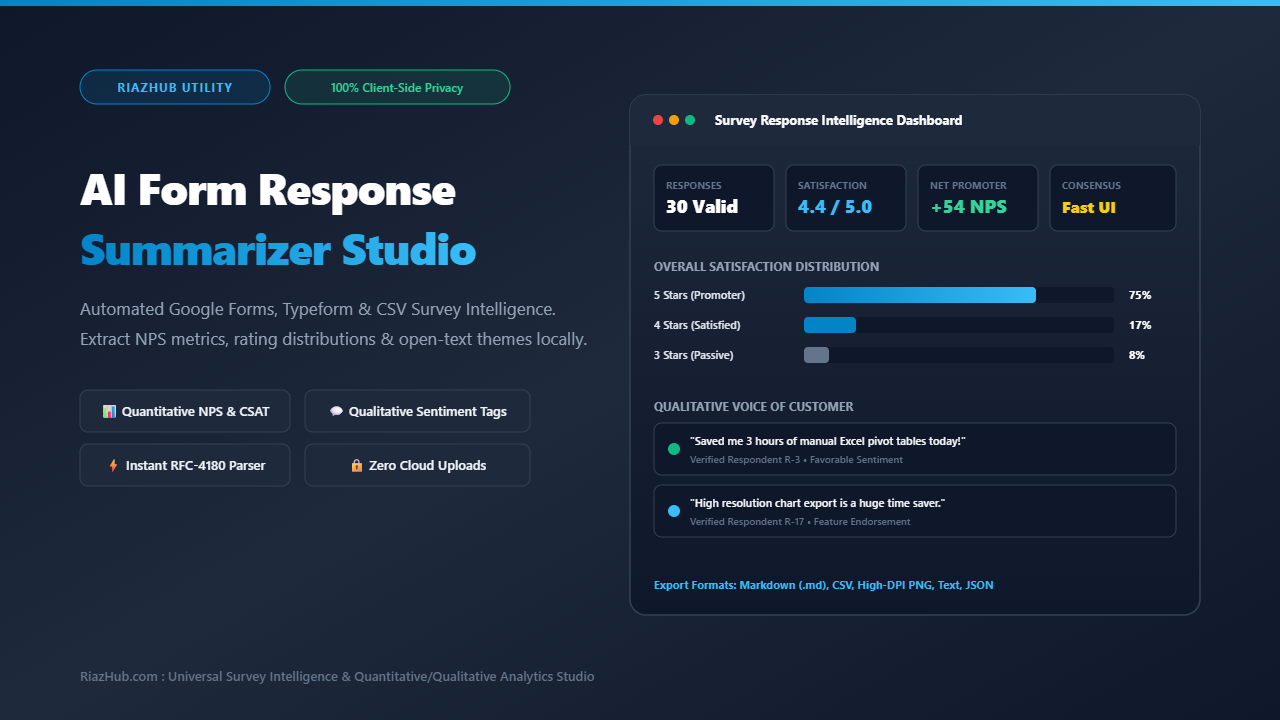
AI Form Response Summarizer: Free Browser-Based Survey Insights and Analytics Studio
Collecting survey data through Google Forms, Typeform, SurveyMonkey, or Microsoft Forms is easier than ever. The true challenge begins the moment the survey closes: you are left staring at a sprawling spreadsheet packed with hundreds of rows, mixed rating scales, categorical multiple-choice selections, and unstructured, rambling open-text feedback.
Traditionally, distilling survey data into actionable executive insights required hours of manual labor: building Excel pivot tables, writing complex spreadsheet formulas for Net Promoter Scores (NPS), and manually reading hundreds of open-ended comments to spot recurring patterns. Sending that raw spreadsheet to external AI APIs creates severe privacy and security risks, particularly when responses contain personal email addresses, internal HR pulse checks, or confidential customer feedback.
To solve this fundamental research bottleneck, RiazHub developed the AI Form Response Summarizer & Survey Insights Studio: a high-performance, completely free, client-side survey intelligence hub that operates 100% in your web browser with zero external API calls, zero login walls, and zero data leakage.
Quick Access: Explore the live web utility directly at the AI Form Response Summarizer on RiazHub. Upload any CSV or TSV file, or paste raw response rows, and generate comprehensive quantitative and qualitative reports in less than two seconds.
Why Survey Synthesis Fails with Traditional Methods
Survey research relies on two complementary pillars: quantitative metrics (the “what”) and qualitative feedback (the “why”). When teams analyze responses using standard spreadsheets or basic form viewers, they encounter three critical roadblocks:
- Manual Formula Overhead: Calculating Net Promoter Scores (promoters minus detractors), average satisfaction ratings (CSAT), and percentage distributions across multi-column exports requires custom pivot tables and formatting tricks that break when column headers change.
- Unstructured Free-Text Blind Spots: Open-ended responses often hold the highest leverage insights for product managers and founders. However, reading through dozens or hundreds of free-text rows is tedious, leading researchers to skim and miss minority signals that indicate serious retention friction.
- Third-Party Cloud Data Vulnerabilities: Pasting survey responses into commercial cloud AI chatbots transmits confidential respondent names, customer emails, employee grievance records, and proprietary product feedback to third-party model servers.
The AI Form Response Summarizer tool was engineered from the ground up to solve all three obstacles directly on your local device.
Core Architectural Features of the Tool
The studio combines deterministic statistical algorithms with linguistic sentiment heuristics to deliver an executive-grade briefing in seconds.
Automated Column Type Classification
Detects numeric rating scales (1-5 stars, 0-10 NPS), categorical choice columns, and open-ended text fields automatically without manual mapping.
Automated NPS & CSAT Calculator
Calculates promoter percentages (9-10), passive percentages (7-8), detractor percentages (0-6), and exact Net Promoter Scores with mathematical precision.
Qualitative Theme & Sentiment Clusterer
Sorts unstructured comments into Positive Highlights, Feature Suggestions, and Friction Reports with one-click quote copying.
High-DPI HTML5 Canvas Chart Dashboard
Renders visual distribution bars, percentage badges, and retina-ready graphics with instant PNG export for slide decks and reports.
Step-by-Step Guide: How to Summarize Any Survey in Seconds
You can process any local export from Google Forms, Typeform, or custom survey platforms in four straightforward steps using the AI Form Response Summarizer Studio:
Step 1: Export Your Responses as CSV or TSV
In Google Forms, navigate to the Responses tab, click the three dots menu, and select Download responses (.csv). In Typeform, SurveyMonkey, or Microsoft Forms, select the standard CSV or Excel export option.
Step 2: Ingest Data via Dropzone or Direct Paste
Open the AI Form Response Summarizer in your browser. Drag and drop your downloaded file onto the file dropzone. The built-in HTML5 FileReader API will ingest the multi-column dataset locally. Alternatively, paste raw spreadsheet columns directly into the console textarea.
Step 3: Select Survey Category and Run Synthesis
Choose your survey category (Customer CSAT & NPS, Event Feedback, Product Roadmap Poll, Employee Pulse, or General Questionnaire) and click Summarize Form Responses & Build Charts. The local analytics engine infers column types, computes percentage distributions, extracts recurring keywords, and generates the executive summary instantly.
Step 4: Review, Refine, and Export Multi-Format Assets
Explore the four interactive workspace tabs:
- Executive Summary & Key Takeaways: Review the overall verdict, quantitative metrics, qualitative voice of customer, and three concrete next-step recommendations. This briefing is directly editable inline.
- Question-by-Question Visual Breakdown: View clean horizontal progress meters for every multiple-choice question and download the high-DPI HTML5 Canvas chart graphic.
- Open-Text Themes & Quotes: Review sorted quotes categorized into praise, feature requests, and pain points with instant clipboard buttons.
- Raw Response Table Explorer: Search, filter, and paginate through individual respondent rows with complete zero-overflow protection.
Ready to Analyze Your Survey Responses?
Experience fast, privacy-preserving survey intelligence with zero sign-ups or subscription fees.
Comparison: Local Browser Studio vs. Traditional SaaS & Cloud AI
Here is how the in-browser architecture of the AI Form Response Summarizer on RiazHub compares to traditional alternatives:
| Capability | RiazHub AI Form Summarizer | Cloud AI APIs (ChatGPT, Claude) | Manual Spreadsheet Pivot Tables |
|---|---|---|---|
| Data Privacy | 100% In-Browser (Zero Cloud Transmission) | Third-party server processing required | Local file, but manual setup required |
| Analysis Speed | Instantaneous (under 2 seconds) | Network latency and token generation delays | 30 to 90 minutes of manual formula drafting |
| NPS & CSAT Calculations | Automatic mathematical classification | Probabilistic (frequent arithmetic hallucinations) | Manual formula creation required |
| Visual Chart Generation | Native High-DPI HTML5 Canvas PNG | Text-only or requires external Python plugins | Manual Excel chart formatting |
| Branded Export Formats | Markdown (.md), CSV, PNG, Text, JSON | Plain text copy paste only | Static workbook saves |
| Cost & Account Barrier | 100% Free, Zero Login Required | Monthly token subscription fees | Requires office suite licenses |
Four Realistic Analysis Scenarios Supported
The studio comes pre-equipped with four realistic preset scenarios that illustrate how diverse survey formats are synthesized:
- Customer Satisfaction (CSAT) & Net Promoter Score: Evaluates overall 1-5 star ratings, segregates promoters from detractors on a 0-10 scale, and isolates top reasons for customer loyalty.
- Post-Webinar & Workshop Attendee Feedback: Highlights pacing ratings, identifies the most valuable presentation topics, and surfaces curriculum suggestions for upcoming sessions.
- Product Roadmap & Pricing Validation: Measures willingness to pay across organization tiers and pinpoints top-requested software capabilities.
- Open-Ended Suggestion Box & Support Tickets: Classifies raw, unstructured customer support comments into clear operational priorities without needing predefined categories.
100% Client-Side Privacy: Why Local Execution Matters
In modern corporate governance, compliance frameworks such as GDPR, CCPA, and SOC 2 require strict custody over customer identifiers and employee communications. Uploading raw survey datasets to external cloud servers introduces unnecessary compliance exposure.
The AI Form Response Summarizer tool on RiazHub relies entirely on native browser APIs: the FileReader interface reads file bytes strictly in client memory, and the Canvas API draws graphics directly in your browser tab. At no point is any survey data sent over the internet.
Conclusion & Next Steps
Survey analysis should clarify your product decisions, not drain hours on manual spreadsheet formulas or expose confidential customer data to third-party cloud servers. By pairing automated quantitative calculation with qualitative sentiment clustering, you can deliver comprehensive executive presentations in a fraction of the time.
Test the workflow today with your own Google Forms or Typeform CSV exports by visiting the Universal AI Form Response Summarizer & Survey Insights Studio on RiazHub.com.
Universal AI Form Response Summarizer & Survey Insights Studio
Upload any Google Forms, Typeform, or survey CSV export (or paste raw form answers) to instantly summarize quantitative ratings, multiple-choice distributions, and open-text themes. Visualize high-DPI charts and export executive reports 100% locally in your browser with zero respondent data leaks.
📂 Survey Ingestion & Calibration Deck
Executive Survey Briefing
Verified Synthesis📌 Overall Verdict & Participation Overview
📊 Key Quantitative Highlights
💡 Top Qualitative Themes & Voice of Customer
🎯 Concrete Next-Step Recommendations
- 1. Prioritize Mobile Table UX: Implement card-based responsive views for smartphone screens to eliminate multi-column table friction.
- 2. Expand Template Library: Add 4 new pre-configured survey ingestion templates tailored for quarterly stakeholder and student course evaluations.
- 3. Automate Trend Highlighting: Surface positive promoter testimonials into marketing collateral to capitalize on the +54 NPS rating.