
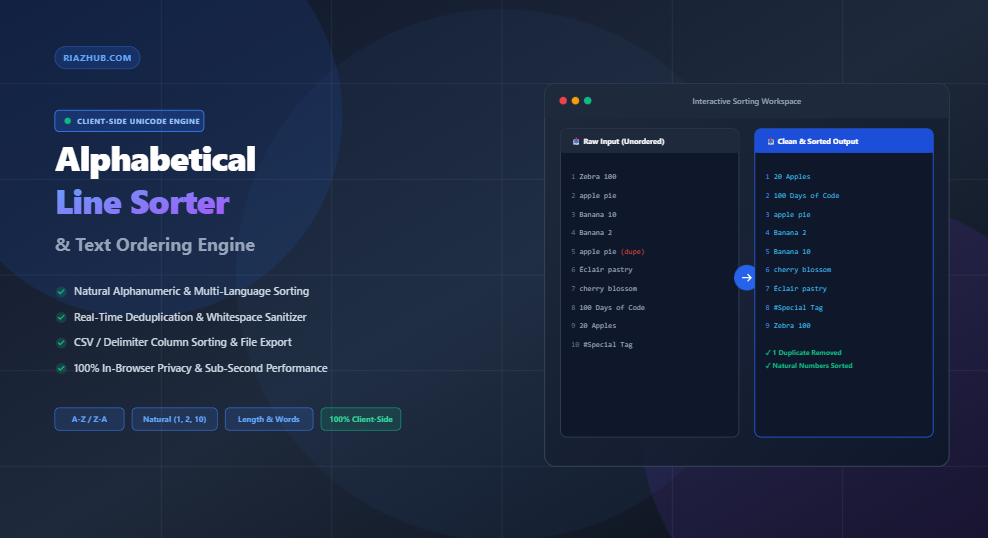
Universal Alphabetical Line Sorter & Text Ordering Engine: The Ultimate Guide to Text Hygiene and Algorithmic Sorting
To solve this universal challenge, you can utilize the free browser-based Alphabetical Line Sorter & Text Ordering Engine on RiazHub. This client-side utility provides high-speed, privacy-first alphanumeric sorting, multi-language Unicode collation, line length organization, duplicate elimination, and delimiter-aware token parsing.
Need to reorganize, alphabetize, or deduplicate a massive list right away?
Why Standard Lexicographical Sorting Fails: The Natural Sorting Solution
Most legacy command-line tools and simple text editors rely on rudimentary ASCII code-point sorting (also known as lexicographical sorting). In standard ASCII comparison, string characters are evaluated strictly left-to-right based on their hexadecimal character codes.
Because the ASCII code for "1" (ASCII 49) precedes "2" (ASCII 50), a list containing sequential numbers will sort in an unintuitive manner:
| Raw Input Data | Standard ASCII Sort (Flawed) | Natural Alphanumeric Sort (Human Logic) |
|---|---|---|
| Chapter 1 Chapter 10 Chapter 2 Chapter 20 Chapter 3 |
Chapter 1 Chapter 10 Chapter 2 Chapter 20 Chapter 3 |
Chapter 1 Chapter 2 Chapter 3 Chapter 10 Chapter 20 |
When you run lists through the Alphabetical Line Sorter & Text Ordering Engine with Natural Alphanumeric Sort active, the engine implements the modern ECMAScript Internationalization API (Intl.Collator(undefined, { numeric: true })). It parses multi-digit numbers embedded within strings as complete numerical values rather than isolated single-digit characters.
Deep Multi-Language Support & International Unicode Collation
Global text lists frequently contain accented characters, umlauts, cedillas, or non-Latin alphabets (Arabic, Urdu, Cyrillic, Hebrew, Japanese Kana, Greek, and Devanagari). Standard byte-level comparisons scatter accented characters to the bottom of the list because their Unicode code points reside far beyond standard Latin ranges.
For instance, under ASCII comparison, words beginning with É or ü are shoved after the letter Z. With base sensitivity collation enabled in the RiazHub Line Sorter, international characters are grouped logically alongside their corresponding root glyphs:
écoleandeconomyare sorted harmoniously in their proper phonetic alphabetical place.- Case-insensitive matching normalizes uppercase and lowercase pairings without corrupting Unicode accents.
- Bi-directional text rendering (
dir="auto") ensures smooth display for Right-to-Left (RTL) scripts like Arabic and Urdu alongside Left-to-Right (LTR) languages.
Key Sorting Strategies & Multi-Criteria Capabilities
The Alphabetical Line Sorter & Text Ordering Engine provides eight distinct ordering algorithms tailored for diverse workflows:
- Alphabetical (A to Z): Standard ascending alphabetical ordering for general glossaries, name rosters, and lists.
- Reverse Alphabetical (Z to A): Descending order from Z down to A.
- Natural Alphanumeric Sort: Intelligent handling of numeric sequences in file names, versions (e.g.,
v1.2,v1.10), and numbered items. - Sort by Line Length (Shortest to Longest): Groups items by total character count in ascending order. Ideal for SEO specialists analyzing short-tail keywords.
- Sort by Line Length (Longest to Shortest): Places the longest strings at the top, making it simple to identify long-tail search queries or oversized database strings.
- Sort by Word Count per Line: Organizes sentences or multi-word entries by word density.
- Delimiter & Column Index Sorting: Parses structured data (such as CSV, TSV, pipe-delimited files) and sorts based on a designated column token (e.g., Column 2 or 3) while preserving remaining fields.
- Reverse Line Order & Random Shuffle: Inverts line sequences upside-down or applies an unbiased Fisher-Yates shuffle for randomized testing and sampling.
Advanced Pre-Processing & Data Cleaning Toggles
Before sorting occurs, raw datasets often require hygiene operations. The engine includes real-time toggles to streamline sanitization in a single pass:
- Deduplication (Remove Duplicate Lines): Eliminates repeated items instantly, with a diagnostic counter displaying exact duplicate counts.
- Remove Blank Lines: Strips empty returns, carriage breaks, and whitespace-only gaps.
- Trim Whitespace: Cleans invisible leading and trailing spaces that cause false sorting disparities.
- Preserve Table Header: Locks the very first line at the top of the output, making CSV and TSV manipulation seamless.
- Ignore Leading Punctuation & Numbers: Bypasses bullet points, hashtags (
#), and numbering prefixes when evaluating alphabetical hierarchy. - Sequential Numbering Prefix: Automatically prefixes output lines with custom formats such as
1.,01.,[1], or#1.
Real-World Industry Use Cases
1. Search Engine Optimization (SEO) & Content Strategy
Digital marketers and SEO specialists frequently export massive keyword lists from tools like Google Search Console, Ahrefs, and Semrush. By pasting raw keyword dumps into the Alphabetical Line Sorter tool, you can immediately remove duplicate search queries, sort alphabetically to group semantic keyword clusters, or order by length to separate head terms from long-tail opportunities.
2. Software Development & DevOps Configuration
Developers frequently need clean, sorted lists for environment variable files (.env), JSON key definitions, CSS properties, route tables, and dependency declarations. Alphabetizing these lists simplifies code review, reduces merge conflicts in Git, and enhances readability.
3. Data Analysis & Spreadsheet Management
When working with CSV files, sorting by a specific column (such as country code, department name, or order status) without loading heavy desktop software saves time. Enabling “Preserve Header” ensures column definitions remain locked on row 1.
Privacy & Security: 100% Client-Side Execution
Data privacy is paramount. Many online text utilities upload user inputs to remote servers for processing, creating severe security and compliance liabilities for proprietary keyword data, confidential customer records, or internal code snippets.
The Alphabetical Line Sorter & Text Ordering Engine at RiazHub executes 100% inside your local web browser. Zero bytes are ever transmitted over the network. Your data remains strictly in your device’s memory, ensuring compliance with global privacy standards.
Frequently Asked Questions (FAQ)
How many lines can the Alphabetical Line Sorter handle?
Because the sorter uses native, compiled JavaScript collation engines, it effortlessly sorts 50,000+ lines in fractions of a second on standard computers.
Can I upload a text or CSV file directly?
Yes. You can drag and drop plain text files (.txt, .csv, .tsv, .md, .log) directly onto the editor or use the file upload button.
Does sorting by length also alphabetize lines of equal length?
Yes. If two lines share the exact same character count, the engine applies natural alphabetical collation as a secondary tiebreaker.
Is this utility completely free to use?
Yes. The tool is 100% free with no registration, subscription, or usage limits required on RiazHub.com.
Start Organizing Your Lists in Real Time
Try the high-precision natural sorter, deduplicator, and column organizer right now in your browser.
Alphabetical Line Sorter & Organizer
Sort text lists A-Z, Z-A, naturally, by character length, reverse order, or remove duplicates in real time with high-precision Unicode collation.
📖 Comprehensive Sorting & Unicode Collation Guide
Learn how natural collation, multi-language Unicode normalization, and algorithmic ordering streamline data hygiene and professional workflows.
Standard ASCII sorting compares strings character-by-character based strictly on numerical code points. Under standard computer ASCII sorting, the character "1" precedes "2", causing strings like "item10" to sort before "item2".
| Raw Input List | Standard ASCII Sort (Flawed for Numbers) | Natural Alphanumeric Sort (Human Logical) |
|---|---|---|
| Report 1 Report 10 Report 2 Report 20 |
Report 1 Report 10 Report 2 Report 20 |
Report 1 Report 2 Report 10 Report 20 |
Our engine utilizes the ECMAScript Internationalization API (Intl.Collator) with the { numeric: true } option to recognize multi-digit numerical sequences embedded inside words and order them logically as humans expect.
International languages often include diacritics, umlauts, cedillas, accents, and right-to-left alphabets (Arabic, Urdu, Hebrew, Cyrillic, Greek, Japanese Kanji/Kana).
When Case-Insensitive mode is active, the engine activates base collation (sensitivity: 'base'), ensuring characters like é, e, è, and E are normalized and grouped cleanly according to standard international linguistic standards rather than scattered across arbitrary Unicode codepoint blocks.
- SEO Keyword Strategy: Organize keyword research files alphabetically, remove duplicate search queries, or sort by line length to isolate long-tail queries.
- CSV & Data Processing: Use the Delimiter / Column Index feature to sort large exported CSV files by a specific field (e.g., sort by Customer Country in column 3) while keeping the original header row locked in place.
- Programming & DevOps: Alphabetize JSON keys, CSS property definitions, environment variable lists (
.env), or server logs. - Content Organization: Alphabetize bibliographies, glossaries, name rosters, and email distribution lists.
All sorting computations, deduplication routines, and file imports/exports execute 100% locally inside your web browser using client-side JavaScript (V8 / SpiderMonkey / JavaScriptCore engines).
Zero data, proprietary keywords, customer records, or code lists are ever uploaded or transmitted across the internet to RiazHub.com or any third-party server. Your data remains strictly confidential and secure.