
Why Image Optimization Matters for Speed and SEO
Large, uncompressed images are the single biggest cause of slow-loading websites. Whether you are running a blog, an e-commerce shop, or a web application, heavy graphics slow down page rendering, frustrate mobile visitors, and lower your search engine rankings on Google. Optimizing your images is essential for achieving top Core Web Vitals scores and delivering an exceptional user experience.
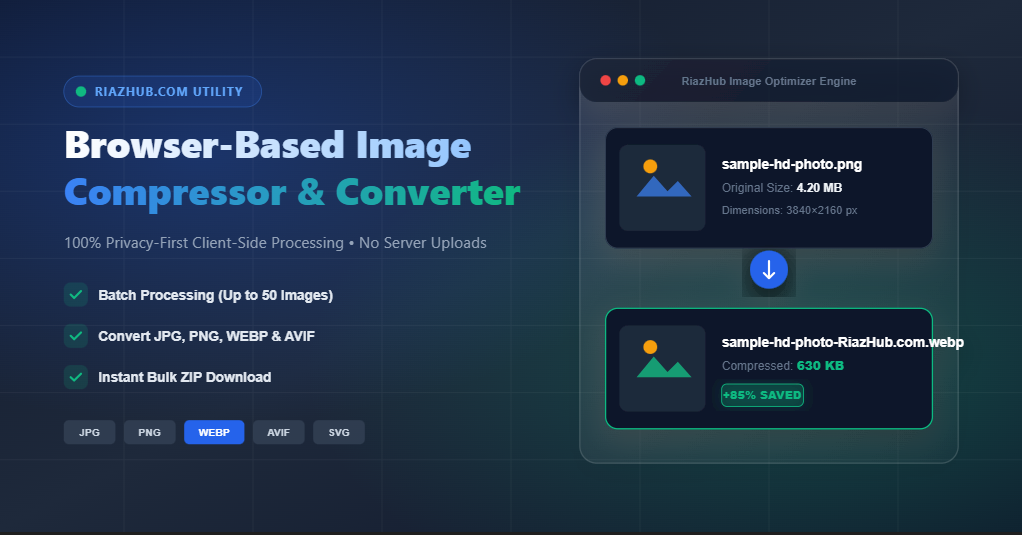
To help creators, webmasters, and designers optimize graphics effortlessly, we built the RiazHub Free Online Image Compressor & Converter — a powerful, privacy-focused tool that reduces file sizes by up to 90% without compromising visual quality.
What Makes RiazHub’s Image Compressor Different?
Most traditional online compression tools require you to upload your personal photos and private graphics to an external server. This raises privacy concerns, consumes bandwidth, and slows down batch processing. The RiazHub Image Compressor works completely differently.
- 100% Privacy-First & Browser-Based: All image decoding, resizing, compression, and format encoding happen directly inside your web browser using HTML5 Web APIs. Your images are never uploaded to any server.
- Batch Processing (Up to 50 Files at Once): Optimize up to 50 images in a single batch session with real-time progress indicators.
- Next-Gen Format Conversion: Convert old JPG and PNG files into high-efficiency WebP format, or switch between JPEG and PNG formats seamlessly.
- Smart Quality Slider & Resizer: Fine-tune your compression quality from 1% to 100%, and specify maximum width or height pixel limits with aspect ratio locking.
- Bulk .ZIP Download: Download all compressed images in one click as a neatly packaged ZIP archive branded with
-RiazHub.com.
How to Compress & Convert Images Step-by-Step
Optimizing your digital graphics on the RiazHub Image Compressor Tool takes only a few seconds:
- Upload Your Images: Head over to the Image Compressor page and drag & drop up to 50 files into the upload box (or click to browse your device).
- Configure Compression Settings:
- Set your preferred Compression Quality (80% default is recommended for optimal balance of quality and small file size).
- Choose a Target Format (Keep Original, or convert to WebP, JPEG, or PNG).
- (Optional) Enter Max Width or Max Height in pixels if you wish to resize large photos.
- Compress & Download: Click the primary Compress All Images button. Within seconds, your processed files will display original size, compressed size, and exact savings percentage. Click Download All (.ZIP) to save your optimized batch!
🚀 Ready to Boost Your Website Speed?
Stop letting heavy photos slow down your site. Try out our free, unlimited, and privacy-guaranteed utility today.
Access the utility here: https://riazhub.com/image-compressor/
Frequently Asked Questions (FAQ)
Is the RiazHub Image Compressor really free?
Yes, 100% free! There are no hidden subscription fees, no mandatory user registrations, and no watermarks placed on your images.
Are my uploaded photos safe?
Absolutely. Because the processing engine runs locally inside your browser via client-side JavaScript, your images never touch our servers or any third-party databases.
Which image formats are supported?
You can compress and convert JPG/JPEG, PNG, WebP, GIF, AVIF, and SVG files.
Start optimizing your graphics now on the RiazHub Online Image Compressor Tool!