
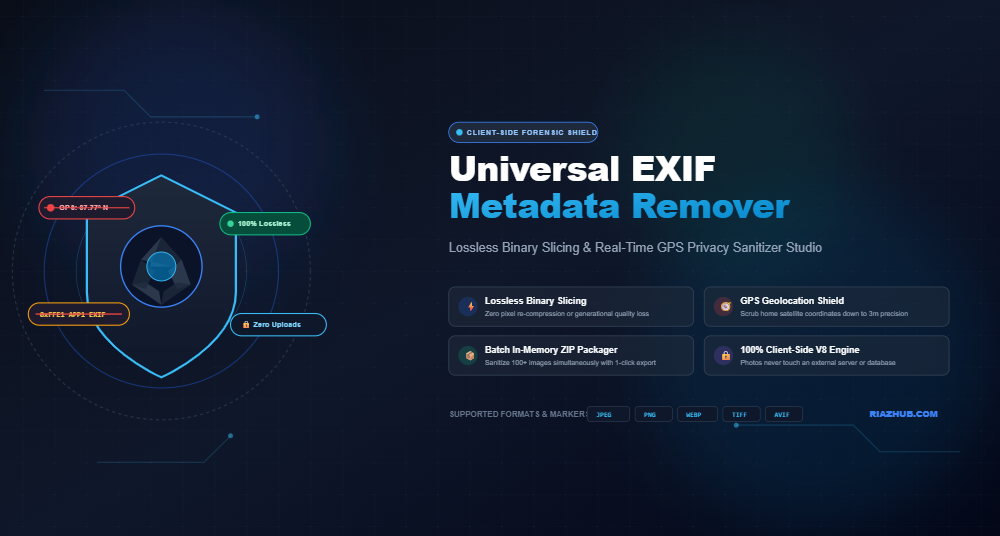
The Invisible Threat in Your Camera Roll: How EXIF Metadata Exposes Your Real-World Location & Privacy
Every time you press the shutter button on your iPhone, Samsung Galaxy, or DSLR camera, you aren’t just capturing light and colors. Without displaying any visible warning, your device silently compiles a comprehensive forensic dossier directly into the binary header of your image file.
This hidden ledger known as EXIF (Exchangeable Image File Format) metadata often records your exact satellite GPS coordinates down to a 3-meter radius, the exact date and second the photo was shot, your camera’s unique serial number, lens parameters, and software editing footprints. When uploaded to marketplaces (like Craigslist, eBay, or Facebook Marketplace), Discord channels, forums, or sent via messaging apps, these invisible coordinates can expose your private home address, work routine, and child’s school location to absolute strangers.
In this guide, we dive deep into how EXIF metadata works, analyze the serious real-world stalking and burglary risks, contrast lossy canvas re-encoding against lossless binary slicing, and demonstrate how you can purge these digital fingerprints in seconds using the free, client-side Universal EXIF Metadata Remover on RiazHub.
1. What Exactly is EXIF Metadata?
Created by the Japan Electronic Industries Development Association (JEIDA) in 1995, EXIF is a universal standard designed to help photographers, photo editing suites, and printers catalog shooting parameters. In modern JPEG files, this data is encapsulated in the APP1 marker (0xFFE1) right after the file’s initial Start of Image (SOI 0xFFD8) marker.
A typical smartphone or mirrorless camera photo embeds four distinct categories of metadata:
- Geographic Location (GPS Telemetry): Latitude, Longitude, Altitude above sea level, GPS Timestamp, Compass Bearing, and Movement Speed.
- Hardware Identifiers: Camera Manufacturer (e.g., Apple, Sony, Canon), Model Name, Lens Model, and unique Body/Lens Serial Numbers.
- Photographic Telemetry: ISO sensitivity, Shutter Speed, Aperture (f-stop), Focal Length, Flash status, White Balance, and Metering Mode.
- Authorship & Post-Processing: Creator Name, Copyright statements, Operating System Build, Software History (e.g., Photoshop, Lightroom, Snapseed), and creation timestamps.
Offset 0x0000: [FF D8] -> SOI (Start of Image)
Offset 0x0002: [FF E1] [48 1A] -> APP1 Marker (18,458 Bytes Payload)
Offset 0x0006: [45 78 69 66 00 00] -> Header “Exif\0\0″
Offset 0x000C: [49 49 2A 00] -> TIFF Header (Little-Endian ‘II’)
Offset 0x0014: Tag 0x8825 -> GPSInfoIFDPointer (Points to Coordinates)
Offset 0x0180: GPSLatitude = 37°46’29.64″ N, GPSLongitude = 122°25’09.84” W
2. Real-World Privacy & Security Hazards
While exposure settings are useful for professional portfolio cataloging, transmitting unscrubbed photos creates immense personal vulnerability:
When someone posts a picture of their pet, an item for sale in their living room, or a casual selfie on public forums, anyone can right-click, save the image, and view the raw coordinates in Google Maps or OpenStreetMap. Stalkers and cybercriminals routinely leverage this metadata to pinpoint private residential addresses, routine walking trails, and workplace locations.
High-end cameras encode the camera body’s permanent hardware serial number into tag 0xA431. Investigators and open-source intelligence (OSINT) researchers utilize specialized web scrapers (like StolenCameraFinder) to index every photo ever uploaded online with that specific serial number, linking anonymous accounts, pseudonyms, and real identities across disparate websites.
Posting high-value assets (such as luxury watches, vintage guitars, or classic cars) for sale with intact GPS tags signals to local burglars the exact geographical building where valuable merchandise is kept overnight.
Before uploading pictures to classifieds, community forums, or portfolio sites, sanitizing them through an in-browser tool like the RiazHub EXIF Metadata Remover completely eliminates these vulnerabilities.
3. The Technical Catch: Lossless Binary Slicing vs. Canvas Re-Encoding
Not all metadata cleaners are created equal. When searching for an online EXIF remover, the vast majority of web tools employ a quick, lossy shortcut: they load your photo onto an HTML5 <canvas> element and export it as a new file.
Why Canvas Re-Encoding Harms Image Quality
When an offscreen canvas exports a JPEG, it must completely decompress the picture into raw RGB pixel values, then re-compress it using the browser’s built-in JPEG encoder. This process introduces generation loss:
- Subtle color gradients develop harsh digital banding.
- Fine textures, high-frequency details, and hair strands blur.
- Compression artifacts and macroblock halos accumulate around edges.
- File sizes can unpredictably balloon or drop sharply.
How Lossless Binary Slicing Works
In contrast, the Universal EXIF Metadata Remover utilizes direct byte-level binary slicing on the raw ArrayBuffer. It scans the file structure, identifies the metadata markers (APP1 0xFFE1, APP2 0xFFE2, APP13 0xFFED IPTC, and XMP), surgically unlinks them, and glues the essential quantization tables, frame definitions, and image entropy data (Start of Scan 0xFFDA) directly to the file output.
| Feature / Capability | Standard Canvas Cleaners | RiazHub Lossless Binary Stripper |
|---|---|---|
| Pixel Degradation | ❌ Lossy (Re-compressed pixels) | ✅ 100% Lossless (Zero quality change) |
| Processing Speed | Slow (GPU/CPU pixel decoding) | ⚡ Instantaneous (Direct byte buffer slice) |
| GPS Coordinate Scrubbing | ✅ Removed | ✅ Removed |
| Camera Serials & Telemetry | ✅ Removed | ✅ Removed (or selectively kept) |
| Client-Side Security | Varies (Many upload to remote server) | 🔒 100% In-Browser (Zero server uploads) |
| Batch Processing & ZIP | Rarely supported | ✅ In-Memory Multi-Image ZIP Archive |
4. Step-by-Step: How to Sanitize Photos with RiazHub
Sanitizing photos requires zero technical knowledge and takes less than five seconds:
- Open the Tool: Navigate to the Universal EXIF Metadata Remover & Privacy Sanitizer Studio in any modern desktop or mobile browser.
- Add Photos: Drag and drop your JPG, PNG, WEBP, or TIFF images into the dropzone, or click “Browse Photos”. You can also test with the built-in sample photo.
- Inspect Forensic Telemetry: Click the “🔬 Deep Forensic Inspector” tab to see everything hidden inside your image—from GPS coordinates to camera shutter counts. Check the “🛰️ GPS Privacy Map” to see where your photo was physically taken.
- Choose Sanitization Mode:
- Total Privacy Wipe: Removes all EXIF, XMP, IPTC, and hardware signatures.
- Strip GPS Only: Shields location coordinates while preserving camera exposure settings for photography portfolios.
- Custom Filter: Fine-tune specific categories like ICC color profiles or timestamps.
- Download Sanitized Files: Click “Save” for individual photos or click “📦 Download All Cleaned as ZIP” to get a clean archive ready for public sharing.
5. Frequently Asked Questions (FAQ)
Does uploading photos to social media strip EXIF automatically?
Platforms like Instagram, Facebook, and Twitter typically strip EXIF metadata during their image ingestion pipeline to save bandwidth and protect users. However, messaging apps (especially when sending photos as uncompressed “Files” or “Documents”), community forums, dating websites, cloud drives, and email attachments routinely preserve 100% of raw EXIF headers intact. You should never rely on third-party platforms to protect your privacy.
Can anyone recover stripped EXIF metadata after it has been sliced?
No. Because binary slicing detaches the byte segments that hold the TIFF IFD tables and drops them from the output buffer, the data is physically absent from the resulting file. It is mathematically impossible to reconstruct deleted EXIF tags from a sanitized image.
Is RiazHub’s EXIF Remover safe to use for confidential business photos?
Yes. All binary parsing, decoding, and ZIP creation execute locally inside your browser’s JavaScript sandbox. No pictures or coordinates are ever transmitted across the internet to RiazHub’s servers. You can even disconnect your Wi-Fi or turn on Airplane Mode, and the tool will continue to function flawlessly.
Universal EXIF Metadata Remover
Detect, inspect, and scrub sensitive GPS coordinates, camera serial numbers, and hidden metadata from photos with lossless binary marker detachment in real time. Zero server uploads.
0 / 0 Clean
Queue is ready🟢 No GPS Found
0 photos with coordinates0 Tags Purged
0 KB binary data strippedLossless Binary
Zero pixel re-encoding lossDeep Forensic Telemetry
Inspection of raw EXIF, TIFF, XMP and IPTC payload tags.
Binary Segment Slicing Inspection
Surgical breakdown of file markers. Metadata blocks are detached losslessly while image bitstream payload remains bit-for-bit identical.
📖 EXIF Metadata Privacy Guide & Technical Standards
0xFFE1). This includes precise satellite GPS coordinates (latitude, longitude, and elevation), camera model, lens serial number, exact timestamps, exposure settings, and personal copyright tags. When uploaded to unvetted forums or websites, strangers can easily reconstruct your home address or daily routines.
<canvas> element to draw the image and re-export it as a new file. While this discards metadata, canvas re-encoding forces a lossy compression pass that causes generational quality degradation, color banding, and pixel artifacts. Our studio performs direct byte-level binary slicing on the raw ArrayBuffer. It surgically detaches metadata segments (APP1, APP2, APP13, IPTC, XMP) while preserving the original image entropy bitstream (Start of Scan 0xDA) 100% bit-for-bit intact without losing a single pixel of quality.
- XMP (Extensible Metadata Platform): An XML-based standard created by Adobe stored in APP1 that logs editing history, face detection tags, and software license info.
- IPTC (International Press Telecommunications Council): Legacy photojournalism metadata stored in APP13 (
0xFFED) detailing captions, wire service credits, and bylines. - ICC Profiles (APP2
0xFFE2): Color space calibrations (such as Display P3 or AdobeRGB). If you are a professional photographer preparing portfolio prints, you can use our selective filter to preserve ICC color profiles while scrubbing private GPS coordinates.
DataView, Uint8Array, and in-memory streams. You can even disconnect your internet connection or turn on airplane mode, and this tool will continue to sanitize your photos seamlessly without sending a single byte to external servers.