
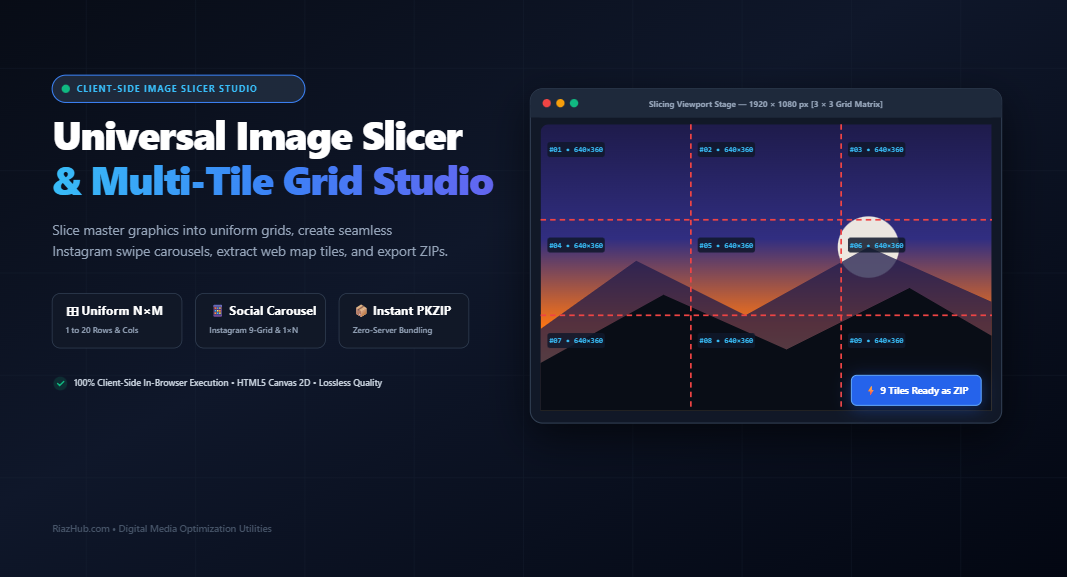
The Definitive Guide to Digital Image Slicing: How to Cut Master Graphics into Uniform Grids, Seamless Social Carousels, and Web Map Tiles
1. The Evolution of Digital Image Slicing
In the formative years of the World Wide Web, bandwidth was heavily constrained, and rendering engines lacked support for CSS positioning or background layering. Web designers relied on image slicing breaking monolithic design comps crafted in Photoshop or Fireworks into smaller rectangular fragments. These individual slices were reassembled inside complex HTML <table> structures with cellpadding="0" and cellspacing="0", allowing web pages to display rich visual mockups while inserting dynamic HTML text into transparent interstitial cells.
While modern web development replaced table slicing with flexbox and vector graphics, image slicing has undergone a powerful renaissance across several contemporary domains:
- Social Media Storytelling: Transforming panoramic landscapes into seamless multi-slide Instagram carousels and creating cohesive 3×3 profile grid mosaics.
- Web Mapping & Geospatial Tiles: Subdividing gigapixel satellite and aerial imagery into standardized 256×256 px or 512×512 px “slippy map” tiles for Leaflet, OpenLayers, or Mapbox.
- Game Development & 2D Sprite Sheets: Extracting character animation frames, modular environment tiles, and UI atlases from combined master sheets.
- Large-Format Multi-Page Printing: Splitting oversized posters and blueprints across standard A4 or Letter sheets for physical tiling.
Historically, executing these splits required bulky desktop software or privacy-compromising cloud converters. Today, using the RiazHub Universal Image Slicer & Multi-Tile Grid Studio, the entire raster cutting pipeline operates natively inside your web browser with zero server latency and total cryptographic privacy.
2. Coordinate Clipping Mathematics in Canvas 2D
At the technical core of digital image slicing is coordinate clipping. Unlike scaling or resynthesizing an image, slicing is a lossless geometric subdivision operation. The browser’s native HTML5 Canvas 2D Context provides the fundamental primitive through the 9-parameter overload of drawImage():
ctx.drawImage(sourceImage, sx, sy, sw, sh, dx, dy, dw, dh);Here, (sx, sy) represents the top-left source clipping origin, (sw, sh) defines the clipping rectangle’s width and height on the master image, and (dx, dy, dw, dh) specifies the destination coordinates and dimensions on the target sub-canvas.
When an image with width W is sliced into C columns, simply calculating tileWidth = Math.floor(W / C) leaves an edge remainder of R = W % C pixels. If unhandled, this remainder causes either missing content on the rightmost edge or 1px cumulative rounding seams. A robust slicer must clamp the final coordinate slice: cutsX[C] = W, ensuring the edge tile absorbs remaining pixels with zero data loss.
When you run the Image Slicer Studio, this mathematical pipeline slices rows and columns cleanly:
function computeGridBoundaries(origW, origH, cols, rows) {
    const tileW = Math.floor(origW / cols);
    const tileH = Math.floor(origH / rows);

    const cutsX = [0];
    const cutsY = [0];

    for (let c = 1; c < cols; c++) cutsX.push(c * tileW);
    cutsX.push(origW); // Gracefully absorbs fractional remainders

    for (let r = 1; r < rows; r++) cutsY.push(r * tileH);
    cutsY.push(origH);

    return { cutsX, cutsY };
}3. Mastering Social Media Panorama Splits & 9-Grid Art
Panoramic photos captured on modern smartphones often span resolutions exceeding 8000×2000 px. When uploaded as a single image to social platforms like Instagram, Facebook, or LinkedIn, algorithmic feed downscaling compresses the image into an unreadable thin horizontal band.
The professional creative solution is carousel splitting: dividing the panorama into 2, 3, 4, 5, or more consecutive slides. As viewers swipe horizontally on their mobile screens, the slides flow into each other without seams, providing an immersive, high-resolution viewing experience.
The Instagram Swipe Carousel Standards
- Width per Slide: Exactly 1080 px for optimal mobile clarity.
- Aspect Ratio: Standard square (1:1 / 1080×1080 px) or portrait (4:5 / 1080×1350 px).
- Slide Ordering: Consecutive left-to-right numbering (#01 to #0N).
The 9-Grid Profile Reverse-Upload Protocol
Creating a giant 3×3 composite graphic on your Instagram profile grid requires strict adherence to reverse upload chronology. When a new post is published, older posts are shifted to the right, and once a row fills, down to the next row.
Therefore, to make your 9-tile grid display correctly right-side up, you must upload Tile #09 first (the bottom-right tile), continuing backwards up to Tile #01 last (the top-left tile). The RiazHub Image Slicer Tool includes a designated “Social Carousel Upload Guide” tab that stamps each tile with its exact upload sequence so you never make an ordering mistake.
4. Exact Pixel Tiling & Transparent Alpha Culling
In game engines (Unity, Godot, Unreal) and web mapping platforms (Leaflet, Mapbox), assets are organized into standardized power-of-two pixel buckets, such as 256×256 px or 512×512 px.
When cutting a sprite sheet or a non-rectangular UI layout into fixed dimensions, peripheral tiles often fall entirely outside the artwork boundaries, containing nothing but transparent pixels (alpha value = 0). Exporting hundreds of empty transparent files clutters game archives and wastes memory.
To solve this, the Universal Image Slicer features an optional Transparent Alpha Tile Culling filter. By scanning the raw Uint8ClampedArray byte buffer of each sliced tile, the engine inspects alpha channel indices:
// Transparent Alpha Inspection Pipeline
const imgData = tileCtx.getImageData(0, 0, width, height).data;
let hasVisiblePixels = false;

// Scan every 4th byte (Alpha channel: R, G, B, [A])
for (let i = 3; i < imgData.length; i += 4) { if (imgData[i] > 5) { // Threshold for visible alpha
        hasVisiblePixels = true;
        break;
    }
}

if (!hasVisiblePixels) {
    // Discard 100% empty alpha tile from ZIP archive
}
5. Reassembly Engineering: Modern CSS Grid vs. Legacy Tables
Once tiles are extracted, reassembling them seamlessly in web layouts requires preventing browser baseline sub-pixel rounding artifacts. In standard HTML, inline <img> elements sit on an invisible typographic baseline, leaving a 3px whitespace gap beneath each row.
The modern zero-gap solution leverages CSS Grid with explicit reset rules:
<!-- Zero-Gap CSS Grid Reassembly Markup -->
<div class="image-slicer-grid" style="
  display: grid;
  grid-template-columns: repeat(3, 1fr);
  gap: 0;
  line-height: 0;
  width: 100%;">
  <img src="tile_r01_c01.png" style="display: block; width: 100%; height: auto;" />
  <img src="tile_r01_c02.png" style="display: block; width: 100%; height: auto;" />
  <img src="tile_r01_c03.png" style="display: block; width: 100%; height: auto;" />
</div>
When you slice graphics using the online Image Slicer, you can click the “HTML/CSS Code” tab to instantly copy pre-generated, production-ready reassembly code formatted for both modern CSS Grid and legacy HTML <table> architectures.
6. Slicing Topology Mode Comparison
Choosing the right slicing topology depends on your output destination:
| Topology Mode | Boundary Definition | Ideal Use Case | Key Advantage |
|---|---|---|---|
| Uniform Grid (N×M) | Equal row & column division | Wall art, print poster tiling, photo grids | Mathematical symmetry with remainder protection |
| Social Carousel | Preset aspect ratios (1:1, 4:5) | Instagram swipe posts, 9-grid profile art | Visual upload order sequence guidance |
| Exact Pixels | Fixed dimension buckets (e.g. 256×256) | Slippy map tiles, game sprites, texture maps | Pad, crop, or preserve remainder edge tiles |
| Custom Draggable Guides | User-defined interactive cut lines | Banner splits, UI component slicing, art cropping | Pixel-precision manual control on preview canvas |
7. Step-by-Step Walkthrough: How to Slice Any Image in 4 Steps
- Load Your Master Graphic: Visit the Image Slicer & Multi-Tile Grid Studio and drag-and-drop your image into the dropzone, click to browse your local drive, or paste directly from your clipboard (
Ctrl+V). - Select Your Slicing Mode: Choose between Uniform Grid, Social Carousel, Exact Pixels, or Custom Guides. Adjust columns, rows, or exact pixel dimensions to match your project specifications.
- Inspect the Interactive Canvas Stage: Watch the preview stage render dynamic red dashed cut lines and tile dimension badges in real time. Switch to the “Sliced Gallery” tab to inspect individual tiles or copy single cuts to your clipboard.
- Export Lossless ZIP Archive: Select your desired output format (PNG with full transparency, WebP, or JPEG) and click ⚡ Slice & Download All as ZIP. The tool bundles every tile, a
manifest.jsonmetadata file, and a zero-gapreassembly.htmlinto a single download.
8. Frequently Asked Questions (FAQ)
✂️ Universal Image Slicer & Multi-Tile Grid Studio
Slice large master images into uniform grids, create seamless Instagram swipe carousels, extract web map tiles, add custom draggable cut lines, and export organized ZIP packages with HTML/CSS reassembly code — 100% in-browser.
Every sliced tile is extracted directly via the HTML5 Canvas 2D specification method ctx.drawImage(sourceImage, sx, sy, sw, sh, 0, 0, dw, dh). By defining exact source coordinate rectangles (sx, sy, sw, sh) with zero floating-point remainder errors, master assets retain 100% pixel fidelity without blurring or boundary seams.
Modern web reassembly leverages display: grid; grid-template-columns: repeat(C, 1fr); gap: 0; line-height: 0; alongside images set to display: block; width: 100%; height: auto;. This prevents standard inline 3px baseline descender gaps and sub-pixel rounding inconsistencies across browsers.
To publish a 9-grid profile photo on Instagram, posts enter the feed in reverse order because new uploads shift older posts to the right and down. Uploading tile #09 first (bottom-right), continuing through rows to tile #01 last (top-left) guarantees the final composite displays right-side up.
All graphic manipulation, pixel inspection, transparent tile culling, and ZIP archive packaging occurs strictly inside your web browser's memory using local JavaScript typed arrays (Uint8Array, Blob). No confidential blueprints, artwork, or photos are ever uploaded to an external server.