
The Science of Acutance & Edge Convolution: How Digital Sharpening Rescues Soft Photos Without Noise
Every digital photographer, web designer, and content archivist encounters it: an otherwise irreplaceable photograph, client proof, product shot, or document scan that suffers from soft focus, minor optical lens diffraction, or sensor anti-aliasing (AA) filter blur. In the past, applying naive sharpening filters in desktop software often resulted in aggressive halos, blown specular borders, and magnified high-ISO chroma noise.
Modern browser-based computer vision has revolutionized this discipline. By executing 2D spatial convolution kernels and separating pixel color streams directly inside client-side RAM, tools like the Universal Image Sharpener & Acutance Enhancer on RiazHub.com restore perceived optical definition without introducing toxic artifacts or compromising user privacy.
In this engineering guide, we break down the physics of acutance, the darkroom origins of Unsharp Masking (USM), why Luminance-only (YCbCr) processing is non-negotiable for high-ISO images, and how in-browser offscreen canvas convolution allows you to process hundreds of high-resolution images in seconds.
1. Acutance vs. Optical Resolution: The Psycho-Visual Trick
To understand digital sharpening, one must first confront an unbending law of optics: sharpening algorithms cannot recreate missing optical resolution. If a photograph was taken completely out of focus or with severe motion blur, high-frequency spatial detail was never resolved by the camera sensor; it was permanently attenuated below the noise floor.
Why, then, do sharpened images appear dramatically clearer, crisp, and three-dimensional? The answer lies in the physiological difference between resolution and acutance:
- Resolution: The physical capability of an optical lens and sensor to differentiate adjacent line pairs (measured in line pairs per millimeter, lp/mm).
- Acutance: The steepness of the luminance transition gradient across boundaries separating light and dark image regions.
Human vision relies heavily on boundary contrast to distinguish objects and judge depth. By artificially steepening edge gradients—slightly darkening the inner edge and brightening the outer edge—our visual cortex interprets the boundary as razor-sharp. Using the RiazHub Image Sharpener Studio, users can dial in this acutance boost with sub-pixel precision.
2. Unsharp Masking (USM): Darkroom Chemistry to Digital Mathematics
Despite its counterintuitive name, Unsharp Masking is the world’s most trusted method for recovering crisp image acutance. The technique was developed in Germany during the 1930s by darkroom printmakers. A low-density, slightly out-of-focus positive glass plate copy was sandwiched in exact registration with the original sharp negative film during exposure.
Because the mask was intentionally blurred (unsharp), it only canceled out broad, low-frequency tonal masses, allowing fine high-frequency edge contours to pass through with magnified relative contrast.
I_blur(x, y) = I(x, y) * G(radius, σ)
Edge_Residue(x, y) = I(x, y) – I_blur(x, y)
I_sharp(x, y) = I(x, y) + Amount × Edge_Residue(x, y)
In modern computer vision systems, this is executed by computing a Gaussian-filtered blur replica of the source image buffer, deriving a high-pass residual difference matrix, and summing that scaled residue back into the original pixel array.
3. The Coring Threshold: Silencing Flat-Field Noise & Grain
A classic flaw of naive edge filters is that they cannot distinguish between meaningful structural edges (like an eye lash or architectural column) and microscopic sensor noise, sky grain, or delicate skin pores. Without protection, turning up sharpening turns smooth skies into blotchy speckles.
To solve this, professional studios implement a coring threshold ($\tau$):
If the absolute difference between the source pixel and its blurred counterpart is less than threshold $\tau$ (i.e., $|I – I_{\text{blur}}| \le \tau$), the residue is discarded ($\Delta = 0$). Sharpening is applied strictly to edge gradients exceeding the noise floor.
When you fine-tune the Coring Threshold slider in the image sharpener utility, you effectively set a floor that leaves portrait skin tones and smooth bokeh backgrounds untouched while crisping hair and silhouettes.
4. Luminance-Only (YCbCr) Sharpening: Eliminating Chromatic Fringing
Standard RGB images intertwine color (chrominance) and brightness (luminance) across three discrete color channels. Convolving red, green, and blue values equally leads to severe chromatic fringing—producing toxic purple or green halos along high-contrast silhouettes.
By transforming pixel arrays into the YCbCr color space, we isolate perceived brightness:
Y = 0.29900 × R + 0.58700 × G + 0.11400 × B (Luminance Plane)
Cb = -0.16874 × R – 0.33126 × G + 0.50000 × B + 128 (Blue Chroma)
Cr = 0.50000 × R – 0.41869 × G – 0.08131 × B + 128 (Red Chroma)
By applying 2D spatial edge convolution solely across the Y channel and recombining with the untouched Cb and Cr channels, edge acutance jumps by up to 250% without intensifying color noise.
5. Discrete 3×3 & 5×5 Laplacian Kernels for Text & Documents
While Gaussian-based Unsharp Masking is the premier choice for continuous-tone photography, scanned contracts, receipts, line art, and typography benefit from direct spatial second-derivative kernels. A discrete 3×3 Laplacian matrix isolates rapid directional gradient inflection points in a single pass:
K_3x3 = [ 0, -1, 0 ]
[ -1, 5, -1 ]
[ 0, -1, 0 ]
Testing your scanned documents with the Laplacian preset on the RiazHub Acutance Enhancer yields razor-sharp letterforms with zero background smear.
6. Micro-Contrast & Midtone Clarity S-Curves
Global contrast adjustments brighten highlights and darken shadows uniformly, frequently causing clipped specular whites or crushed blacks. Micro-contrast clarity, on the other hand, operates selectively on midtone frequency bands:
Calculates distance from midtone center ($128$) to apply contrast expansions strictly to textured mid-tones.
Prevents extreme edge transitions from overflowing past $255$ or below $0$, eliminating unnatural white halos.
Maintains transparent backgrounds in PNG and WebP assets with zero alpha channel corruption.
Leverages native browser 2D rendering contexts for latency-free slider response even on 4K images.
7. Forensic Verification: Split-Screen Sliders & 400% Loupes
Over-sharpening is one of the most common pitfalls in digital design. At standard viewing distances, an over-sharpened image may seem deceptively crisp, yet display jagged moiré patterns when printed or viewed on high-DPI Retina screens.
To guard against this, the Universal Image Sharpener Studio incorporates inspection instruments directly inside the stage:
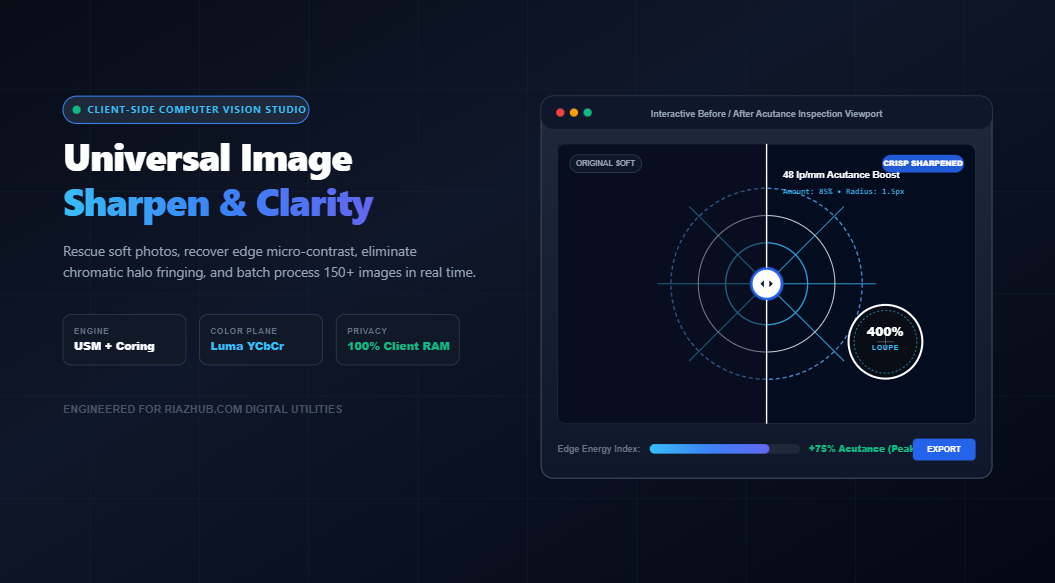
- 60 FPS Split-Screen Swipe Divider: An interactive vertical divider using CSS polygon clip paths to swipe between the original soft photo and the processed output in real time.
- 200% & 400% Zoom Loupe: A floating inspection lens that magnifies critical textures (eyelashes, fabric weaves, catchlights) using non-interpolated nearest-neighbor sampling.
- Acutance Variance Gauge: A live high-frequency energy gauge calculating the standard deviation of edge contrast to indicate whether an enhancement is natural or over-amplified.
8. Algorithm Comparison Matrix & Ideal Use Cases
Choosing the correct sharpening algorithm is vital to achieving forensic perfection without introducing digital grit. Use the reference matrix below to select optimal settings for your project:
| Sharpening Engine | Recommended Radius | Recommended Coring | Best Suited Subject Matter | Halo Risk |
|---|---|---|---|---|
| Unsharp Mask (USM) | 1.0px – 1.8px | 3 – 6 levels | Portraits, studio models, nature, pets | Low (with coring) |
| Luminance-Only (YCbCr) | 1.2px – 2.2px | 2 – 4 levels | High-ISO night photography, astrophotography | Very Low |
| Discrete Laplacian | 1.0px (Direct) | 1 – 2 levels | Scanned documents, architectural CAD, line art | Moderate |
| Micro-Contrast Clarity | 2.0px – 4.0px | 4 – 8 levels | Cloudscapes, rock textures, product photography | Minimal |
9. Frequently Asked Questions (FAQ)
▼
No software can recreate information completely destroyed by severe out-of-focus blur. However, for mildly soft captures, lens diffraction, or sensor smoothing, edge acutance enhancement restores perceived sharpness by steepening boundary contrast.
▼
Never. The RiazHub Sharpener Tool executes entirely in client-side browser RAM via HTML5 Canvas. Zero bytes leave your device, guaranteeing confidentiality for sensitive client documents.
▼
Sharpening across the RGB channels amplifies blue and red sensor noise, producing multicolored speckled halos. Converting to YCbCr and sharpening only the luminance (Y) plane enhances edge acutance without exciting chromatic noise.
▼
The tool uses an in-memory PKZIP packager written in pure vanilla JavaScript. It compiles standard ZIP archives in browser memory using typed binary buffers, allowing instant downloads of 150+ sharpened photos without requiring external libraries.
Universal Image Sharpen & Acutance Studio
Rescue soft photos, restore micro-contrast, eliminate chromatic halo fringing, and batch sharpen images with forensic unsharp masking in real time entirely inside your browser.
Optical defocus occurs when light rays converging from a subject fail to intersect precisely on the camera sensor plane, convolving the original scene with a wide point-spread function (PSF). Digital sharpening algorithms cannot reverse true optical defocus because high spatial frequency information is mathematically suppressed below the sensor's noise floor.
Instead, sharpening operates psycho-visually by enhancing acutance — the rate of luminance change across local edge transitions. By artificially steepening the gradient between dark and light boundaries, human visual perception interprets the photograph as dramatically crisp, three-dimensional, and in critical focus.
The term Unsharp Masking originated in 1930s analog darkrooms. Printmakers exposed a slightly out-of-focus (unsharp) low-density glass plate film negative, sandwiched it in exact registration with the original sharp positive, and made a contact print. The blurred mask canceled out broad low-frequency tones while transmitting fine edge details.
In modern digital computer vision, this studio computes: I_sharp = I + Amount × (I - Gaussian_Blur(I)). Our discrete 3×3 Laplacian matrix performs direct spatial second-derivative edge convolution, making it ultra-fast for crisp document typography and architectural lines.
When naive image editors sharpen RGB channels indiscriminately, color sensor noise in the red and blue channels is amplified violently, producing ugly magenta, green, and chromatic halo artifacts around high-contrast silhouettes.
Our studio separates pixels into the YCbCr color space, running spatial convolution solely on the Y (Luminance) channel while leaving the Cb and Cr chrominance color planes untouched. The result is pure, natural edge definition without chromatic noise distortion.
All image reading, spatial convolution kernels, Gaussian blur subtractions, and PKZIP bundling occur strictly in your local device RAM through HTML5 Canvas pixel memory buffers. Zero photos, client proofs, or confidential scans are ever uploaded to any cloud server or third party.