
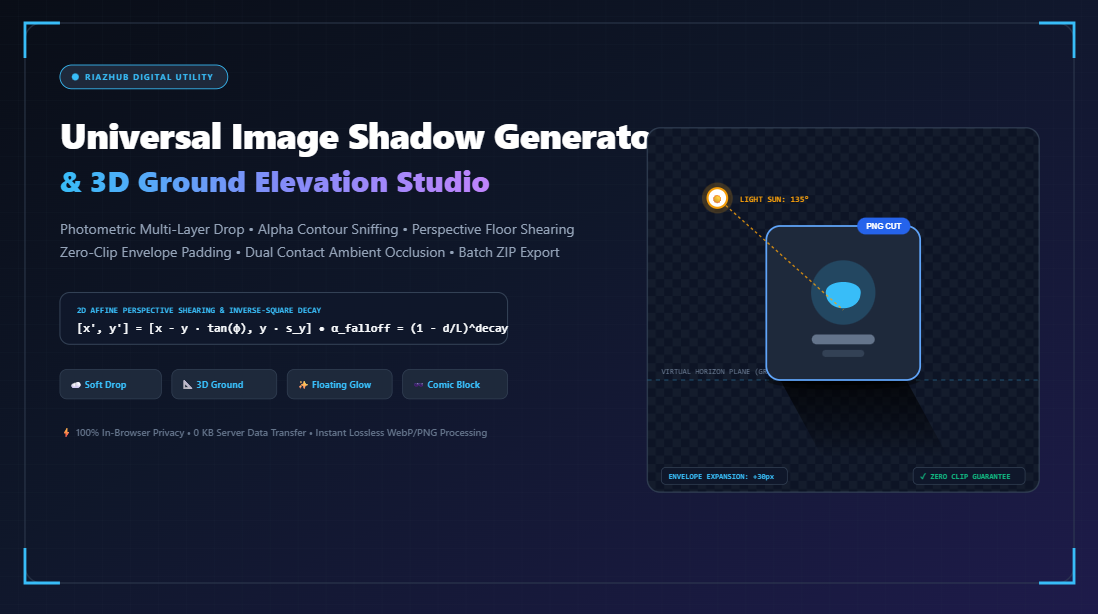
The Science of Realistic Shadows: From Flat Cutouts to 3D Ground Perspective & Ambient Occlusion
Learn why traditional CSS box-shadows fail on transparent PNG cutouts, how affine matrix shearing calculates ground contact perspective, and how you can generate studio-grade elevation shadows online with zero complex 3D software.
However, generating realistic shadows on the web has historically been fraught with frustration. Designers frequently encounter the “rectangular bounding box” trap when applying shadows to transparent cutout images, or they are forced to fire up heavyweight desktop suites like Adobe Photoshop or Blender just to project an e-commerce sneaker onto an invisible floor plane.
That is where the RiazHub Image Shadow Generator & Elevation Studio comes in. Built upon an in-browser HTML5 2D Canvas engine, this tool eliminates the need for expensive software licenses and complex rendering pipelines by automating perspective shearing, alpha contour sniffing, and multi-layer elevation directly in your browser.
The Anatomy of Real-World Shadows: Why Simple Blur Is Not Enough
To understand why most digital shadows look “fake” or “cheap,” we must examine how real-world optics behave. In physics, when an opaque object interrupts a light source, the resulting occlusion produces two distinct phenomenon:
- The Umbra & Penumbra: The umbra is the darkest core where the light source is completely blocked. The penumbra is the blurry periphery where light is only partially occluded. As the distance from the contact point increases, the penumbra expands, causing the shadow to become softer and more diffuse.
- Ambient Occlusion (Contact Shadow): At the micro-gap where an object meets a surface, stray photons cannot easily bounce. This produces a razor-sharp, pitch-dark contact hairline directly underneath the object, irrespective of how soft or diffuse the primary cast shadow is.
- Light Absorption & Distance Decay: Cast shadows lose opacity exponentially as they travel further away from the caster, blending into the ambient floor tone.
Standard CSS properties like box-shadow only generate a uniform radial blur around a 2D perimeter. They cannot simulate the differential blurring, vanishing-point convergence, or opacity decay required for convincing physical ground placement. With the online image shadow generator, both the primary perspective projection and the ambient contact layer are synthesized in tandem, achieving genuine photorealism.
Alpha-Aware Contour Sniffing vs. Rectangular Bounding Boxes
One of the most persistent headaches for frontend developers and content creators is the infamous transparent PNG problem.
Consider an e-commerce photo of a perfume bottle, a fashion model, or a high-end headphone set saved as an alpha-channel PNG or WebP cutout. If you apply CSS box-shadow: 0 20px 30px rgba(0,0,0,0.3) to this image element, the browser renders the shadow around the rectangular file boundaries, completely ruining the transparent cutout effect.
| Shadow Method | Transparency Handling | Perspective / Floor Shearing | Contact Occlusion Layer | Performance Impact |
|---|---|---|---|---|
| CSS box-shadow | ❌ Fails (casts square box) | ❌ Impossible | ❌ None | ⚡ Very Low (GPU accelerated) |
| CSS drop-shadow() | ✅ Follows alpha contours | ❌ 2D translation only | ❌ None | ⚡ Moderate |
| Photoshop Rasterization | ✅ Pixel accurate | ✅ Manual transform tool | ✅ Manual brush layer | ⏱️ Slow & requires license |
| RiazHub Shadow Engine | ✅ Alpha contour sniffing | ✅ Mathematical affine shear | ✅ Automated contact layer | ⚡ Instant Client-side Canvas |
The RiazHub Image Shadow Generator overcomes this by implementing an Alpha Silhouette Extraction Pipeline. When an image is dropped onto the canvas, the engine reads the RGBA pixel array:
// Conceptual Silhouette Pipeline:
// 1. Isolate the alpha channel of every pixel
// 2. Generate a pure black or tinted silhouette mask (source-in composition)
// 3. Apply Gaussian convolution blur to the silhouette
// 4. Matrix-transform the blurred silhouette onto the ground plane
Because the shadow is derived directly from the image’s transparent silhouette mask, irregular organic contours such as jewelry, leaves, clothing folds, or furniture legs cast authentic shadows matching their exact silhouette.
The Mathematical Mechanics of 3D Ground Cast Shadows
How does a flat 2D browser canvas simulate an object standing upright on a 3D floor without loading a multi-megabyte WebGL 3D model? The answer lies in Affine Transformation Matrices.
When light hits an upright object from above and behind, its shadow projects forward across the floor plane. In 2D affine geometry, this is represented by shearing the horizontal axis while compressing the vertical axis:
[ x’ ] [ 1 tan(θ_shear) 0 ] [ x ]
[ y’ ] = [ 0 scale_y 0 ] [ y ]
[ 1 ] [ dx dy 1 ] [ 1 ]
Where:
• θ_shear controls the light source azimuth (horizontal cast angle)
• scale_y (0.15 to 0.45) flattens the vertical height onto the ground plane
• dy pins the root of the shadow to the base contact line of the image
To further enhance realism, the engine applies a vertical alpha gradient across the sheared silhouette. The shadow remains dense near the contact base (y = base) and diminishes into transparency as it stretches toward its tip, mimicking the natural dissipation of light in physical space.
You can experiment with these angles, skew percentages, and blur depths in real-time by launching the image elevation studio in any standard browser.
Six Distinct Shadow Topologies Supported
Different creative projects require vastly different visual languages. The studio provides six mathematically calibrated shadow topologies to cover every modern design scenario:
Subtle multi-stop Gaussian blur ideal for standard UI cards, avatars, and modern software landing pages.
Projects an affine perspective shadow along the floor with contact occlusion and distance fade for e-commerce products.
Casts an ambient occlusion floor contact puddle directly beneath floating gadgets, UI cards, and hardware mockups.
Vibrant omnidirectional ambient glow designed for SaaS hero mockups, mobile device frames, and neon UI elements.
Employs contour alpha subtraction to render tactile embossed edges, chamfered bevels, and inner rim lighting.
Zero-blur offset silhouette producing the bold pop-art and neo-brutalist aesthetic popular in modern web styling.
Step-by-Step Workflow: Creating a Commercial Product Render
Here is a practical walkthrough of how professional e-commerce editors use the Image Shadow Generator & Elevation Studio to prepare clean catalog photography:
- Prepare Your Cutout: Ensure your product photo is saved with a clean alpha channel (PNG, WebP, or SVG). If there are unwanted white background pixels, use an automated background removal tool beforehand.
- Upload or Drag-and-Drop: Drop your image directly onto the live canvas preview area. The studio immediately detects aspect ratios and transparent boundaries.
- Select Shadow Topology: Choose Realistic 3D Ground Cast from the topology selector. Notice how the perspective shearing immediately anchors the object to an invisible ground plane.
- Fine-Tune Light Angles & Elevation: Adjust the light azimuth slider to match the ambient lighting of your destination website. Increase the contact shadow darkness to ground the object firmly.
- Export Assets: Download a full-resolution 32-bit PNG with the shadow burned into the transparent margins, or copy the production-ready CSS rules directly into your stylesheet.
Frequently Asked Questions
Are my uploaded images sent to an external server?
No. The RiazHub tool processes 100% of images locally within your browser using the HTML5 Canvas 2D rendering context. No images or metadata are ever transmitted across a network, ensuring total privacy and GDPR compliance.
Can I use the exported shadows on e-commerce platforms like Shopify or WooCommerce?
Yes! Simply export your finished product as a transparent PNG with baked shadows. When placed into Shopify, WooCommerce, or Amazon listings, the shadows blend seamlessly over any background color or theme.
What is the difference between CSS box-shadow and canvas-baked shadows?
CSS box-shadow operates strictly on the outer rectangular HTML box model. Canvas-baked shadows, by contrast, conform precisely to transparent alpha silhouettes and support advanced geometric matrix distortions (such as floor projections) that standard CSS cannot replicate.
What image formats are supported?
You can upload any modern web format, including PNG, WebP, JPEG, AVIF, and vector SVG files. Transparent PNG and WebP yield the most realistic silhouette results.
Elevate Your Visual Assets Today
High-converting digital design relies on subtlety. Overly harsh drop shadows make interfaces feel outdated, while flat cutouts feel disconnected from reality. By mastering light azimuth, ambient occlusion, and perspective shearing, you can turn ordinary cutouts into gallery-grade commercial presentations.
Visit the Image Shadow Generator & Elevation Studio today and take complete control over your digital lighting.
Universal Image Shadow Generator & Elevation Studio
Cast realistic 3D floor cast shadows, diffuse multi-layer drops, and neon glows behind photos and transparent cutouts with zero clipping and 100% in-browser privacy.
Drag & drop image(s) or click to browse
Supports PNG cutouts, WebP, JPG, AVIF, SVG (up to 100+ items)
filter: drop-shadow(17px 17px 32px rgba(0, 0, 0, 0.45));
box-shadow: 17px 17px 32px 0px rgba(0, 0, 0, 0.45);
/* Dual-layer realistic elevation */
box-shadow:
  0 2px 4px rgba(0, 0, 0, 0.25),
  17px 17px 32px rgba(0, 0, 0, 0.45);
| Thumbnail | Filename | Dimensions | Style | Action |
|---|---|---|---|---|
| No batch images loaded. Drag and drop multiple files to populate queue. | ||||
box-shadow only generates shadows around the rectangular perimeter bounding box of an HTML element. When dealing with transparent product photos, e-commerce sneaker cutouts, or isolated subject PNGs, this results in an unnatural rectangular dark box. Alpha-Aware Contour Sniffing traverses individual pixel alpha channels using HTML5 Canvas source-in compositing to cast smooth shadows that hug the silhouette contours of the subject.
[x', y'] = [x - y * tan(φ), y * s_y]
The subject's alpha mask is projected onto the virtual ground plane, compressed vertically by
s_y, sheared sideways according to the sun angle φ, and softened with directional linear fadeout gradients to model real-world inverse-square light dissipation.
Inset Bevel & Rim: Uses inverse contour alpha subtraction (
destination-out) to produce tactile embossed rims, beveled glass boundaries, and inner dimensional edge shadows that give cutouts tactile substance.