
How to Number PDF Pages Online: Custom Pagination, Headers & Multi-Language Vector Typography
Whether you are submitting an academic research paper, binding legal contracts, compiling an ebook, or formatting corporate quarterly reports, properly numbered PDF pages are essential for document readability and professional presentation. However, traditional PDF software like Adobe Acrobat Pro requires expensive monthly subscriptions or forces you to upload your confidential files to third-party web servers where data privacy can be compromised.
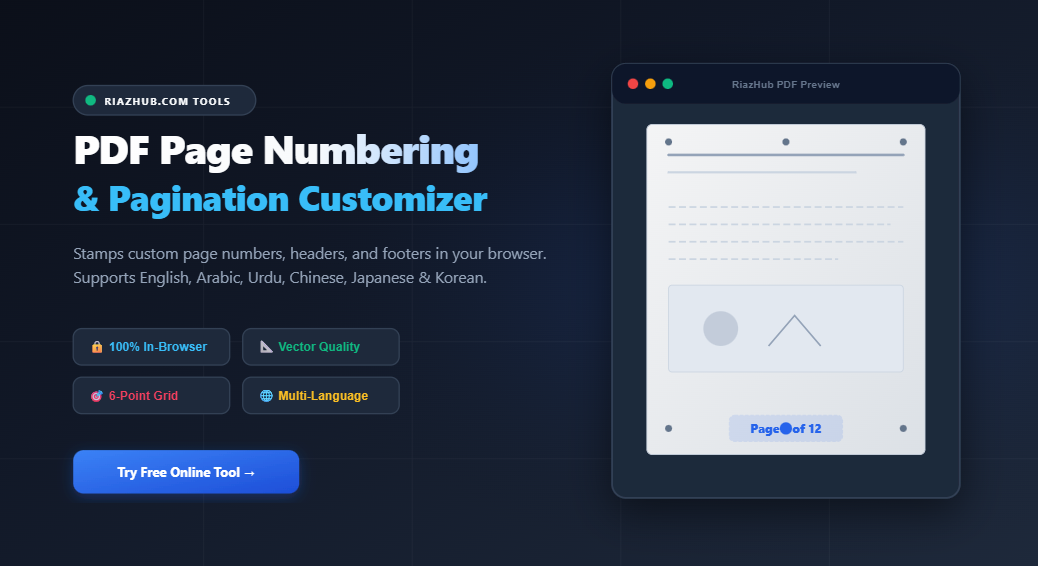
To eliminate these security concerns and provide a seamless, high-performance solution, RiazHub is proud to launch the PDF Page Numbering & Pagination Customizer a free, 100% client-side digital utility designed to stamp custom page numbers, headers, and footers onto any PDF document directly inside your web browser.
Why Use a Client-Side PDF Page Numbering Utility?
Most online PDF editors upload your document to cloud servers to render changes, creating severe data breach risks for sensitive financial statements, medical records, and legal briefs. The RiazHub PDF Page Numbering Tool operates using local browser JavaScript and WebAssembly engines. Your document is processed entirely in memory on your personal computer or mobile device and never leaves your browser.
Key Benefits of RiazHub’s PDF Customizer:
- 100% Confidentiality & Local Processing: Zero server file uploads guarantee total privacy for sensitive documents.
- Vector-Grade Quality: Stamped numbers are embedded as vector text layers, keeping fonts razor-sharp at high zoom levels and print resolutions.
- Interactive 6-Point Alignment Grid: Position page numbers anywhere across Top-Left, Top-Center, Top-Right, Bottom-Left, Bottom-Center, or Bottom-Right with pixel-precise X/Y offsets.
- Flexible Page Scope & Cover Exclusion: Easily omit the cover page or specify custom page ranges (e.g.
2-10, 15). - Global Typography & Numeral Systems: Support for Western Digits, Roman Numerals, Alphabetical listing, Eastern Arabic (
١, ٢, ٣), Urdu/Persian (۱, ۲, ۳), Chinese Standard (一, 二, 三), and Chinese Financial (壹, 貳, 參).
Step-by-Step Guide: How to Add Custom Page Numbers to a PDF
Using the RiazHub PDF Page Numbering Utility takes only a few simple steps:
- Upload Your PDF Document:
Visit the PDF Page Numbering & Pagination Customizer and drag & drop your file into the designated upload dropzone or click “Browse Files”. - Choose Your Text Preset or Custom Format:
Select from standard presets such asPage {n} of {total},Page {n},{n} / {total}, or type your own custom text string (e.g.,RiazHub Report • Page {n}). - Select Font Family, Size & Colors:
Pick from standard fonts (Helvetica, Times, Courier), modern Web fonts (Roboto, Poppins), Arabic/Urdu vector typography (Amiri, Cairo), or East Asian fonts (Noto Sans Simplified Chinese, Japanese, Korean). Set font size, text color, and background opacity. - Adjust Alignment & Margins:
Click any point on the 6-position interactive alignment grid (Header or Footer) and tweak X and Y offset sliders to adjust margins. - Set Page Range & Preview Live:
Choose whether to stamp all pages, skip the cover page, or define custom page numbers. The real-time interactive preview canvas lets you inspect the exact position before downloading. - Download Numbered PDF:
Click Download Numbered PDF. The tool instantly vector-stamps your pages and delivers the branded fileRiazHub_[Filename]_numbered.pdfstraight to your browser downloads folder.
Advanced Formatting Options Comparison
The table below summarizes the formatting capabilities supported by the PDF Page Numbering & Pagination Customizer:
| Feature Category | Supported Options & Capabilities |
|---|---|
| Numeral Formats | Western Arabic (1, 2, 3), Roman Lowercase/Uppercase (i, ii / I, II), Alphabetical (a, b / A, B), Eastern Arabic (١, ٢, ٣), Urdu/Persian (۱, ۲, ۳), Chinese Standard (一, 二, 三), Chinese Financial (壹, 貳, 參). |
| Vector Fonts | Helvetica, Times New Roman, Courier, Amiri (Arabic/Urdu Naskh), Cairo (Modern Arabic Sans), Noto Sans SC, Noto Sans JP, Noto Sans KR, Roboto, Poppins. |
| Positional Alignment | Top-Left, Top-Center, Top-Right, Bottom-Left, Bottom-Center, Bottom-Right with fine-tuned X/Y pixel offsets. |
| Page Exclusion Scope | All Pages, Exclude Cover Page (Page 1), or Custom Page Ranges (e.g. 3-12, 15). |
| Opacity & Styling | Full RGBA color picker with 10% to 100% opacity slider for subtle watermarks or bold headers. |
| Security & Speed | 100% Client-side local processing. Zero server latency and zero upload privacy risks. |
Global Multi-Language Support (Arabic, Urdu & CJK)
International businesses and multilingual publishers require specialized pagination fonts that support non-Latin scripts. The RiazHub Pagination Customizer includes an integrated Arabic & Urdu Contextual Reshaping Engine alongside full support for Chinese, Japanese, and Korean (CJK) characters.
“Unlike standard online PDF converters that crash or output disjointed Arabic letters like ‘ص ف ح ة’, RiazHub’s vector engine automatically applies contextual presentation glyph forms (صـفـحـة 1 من 3) with exact Right-to-Left alignment.”
Frequently Asked Questions (FAQ)
Is my PDF uploaded to any server during page numbering?
No. The PDF Page Numbering & Pagination Customizer runs 100% inside your web browser. Your document never leaves your device, making it safe for confidential files.
Can I skip the title/cover page from being numbered?
Yes! Simply switch the Range Scope setting to Exclude Cover Page, and page numbers will start cleanly on Page 2.
Does page numbering reduce the PDF image quality?
Not at all. The utility vector-stamps font layers into your existing PDF geometry without re-compressing or rasterizing your pages, preserving original vector crispness.
Is there any file size limit or cost?
The tool is 100% free with no hidden fees, subscriptions, or file size limits. You can process documents with hundreds of pages smoothly.
Initializing PDF Engine & Loading Security Libraries...
Drag & Drop your PDF file here
or Browse files from your device (Max size: Client Browser Limit)
document.pdf
1 Numbering Format & Text Template
{n} for current page and {total} for total pages. Supports English, Arabic, Urdu, Chinese, Japanese, Korean & global text.