
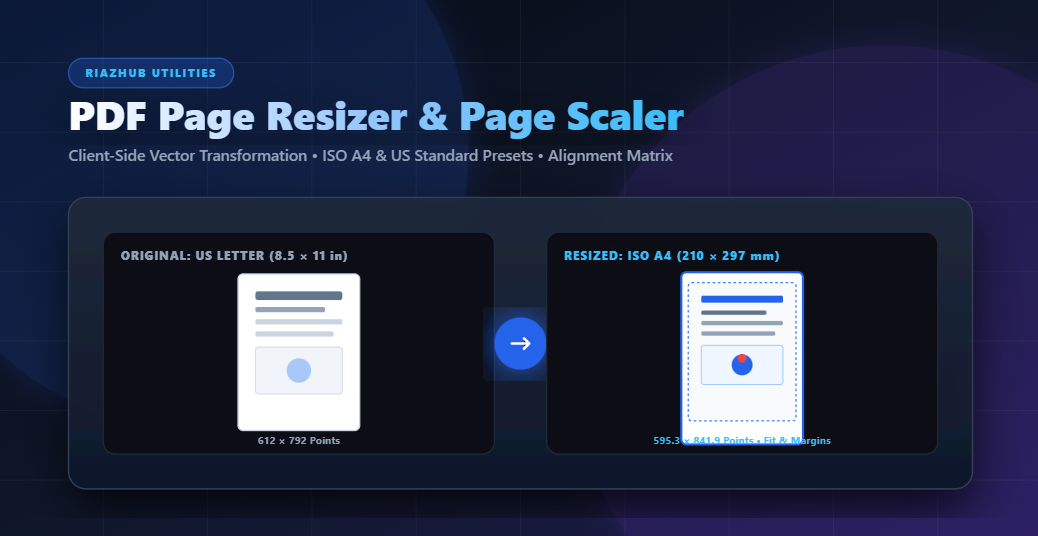
Whether you need to shrink architectural blueprints from A0 down to A3, standardize mixed-size scanned contract sheets, or scale a PDF cover page to fit exact dimensions, using a professional PDF Resize Pages & Page Scaler tool ensures your documents remain 100% razor sharp and properly formatted for any printer.
💡 Need to resize your PDF right now? Access the free, client-side RiazHub PDF Resize Pages & Page Scaler Utility to transform document dimensions in seconds with total privacy.
Why Vector PDF Page Scaling Matters (Raster vs. Vector Transformation)
When most non-technical tools resize a PDF page, they convert the page content into a flat raster bitmap (such as a PNG or JPEG image) and stretch it. This destructive process results in blurry text, pixelated company logos, and fuzzy vector line paths when printed.
In contrast, true Vector Transformation Scaling manipulates the underlying PDF graphics engine. Using mathematical affine matrix transformations, the original TrueType fonts, embedded vector shapes, lines, and layers are embedded directly into a newly dimensioned target canvas. As a result:
- 100% Crisp Resolution: Text fonts and vector graphics remain mathematically sharp at any magnification or target print size.
- Exact Physical Dimensions: MediaBox boundaries are explicitly adjusted to target point dimensions ($72\text{ points per inch}$).
- Zero Content Loss: Original searchable text layers and vector annotations remain fully intact.
Standard ISO vs. US Page Size Reference Table
When configuring target page dimensions in the Online PDF Page Scaler, it helps to understand standard global page specifications:
| Page Standard | Dimensions (Millimeters) | Dimensions (Inches) | Dimensions (PDF Points @ 72 dpi) |
|---|---|---|---|
| ISO A4 | 210 × 297 mm | 8.27 × 11.69 in | 595.28 × 841.89 pt |
| ISO A3 | 297 × 420 mm | 11.69 × 16.54 in | 841.89 × 1190.55 pt |
| ISO A5 | 148 × 210 mm | 5.83 × 8.27 in | 419.53 × 595.28 pt |
| US Letter | 215.9 × 279.4 mm | 8.50 × 11.00 in | 612.00 × 792.00 pt |
| US Legal | 215.9 × 355.6 mm | 8.50 × 14.00 in | 612.00 × 1008.00 pt |
| Tabloid / Ledger | 279.4 × 431.8 mm | 11.00 × 17.00 in | 792.00 × 1224.00 pt |
Understanding the 4 Content Scaling & Aspect Ratio Fit Strategies
Because page aspect ratios differ between US Letter ($1:1.294$) and ISO A4 ($1:1.414$), simply forcing content into new dimensions requires a strategic aspect ratio decision. The RiazHub PDF Scaler Utility provides four distinct scaling algorithms:
1. Fit & Add Margins (Letterbox / Pillarbox)
This is the recommended standard strategy. The original content is scaled proportionally until it fits completely inside the new page dimensions without any stretching or clipping. Equal margin padding is automatically added around the content.
2. Fill & Stretch
The original page content is scaled independently along both the X and Y axes to fill the exact target width and height. This eliminates all side margins, but may slightly stretch aspect ratios if converting between vastly different page shapes.
3. Crop to Fit
The page content is scaled proportionally to fill the entire target canvas. Any excess content that extends beyond the target page boundary is neatly cropped out. This is ideal for borderless presentation slides or bleed prints.
4. Change Canvas / Page Size Only
The original content remains at $100\%$ scale while only the outer paper boundary (canvas MediaBox) is expanded or trimmed around it. Perfect for adding extra margin white-space for binding or hole-punching.
Controlling Page Content Alignment (9-Point Anchor System)
When adding margin spacing or expanding canvas boundaries, where should the original content be positioned? The PDF Resize Pages Engine includes a visual 9-point anchor matrix:
- Center (Default): Centers content horizontally and vertically on the target page.
- Top-Left / Top-Center: Aligns content to the top margin, useful for letterheads and legal headers.
- Bottom-Center / Bottom-Right: Keeps footers and signature blocks anchored to the bottom edge.
Step-by-Step Tutorial: How to Resize PDF Pages Online
- Navigate to the PDF Resize Pages & Page Scaler Tool on RiazHub.com.
- Drag & drop your PDF document into the secure upload area or click to select a file from your device.
- Review the Document Diagnostic Header to view total pages, file size, and original page dimensions in millimeters and PDF points.
- Select your desired Target Page Size (e.g., ISO A4, US Letter, Tabloid, or enter Custom Width & Height).
- Choose your preferred Page Orientation (Match original orientation per page, Force Portrait, or Force Landscape).
- Select a Scaling Fit Strategy (Fit & Add Margins, Fill & Stretch, Crop to Fit, or Canvas Only).
- Click your desired anchor on the 9-Point Alignment Grid.
- Inspect the Live Real-Time Interactive Before/After Visual Preview to verify bounding boxes and margin overlays.
- Click Resize & Download PDF to generate and save your newly formatted document instantly.
100% Browser Privacy & Client-Side Confidentiality
When handling sensitive legal contracts, financial audits, medical records, or proprietary architectural blueprints, security is paramount. Unlike legacy online PDF tools that upload your confidential files to remote third-party servers, the RiazHub PDF Scaler Tool operates 100% inside your web browser using modern WebAssembly and client-side JavaScript APIs.
Your PDF files never leave your computer, no external network requests are made with your document data, and processing takes place in local RAM at lightning speed.
Frequently Asked Questions (FAQs)
Ready to Standardize & Scale Your PDF Pages?
Start converting your PDF document sizes instantly with razor-sharp vector precision and 100% browser privacy.
Browser-Based PDF Resize Pages & Page Scaler
Scale and resize your PDF document pages to standard formats (A4, A3, Letter, Legal, Custom) with exact vector scaling, aspect ratio fitting, alignment anchors, and 100% in-browser privacy.