
Mastering In-Browser Photo Enhancement: 3×3 Spatial Convolution, Dynamic Histograms & Visual Restoration
We have all encountered photographs that came out frustratingly soft, washed-out from backlight, or obscured by poor exposure. Historically, recovering these lost details demanded expensive desktop software subscriptions, complex multi-gigabyte installs, or cloud upload services that quietly indexed your personal imagery.
Today, modern web standards have unlocked unprecedented processing power inside client web browsers. With the launch of the Universal Image Enhancer & Visual Restoration Studio, anyone can now restore blurry pictures, perform dynamic histogram stretching, enhance color vibrance, and export in multi-format high definition all computed securely on your device’s GPU with zero server uploads.
Experience Real-Time Restoration
Ready to sharpen fine details and restore dynamic range instantly in your browser?
1. The Mathematics of 3×3 Spatial Convolution Sharpening
Most generic web photo editors rely on simple CSS visual contrast filters, which merely darken shadows and brighten highlights without addressing underlying pixel softness. In contrast, the Image Enhancer Studio at RiazHub leverages true spatial matrix convolution calculated directly across the raw HTML5 ImageData buffer.
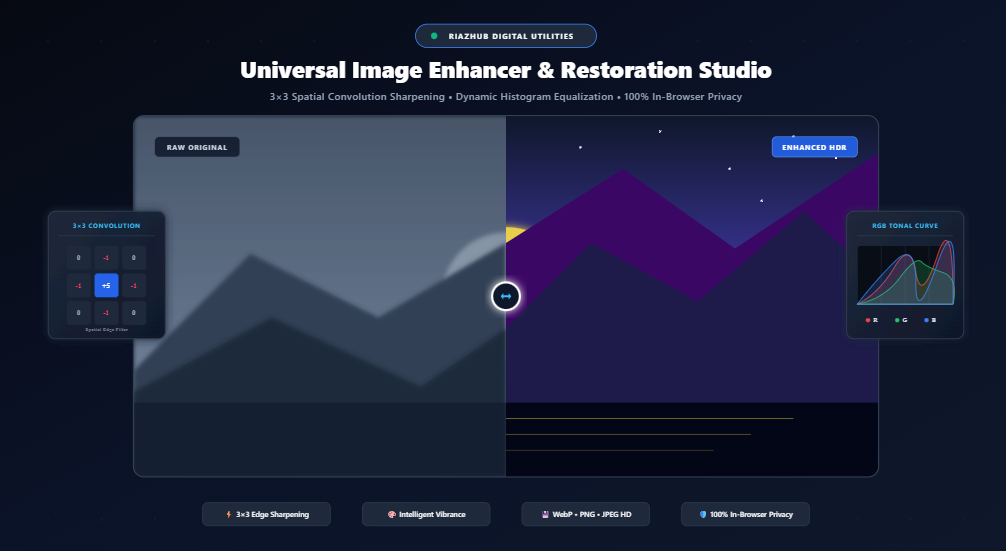
During the sharpening pass, an unsharp masking 3×3 kernel iterates over every single pixel coordinates (x, y) in the image matrix:
// Spatial 3x3 Edge Amplification Kernel
const kernel = [
    0,            -sharpWeight,            0,
   -sharpWeight,   1 + (4 * sharpWeight), -sharpWeight,
    0,            -sharpWeight,            0
];
By weighting the central pixel against the gradient of its four orthogonal neighbors (top, bottom, left, and right), the algorithm isolates high-frequency spatial luminance transitions. It accentuates edges, eyelashes, textural fabric weaves, and distant architectural contours while mathematically suppressing flat color noise.
2. Intelligent Vibrance vs. Linear Saturation: Protecting Natural Skin Tones
One of the most frequent pitfalls of photo retouching is the dreaded “orange skin” effect. When an editor boosts saturation linearly, every single pixel’s chroma is increased by an identical multiplier. Skin tones which inherently live in the red-orange-yellow color spectrum quickly become clipped, glowing, and artificial.
In the Universal Image Enhancer tool, the saturation engine incorporates non-linear perceptual vibrance:
- Saturation Evaluation: The system measures the existing saturation level of each pixel:
(max(RGB) - min(RGB)) / max(RGB). - Adaptive Amplification: Pixels that are dull, muted, or washed out (such as foliage, skies, or background shadows) receive a robust boost.
- Skin Headroom Protection: Pixels that are already rich and saturated are automatically throttled, preserving authentic, glowing human skin tones without color clipping.
3. Cumulative Dynamic Range & RGB Histogram Equalization
Photographs captured in harsh sunlight or low-light conditions often present an unbalanced dynamic range. Either the dark shadows swallow crucial details, or bright skies get completely blown out.
To tackle this, the studio features a built-in Real-Time 256-Bin RGB Color Histogram that visualizes the distribution curve of Red, Green, and Blue channels. By examining the tonal curves, you can perform precision dynamic range stretching:
Contrast stretching remaps the lowest non-zero pixel frequency to pure black (0) and the highest frequency to pure white (255). This eliminates washed-out, milky haze and brings depth, punchiness, and dimensional contrast back to vintage and faded captures.
4. Granular Restoration Controls Overview
When you upload a picture to the Visual Restoration Studio, you gain access to 7 dedicated hardware sliders with live numerical feedback badges:
| Control Slider | Range | Restoration Role & Visual Effect |
|---|---|---|
| Sharpen & Clarity | -100 to +100 | Applies 3×3 spatial unsharp mask convolution to recover fine textures and crisp focus. |
| Brightness / Exposure | -100 to +100 | Uniform photon gain adjustment to brighten underexposed shots or dim overexposed frames. |
| Contrast & Dynamic Range | -100 to +100 | Non-linear contrast expansion stretching tonal distance between deep blacks and bright peaks. |
| Saturation & Vibrance | -100 to +100 | Adaptive color grading engine that boosts dull hues while safeguarding natural skin tones. |
| Warmth & Temperature | -100 to +100 | Kelvin spectral balance shifting red/amber (warm sunset) versus cyan/blue (cool overcast). |
| Shadows & Highlights | -100 to +100 | Lifts underexposed dark areas without blowing out specular cloud or sky highlight headroom. |
| Noise Reduction / Smooth | 0 to 100 | Bilateral spatial smoothing pass to eliminate high-ISO sensor speckling and grain. |
Try It With One Click
Test with our instant sample landscape photo or upload your own favorite memory.
5. Instant 1-Click Restoration Profiles
For users seeking instantaneous turnaround without manual tweaking, the studio offers curated one-click AI-style preset profiles:
- 🌸 Portrait Glow: Applies gentle skin smoothing, mild warmth (+12), subtle exposure lifting (+6), and balanced vibrance.
- 🏞️ Landscape HDR: Aggressive edge clarity (+45), dynamic contrast (+28), and rich green/blue color saturation (+32) for outdoor vistas.
- 📄 Document / Text Clear: High-contrast edge filtering (+60 sharpen, +48 contrast, -30 saturation) that turns blurry invoice or book scans into razor-sharp, readable documents.
- 🎞️ Vintage Film: Lifts blacks, warms overall color temperature (+26), and creates a subtle cinematic desaturated nostalgia.
- 🌙 Night Shot Boost: Rescues deep shadows (+45) and elevates brightness while applying bilateral noise reduction (+28) to clean up grainy evening captures.
6. Interactive Dual-Layer Split Comparison Studio
One of the core design goals of the Universal Image Enhancer is absolute visual transparency. You should never have to guess whether your adjustments are improving the image or introducing unwanted artifacts.
The studio incorporates an interactive Split-Screen Comparison Divider. By dragging the central slider left or right with your mouse or finger on mobile devices, the top layer dynamically clips via CSS polygon() coordinates. You can instantly compare fine sub-pixel details between your original raw image and the enhanced output in real time.
7. Privacy First: 100% In-Browser Hardware Execution
In an era where everyday consumer web tools routinely send user photographs to third-party cloud servers for training or profiling, the RiazHub Image Enhancer takes a radically privacy-conscious stance:
- Zero Uploads: Your images never leave your computer, tablet, or phone.
- Hardware Accelerated: Calculations happen in your browser’s local HTML5 Canvas 2D engine.
- Confidential Scans: Feel completely safe enhancing private family photos, passport scans, contracts, medical records, or confidential work documents.
8. Multi-Format HD Export Suite
Once your photograph looks pristine, the studio provides an industrial-grade export engine that processes your original full-resolution master file:
- WebP (Modern HD): Superb compression ratios delivering cutting-edge sharpness at a fraction of traditional file sizes.
- PNG (Lossless): Pixel-perfect preservation ideal for diagrams, scanned text, graphic artwork, and transparent assets.
- JPEG (Standard): Maximum compatibility across every mobile device, social platform, and legacy printing service.
- Direct Clipboard Copy: Need to paste your enhanced image directly into Slack, Photoshop, or an email? Click Copy Image to place a raw PNG blob onto your system clipboard with a single click.
Restore Your Photos Today
No account required, no file size restrictions, and completely free to use.
Conclusion
Digital image restoration no longer requires specialized technical expertise or costly proprietary tools. By combining spatial 3×3 convolution mathematics, intelligent vibrance algorithms, and real-time histogram analysis inside a responsive, browser-based studio, the Universal Image Enhancer & Visual Restoration Studio empowers photographers, designers, and everyday users to breathe new life into their visual memories.
Universal Image Enhancer & Restoration Studio
Restore blurry photos, balance exposure, enhance colors, sharpen fine details with 3x3 spatial convolution, and export in multi-format high definition with real-time before/after comparison.