
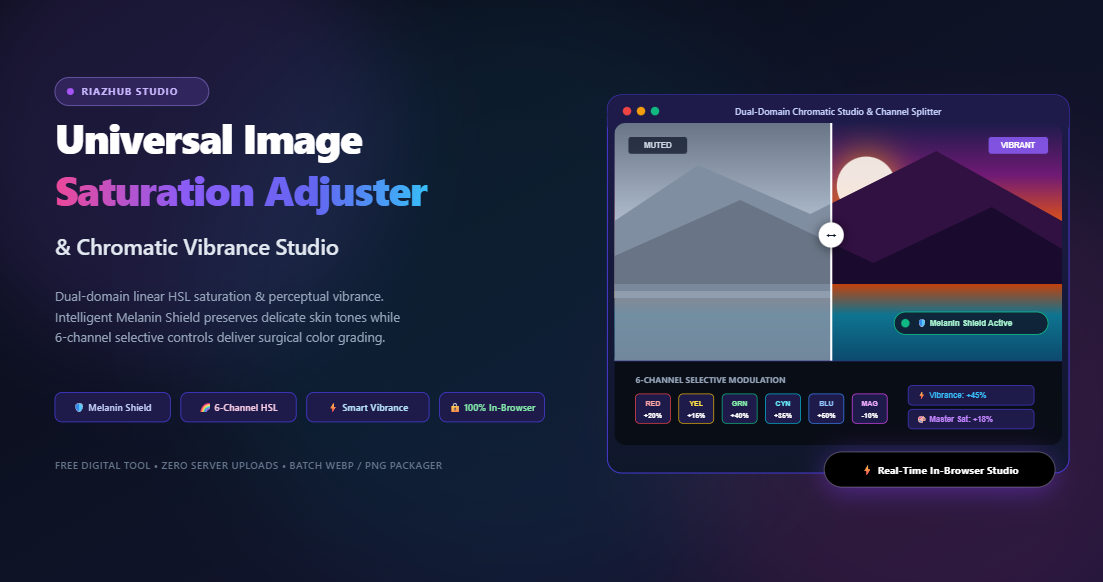
Mastering Image Saturation & Vibrance: Complete Guide to Perceptual Color Grading & Skin-Tone Protection
Every photographer, graphic designer, and digital creator has experienced the frustration of a dull, lackluster photo. The sky looks gray instead of deep azure, lush forest foliage appears dry and yellowish, or golden hour portraits lose their magical warmth. Naturally, the immediate instinct is to grab the nearest “Saturation” slider and slide it to the right.
Yet, more often than not, a standard saturation boost creates new problems: human skin turns an unnatural carrot-orange or neon pink, bright flowers disintegrate into radioactive clipping blobs with zero texture, and subtle color gradients collapse into harsh digital artifacts.
Why does this happen? The answer lies in the fundamental mathematics of linear color models versus human perceptual biology. To achieve punchy, vivid images that remain elegant, lifelike, and professional, you need a dual-domain approach: Linear HSL Saturation balanced with Non-Linear Perceptual Vibrance, backed by an intelligent Melanin Shield and 6-Channel Selective Chromatic Control.
Enhance Your Images Instantly in Your Browser
Experience film-grade color modulation without software installation or cloud uploads. Fine-tune vibrance, shield skin pigments, and export in lossless formats with zero server delays.
1. Linear Saturation vs. Perceptual Vibrance: The Mathematical Difference
While both sliders make an image look more colorful, their internal transformation algorithms are completely different. Understanding this distinction is the cornerstone of professional color correction.
What Is Linear HSL Saturation?
In the standard HSL (Hue, Saturation, Lightness) cylindrical color space, saturation is measured as the radial purity of a color from its central gray axis to the outer perimeter of the gamut ($0\%$ = pure monochrome gray; $100\%$ = pure, unadulterated spectral color).
A linear saturation operator multiplies the current saturation coordinate $S$ by a uniform scaling factor $k$:
function applyLinearSaturation(S, factor) {
return Math.max(0, Math.min(1, S * factor));
}
The Problem with Linear Saturation: It is indiscriminate. If a pixel already has an $80\%$ saturation (such as a red dress or a vibrant flower), applying a $+50\%$ linear boost forces it straight into $100\%$ gamut saturation, blowing out color gradients and losing texture. Meanwhile, pixels that were nearly gray ($5\%$ saturation) receive an imperceptible boost ($7.5\%$).
What Is Perceptual Vibrance?
Vibrance is a smart, non-linear, perceptual saturation algorithm originally popularized by high-end RAW development suites. Rather than scaling all pixels uniformly, Vibrance calculates an inverse-weighting curve based on each pixel’s existing chromatic intensity:
function applyPerceptualVibrance(S, vibranceDelta) {
// Delta ranges from -1.0 to +1.0
if (vibranceDelta > 0) {
// Low-saturation pixels receive the strongest boost; saturated pixels taper off
const boostWeight = Math.pow(1.0 – S, 1.6);
return S + (1.0 – S) * vibranceDelta * boostWeight;
} else {
return S * (1.0 + vibranceDelta);
}
}
Under this non-linear function:
- Pixels with low or muted saturation ($S < 0.35$) receive the largest relative boost, bringing dull backgrounds, cloudy skies, and muted foliage to life.
- Pixels that are already rich and saturated ($S > 0.70$) are gracefully protected with an exponential roll-off curve, preventing gamut clamping and neon clipping.
| Feature / Dimension | Linear HSL Saturation | Perceptual Vibrance |
|---|---|---|
| Mathematical Behavior | Strictly uniform scalar multiplication across all pixels | Non-linear sigmoid curve with inverse saturation weighting |
| Treatment of Dull Colors | Moderate boost proportional to existing value | Maximum aggressive boost to recover flat, washed-out zones |
| Risk of Color Clipping | Very high (neon blowouts in reds, yellows, and magentas) | Near zero (smooth exponential saturation roll-off) |
| Portrait / Skin Safety | Poor; frequently induces sunburn and blotchy skin tones | Inherently safer; avoids over-driving warm facial tones |
| Primary Ideal Use Case | Graphic art, flat logos, stylized duotones, monochrome desaturation | Portraits, landscapes, street photography, culinary photos |
The online Image Saturation Adjuster at RiazHub combines both controls into a unified dual-domain modulation engine, empowering you to dial in the exact balance of punch and nuance your image requires.
2. The Melanin Shield: Preserving Natural Skin Tones in Portraits
The human visual system is exquisitely sensitive to human facial coloration. We immediately notice when someone’s skin looks jaundiced, sunburnt, or unnaturally pasty. Even a minor $10\%$ over-saturation in warm hues can make a client portrait look amateurish.
How the Smart Melanin Protection Matrix Operates
When you activate the Melanin Shield in the RiazHub Saturation Studio, every pixel undergoes a real-time skin pigment identification check before saturation or vibrance is applied:
- Hue Corridor Isolation: The pixel’s hue is tested against the warm melanin corridor ($15^\circ \le \text{Hue} \le 50^\circ$, covering orange, amber, and peach transitions).
- Luminance / Chrominance Boundary Validation: Pixels that are excessively dark ($L < 0.18$) or near-white highlights ($L > 0.92$) are excluded to protect hair and catchlights.
- Dynamic Attenuation Factor: If a pixel falls inside the skin-tone mask, its saturation modification factor is dynamically attenuated by an adjustable resistance factor (typically $70\%$ to $90\%$).
This allows you to crank your landscape or background vibrance to $+60\%$—making the blue sky, autumn leaves, and turquoise water pop dramatically—while the subject’s face, neck, and hands remain soft, organic, and perfectly true to life.
3. 6-Channel Chromatic Grading: Mastering Independent Color Isolation
Global adjustments affect the entire frame equally. But high-end editorial and cinematic grading demands surgical precision over individual color zones.
By splitting the $360^\circ$ color circle into six distinct $60^\circ$ chromatic sectors (with smooth cubic Hermite transitions at the boundaries to prevent banding), the Chromatic Vibrance Studio gives you independent boost and mute control over:
🔴 Reds ($330^\circ – 30^\circ$)
Controls lips, brick facades, red garments, and sunsets. Boost for energetic drama; mute to eliminate unflattering red skin flare or camera sensor hot spots.
🟡 Yellows ($30^\circ – 90^\circ$)
Dictates golden hour sunlight, desert sand, blonde hair highlights, and street lamps. Muting yellow helps isolate clean greens in foliage.
🟢 Greens ($90^\circ – 150^\circ$)
Governs forests, lawns, leaves, and moss. Lowering green saturation while boosting cyan produces moody Nordic and alpine forest aesthetics.
🌐 Cyans ($150^\circ – 210^\circ$)
Essential for tropical oceans, swimming pools, glacial ice, and bright sky horizons. The key ingredient in modern blockbuster “Teal & Orange” looks.
🔵 Blues ($210^\circ – 270^\circ$)
Deep atmospheric sky gradients, evening twilight, denim fabrics, and shadows. Boost for dramatic cloud contrast; mute for high-fashion pastel tones.
🟣 Magentas ($270^\circ – 330^\circ$)
Floral petals, neon signs, stage lighting, and purple haze. Mute to eliminate ugly chromatic aberration (purple fringing) caused by wide-aperture lenses.
4. Creative Color Grading Formulas You Can Achieve in Seconds
With independent 6-channel controls and dual-domain vibrance at your disposal, you can recreate iconic photographic styles without purchasing expensive preset packs:
A. The Modern Cinematic “Orange & Teal”
- Global Vibrance: $+25\%$
- Melanin Shield: Enabled ($85\%$ strength)
- Reds & Yellows: $+15\%$ (warms skin and amber lighting)
- Cyans & Blues: $+35\%$ (deepens skies and shadow tones)
- Greens: $-30\%$ (prevents foliage from competing with the complementary palette)
B. Lush Emerald Nature & Landscape
- Global Vibrance: $+35\%$
- Linear Saturation: $+10\%$
- Greens: $+25\%$
- Cyans: $+20\%$
- Yellows: $-15\%$ (strips dead grass yellow casts, making vegetation look wet and deeply healthy)
C. High-Fashion Editorial Muted Pastel
- Linear Saturation: $-20\%$ (subtle global de-emphasis)
- Perceptual Vibrance: $+30\%$ (maintains base chromatic presence)
- Blues: $-25\%$ (gives skies an airy editorial magazine tint)
- Melanin Shield: Enabled to retain healthy facial warmth
5. How to Adjust Image Saturation Step-by-Step on RiazHub
Follow this quick walkthrough to color grade your photos in real time:
Step 1: Upload Your Image(s)
Navigate to the Image Saturation Adjuster & Chromatic Vibrance Studio. Drag and drop your image into the dropzone, click the browse button, or paste an image directly from your clipboard using Ctrl+V (or Cmd+V on Mac). You can also click “Load Dull Sample” to test the engine on a pre-loaded low-saturation outdoor scene.
Step 2: Balance Saturation & Vibrance
Begin with the Perceptual Vibrance slider. For most natural photos, a setting between $+20\%$ and $+40\%$ instantly revitalizes flat tones. If the whole image feels washed out, add a modest touch of Master Saturation ($+10\%$ to $+20\%$).
Step 3: Toggle the Melanin Shield for People Photos
If your photo contains people or portraits, make sure the 🛡️ Melanin Shield (Protect Skin) checkbox is enabled. Watch how the subject’s face retains its natural soft complexion while surrounding colors jump forward with vibrancy.
Step 4: Sculpt Individual Color Channels
Expand the Selective Color Channels panel. Nudge individual color sliders to balance specific elements—deepen ocean blues, make spring greens pop, or desaturate distracting background elements.
Step 5: Inspect with the Split-Screen Comparison Tool
Switch to the “🪞 Split View” tab. Drag the interactive vertical divider back and forth across your image to closely examine your before-and-after edits at 1:1 pixel resolution.
Step 6: Export in Modern WebP, PNG, or JPEG
Choose your desired output format:
- Modern WebP: Recommended for website publishing; delivers $30\%$ smaller file sizes than JPEG with identical photographic quality.
- Lossless PNG: Ideal for graphics, illustrations, and archival masters where zero compression artifacting is permitted.
- High-Res JPEG: Standard choice for commercial print and legacy device compatibility.
Click “⬇️ Download Image”. If you processed a batch of multiple images, click “📦 Download Batch as ZIP” to receive an instantly packed ZIP archive generated directly in your browser memory!
Try the Free Color Studio Today
No account registration, no credit cards, and no annoying watermarks. Experience instant, responsive, client-side color modulation now.
6. Privacy-First Engineering: Why 100% Client-Side Processing Matters
Traditional online image converters upload your files to remote web servers. Not only does this consume significant mobile data and create upload latency, but it also creates serious privacy risks. Uploading personal family photos, confidential medical scans, private ID documents, or proprietary graphic design files to unknown third-party servers is a security hazard.
The RiazHub Image Saturation Adjuster is built on a Strict Client-Side Architecture:
- Zero Server Uploads: Every byte of pixel calculation, color space transformation (RGB to HSL and back), melanin masking, and image encoding occurs entirely inside your web browser’s local RAM.
- Blazing Fast Performance: Powered by optimized HTML5 Canvas pixel array buffers (
Uint8ClampedArray), transformations happen in milliseconds without waiting for server response round-trips. - In-Memory Batch Archiving: The multi-file ZIP packager utilizes raw binary array buffers to construct valid ZIP archives locally on your device without transmitting a single packet of image data across the internet.
7. Frequently Asked Questions (FAQ)
Ready to Elevate Your Visuals?
Give your dull photos the rich, cinematic, and lifelike color they deserve in just a few clicks.
Universal Image Saturation Adjuster & Chromatic Vibrance Studio
Boost flat landscapes, protect natural portrait skin tones, selectively saturate specific color channels, and batch-grade photos in real-time with dual-domain color science.
| Preview | File Name | Resolution | Settings | Action |
|---|---|---|---|---|
| No images in batch queue. Upload multiple photos to inspect here. | ||||
Smart Vibrance uses a non-linear curvature: it aggressively boosts colors that are dull and muted ($\Delta S \propto 1 - S$), while gently tapering off on colors that are already intense. This ensures skies, foliage, and landscapes gain depth and punch without looking synthetic.
Our Melanin Shield calculates the per-pixel HSL hue angle and applies a selective dampening coefficient ($\approx 0.25\times$) to pixels falling inside this human pigment envelope. This allows you to crank up background vibrancy while preserving natural, flattering skin tones.