
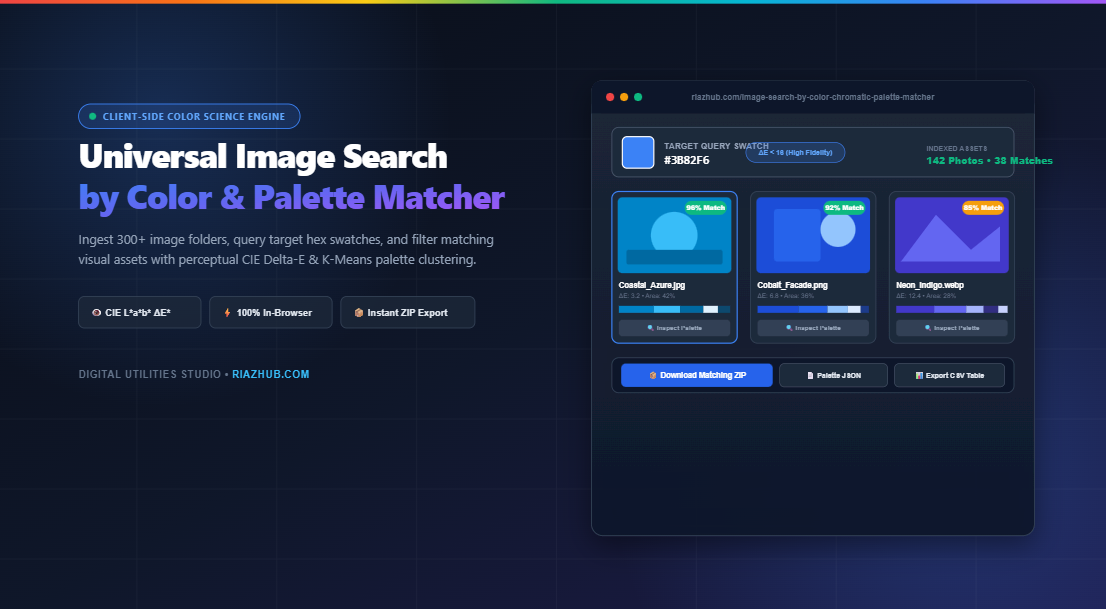
Why traditional keyword tags fail modern design asset management, how the human visual cortex perceives chromatic distance, and how you can index, rank, and download hundreds of photos matching exact hex swatches directly inside your browser.
The Fundamental Flaw of Keyword Search in Visual Asset Curation
Whether you are assembling a luxury fashion lookbook, preparing moodboards for interior architecture, or auditing brand compliance across an e-commerce catalog, you have undoubtedly run into the limitations of metadata tagging. Searching for “blue” in a digital asset management system routinely returns everything from electric cyan to deep navy, weathered slate, and washed-out sky pastel.
Metadata is subjective. Two different photographers or content creators will tag the exact same photo as “teal”, “ocean green”, or “emerald”. When you require assets that precisely match a client’s corporate brand palette (such as #3B82F6) or a specific interior wall swatch, keywords simply cannot deliver the required precision.
This is why the Image Search by Color & Chromatic Palette Matcher was built. Instead of relying on arbitrary text labels, it conducts mathematical pixel-level evaluations across bulk batches of photos, sorting your catalog by visual chromatic affinity and dominant composition coverage in real time.
The Color Science: Why Standard RGB Distance Fails Human Perception
Many basic color search scripts measure distance using standard Euclidean RGB geometry:
While computationally inexpensive, this formula assumes that human vision functions like an isotropic geometric cube where green, red, and blue differences are perceived identically. In biological reality, human optical biology is profoundly non-linear.
Due to the distribution of cone photoreceptors in the human retina, our eyes are significantly more sensitive to subtle shifts in green and yellow wavelengths (which correspond closely to luminance) than to equal numerical shifts in pure blue or violet. An RGB distance of 20 units in green looks dramatically different to a human observer, while an RGB distance of 20 in deep blue is often barely perceptible.
Enter CIE L*a*b* and the Delta-E (ΔE) Standard
To match colors the way human eyes actually see them, the Image Search by Color studio on RiazHub transforms every pixel from standard non-linear sRGB through the linear CIE XYZ matrix into the uniform CIE L*a*b* color space:
- L* (Lightness): Represents perceptual brightness from 0 (pure black) to 100 (diffuse white).
- a* (Green-to-Red Axis): Negative values indicate green; positive values indicate magenta and red.
- b* (Blue-to-Yellow Axis): Negative values indicate blue; positive values indicate yellow.
Once mapped into CIE L*a*b*, the perceptual difference between any image swatch and your query target is evaluated using the internationally recognized CIE76 Delta-E formula:
| Delta-E Range (ΔE) | Perceptual Human Meaning | Ideal Application |
|---|---|---|
| ΔE < 2.0 | Virtually imperceptible difference to the trained human eye. | High-end print proofing & strict brand identity verification. |
| ΔE < 10.0 | Close, harmonious match with negligible tint variation. | Product catalog styling, moodboards, packaging design. |
| ΔE < 20.0 | Noticeable difference, but clearly within the same color family. | Nature photography grouping, atmospheric backdrop sorting. |
| ΔE > 35.0 | Different chromatic family or opposing hue quadrant. | High-contrast filtering & palette exclusion. |
High-Speed In-Browser Processing: How 300+ Images Are Analyzed in Seconds
One common concern with client-side image processing is browser memory and CPU load. If a user uploads 150 photos taken with modern smartphones (each at 12–48 megapixels), decoding millions of pixels sequentially could easily freeze the browser thread.
The Universal Image Search by Color utility circumvents this bottleneck through a clever multi-stage pipeline:
- Canvas Downsampling (64×64 Grid): As each image is ingested via
FileReader, it is rendered into an offscreen 64×64 pixel canvas. This downsamples the image to exactly 4,096 representative pixels—preserving macro color composition while shedding megabytes of unnecessary high-frequency noise. - 15-Bit Quantization & Color Frequency Binning: The pixel buffer is processed through bit-shift quantization (5 bits per RGB channel). Subtly varying sensor noise is grouped into unified chromatic buckets.
- Dominant Palette Extraction: The top 5 dominant colors and their exact surface percentage coverage (e.g., #1E3A8A: 42%, #93C5FD: 28%) are extracted and cached in client memory.
- Instant Threshold Filtering: When you adjust the Minimum Color Surface Area slider (from 5% to 70%), the engine filters the pre-computed dominant clusters instantaneously, with zero re-rendering overhead.
Real-World Workflows and Use Cases
1. E-Commerce & Fashion Lookbook Curation
Merchandisers frequently need to group product photos by seasonal color palettes (e.g., “Warm Terracotta Autumn” or “Cool Pastel Spring”). By querying target swatches like #C2410C or #F43F5E in the Chromatic Palette Matcher, hundreds of garment and lifestyle photos can be filtered in one step and downloaded as a clean, ready-to-publish ZIP archive.
2. Brand Identity & Corporate Visual Auditing
Brand design guidelines mandate strict adherence to official primary and secondary brand colors. Setting the algorithm to CIE L*a*b* with a strict tolerance threshold ($\Delta E \le 8$) allows agencies to ingest marketing collateral, banners, and social posts to immediately flag assets that deviate from the brand guide.
3. Architecture & Interior Design Moodboards
Interior designers curating materials (woods, ceramics, fabrics, stones) can drop whole project folders into the tool to isolate reference photography that features specific material tones with greater than 20% composition coverage.
100% Client-Side Privacy: Why Zero Server Uploads Matter
In an era where digital assets often contain proprietary designs, unreleased product photography, or sensitive brand collateral, transmitting gigabytes of image data to third-party cloud servers poses severe confidentiality and compliance risks.
Every single operation in the Image Search by Color tool on RiazHub occurs entirely within your local browser’s JavaScript sandbox. No external APIs are called, no tracking telemetry is sent, and your image data never leaves your device. Even the ZIP archive exporter is generated client-side using pure in-memory PKZIP streams.
Summary of Core Capabilities
- Bulk Folder & Multi-File Ingestion: Drag and drop up to 300+ images or ingest entire folder trees in a single action via
webkitdirectory. - Triple Metric Engine: Switch seamlessly between perceptual CIE L*a*b* ($\Delta E_{76}$), 360° Angular HSL Hue, and Euclidean RGB space.
- Multi-Color Query Matrix: Search for assets containing combinations of up to 4 simultaneous brand colors.
- Interactive Palette Breakdown: Inspect any photo’s 5 dominant colors with exact compositional percentage breakdowns and 1-click hex copying.
- Complete Export Suite: Export matching assets as a packaged ZIP archive, detailed JSON manifest, or CSV spreadsheet.
🎨 Universal Image Search by Color & Chromatic Palette Matcher CIE ΔE* Studio
Ingest photo galleries, select target hex swatches, match visual themes using perceptual CIE Delta-E metrics, and filter matching assets in real time with 100% private in-browser processing.
Drag & Drop Images or Entire Folder Here
Supports JPG, PNG, WEBP, AVIF, SVG, GIF (Up to 300+ images)
No Photos Loaded in Studio
Drag and drop photos or click "Load Sample Photos" to analyze dominant chromatic palettes and find images matching your exact target colors.
CIE $L^*a^*b^*$ solves this by converting non-linear sRGB values through the linear CIE XYZ matrix into a 3D perceptual color space: $L^*$ (Perceptual Lightness $0-100$), $a^*$ (Green to Red opponent axis), and $b^*$ (Blue to Yellow opponent axis). The resulting Euclidean metric $\Delta E_{76} = \sqrt{\Delta L^{*2} + \Delta a^{*2} + \Delta b^{*2}}$ reflects genuine human visual discrimination:
- $\Delta E < 2$: Imperceptible color difference to the average human observer.
- $\Delta E < 10$: Highly accurate chromatic match (ideal for brand consistency and print audit).
- $\Delta E < 20$: Harmonious tone within the same perceptible color family.
- Each incoming photo is loaded into an in-memory
HTML5 Canvas 2DContextdownsampled to a 64×64 pixel grid (4,096 pixels). - Pixels are quantized into 15-bit color buckets (shifting 5 bits per channel) to group subtle sensor noise into unified dominant color clusters.
- The top 5 dominant colors and their exact compositional surface percentages (0.1% to 100%) are indexed and cached in memory.
FileReader, Canvas, Blob, and pure in-memory PKZIP streams).