
Mastering High-DPI Image Thumbnails & Social Covers: In-Browser Rescaling, Aspect Ratio Mathematics & Core Web Vitals Optimization
In modern web publishing, visual assets dictate user engagement, search indexing velocity, and click-through rates across search engines and social feeds. However, an alarming number of digital publishers, digital marketers, and e-commerce stores deliver full-resolution, multi-megabyte camera originals directly to client browsers, relying on arbitrary CSS properties like object-fit: cover or width: 100% to visually shrink photos on the fly.
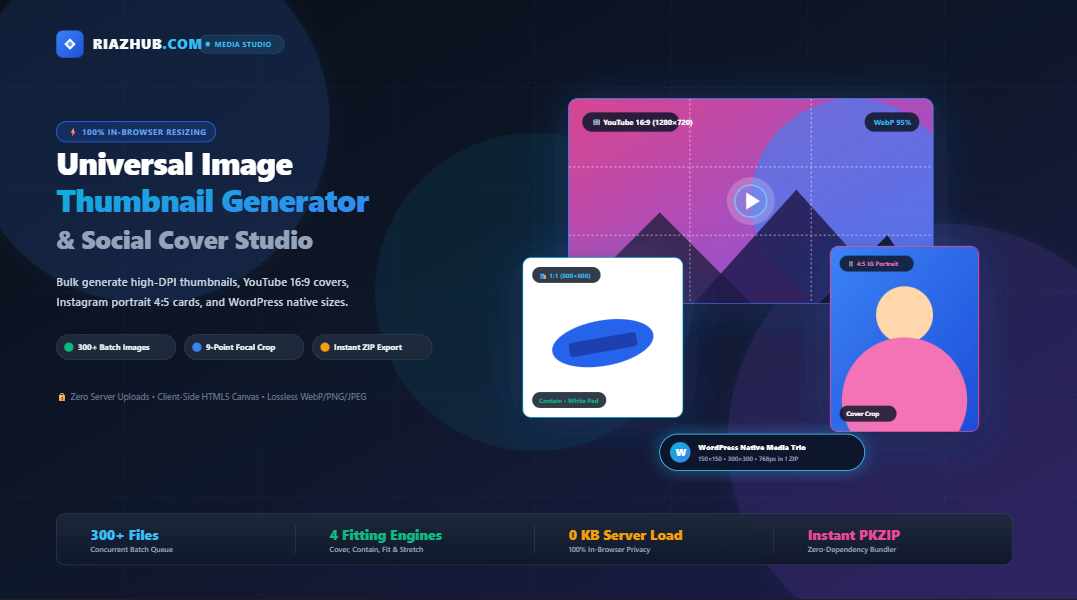
This practice severely damages your site’s Core Web Vitals specifically Largest Contentful Paint (LCP) and Cumulative Layout Shift (CLS) while overloading mobile device RAM. To resolve this challenge at scale without sending private media to external servers, we engineered the free Browser-Based Universal Image Thumbnail Generator & Social Cover Studio on RiazHub.com.
Need to batch generate thumbnails right now? Launch the Universal Image Thumbnail Generator & Social Cover Studio to process up to 300+ images simultaneously with zero server uploads and 100% client-side data privacy.
1. The Hidden Cost of CSS-Resized Images on Core Web Vitals
When a smartphone loads a raw 4000 × 3000 px (12-megapixel, 4.5 MB) JPEG photo to display it inside a compact 300 × 300 px product catalog card, three destructive bottlenecks occur simultaneously:
- Network Bloat: The mobile client transfers 4.5 MB over 4G/5G instead of a clean, pre-scaled
300 × 300 pxWebP thumbnail measuring just 14 KB a 99.7% payload penalty. - Main-Thread CPU Decompression Spike: The browser must allocate a memory bitmap of
4000 × 3000 × 4 bytes = 48 MBin GPU/RAM just to decode the raw pixel array before sub-sampling it down. On budget mobile processors, this triggers noticeable frame drops and degrades Interaction to Next Paint (INP). - LCP Degradation: Because Largest Contentful Paint measures the rendering timestamp of the largest visible viewport element (frequently the hero image or primary product thumbnail), transferring excess bytes directly delays your LCP threshold beyond Google’s recommended 2.5-second limit.
By pre-rendering exact target dimensions using the Universal Image Thumbnail Generator, browsers receive assets that match their intended display bounding boxes pixel-for-pixel, eliminating layout shifts and rendering instantaneously.
2. Deep Dive: Aspect Ratio & Fitting Mathematics
A thumbnail generator must reconcile discrepancies between an arbitrary source aspect ratio ($W_{\text{orig}} : H_{\text{orig}}$) and a rigid destination bounding box ($W_{\text{target}} : H_{\text{target}}$). The Social Cover Studio executes four distinct geometrical transformations directly within HTML5 2D Canvas:
Mode 1: Smart Cover Crop
Designed for high-impact social media cards (such as YouTube 16:9 thumbnails and Instagram 4:5 portraits), Cover Crop ensures the destination frame is 100% filled with zero blank letterboxing:
// Compute isotropic scaling factor
const scale = Math.max(targetWidth / origWidth, targetHeight / origHeight);
const sampleWidth = targetWidth / scale;
const sampleHeight = targetHeight / scale;

// Center crop coordinates
let sourceX = (origWidth - sampleWidth) / 2;
let sourceY = (origHeight - sampleHeight) / 2;
Mode 2: Contain / Letterbox with Dynamic Backdrop Filler
E-commerce product catalogs and technical schematics cannot tolerate edge cropping. Contain mode calculates $s = \min(W_{\text{target}} / W_{\text{orig}}, H_{\text{target}} / H_{\text{orig}})$, centering the complete image within the canvas. The empty borders are dynamically filled using three methods:
- Transparent Alpha: Essential for transparent PNG/WebP product silhouettes.
- Solid Color Matte: Applies crisp hex colors (e.g., pure white
#FFFFFFfor Google Shopping or Amazon). - Scaled Blur Cushion: Clones the source photo, aggressively blurs it (24px Gaussian kernel), and scales it to create a modern backdrop seen on YouTube Shorts and Instagram Reels.
Mode 3: Proportional Scale-to-Fit
Adjusts canvas dimensions dynamically to match the exact natural aspect ratio of the photo without creating letterbox margins, perfectly emulating WordPress native medium_large (768px width) media processing.
3. The 9-Point Focal Anchor Selector
A common failure of automated batch thumbnail software is arbitrary center-cropping. When transforming a tall portrait photo into a wide 16:9 YouTube cover, a rigid center-crop often decapitates the subject’s head or cuts off critical product logos.
To solve this, our studio incorporates an interactive 3×3 Directional Focal Matrix:
| Anchor Selection | Calculated Coordinate Offset | Ideal Publishing Use Case |
|---|---|---|
| Top-Center (⬆) / Top-Left (↖) | sourceY = 0 |
Human portraits, facial closeups, fashion modeling photography. |
| Dead Center (🎯) | sourceX = (W - sw)/2, sourceY = (H - sh)/2 |
Vehicles, centralized product shots, symmetrical graphics. |
| Bottom-Center (⬇) / Bottom-Right (↘) | sourceY = origHeight - sampleHeight |
Footwear showcases, software UI taskbar captures, floor perspective architectural shots. |
You can fine-tune focal points with a single click in the RiazHub Social Cover Studio, previewing results instantly on the live stage before downloading.
4. 2026 Social Media & Web Platform Dimension Cheat Sheet
Different platforms enforce strict aspect ratios. Uploading mismatched dimensions forces automated algorithmic compression and awkward cropping on third-party servers. Use this reference matrix built into the studio:
| Platform / Target Preset | Target Dimensions (px) | Aspect Ratio | Recommended Fitting Mode |
|---|---|---|---|
| YouTube Video Cover | 1280 × 720 | 16:9 | Cover Crop (Center / Top-Center) |
| Instagram Portrait Feed | 1080 × 1350 | 4:5 | Cover Crop (Zero Letterbox) |
| TikTok / IG Story / Reels | 1080 × 1920 | 9:16 | Cover Crop or Blur Cushion |
| E-Commerce Catalog (Shopify/Woo) | 800 × 800 or 1000 × 1000 | 1:1 | Contain (Solid White Backdrop) |
| WordPress Media Thumbnail | 150 × 150 | 1:1 | Cover Crop (Center) |
| WordPress Medium Size | 300 × 300 | 1:1 | Contain or Proportional Fit |
| WordPress Medium-Large | 768 × proportional | Dynamic | Proportional Scale-to-Fit |
| Full HD Web Hero Display | 1920 × 1080 | 16:9 | High-Quality WebP (90% Quality) |
5. How to Batch Generate Thumbnails in 4 Easy Steps
Whether you need five YouTube covers or three hundred e-commerce catalog squares, the workflow inside the Universal Image Thumbnail Generator takes seconds:
Drag and drop single or multiple photos (JPG, PNG, WebP, AVIF, SVG) into the dropzone, press Ctrl+V to paste from your clipboard, or click “Load Samples” for quick testing.
Select a 1-click platform pill (YouTube 16:9, Shop 1:1, IG Story 9:16, or WP Pack), or specify custom pixel width and height with the aspect ratio lock engaged.
Switch between Cover, Contain, or Proportional Fit. For Cover mode, set your focal anchor point using the 9-point grid; for Contain mode, choose transparent or blurred padding.
Preview changes via the interactive Before/After Split Slider, copy high-performance HTML <picture> code, or click “Download All as ZIP” to export everything in seconds.
6. Privacy Engineering: Why 100% Client-Side Processing Matters
Conventional online image resizers require users to upload their photographs to remote cloud servers (AWS S3, Google Cloud, or third-party PHP endpoints). This introduces significant security and privacy liabilities:
- Unreleased e-commerce product photos or proprietary marketing banners may be retained in server temporary directories.
- Personal portraits, IDs, and avatars risk unintended interception or cloud storage leaks.
- Upload bandwidth limits and server-side queue latency create frustrating bottlenecks when processing large batches.
The RiazHub Thumbnail Generator operates on a Zero-Server Architecture. Your photos are read via the browser’s native FileReader and HTMLCanvasElement memory space. The ZIP file is packaged dynamically in RAM using an in-memory client-side PKZIP implementation. No bytes ever leave your workstation.
7. Best-Practice HTML5 <picture> Snippet for Thumbnails
To achieve perfect 100/100 Google Lighthouse and PageSpeed Insights scores, combine WebP thumbnails with explicit dimensions, asynchronous decoding, and native lazy loading:
<!-- Optimized High-DPI Thumbnail Markup generated by RiazHub -->
<picture>
  <source srcset="hero-product_thumb_800x800.webp" type="image/webp">
  <img
    src="hero-product_thumb_800x800.jpg"
    alt="Detailed View of Wireless Headphone Product"
    width="800"
    height="800"
    loading="lazy"
    decoding="async"
    style="width: 100%; max-width: 800px; height: auto; aspect-ratio: 1/1; object-fit: cover; border-radius: 8px;"
  />
</picture>
The Social Studio tool automatically formats this clean snippet on its “HTML Snippet” tab, ready to be pasted directly into WordPress, Webflow, Shopify, or custom Next.js/React applications.
8. Frequently Asked Questions (FAQ)
What is the maximum number of images I can resize at once?
Because processing utilizes client-side memory rather than congested server CPUs, you can comfortably queue and process 300+ high-resolution images in a single batch on standard laptop hardware.
Why choose WebP over standard JPEG for thumbnails?
WebP offers both lossy and lossless compression algorithms specifically designed for the modern web. At identical perceptual clarity, WebP files are on average 25% to 35% smaller than standard JPEGs, and unlike JPEG, WebP supports full 8-bit alpha transparency.
Does resizing downscale quality?
No. The tool uses hardware-accelerated 2D canvas interpolation with high-quality sub-pixel smoothing enabled (imageSmoothingQuality = 'high'), preventing the jagged pixel aliasing often seen in basic server-side GD library resizing.
Universal Image Thumbnail Generator & Social Studio
Bulk generate high-DPI thumbnails, YouTube covers, WordPress media library sizes, and e-commerce product squares in real time. 100% private, client-side in-browser rendering.
1. Ingest Images 0 Images
Drag & Drop Images Here
Supports JPG, PNG, WebP, AVIF, SVG, BMP & TIFF (up to 300+ images)
2. Target Size & Aspect Ratio
3. Fitting & Cropping Topology
9-Point Focal Anchor (pins crop alignment):
4. Format & Compression
No Image Selected
Drop an image on the left panel or click "Load Samples" to start generating thumbnails.
🚀 Thumbnail Engineering & Core Web Vitals Optimization
Serving full-resolution original photos and resizing them down via CSS inflates network transfer size and triggers heavy browser memory re-rasterization. Pre-rendering exact thumbnail dimensions ensures instant Largest Contentful Paint (LCP) scores.
Cover mode uses focal point mathematics to fill the frame without aspect distortion. Contain mode preserves 100% of context, padding borders with transparent alpha, solid brand mattes, or modern dynamic blurred cushion backdrops.
Modern WebP transcoding delivers 25% to 35% smaller file sizes compared to legacy JPEG at identical perceptual clarity, supporting alpha transparency for product cutouts while accelerating mobile page speeds.
All pixel processing, color interpolation, sub-pixel bicubic scaling, and ZIP bundling occur purely inside your browser’s HTML5 Canvas memory. Zero user photos or metadata are ever transmitted to any external server.