
How to Convert Images to Authentic 8-Bit & 16-Bit Pixel Art: Color Quantization, Dithering & Retro CRT Shader Guide
Learn how vintage video game hardware registers, spatial error diffusion dithering, Sobel dark outline kernels, and integer nearest-neighbor upscaling combine to transform any photo into museum-grade retro arcade graphics.
However, transforming a modern smartphone photograph, an illustration, or a 3D render into genuine pixel art is notoriously difficult when using ordinary photo editors. A standard blur or naive bicubic resize destroys silhouettes, produces muddy colors, and introduces fuzzy gradients that immediately look cheap and synthetic. Authentic retro graphics were never simply low-resolution photos; they were masterworks of strict hardware palette registers, optical dithering tessellation, 1-pixel dark contour boundaries, and phosphor-lit cathode-ray tube (CRT) display physics.
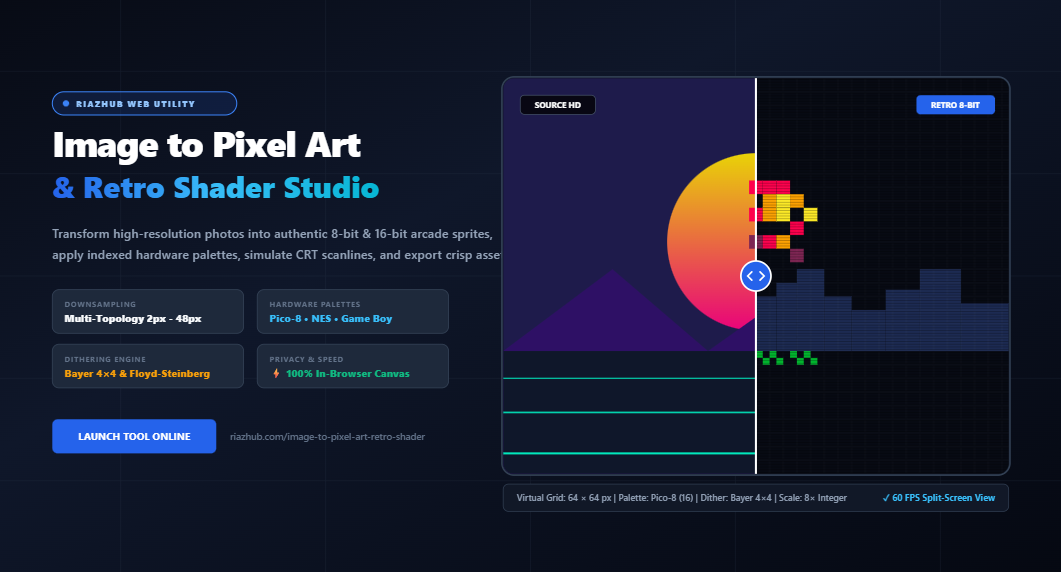
In this comprehensive guide, we will unpack the computational science behind vintage graphics synthesis and explore how you can achieve authentic 8-bit and 16-bit transformations using the free RiazHub Image to Pixel Art & Retro Shader Studio directly inside your browser.
⚡ Ready to Transform Your Images Right Now?
Skip the manual Photoshop scripting. Process single photos or batches up to 100+ images with Game Boy, NES, Commodore 64, and Pico-8 palettes using the browser-based Image to Pixel Art & Retro Shader Tool on RiazHub. 100% private, client-side, and free.
1. The Mechanics of Virtual Downsampling: Grid Blocks vs. Resampling
The first stage in converting any source image into pixel art is reducing the pixel count to a resolution characteristic of 1980s and 1990s microcomputers and arcade hardware. Typical arcade machines and home consoles operated on surprisingly compact display grids:
- Game Boy (1989): 160 × 144 pixels
- Nintendo Entertainment System (1983): 256 × 240 pixels
- Commodore 64 (1982): 320 × 200 pixels
- Pico-8 Fantasy Console: 128 × 128 pixels
To mimic these hardware limits without distorting the aspect ratio of modern photographs, our engine computes a virtual low-resolution grid based on a configurable Pixel Block Size ($B$):
H_v = \max\left(4, \left\lfloor \frac{H_{\text{orig}}}{B} \right\rfloor\right)
When you feed an image into the RiazHub Image to Pixel Art Studio, the engine resamples your source photo onto an offscreen canvas using these exact virtual dimensions. If you choose a block size of 8px on a $640 \times 480$ photo, the virtual stage operates on a pristine $80 \times 60$ pixel grid, preserving the micro-details while enforcing the iconic blocky geometry of vintage arcade games.
2. Color Reduction & Hardware Palette Quantization
Downsampling alone is not enough. A modern camera photo contains upwards of 16.7 million 24-bit TrueColor hues. If you simply downscale an image without color quantization, you get a blurry, tiny modern photo rather than vintage video game art.
Vintage consoles lacked the video RAM (VRAM) bandwidth to display millions of colors. Instead, graphic processing units (GPUs) and picture processing units (PPUs) mapped low-resolution pixel grids against indexed hardware color lookup tables (CLUT).
| Hardware System | Color Palette Size | VRAM Characteristics & Visual Style |
|---|---|---|
| Game Boy Classic | 4 Shades | 2 bits per pixel, iconic monochrome olive-green display phosphor. |
| Commodore 64 (VIC-II) | 16 Colors | Muted earth tones, industrial greys, and iconic high-saturation purples/cyans. |
| Pico-8 Fantasy Console | 16 Colors | Curated modern retro palette optimized for character sprites and indie games. |
| NES (Ricoh 2C02 PPU) | 54 Colors | Arcade-rich primaries, pastel skies, and vintage punchy reds. |
| Cyberpunk Neon | 8 Colors | Vibrant high-contrast synthwave spectrum (electric cyan, magenta, acid yellow). |
The Science of Weighted Photometric Euclidean Matching
To map every pixel in your photograph to the nearest color in a retro console’s palette, standard naive algorithms compute the straight 3D geometric distance in RGB space. However, the human retina is fundamentally non-linear: our eyes have vastly more green cone photoreceptors than blue or red receptors.
To produce naturalistic color mapping without murky skin tones or washed-out skies, the RiazHub Pixel Art Engine implements human photometric perceptual weighting:
By minimizing $\Delta C$ across all entries in the active palette register, shadows remain crisp, facial tones retain warmth, and skies never collapse into dull grey artifacts.
3. Dithering Science: Floyd-Steinberg vs. Bayer 4×4 Ordered Thresholds
When you reduce millions of colors down to just 4 or 16 shades, smooth photographic gradients (like sunsets, skin, and cloudy skies) inevitably turn into harsh, ugly color bands known as posterization.
In the 1980s, game artists and computer scientists solved this problem through dithering: interleaving two different colored pixels in alternating patterns so that from a distance, the human eye blends them into a perceived intermediate color that doesn’t actually exist in the console’s VRAM.
A. Bayer 4×4 Ordered Dithering (The Vintage Arcade Checkerboard)
Bayer ordered dithering applies a deterministic spatial threshold matrix across the virtual image grid. The matrix modulates pixel intensities before palette clamping, creating recognizable cross-hatch and checkerboard patterns:
[ 0/16, 8/16, 2/16, 10/16 ],
[ 12/16, 4/16, 14/16, 6/16 ],
[ 3/16, 11/16, 1/16, 9/16 ],
[ 15/16, 7/16, 13/16, 5/16 ]
];
Bayer dithering delivers that quintessential 1990s PC-98, LucasArts point-and-click adventure, and Game Boy RPG texture.
B. Floyd-Steinberg Spatial Error Diffusion
Unlike Bayer matrices, which evaluate pixels in isolation based on coordinates, Floyd-Steinberg error diffusion propagates the quantization error residual $\mathbf{e} = C_{\text{original}} – C_{\text{quantized}}$ forward to neighboring unvisited pixels:
- Right neighbor: $+7/16 \times \mathbf{e}$
- Down-left neighbor: $+3/16 \times \mathbf{e}$
- Direct down neighbor: $+5/16 \times \mathbf{e}$
- Down-right neighbor: $+1/16 \times \mathbf{e}$
Floyd-Steinberg produces organic, newspaper-like stipple shading that excels at rendering portraits, animal fur, and complex landscape foliage. Both engines can be calibrated with live blend intensity inside the RiazHub Image to Pixel Art Tool.
4. Synthesizing Dark Sprite Outlines with Sobel Edge Convolutions
Take a look at classic sprites from Street Fighter II, Mega Man, or Pokémon. Notice how characters pop distinctly from their backgrounds? Retro illustrators manually inked a 1-pixel dark perimeter around sprites to guarantee visual separation against colorful backgrounds.
To automate this tedious manual workflow, our engine runs a 2D Sobel edge detection convolution over the low-resolution virtual grid. By convolving horizontal ($G_x$) and vertical ($G_y$) luminance gradients, the engine calculates boundary magnitude:
Whenever $G$ exceeds your custom edge sensitivity threshold, the algorithm injects a 1-pixel dark arcade contour, instantly giving portraits and subjects that handcrafted comic-book sprite look.
5. CRT Monitor Emulation: Scanlines, Phosphor Glow & Vignette Curvature
During the golden era of arcade cabinets and 8-bit home consoles, pixel graphics were never displayed on sterile, razor-sharp flat LCD screens. They were broadcast onto curved glass cathode-ray tube (CRT) monitors.
The electron guns in a CRT swept across the screen horizontally, leaving faint dark gaps between scanlines. The red, green, and blue phosphor dots bled softly into one another, naturally anti-aliasing the sharp square pixels and giving retro games their nostalgic warmth.
The Image to Pixel Art & Retro Shader Studio at RiazHub includes a dedicated CRT Shader Accordion allowing you to customize:
- Scanline Intensity: Renders horizontal cathode beam raster lines across pixel intervals.
- Phosphor Bloom & Vignette: Simulates glass curvature and corner darkening to recreate the feel of an authentic 1980s coin-op arcade cabinet.
🎨 Test CRT Scanlines and Retro Shaders Live
Experience 60 FPS split-screen before/after comparison and an interactive 800% pixel zoom loupe by visiting the RiazHub Retro Pixel Art Studio. Click Load Sample Photo for an instant live demo.
6. Integer Nearest-Neighbor Scaling: Why You Must Never Bilinear Blur Pixel Art
One of the most common pitfalls when creating pixel art is saving or displaying the artwork with standard photo viewer tools. By default, web browsers, operating systems, and image manipulation programs use bilinear or bicubic interpolation when resizing images.
If an $80 \times 60$ pixel sprite is displayed on a 4K monitor with bilinear filtering turned on, the software averages the colors of adjacent pixels, turning sharp square edges into muddy, blurry soup.
To prevent this, our pipeline utilizes strict Integer Nearest-Neighbor Resampling:
canvasContext.imageSmoothingEnabled = false;
canvasContext.drawImage(virtualCanvas, 0, 0, virtualWidth * 8, virtualHeight * 8);
When you choose an export multiplier ($4\times, 8\times, 16\times$) in the RiazHub Image to Pixel Art Tool, each virtual pixel is replicated across an exact square block of physical pixels, guaranteeing razor-sharp clarity for digital wallpapers, NFT art, game development assets, and print posters.
7. Step-by-Step Tutorial: How to Turn Any Photo into 8-Bit Pixel Art
Follow this simple 5-step walkthrough to transform your own digital photos:
- Upload Your Source Image: Open the RiazHub Image to Pixel Art & Retro Shader Studio and drag your file into the dropzone (JPG, PNG, WebP, AVIF, or SVG). You can also press Ctrl+V to paste directly from your clipboard.
- Calibrate Pixel Block Size: Adjust the block size slider (typically between 6px and 12px). Watch the live virtual grid readout in the KPI card to aim for classic resolutions like $64 \times 64$ or $128 \times 128$.
- Select a Hardware Palette: Choose an iconic retro system:
- Game Boy (4 Colors): Ideal for high-contrast portraits and moody scenery.
- Pico-8 (16 Colors): Perfect for vibrant game sprites and character avatars.
- NES (54 Colors): Best for full-color landscape scenes and classic console artwork.
- Fine-Tune Dithering & Outlines: Select Bayer 4×4 for structured retro cross-hatching, or Floyd-Steinberg for smooth photographic transitions. Toggle Synthesize 1px Dark Arcade Outlines to accentuate character borders.
- Export High-Res PNG or Batch ZIP: Set your upscale multiplier to 8× (High-Def Arcade) or 16× (Poster Scale), select lossless PNG, and click Download Upscaled Image or copy directly to your clipboard with 1 click!
8. Privacy & Performance: 100% In-Browser Canvas Architecture
Unlike many online graphics converters that upload your personal photos to third-party cloud servers (introducing privacy hazards, bandwidth queues, and image compression artifacts), the Image to Pixel Art Studio on RiazHub runs 100% client-side inside your web browser.
- Complete Privacy: Your personal photos, character concept designs, and private family photos never leave your device.
- Lightning-Fast Iteration: Because image buffers are processed using HTML5 Offscreen Canvas and typed `Uint8ClampedArray` memory blocks, parameter adjustments render in under 30 milliseconds.
- In-Memory Batch ZIP Generation: Process over 100 images simultaneously and download them in a single `.zip` archive generated directly within your browser’s RAM via pure binary PKZIP stream construction.
Frequently Asked Questions (FAQ)
What is the best pixel block size for portraits?
For human faces and character portraits, a pixel block size of 6px to 10px (resulting in a virtual resolution of around $64 \times 64$ to $96 \times 96$ pixels) captures facial features, eye pupils, and hair textures without turning into unreadable abstract blocks.
Can I use this tool to create sprites for video games?
Yes! By exporting at 1× (Raw Virtual Pixels), you receive clean, unscaled, raw low-resolution PNG files with lossless alpha channel transparency preservation. These assets are ready to be imported directly into Unity, Godot, Unreal Engine, GameMaker, or RPG Maker.
Why does Floyd-Steinberg dithering look different than Bayer dithering?
Floyd-Steinberg is a spatial error diffusion algorithm that pushes quantization errors to neighboring pixels, creating soft, natural stipple gradients. Bayer dithering applies a rigid mathematical $4 \times 4$ threshold grid, producing periodic crosshatch checkerboards characteristic of 1980s PC and arcade monitors.
Are my uploaded photos safe?
Absolutely. The RiazHub Image to Pixel Art Studio performs all mathematical operations inside your local browser tab using HTML5 Canvas APIs. Zero image data is ever transmitted to an external server.
🚀 Turn Your Photos Into Vintage Arcade Art Today
Whether you are building an indie game, designing retro merchandise, or creating nostalgic avatars for social media, launch the free RiazHub Image to Pixel Art & Retro Shader Studio and experience authentic 8-bit graphics synthesis in real time.
Universal Image to Pixel Art & Retro Shader Studio
Transform photos into authentic 8-bit & 16-bit arcade sprites, apply vintage hardware palettes, simulate CRT scanlines, and export pixel-crisp assets in real time.
Drag & Drop Images Here
JPG, PNG, WebP, AVIF, SVG, BMP (Up to 100+ files)
↔ Drag the slider horizontally to compare smooth original against quantified retro pixels.
🔍 Move cursor over canvas to magnify individual virtual pixels & dither matrix cells.
Active Palette Color Breakdown
Color distribution frequency across the virtual pixel canvas.
Batch Processing Queue
Process multiple assets simultaneously with unified shader parameters.
| File Name | Source Size | Virtual Grid | Palette | Scale | Actions |
|---|---|---|---|---|---|
| No images currently in queue. Drag files or load sample. | |||||
Pixel Art Graphics Pipeline, Color Quantization & Dithering Science
1980s Hardware Palettes
Early video game consoles like the NES (Ricoh 2C02 PPU) and Game Boy (Sharp LR35902) had strict hardware palette limits dictated by video RAM registers. The Game Boy only stored 2 bits per pixel (4 shades of monogreen), while the NES allowed four 3-color palettes on screen simultaneously from its 54-color master palette.
Spatial Error Diffusion vs. Bayer
Floyd-Steinberg Dithering diffuses quantization color error residual $\mathbf{e} = C_{\text{orig}} - C_{\text{nearest}}$ to neighboring unvisited pixels (+7/16 right, +3/16 down-left, +5/16 down, +1/16 down-right). Bayer Ordered Dithering uses a periodic $4 \times 4$ threshold matrix to generate vintage checkerboard patterns.
Integer Nearest-Neighbor Scaling
Standard browser display and image editors apply bilinear or bicubic filtering, which blurs crisp pixel boundaries into murky gradients. Our pipeline scales low-res virtual pixels by strict integer factors (4×, 8×, 16×) with imageSmoothingEnabled = false, ensuring razor-sharp edges on 4K & Retina displays.
100% In-Browser Client-Side Privacy
All image decoding, color matching via weighted Euclidean RGB space ($\Delta C = 0.299\Delta R^2 + 0.587\Delta G^2 + 0.114\Delta B^2$), rasterization, and ZIP generation run entirely in memory using modern Web APIs. No images are ever uploaded to any remote server.